Configure Vertex settings in Control Panel(在控制面板中配置 Vertex 设置)
Various organization-wide Vertex settings can be configured using Control Panel. To modify Vertex settings, you will need the Vertex Admin role.
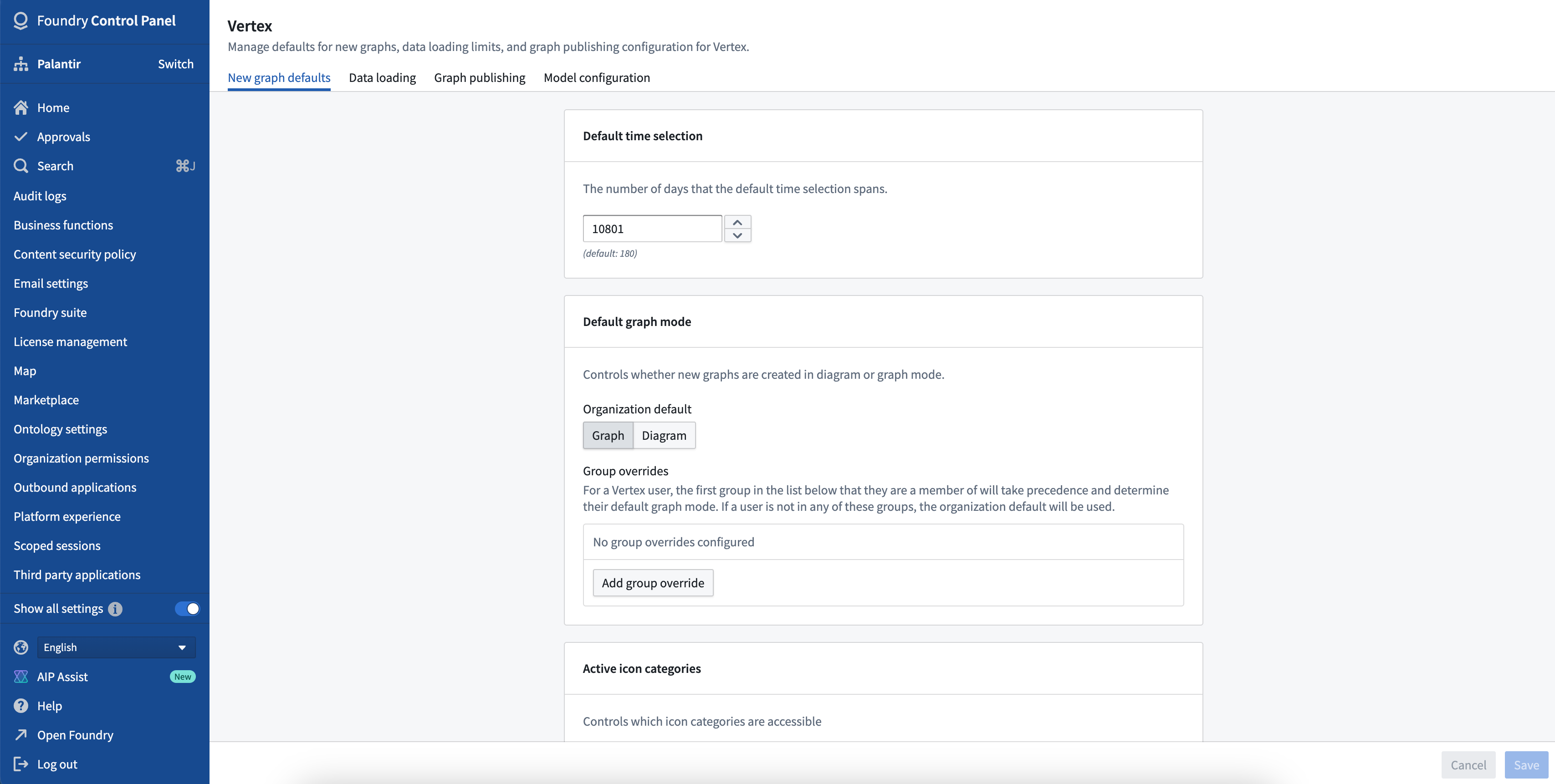
Graph defaults
- Default time selection: The number of days that the default time selection spans.
- Default graph mode: Controls whether new graphs are created in diagram mode [beta] or graph mode.
- Active icon categories: Controls which icon categories are accessible in diagram mode [beta].
:::callout{theme="neutral" title="Beta"} Diagram mode is in the beta phase of development and may not be available on your enrollment. Functionality may change during active development. To enable diagram mode, contact your platform administrator to modify application access in Control Panel. :::
Data loading
- Time series polling interval: How frequently (in seconds) Vertex will check for updated time series values when in live mode.
- Time series missing data warning: Vertex will display warnings when time series do not have recent observations. This setting controls the maximum period of time allowed (in hours) between the selected time and the nearest time series value before the warning will appear.
- Object search limits: Controls the maximum number of objects a user can add to a graph from the search dialog.
- Search around limits: Controls the behavior of adding objects to a graph via search arounds.
- Maximum number of objects: The maximum number of objects Vertex will load as a result of a single Search Around.
- Maximum number of ungrouped objects: The maximum number of objects resulting from a search around that Vertex will add to the graph as individual nodes, rather than groups. If more objects than this limit would be added to the graph, the objects will be automatically grouped.
- Template search around max depth: The maximum number of nested Search Arounds allowed when creating a template.
Model configurations
- Legacy model configuration: An updated model configuration experience is available through the Modeling objectives application. While support for models configured directly through Vertex will remain, configuring new models in the Vertex configuration panel is now discouraged.
- Model configuration mappings: Select which types of data mappings are available to model configurers.
中文翻译
在控制面板中配置 Vertex 设置
可通过控制面板配置多种组织级 Vertex 设置。要修改 Vertex 设置,您需要拥有 Vertex Admin 角色。
图形默认设置
- 默认时间选择: 默认时间选择所涵盖的天数。
- 默认图形模式: 控制新建图形是采用图表模式(diagram mode)[测试版]还是图形模式(graph mode)。
- 活动图标类别: 控制图表模式[测试版]中可访问的图标类别。
:::callout{theme="neutral" title="测试版"} 图表模式目前处于测试版开发阶段,您的实例可能无法使用。在积极开发过程中,功能可能会发生变化。要启用图表模式,请联系您的平台管理员,在控制面板中修改应用程序访问权限。 :::
数据加载
- 时间序列轮询间隔: 在实时模式下,Vertex 检查更新后的时间序列值的频率(以秒为单位)。
- 时间序列缺失数据警告: 当时间序列缺少近期观测值时,Vertex 将显示警告。此设置控制从选定时间到最近时间序列值之间允许的最大时间间隔(以小时为单位),超过该间隔将触发警告。
- 对象搜索限制: 控制用户通过搜索对话框可添加到图形中的最大对象数量。
- 周边搜索限制: 控制通过周边搜索(search around)将对象添加到图形中的行为。
- 最大对象数量: 单次周边搜索(Search Around)后 Vertex 加载的最大对象数量。
- 最大未分组对象数量: 通过周边搜索得到的结果中,Vertex 以独立节点(而非分组)形式添加到图形的最大对象数量。如果添加到图形的对象超过此限制,则对象将自动分组。
- 模板周边搜索最大深度: 创建模板时允许的最大嵌套周边搜索(Search Around)次数。
模型配置
- 旧版模型配置: 通过建模目标(Modeling objectives)应用程序可体验更新的模型配置功能。虽然仍支持通过 Vertex 直接配置模型,但现已不推荐在 Vertex 配置面板中配置新模型。
- 模型配置映射: 选择可供模型配置人员使用的数据类型映射。