Derived series(派生序列)
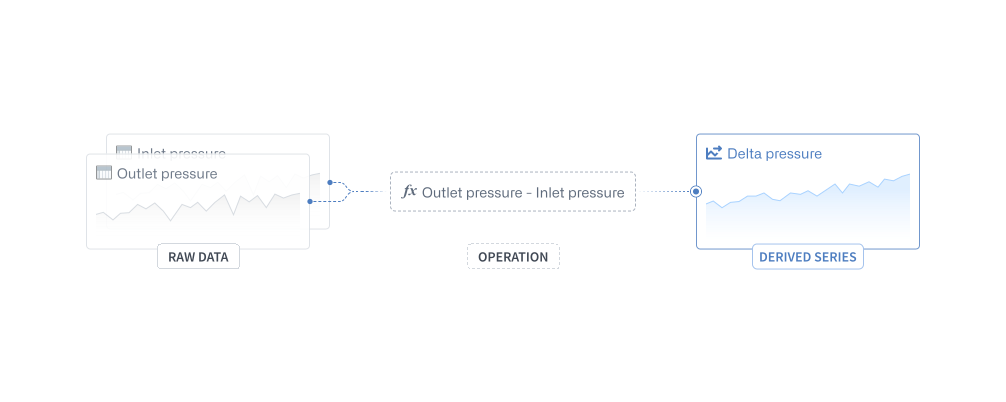
Derived series allow users to save and replicate calculations and transformations applied to time series in the Ontology. By saving this data as Palantir resources, derived series can be shared and saved back to the Ontology as time series properties. Once in the Ontology, derived series behave like any other time series property but are calculated on the fly, eliminating the need to manage or store derived data or duplicate those calculations across the platform.
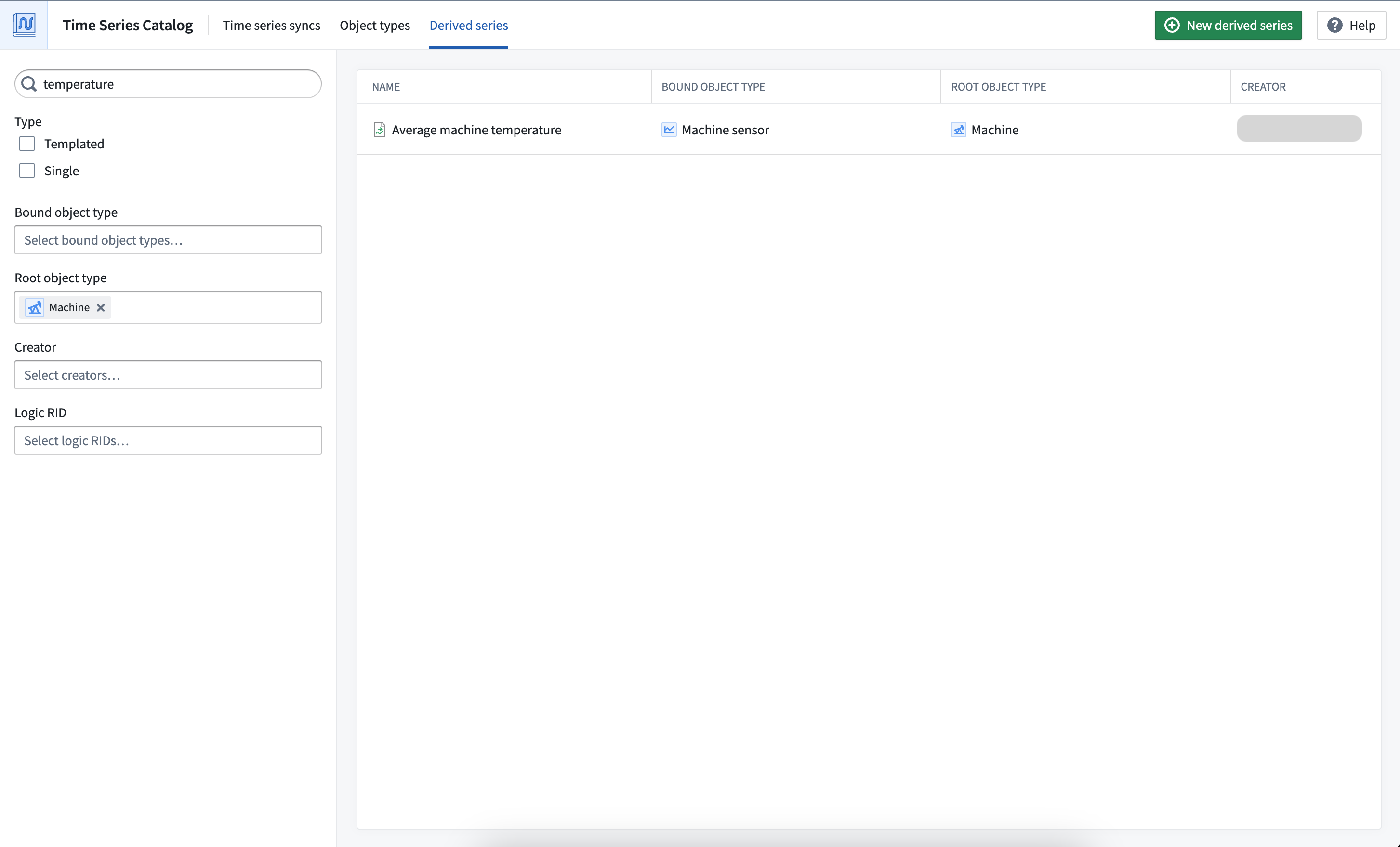
Explore, create, and manage derived series from the Derived series tab of the Time Series Catalog.
Derived series types
Derived series can either be templated or single.
Templated derived series
Templated derived series are templated against a root object type and, therefore, must operate on a single root object. Templated derived series are powerful in that they allow you to quickly replicate logic across all objects of a given type. For example, if many hypothetical Machine objects have a temperature sensor, templated derived series would enable you to quickly create a rolling average temperature sensor on Machines.
Single derived series
Single derived series are not meant to be templated and can operate on many objects. Single derived series allow you to create logic that is not constrained to all inputs coming from one object.
Requirements
The sections below explain the requirements you must follow while creating derived series.
Time series object types
A time series Ontology is a prerequisite for creating derived series. Derived series are created against and stored on time series object types, either time series properties on root object types or sensor objects. Review the time series Ontology documentation for more information.
Logic requirements
Derived series logic management is powered by Quiver. Most Quiver time series operations are supported in derived series; review the full list of supported operations for derived series logic.
Logic for templated derived series
Templated derived series logic must contain a single root object. Time series properties on the root object and sensor objects linked to the root object can be used in the logic. Learn more about time series object types for clarity between root and sensor object types.
Time series properties and linked sensor objects can be accessed from a root object using the Time series property card.
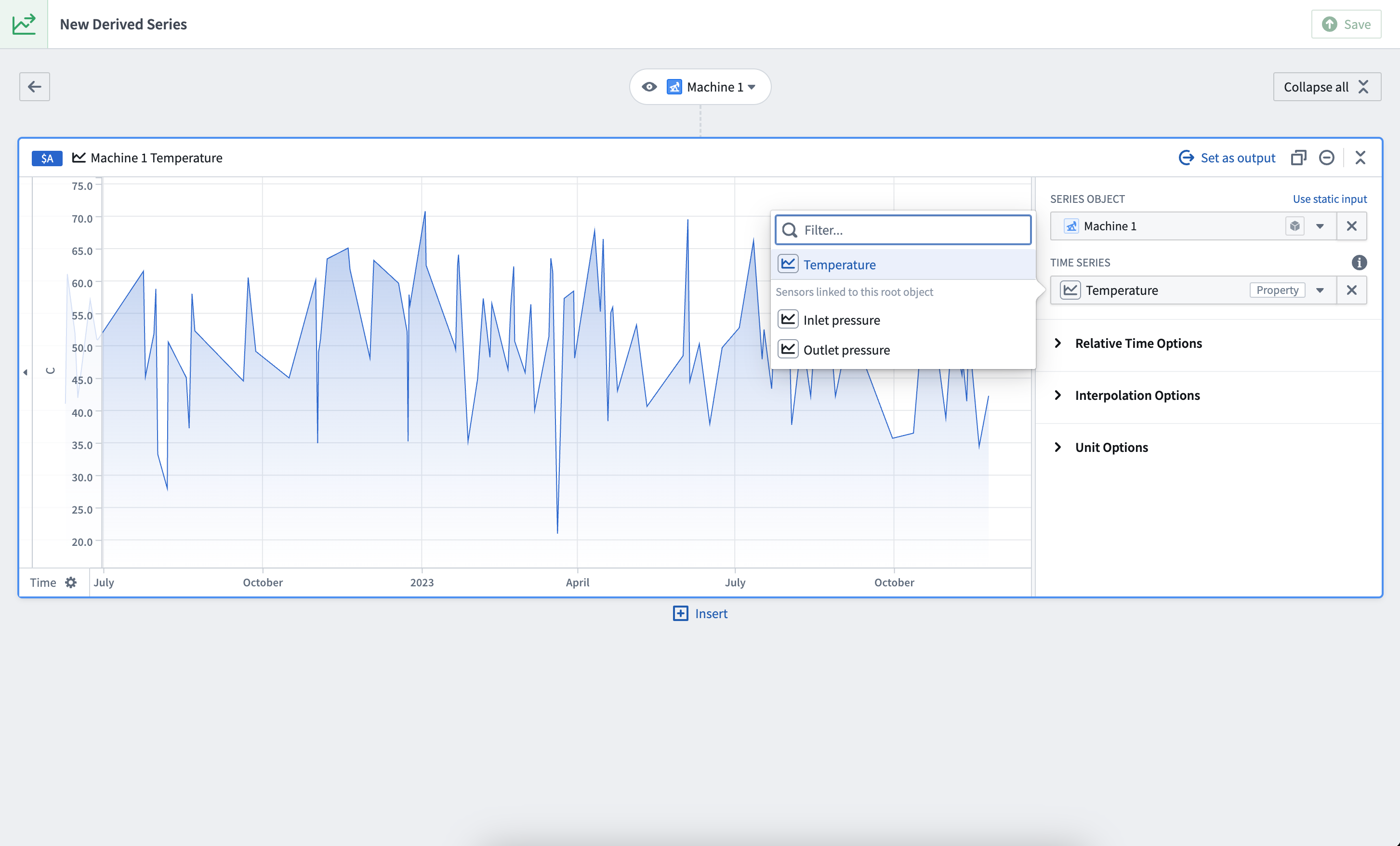
In this example, both the Temperature time series property on Machine 1 and the Inlet and Outlet pressure sensors linked to Machine 1 are accessible.
Single derived series
Single derived series logic can contain any number of sensor or root objects as long as they all live in the same Ontology.
Permission requirements
To save a derived series, object type edit permissions are required on the bound object type.
Automatic saving requirements
Derived series bound to sensor object types can be automatically saved to the Ontology using Action types. Derived series automatic saving arranges Ontology Action edits to manage associated sensor objects based on what is requested to be in the Ontology. Derived series can also be manually saved to the Ontology.
Sensor object type requirements for automatic Ontology saving
- The primary key of a sensor object type that is used for automatic saving to the Ontology must be of type
String. - The sensor object type must be stored with Object Storage V2; this is required for Actions to write to time series properties.
- The sensor object type must have edits enabled.
- For templated derived series, there must be a single one-to-many cardinality link between the root object type and sensor object type, with the root object type on the "one" side.
Action type requirements for automatic Ontology saving
If any of the following requirements are not met, you will not be able to select the Action type for automatic Ontology writes:
- Each Action type must have a single rule.
- The Action type parameters must not use constraints that limit what values can be provided. Similarly, the Action type parameters must not use overrides that result in a value constraint.
- The Action type should not have unused parameters. If a parameter is unused, it cannot be configured as required.
- Properties that are not provided a value are considered unmapped. Parameters for unmapped sensor object properties must be configured as "not required". For templated derived series, foreign key properties on the sensor object type that are not for the root object type are always unmapped.
- The Action type submission criteria must not use parameter-based conditions.
You must create three separate Action types: create, modify, and delete. The rules for these Action type are listed below.
Create object Action type
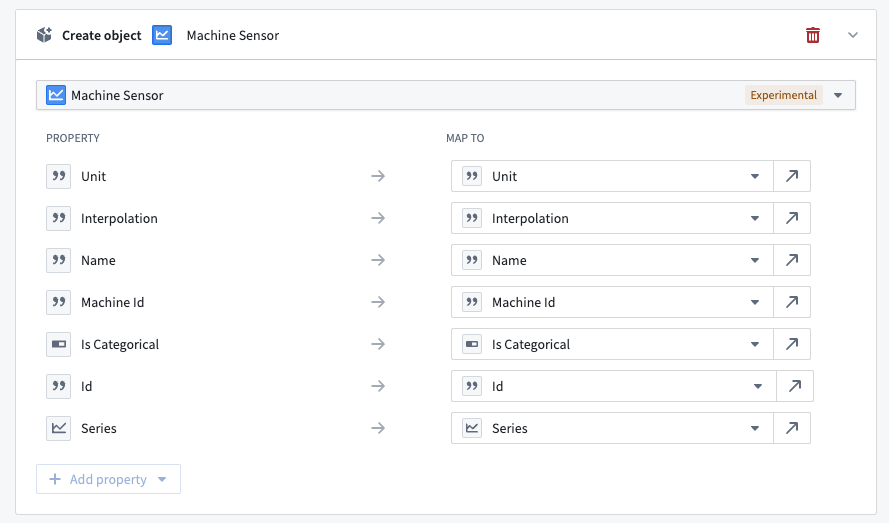
Rule: Each property type uses a parameter of the same type and edits all properties of the object type. If you are using Ontology Manager to configure an Action type, you must manually create a string parameter for your primary key from the Form tab to the left.
Modify object Action type
Rule: Similar to the Create object Action type, the Modify object Action type should use parameters that are the same type as the associated property types and should edit all properties besides the primary key.
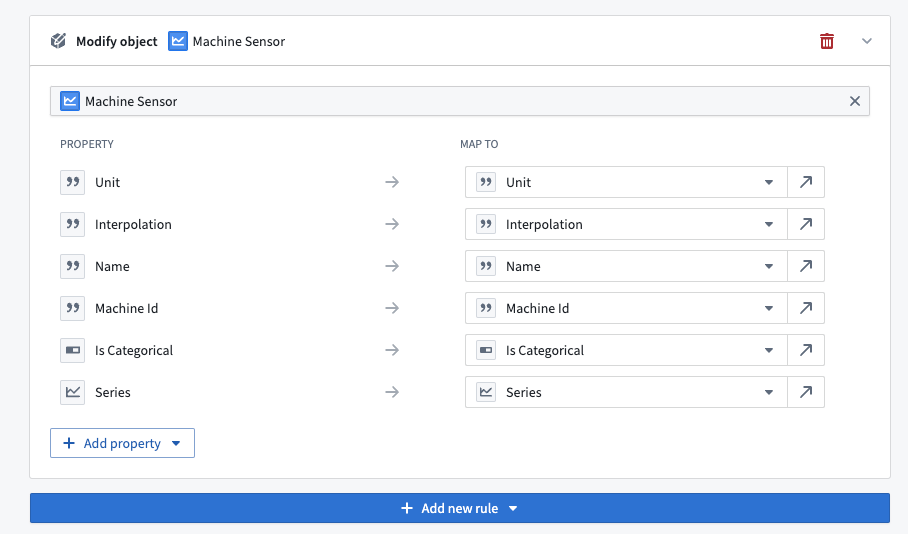
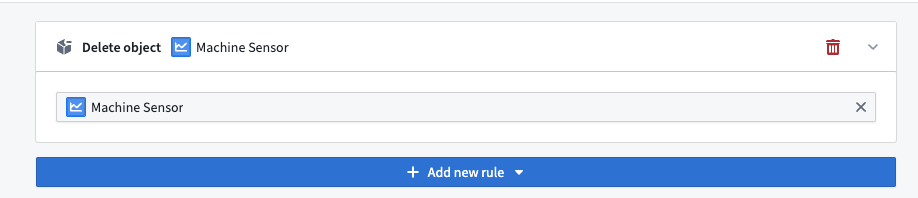
Delete object Action type
Rule: Configure the Delete object Action type to delete a sensor object type. No further property or parameter configuration is required.
Learn more about creating derived series in the next section.
Permission requirements
To use automatic Ontology saving, you must satisfy the submission criteria for the Action types.
Additionally, you must be able to view the objects of both the root object type and the sensor object type. Use caution when using automatic saving on object types backed by restricted views as the Ontology status of a derived series is calculated against the objects that a user can view. For templated derived series, a user should have access to the entirety of the root object scope as well as its associated sensor objects. Similarly, a single derived series should only be updated by a user that can view the associated single sensor object.
中文翻译
派生序列
派生序列(Derived series)允许用户保存并复用在 Ontology 中对时间序列(time series)进行的计算和转换。通过将这些数据保存为 Palantir 资源,派生序列可以共享并作为时间序列属性(time series properties)保存回 Ontology。一旦进入 Ontology,派生序列的行为与其他时间序列属性无异,但它们是即时计算的,无需管理或存储派生数据,也无需在平台中重复这些计算。
您可以从时间序列目录的派生序列选项卡中探索、创建和管理派生序列。
派生序列类型
派生序列可以是模板化(templated)或单一(single)类型。
模板化派生序列
模板化派生序列以根对象类型(root object type)为模板,因此必须基于单个根对象进行操作。模板化派生序列的强大之处在于,它允许您快速将逻辑复制到给定类型的所有对象上。例如,如果多个假设的 Machine 对象都配有温度传感器,模板化派生序列能让您快速为 Machines 创建滚动平均温度传感器。
单一派生序列
单一派生序列不适用于模板化,可以操作多个对象。单一派生序列允许您创建不受限于所有输入来自同一对象的逻辑。
要求
以下部分说明了创建派生序列时必须遵循的要求。
时间序列对象类型
时间序列 Ontology 是创建派生序列的前提条件。派生序列是针对时间序列对象类型(time series object types)创建并存储的,这些类型可以是根对象类型上的时间序列属性或传感器对象(sensor objects)。有关更多信息,请参阅时间序列 Ontology 文档。
逻辑要求
派生序列的逻辑管理由 Quiver 提供支持。派生序列支持大多数 Quiver 时间序列操作;请查看派生序列逻辑的完整支持操作列表。
模板化派生序列的逻辑
模板化派生序列的逻辑必须包含单个根对象。逻辑中可以使用根对象上的时间序列属性以及链接到根对象的传感器对象。请进一步了解时间序列对象类型,以明确根对象类型与传感器对象类型之间的区别。
使用时间序列属性(Time series property)卡片可以从根对象访问时间序列属性和链接的传感器对象。
在此示例中,Machine 1 上的 Temperature 时间序列属性以及链接到 Machine 1 的 Inlet 和 Outlet pressure 传感器均可访问。
单一派生序列
单一派生序列的逻辑可以包含任意数量的传感器或根对象,前提是它们都位于同一个 Ontology 中。
权限要求
要保存派生序列,需要在绑定的对象类型上拥有对象类型编辑权限。
自动保存要求
绑定到传感器对象类型的派生序列可以使用操作类型(Action types)自动保存到 Ontology。派生序列的自动保存功能会根据 Ontology 中请求的内容,安排 Ontology 操作编辑来管理关联的传感器对象。派生序列也可以手动保存到 Ontology。
自动保存到 Ontology 的传感器对象类型要求
- 用于自动保存到 Ontology 的传感器对象类型的主键(primary key)必须为
String类型。 - 传感器对象类型必须使用对象存储 V2 进行存储;这是操作(Actions)写入时间序列属性的必要条件。
- 传感器对象类型必须启用编辑功能。
- 对于模板化派生序列,根对象类型与传感器对象类型之间必须存在单个一对多基数链接,且根对象类型位于“一”方。
自动保存到 Ontology 的操作类型要求
如果未满足以下任何要求,您将无法选择用于自动写入 Ontology 的操作类型:
- 每个操作类型必须包含单个规则。
- 操作类型参数不得使用限制可提供值的约束。同样,操作类型参数不得使用导致值约束的覆盖(overrides)。
- 操作类型不应包含未使用的参数。如果某个参数未使用,则无法将其配置为必需参数。
- 未提供值的属性被视为未映射(unmapped)。未映射的传感器对象属性的参数必须配置为“非必需”。对于模板化派生序列,传感器对象类型上不属于根对象类型的外键属性(foreign key properties)始终是未映射的。
- 操作类型的提交条件(submission criteria)不得使用基于参数的条件。
您必须创建三个独立的操作类型:创建、修改和删除。这些操作类型的规则如下所示。
创建对象操作类型
规则: 每个属性类型使用相同类型的参数,并编辑对象类型的所有属性。如果您使用 Ontology Manager 配置操作类型,则必须从左侧的表单选项卡手动为您的主键创建一个字符串参数。
修改对象操作类型
规则: 与 创建对象 操作类型类似,修改对象 操作类型应使用与关联属性类型相同类型的参数,并应编辑除主键之外的所有属性。
删除对象操作类型
规则: 配置 删除对象 操作类型以删除传感器对象类型。无需进一步配置属性或参数。
在下一节中进一步了解创建派生序列。
权限要求
要使用自动保存到 Ontology 功能,您必须满足操作类型的提交条件。
此外,您必须能够查看根对象类型和传感器对象类型的对象。在由受限视图(restricted views)支持的对象类型上使用自动保存功能时需谨慎,因为派生序列的 Ontology 状态是根据用户可查看的对象计算的。对于模板化派生序列,用户应能访问整个根对象范围及其关联的传感器对象。类似地,单一派生序列只能由能够查看关联的单一传感器对象的用户更新。