Work with time series in FoundryTS(在 FoundryTS 中处理时间序列)
FoundryTS is a Python library for running queries against time series data such as filtering time series directly or from attached ontology properties. The FoundryTS library integrates with Code Repositories and Code Workbook.
Review the FoundryTS API reference for more details.
:::callout{theme="neutral"} Note that the output of using the FoundryTS library in a transform will be a dataset. If you want to output a new time series, you should create a dataset with the schema required for a time series, then use that dataset to back a new time series using the Time Series Catalog or Pipeline Builder. :::
Get started in Code Repositories
To begin, ensure you have already set up a Python code repository.
Add the foundryts, transforms-timeseries, and transforms-objects libraries to your repository using the Libraries pane.
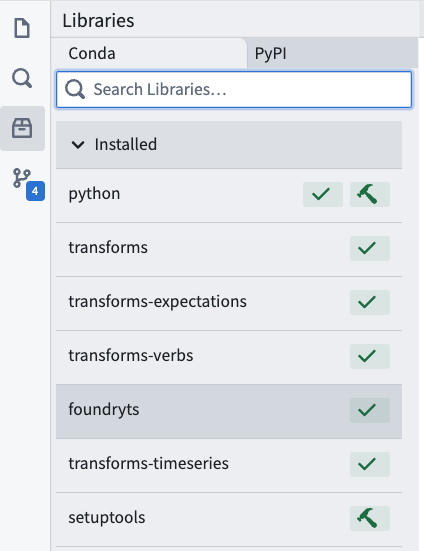
Then, follow the instructions below to import the object types being queried into the repository and update Project references:
- Go to the Settings tab in the repository.
- Select Ontology.
- Add your object type.
Import resources
Project references grant FoundryTS access to resources outside of your project. This section walks you through the resources you need to import if they live outside of your project.
If you access your series by time series properties, you must import the following resource:
- The dataset backing the object type
If you access your series by series IDs or a search query, you must import the following resources:
- The time series sync (The RID of this resource looks like: ri.time-series-catalog.main.sync.
) - The dataset backing the time series sync
Get started in Code Workbook
In a code workbook, add the foundryts package to your environment by selecting Environment from the upper right toolbar, then Configure environment.
Under Conda environment, select Customize profile and search for and add foundryts. Select Update environment to save your changes.
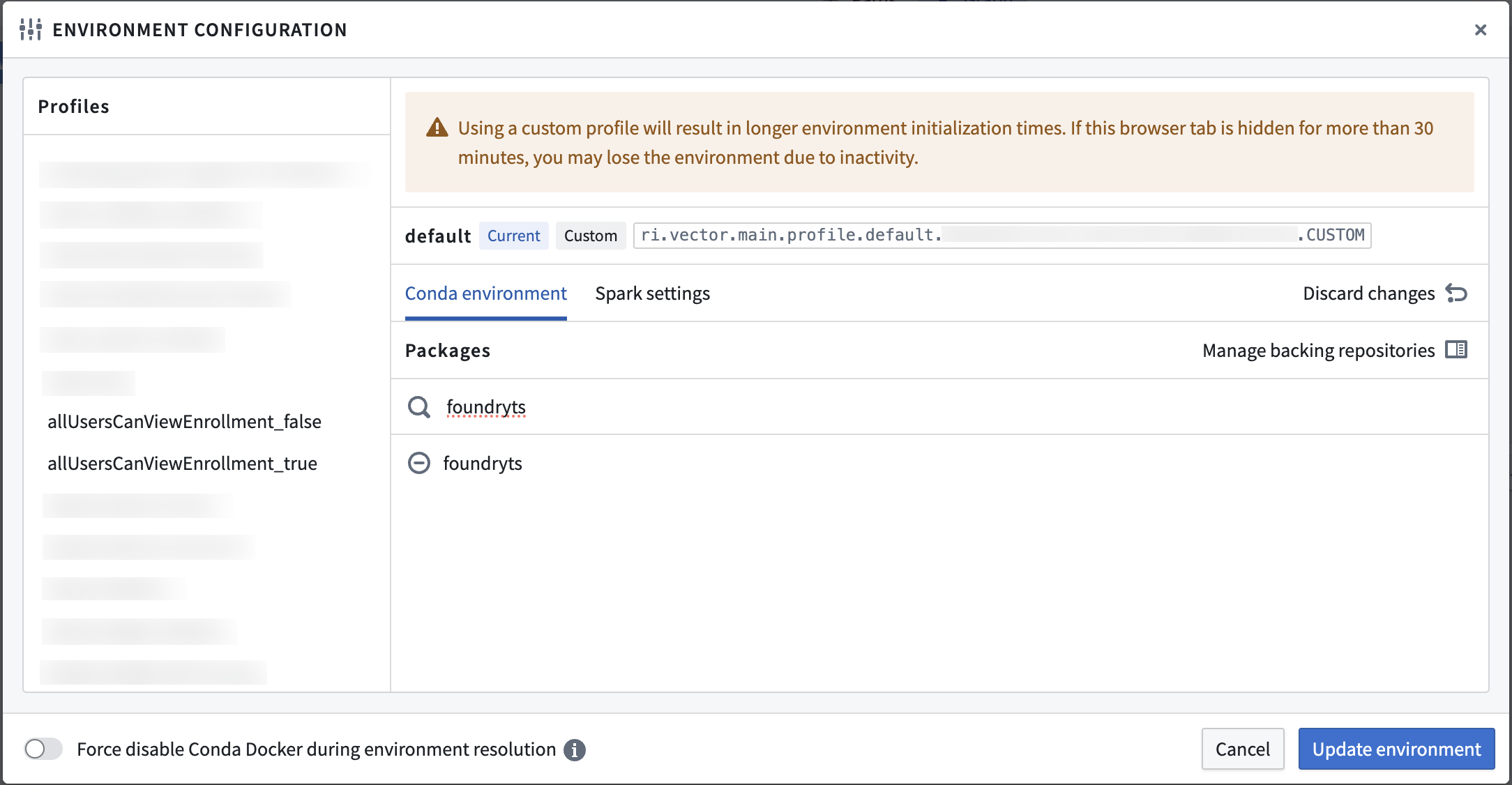
Learn more about environment configuration in Code Workbook.
Set up workbook inputs
Any queried object types (accessed by time series properties) or time series catalog syncs (accessed by series ID or a search query) must be added as workbook inputs from the left Contents panel.
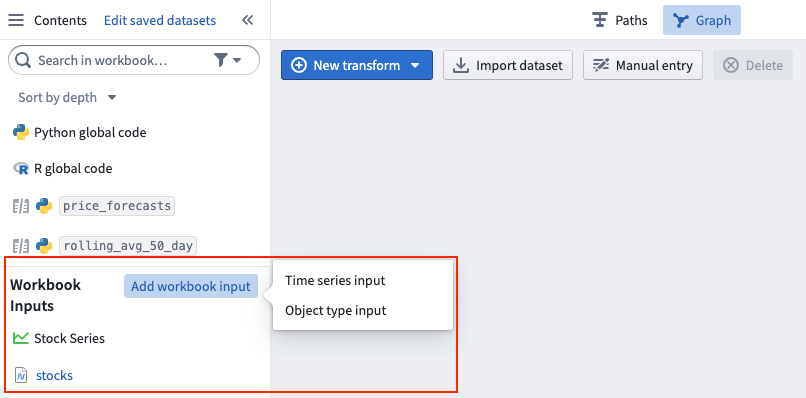
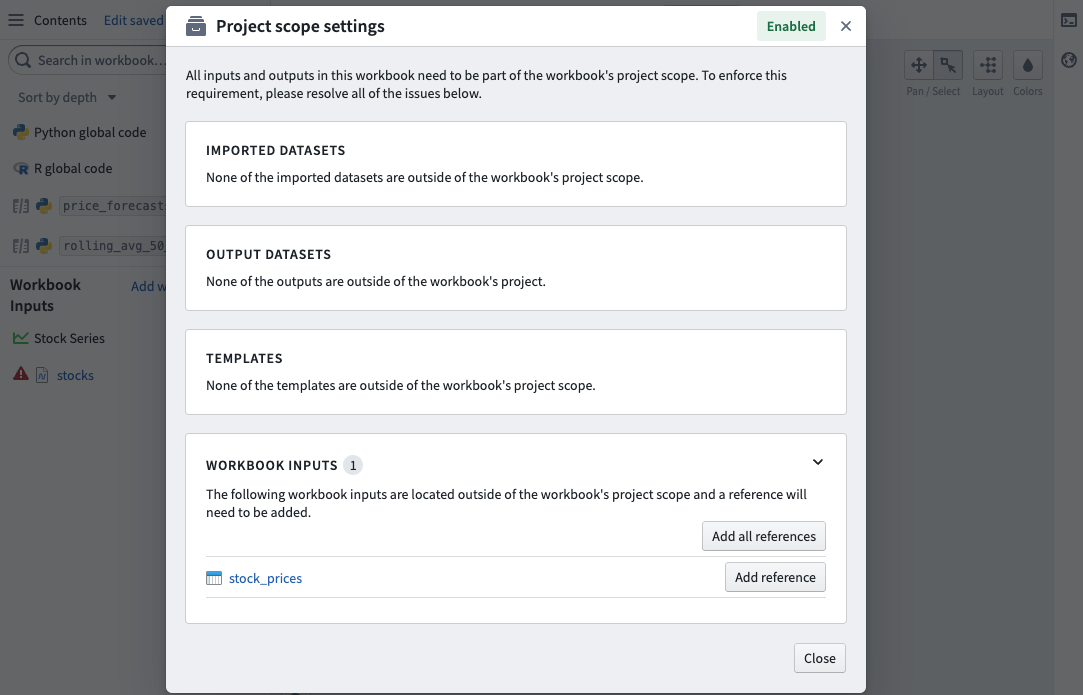
The object types or time series catalog syncs added as workbook inputs must also be imported into the same Project as the workbook, including their backing datasets. Not doing so will cause errors when executing transforms written with foundryts. If any workbook inputs are not in the Project scope, they will be surfaced in the Project scope settings dialog found in the settings dropdown menu in the top right of the workbook toolbar.
Example: Stock data
In this example, we start with the Stock series object type with the Ticker name property. Our objective is to find all the series in the Technology sector and compute their time ranges.
Start by defining the input and output of your transform. We declare the Stock series object type as an object input and the time series sync as a time series input.
@transform(
    output=Output("/Users/jdoe/foundryts-test-technology-sector"),
    ts=TimeSeriesInput('ri.time-series-catalog.main.sync.6bdbda27-29...'),
    objects=ObjectInput(
        object_type_rid='ri.ontology.main.object-type.4168ed49-00...',
        ontology_rid='ri.ontology.main.ontology.00000000-00...',
        ontology_branch_rid='ri.ontology.main.branch.00000000-00...'
    )
)
Now, we define the transform function and initialize an instance of FoundryTS. Note that this function takes the object type, time series sync, and output as arguments.
def compute(ctx, ts, objects, output):
    fts = FoundryTS()
Next we search for timeseries-demo-stock-series objects in the Technology sector. For each search result, we map the series to its time extent (the timestamps of the earliest and latest points).
    search_result = fts.search.series(
        (ontology('sector') == 'Technology'),
        object_types=['timeseries-demo-stock-series']
    ).map(F.time_extent())
Finally, we write the dataframe to our output dataset.
    df = search_result.to_dataframe()
    output.write_dataframe(df)
Putting it all together, the completed transform looks like the following. Note that you only need to reference your input time series in the transform decorator, because the FoundryTS() function will automatically use it as context:
from transforms.api import transform, Output
from transforms.timeseries import TimeSeriesInput
from foundryts import FoundryTS
from foundryts.search import ontology
import foundryts.functions as F
from transforms.objects import ObjectInput


@transform(
    output=Output("/Users/jdoe/foundryts-test-technology-sector"),
    ts=TimeSeriesInput('ri.time-series-catalog.main.sync.6bdbda27-29...'),
    objects=ObjectInput(
        object_type_rid='ri.ontology.main.object-type.4168ed49-00...',
        ontology_rid='ri.ontology.main.ontology.00000000-00...',
        ontology_branch_rid='ri.ontology.main.branch.00000000-00...'
    )
)
def compute(ctx, ts, objects, output):
    fts = FoundryTS()

    search_result = fts.search.series(
        (ontology('sector') == 'Technology'),
        object_types=['timeseries-demo-stock-series']
    ).map(F.time_extent())

    df = search_result.to_dataframe()
    output.write_dataframe(df)
The output dataset looks like the following:

中文翻译
在 FoundryTS 中处理时间序列
FoundryTS 是一个 Python 库,用于对时间序列数据执行查询,例如直接过滤时间序列或从关联的本体论(Ontology)属性中过滤时间序列。FoundryTS 库可与代码仓库(Code Repositories)和代码工作簿(Code Workbook)集成。
更多详情请参阅 FoundryTS API 参考文档。
:::callout{theme="neutral"} 请注意,在转换(transform)中使用 FoundryTS 库的输出将是一个数据集(dataset)。如果您想输出新的时间序列,应创建一个具有时间序列所需模式(schema)的数据集,然后使用该数据集通过时间序列目录(Time Series Catalog)或流水线构建器(Pipeline Builder)来支持新的时间序列。 :::
在代码仓库中开始使用
首先,请确保您已经设置了一个 Python 代码仓库。
使用库(Libraries)面板将 foundryts、transforms-timeseries 和 transforms-objects 库添加到您的仓库中。
然后,按照以下说明将要查询的对象类型(Object Types)导入仓库并更新项目引用(Project references):
- 进入仓库的设置(Settings)选项卡。
- 选择本体论(Ontology)。
- 添加您的对象类型。
导入资源
项目引用(Project references)允许 FoundryTS 访问项目外部的资源。本节将引导您了解需要导入的资源(如果它们位于项目外部)。
如果您通过时间序列属性访问序列,则必须导入以下资源:
- 支持该对象类型的数据集
如果您通过序列 ID 或搜索查询访问序列,则必须导入以下资源:
- 时间序列同步(Time series sync)(此资源的 RID 格式为:ri.time-series-catalog.main.sync.
) - 支持该时间序列同步的数据集
在代码工作簿中开始使用
在代码工作簿中,通过选择右上角工具栏中的环境(Environment),然后选择配置环境(Configure environment),将 foundryts 包添加到您的环境中。
在Conda 环境(Conda environment)下,选择自定义配置文件(Customize profile),搜索并添加 foundryts。选择更新环境(Update environment)以保存更改。
了解更多关于代码工作簿中的环境配置信息。
设置工作簿输入
任何被查询的对象类型(通过时间序列属性访问)或时间序列目录同步(通过序列 ID 或搜索查询访问)都必须从左侧的内容(Contents)面板添加为工作簿输入。
作为工作簿输入添加的对象类型或时间序列目录同步也必须导入到工作簿所在的同一项目中,包括它们的支持数据集。如果不这样做,在执行使用 foundryts 编写的转换时将会导致错误。如果任何工作簿输入不在项目范围内,它们将显示在项目范围设置(Project scope settings)对话框中,该对话框可通过工作簿工具栏右上角的设置下拉菜单找到。
示例:股票数据
在本示例中,我们从具有 Ticker name 属性的 Stock series 对象类型开始。我们的目标是找到 Technology 板块中的所有序列并计算它们的时间范围。
首先定义转换的输入和输出。我们将 Stock series 对象类型声明为对象输入,将时间序列同步声明为时间序列输入。
@transform(
    output=Output("/Users/jdoe/foundryts-test-technology-sector"),
    ts=TimeSeriesInput('ri.time-series-catalog.main.sync.6bdbda27-29...'),
    objects=ObjectInput(
        object_type_rid='ri.ontology.main.object-type.4168ed49-00...',
        ontology_rid='ri.ontology.main.ontology.00000000-00...',
        ontology_branch_rid='ri.ontology.main.branch.00000000-00...'
    )
)
现在,我们定义转换函数并初始化 FoundryTS 实例。请注意,此函数将对象类型、时间序列同步和输出作为参数。
def compute(ctx, ts, objects, output):
    fts = FoundryTS()
接下来,我们在 Technology 板块中搜索 timeseries-demo-stock-series 对象。对于每个搜索结果,我们将序列映射到其时间范围(最早和最晚数据点的时间戳)。
    search_result = fts.search.series(
        (ontology('sector') == 'Technology'),
        object_types=['timeseries-demo-stock-series']
    ).map(F.time_extent())
最后,我们将数据帧(dataframe)写入输出数据集。
    df = search_result.to_dataframe()
    output.write_dataframe(df)
综合起来,完整的转换如下所示。请注意,您只需在转换装饰器(transform decorator)中引用输入时间序列,因为 FoundryTS() 函数会自动将其用作上下文:
from transforms.api import transform, Output
from transforms.timeseries import TimeSeriesInput
from foundryts import FoundryTS
from foundryts.search import ontology
import foundryts.functions as F
from transforms.objects import ObjectInput


@transform(
    output=Output("/Users/jdoe/foundryts-test-technology-sector"),
    ts=TimeSeriesInput('ri.time-series-catalog.main.sync.6bdbda27-29...'),
    objects=ObjectInput(
        object_type_rid='ri.ontology.main.object-type.4168ed49-00...',
        ontology_rid='ri.ontology.main.ontology.00000000-00...',
        ontology_branch_rid='ri.ontology.main.branch.00000000-00...'
    )
)
def compute(ctx, ts, objects, output):
    fts = FoundryTS()

    search_result = fts.search.series(
        (ontology('sector') == 'Technology'),
        object_types=['timeseries-demo-stock-series']
    ).map(F.time_extent())

    df = search_result.to_dataframe()
    output.write_dataframe(df)
输出数据集如下所示: