Add time series properties and configure geospatial capabilities with Ontology Manager(使用 Ontology Manager 添加时间序列属性并配置地理空间功能)
:::callout{theme="neutral"}
This guidance references the documentation for setting up a time series property on a time series object type. While you can add as many time series properties to the object type as necessary, this tutorial guides you through the process of adding two to your object type based on the latitude and longitude columns on the Ship object type's backing dataset created in Pipeline Builder.
:::
At the end of this guide, your Ship object type will have two time series properties (Latitude Series and Longitude Series) and geospatial track capabilities configured to visualize ship movement on a Foundry map.
Part I: Create a Ship object type in Ontology Manager
Follow the instructions below to create a new Ship object type in your Ontology with your transformed data as the backing dataset:
- Navigate to Ontology Manager and select New > Object type from the top right corner of your screen.
- Select Use existing datasource in the Create a new object type pop-up window and choose your transformed dataset.
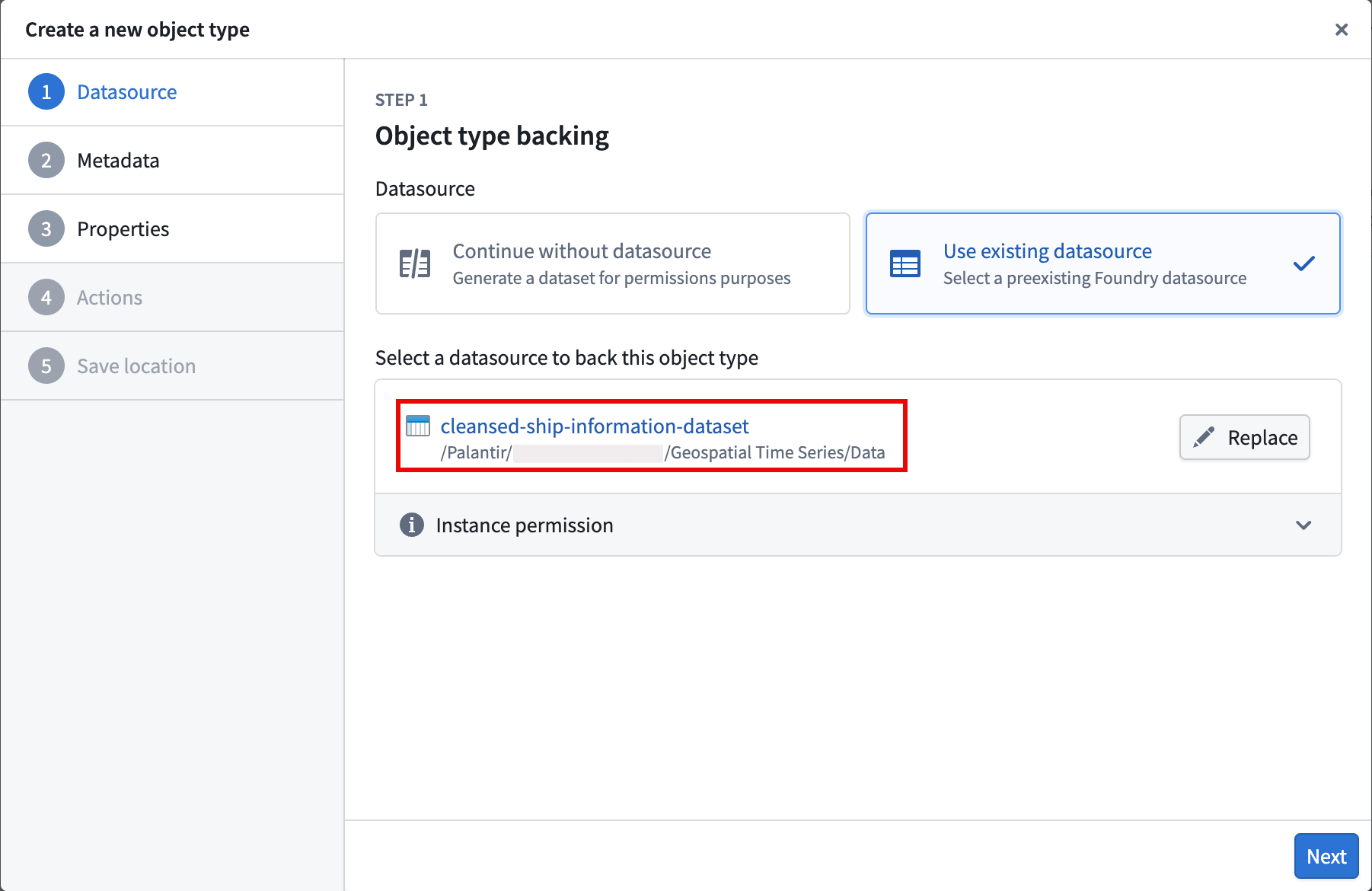
- Select Next and set
Shipas the object type's Name before optionally entering a Description. After providing a name and description, choose Next. - Set the
Ship Idproperty as the Primary key and Title for the object type. - Select your action types to generate, and optionally restrict who can submit the actions.
- Select a project to save the object type and generate action types to before you choose Create.
After you select Create, Foundry closes the Create a new object type window and directs you to your object type's overview page in Ontology Manager, where you can configure its time series properties.
Part II: Configure the time series properties on the Ship object type
- Select the Capabilities tab on the left side of your screen beneath Observability.
- Select the Time series panel before choosing Get started to launch the Time series property setup pop-up window.
- Choose
Longitude Series Idfrom the Object type property dropdown menu and select Next. - Select Choose file... to locate the time series sync you created in Pipeline Builder before choosing Next.
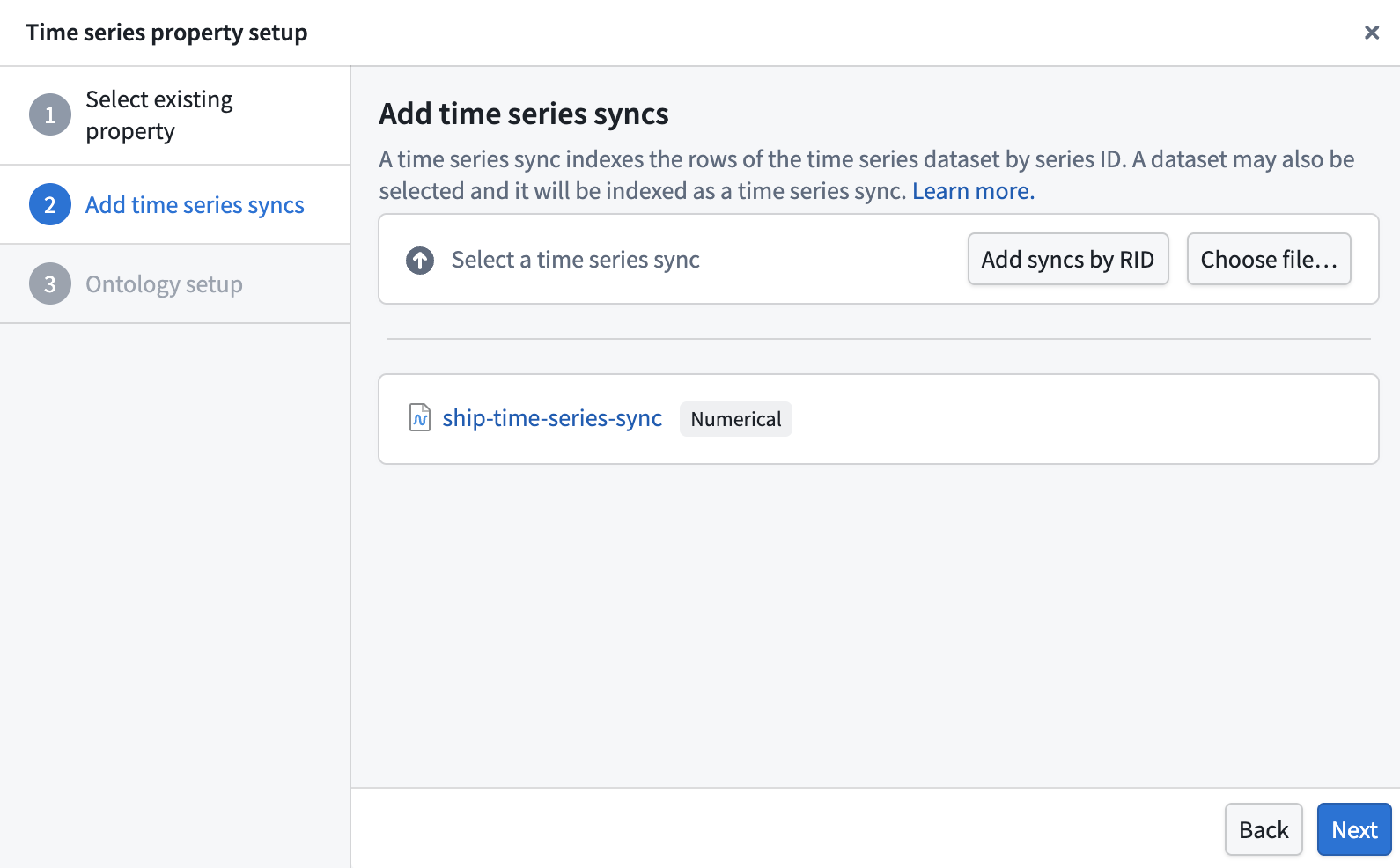
- Choose Standard time series property in the Ontology setup section of the pop-up window before selecting Add property.
After you select Add property, Foundry closes the Time series property setup pop-up window and directs you back to the Time series section of the Capabilities panel. Next, select Add property and repeat steps 2–5 above for the Latitude Series Id property.
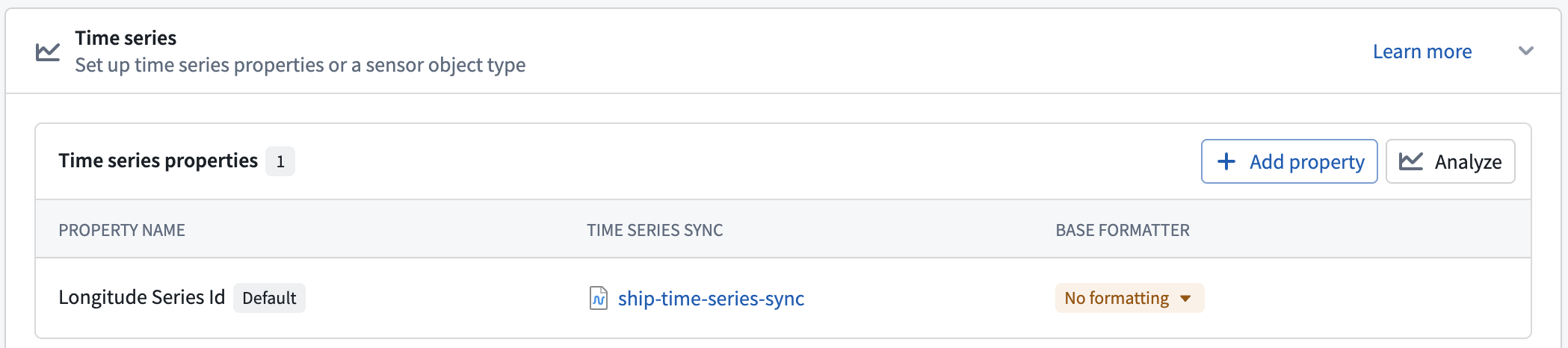
Once you finish setting up the Latitude Series Id property, Save your changes to the Ontology.
Part III: Ensure each time series property represents a geospatial feature
In the Capabilities tab, scroll down to and select the Geospatial panel. Next, set your Latitude Series Id and Longitude Series Id properties as the Track Latitude and Track Longitude properties, respectively, before saving your changes to the Ontology.
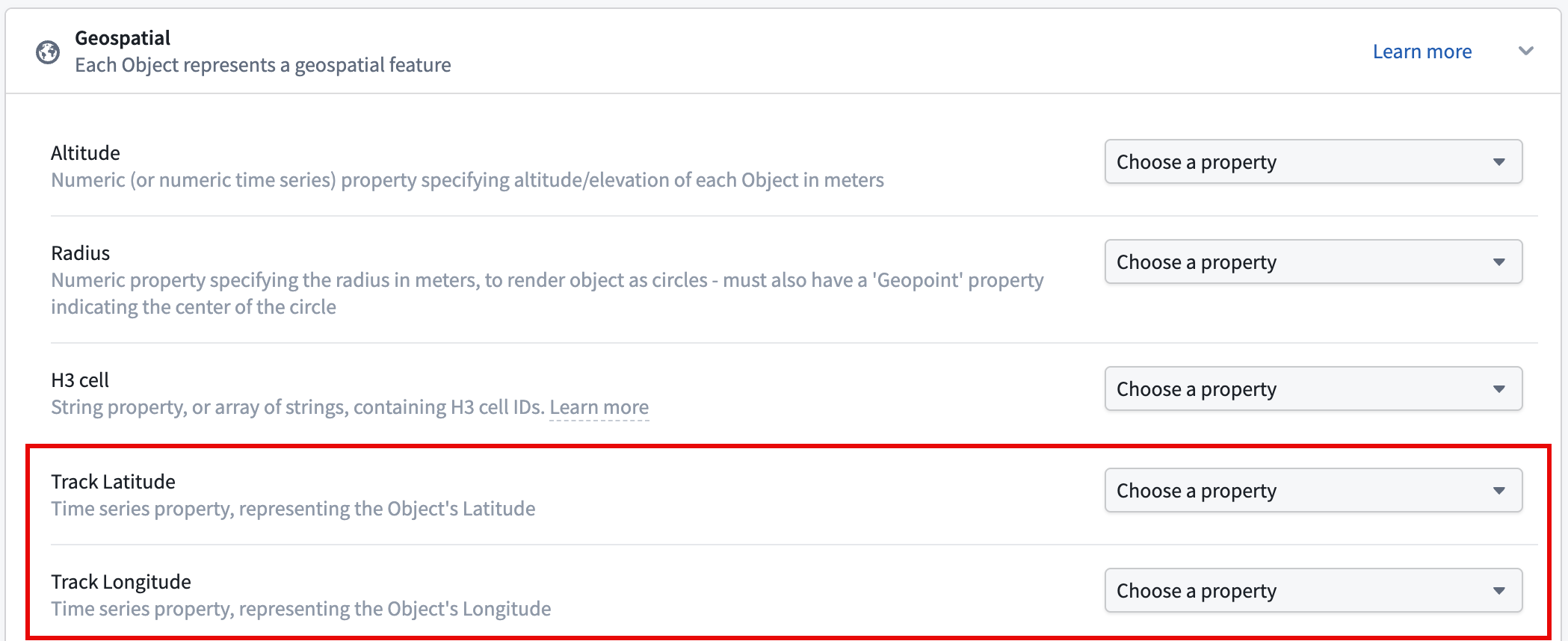
Now that the time series properties and geospatial capabilities are configured, you will next visualize ship tracks on a map.
中文翻译
使用 Ontology Manager 添加时间序列属性并配置地理空间功能
:::callout{theme="neutral"}
本指南参考了在时间序列对象类型上设置时间序列属性的文档。虽然您可以根据需要为对象类型添加任意数量的时间序列属性,但本教程将引导您基于Ship对象类型的在 Pipeline Builder 中创建的后台数据集中的latitude和longitude列,为该对象类型添加两个时间序列属性。
:::
在本指南结束时,您的Ship对象类型将拥有两个时间序列属性(Latitude Series和Longitude Series),并配置了地理空间轨迹功能,以便在Foundry 地图上可视化船舶移动。
第一部分:在 Ontology Manager 中创建Ship对象类型
按照以下说明,使用您的转换后数据作为后台数据集,在您的本体论(Ontology)中创建一个新的Ship对象类型:
- 导航至Ontology Manager,然后从屏幕右上角选择新建 > 对象类型。
- 在创建新对象类型弹出窗口中选择使用现有数据源,然后选择您的转换后数据集。
- 选择下一步,将
Ship设置为对象类型的名称,然后可选地输入描述。提供名称和描述后,选择下一步。 - 将
Ship Id属性设置为对象类型的主键和标题。 - 选择要生成的操作类型(Action Types),并可选择限制谁可以提交这些操作。
- 选择一个项目来保存对象类型并生成操作类型,然后选择创建。
选择创建后,Foundry 会关闭创建新对象类型窗口,并将您引导至 Ontology Manager 中该对象类型的概览页面,您可以在其中配置其时间序列属性。
第二部分:在Ship对象类型上配置时间序列属性
- 选择屏幕左侧可观测性(Observability)下方的功能(Capabilities)选项卡。
- 选择时间序列(Time series)面板,然后选择开始使用以启动时间序列属性设置弹出窗口。
- 从对象类型属性下拉菜单中选择
Longitude Series Id,然后选择下一步。 - 选择选择文件...以定位您在Pipeline Builder 中创建的时间序列同步,然后选择下一步。
- 在弹出窗口的本体论设置(Ontology setup)部分中选择标准时间序列属性,然后选择添加属性。
选择添加属性后,Foundry 会关闭时间序列属性设置弹出窗口,并将您引导回功能面板的时间序列部分。接下来,选择添加属性,然后对Latitude Series Id属性重复上述步骤 2-5。
完成Latitude Series Id属性的设置后,保存您对本体论(Ontology)的更改。
第三部分:确保每个时间序列属性代表一个地理空间要素
在功能(Capabilities)选项卡中,向下滚动并选择地理空间(Geospatial)面板。接下来,将您的Latitude Series Id和Longitude Series Id属性分别设置为轨迹纬度(Track Latitude)和轨迹经度(Track Longitude)属性,然后保存您对本体论(Ontology)的更改。
现在时间序列属性和地理空间功能已配置完成,接下来您将在地图上可视化船舶轨迹。