Add time series properties to objects with Ontology Manager(使用 Ontology Manager 为对象添加时间序列属性)
This guidance references the documentation for setting up a time series property on a time series object type. You can add as many time series properties to the object type as necessary, with the assumption that a time series set will always be associated with each object. Review our documentation to understand whether to choose a time series object type or a sensor object type.
You must repeat the steps below for both the Route and Airport object types. At the end of this guide, the Carrier, Route, and Airport object types will each have three time series properties for Daily Count of Flights, Daily Average Arrival Delay and Daily Average Departure Delay.
- Navigate to the
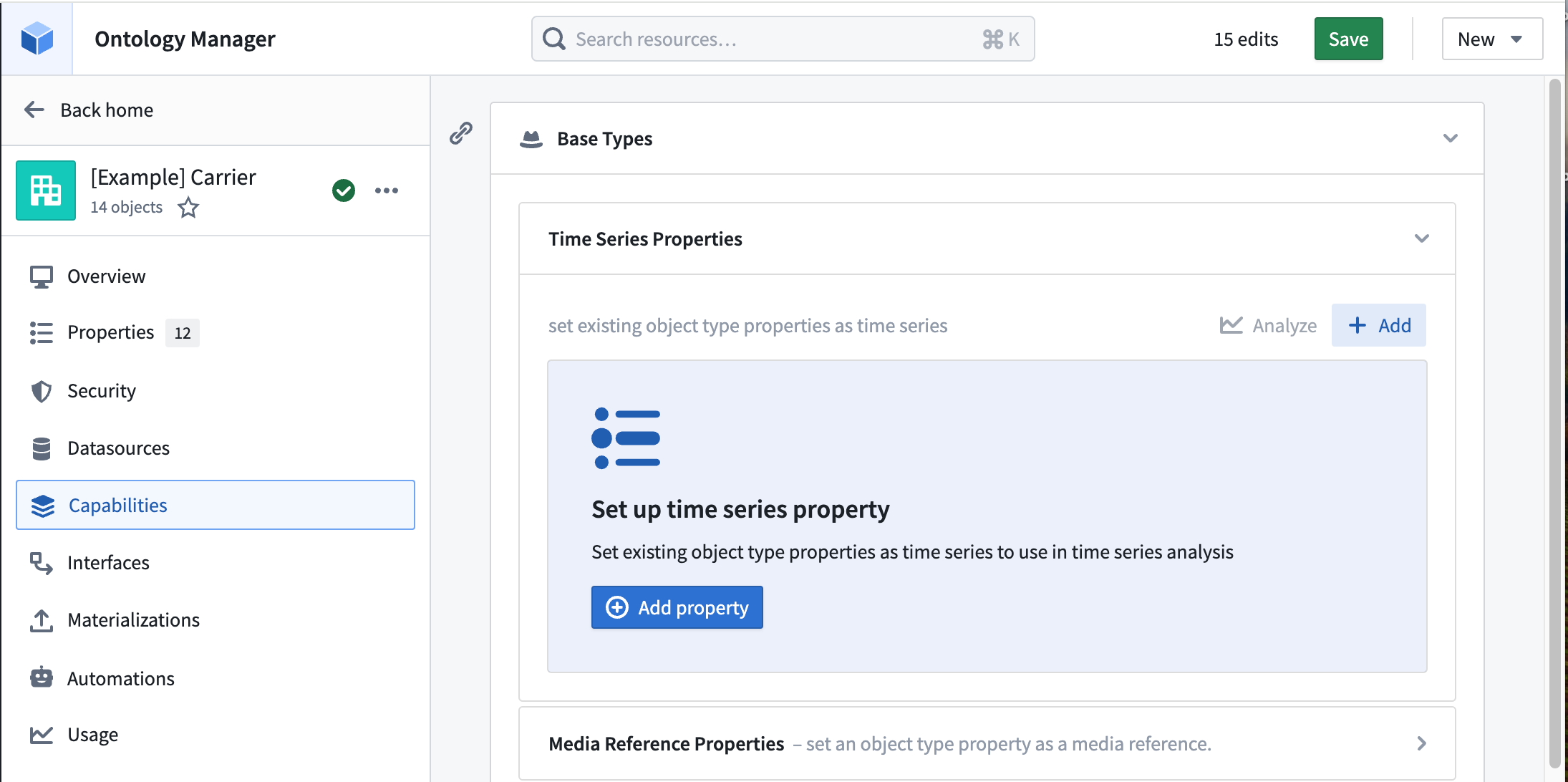
Carrierobject type in Ontology Manager and select the Capabilities tab. - From the Time series property section select + Add.
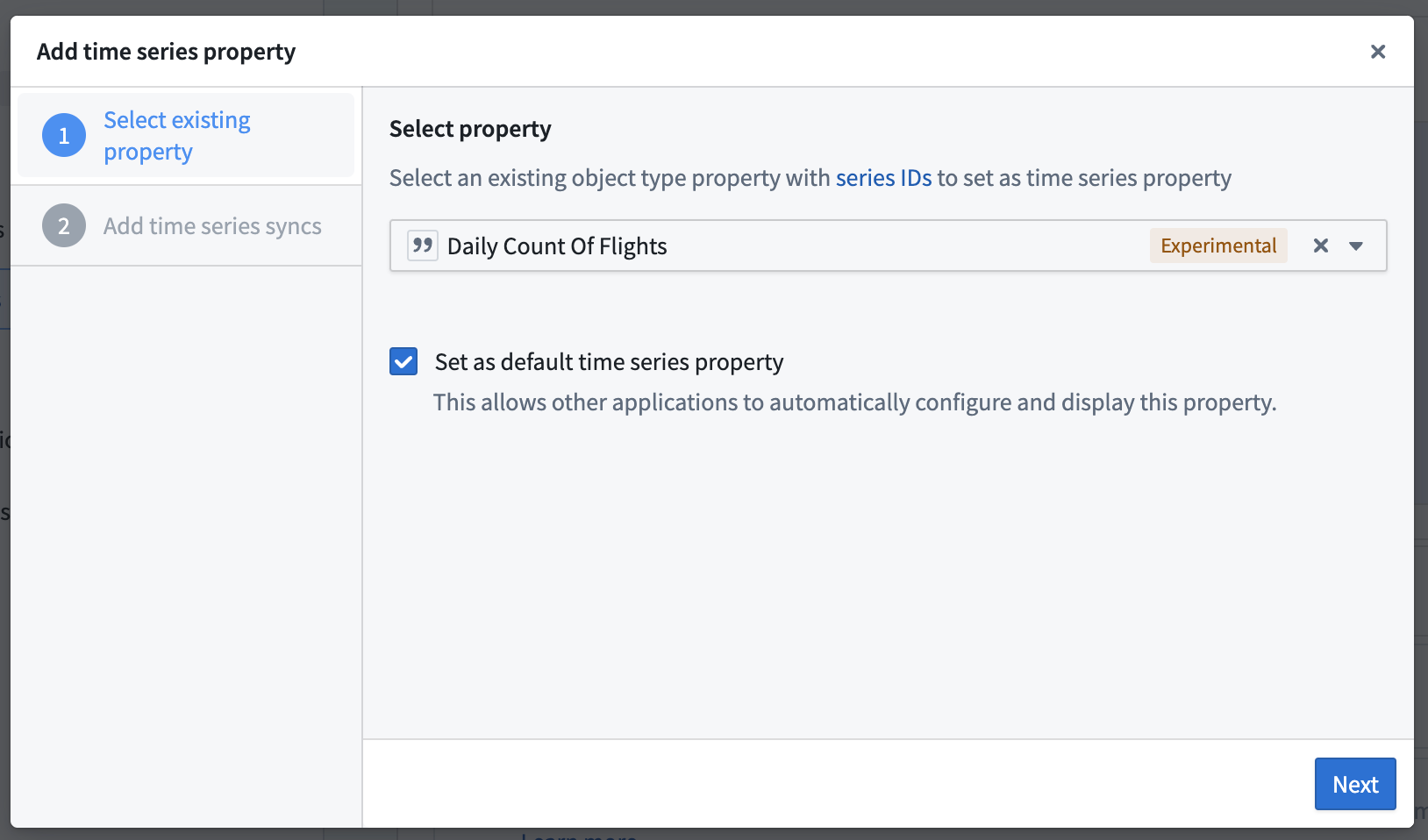
- Select the existing
Daily Count of Flightsproperty as the time series property, then select Set as default time series property so that it automatically appears in Quiver.
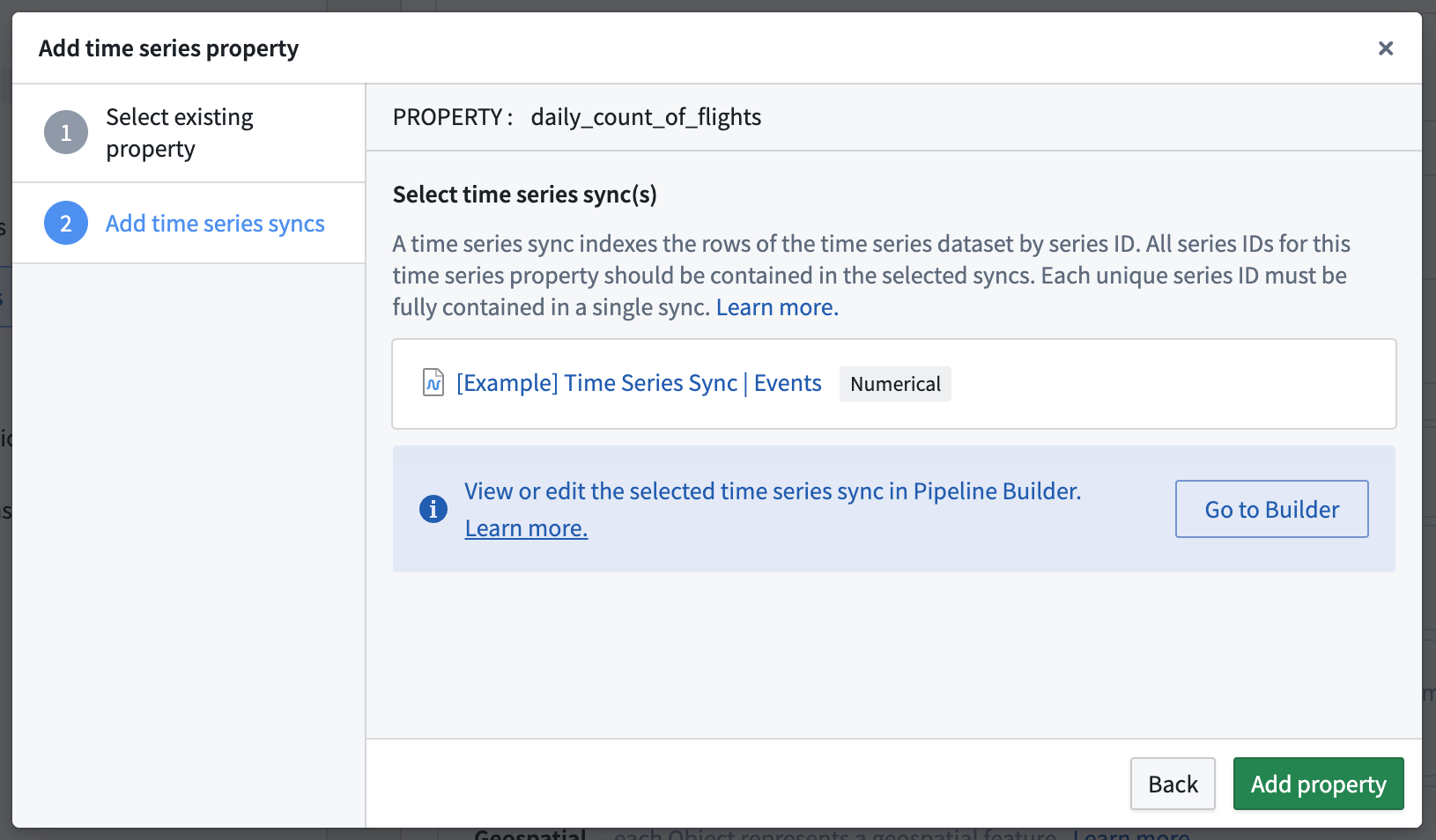
- Select the time series sync that you created in Pipeline Builder. In our example, it is called
[Example] Time Series Sync | Event Pipeline.
- Repeat this process for the
Daily Average Arrival DelayandDaily Average Departure Delaytime series properties.
Now that the time series properties have been added to the object types, we are ready to use the time series properties in an operational context. Proceed in the documentation to learn how to use time series properties on objects in Workshop and Quiver
中文翻译
使用 Ontology Manager 为对象添加时间序列属性
本指南引用了在时间序列对象类型上设置时间序列属性的文档。您可以根据需要为对象类型添加任意数量的时间序列属性,前提是每个对象始终关联一个时间序列集。请查阅我们的文档,了解如何选择时间序列对象类型或传感器对象类型。
您必须对 Route 和 Airport 对象类型重复以下步骤。在本指南结束时,Carrier、Route 和 Airport 对象类型将各自拥有三个时间序列属性,分别对应 Daily Count of Flights(每日航班数)、Daily Average Arrival Delay(每日平均到达延误)和 Daily Average Departure Delay(每日平均出发延误)。
- 在 Ontology Manager 中导航至
Carrier对象类型,并选择 Capabilities 选项卡。 - 在 Time series property 部分选择 + Add。
- 选择现有的
Daily Count of Flights属性作为时间序列属性,然后选择 Set as default time series property,使其自动显示在 Quiver 中。
- 选择您在 Pipeline Builder 中创建的时间序列同步。在我们的示例中,它名为
[Example] Time Series Sync | Event Pipeline。
- 对
Daily Average Arrival Delay和Daily Average Departure Delay时间序列属性重复此过程。
现在,时间序列属性已添加到对象类型中,我们可以在操作环境中使用这些时间序列属性。继续阅读文档,了解如何在 Workshop 和 Quiver 中使用对象的时间序列属性。