Time series properties use case(时间序列属性用例)
Time series properties on objects enable powerful analytical workflows. This documentation will walk through the various steps to write a pipeline in Pipeline Builder, set up objects in Ontology Manager, and create a Quiver dashboard and Workshop module using an example aviation ontology and the power of time series in Foundry.
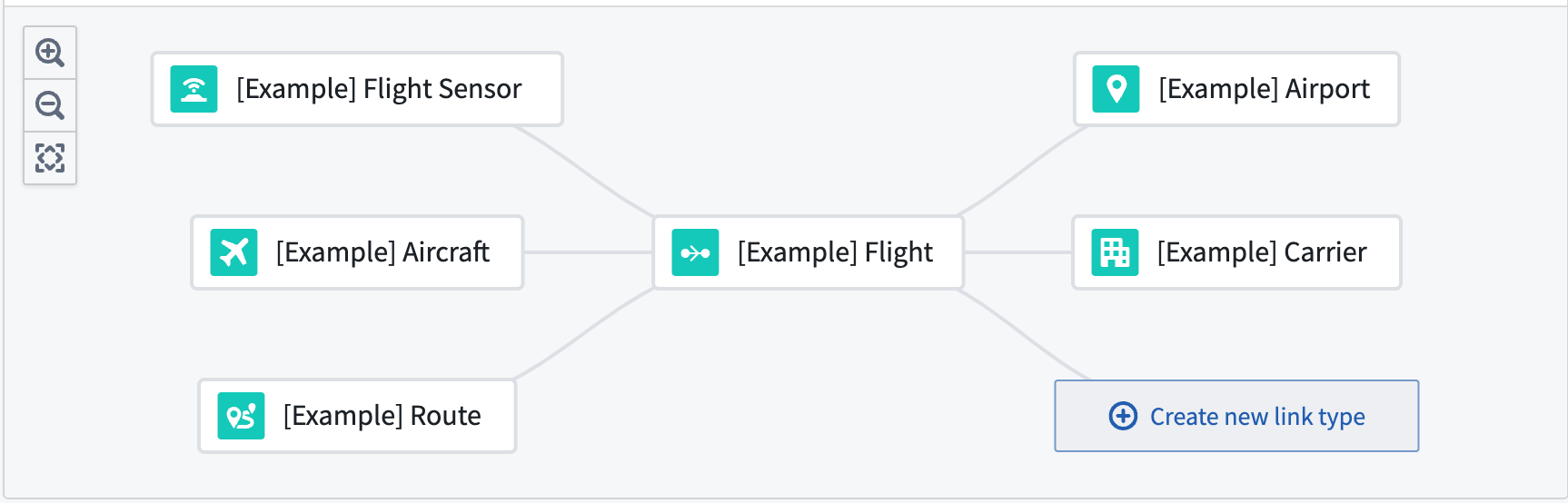
The aviation ontology is made up of example Flight, Carrier, Route, Airport, and Flight Sensor object types. A Flight is linked to Aircraft, Flight Sensor, Route, Airport, and Carrier objects through the flight_id foreign key on those objects.
The aviation ontology comes from a reference ontology using open-source data that may not be available for your enrollment. Regardless of the availability for your enrollment, these examples built using this example ontology will serve as a reference as you create your own pipelines, object types, and Workshop modules with time series properties.
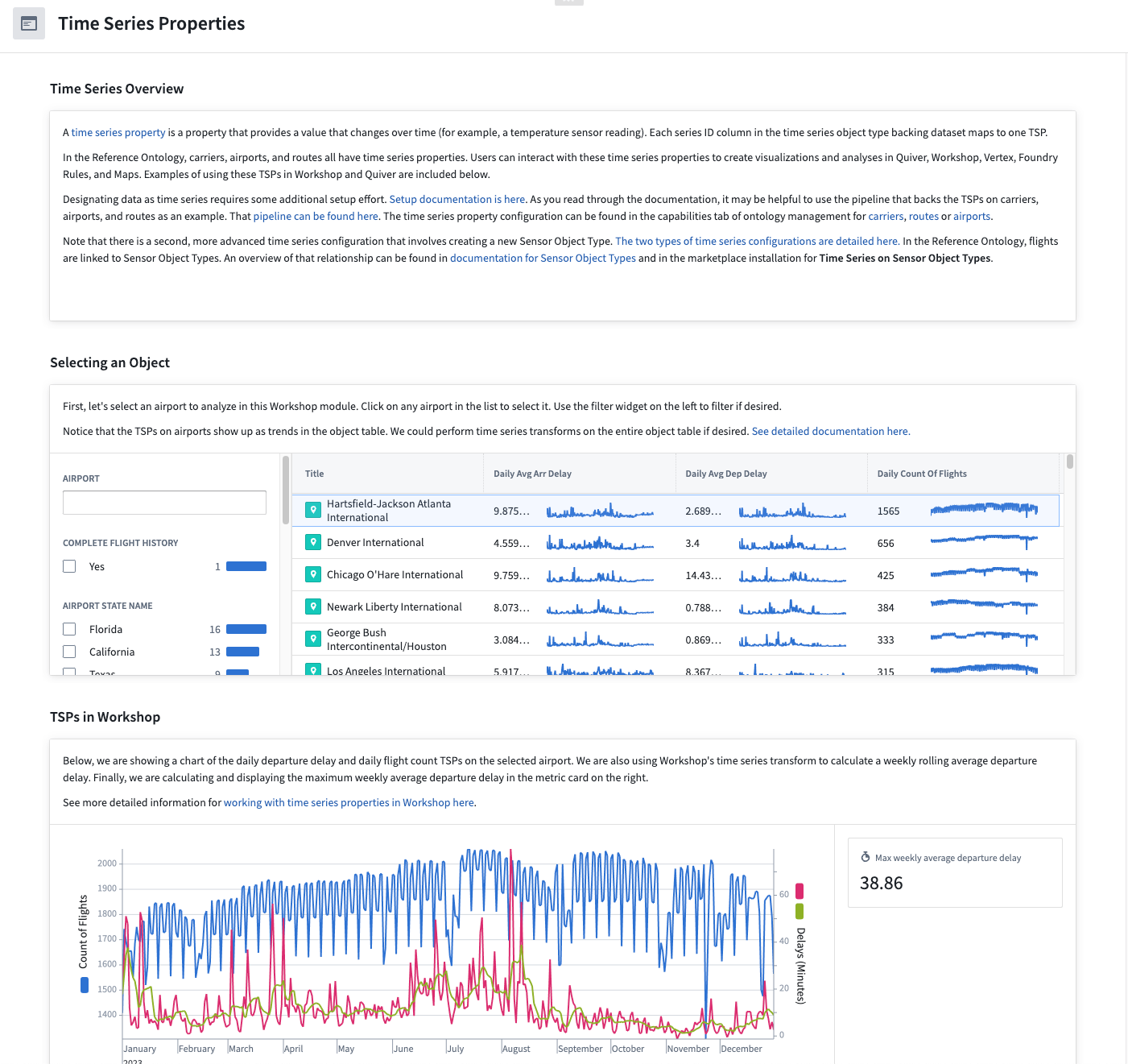
The Workshop module that you will produce using the guide will allow you to use and view time series properties on Carrier, Route, and Airport objects using flight data.
The following guides will lead you through the steps to create and support this Workshop module:
- Use Pipeline Builder to generate time series properties from a 'Flight' object set
- Add time series properties to aviation objects
- Use time series properties on aviation objects in Workshop and Quiver
中文翻译
时间序列属性用例
对象上的时间序列属性(time series properties)能够支持强大的分析工作流。本文档将逐步介绍如何使用 Pipeline Builder 编写管道、在 Ontology Manager 中设置对象,并利用示例航空本体(aviation ontology)以及 Foundry 中时间序列的功能,创建 Quiver 仪表盘和 Workshop 模块。
该航空本体由示例的 Flight(航班)、Carrier(承运商)、Route(航线)、Airport(机场)和 Flight Sensor(飞行传感器)对象类型组成。Flight 通过其上的 flight_id 外键与 Aircraft(飞机)、Flight Sensor、Route、Airport 和 Carrier 对象关联。
该航空本体源自一个使用开源数据的参考本体,该数据可能不适用于您的环境。无论您的环境是否可用,这些基于示例本体构建的示例都将作为参考,帮助您创建自己的管道、对象类型以及包含时间序列属性的 Workshop 模块。
通过本指南生成的 Workshop 模块,您将能够利用航班数据查看和使用 Carrier、Route 和 Airport 对象上的时间序列属性。
以下指南将引导您完成创建并支持该 Workshop 模块的步骤: