Configure granular policies for media items(配置媒体项目的细粒度策略)
This guide explains how to build a workflow that provides different levels of access to media items within the same media set.
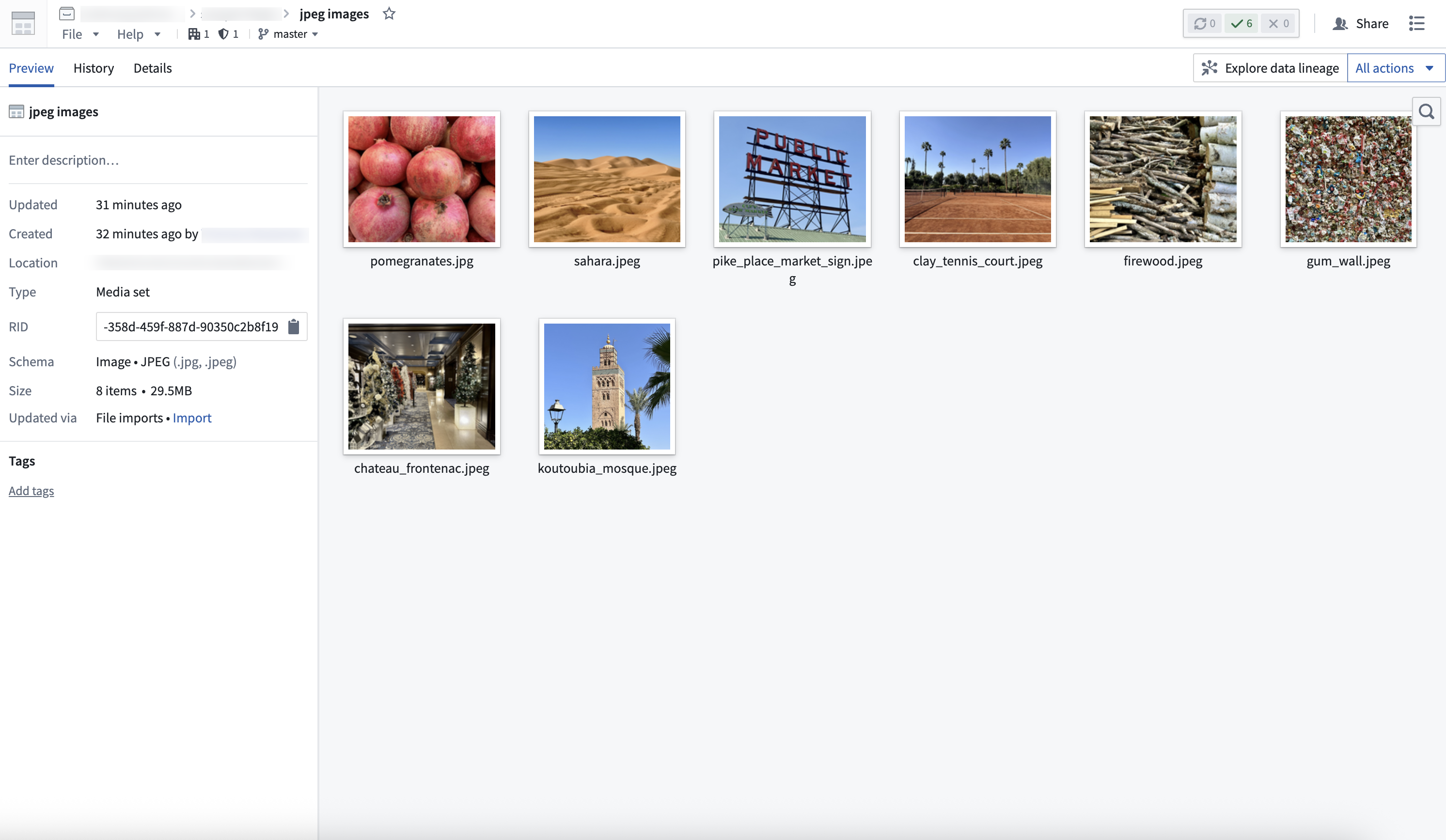
1. Create a media set
First, create a media set to store the media. There are two ways to do this:
Once created, you will be able to view your media set.
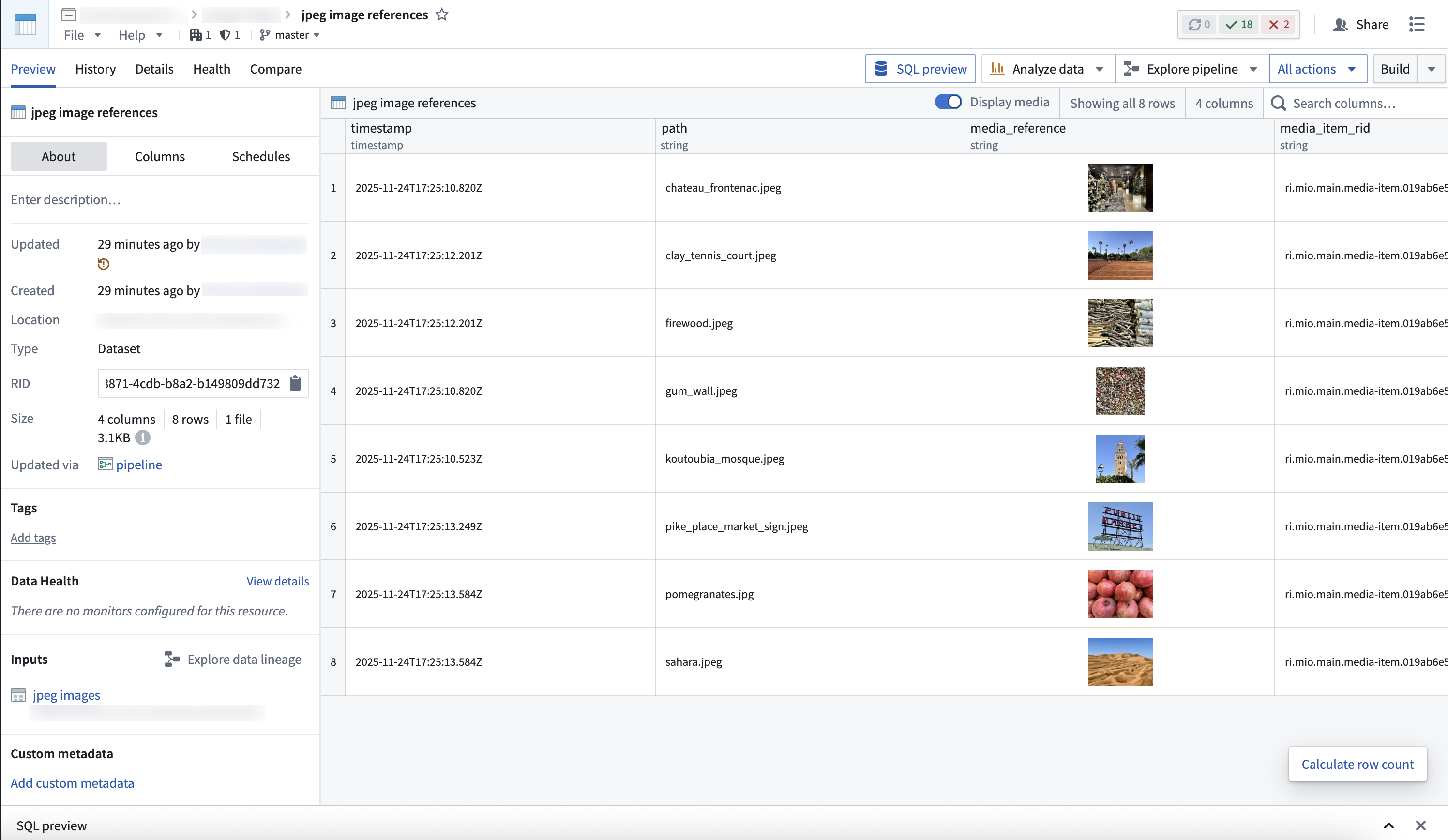
2. Create a dataset and restricted view with media references
- Create a dataset that references the media in the media set, along with any additional data to be stored in the ontology. You can do this through Pipeline Builder, or through code using the media set transforms API.
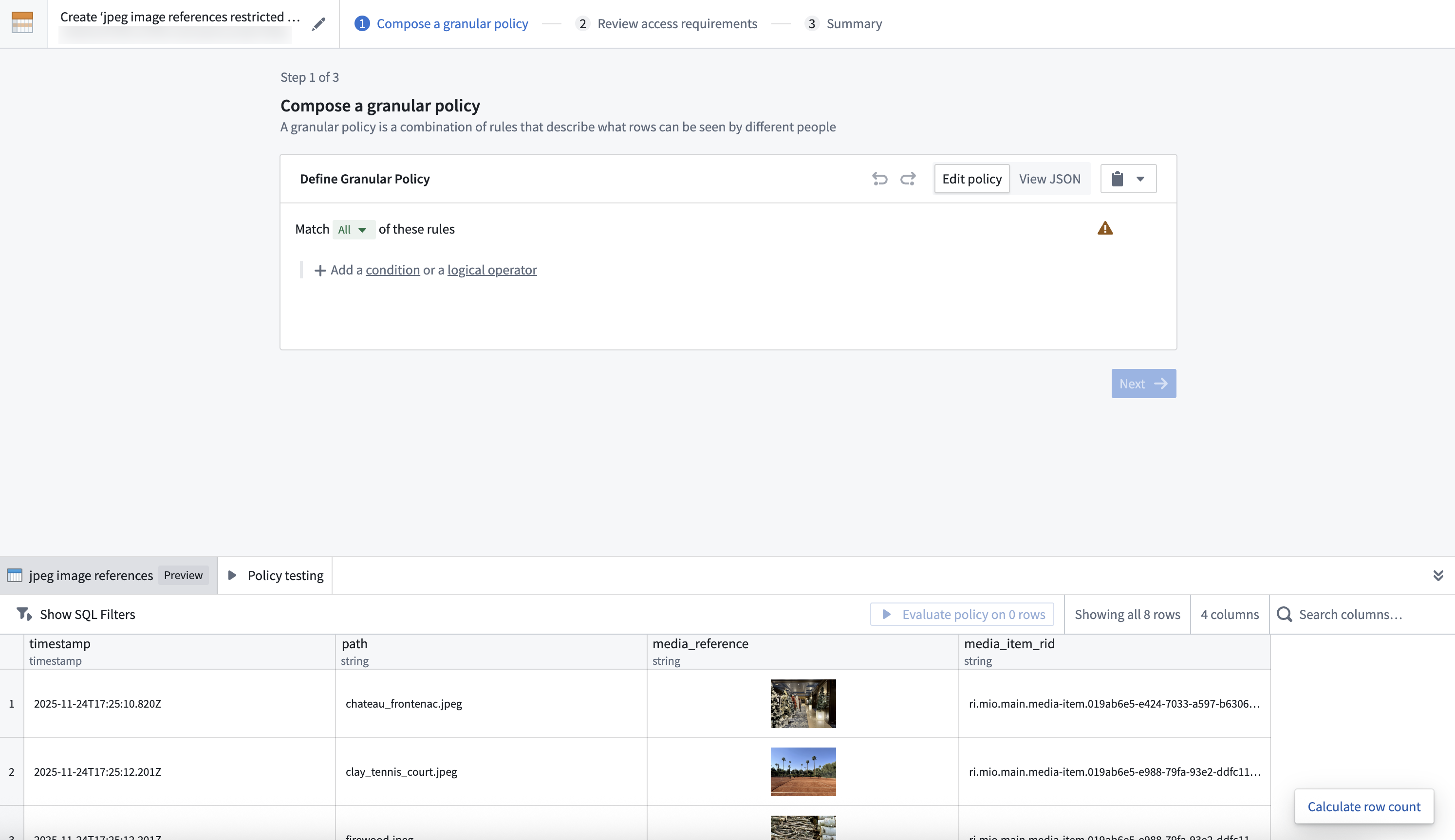
- Create a restricted view off of the dataset, and define a granular policy to determine the rows a user can view.
3. Ontologize the media via the restricted view
- Create an object type backed by the restricted view.
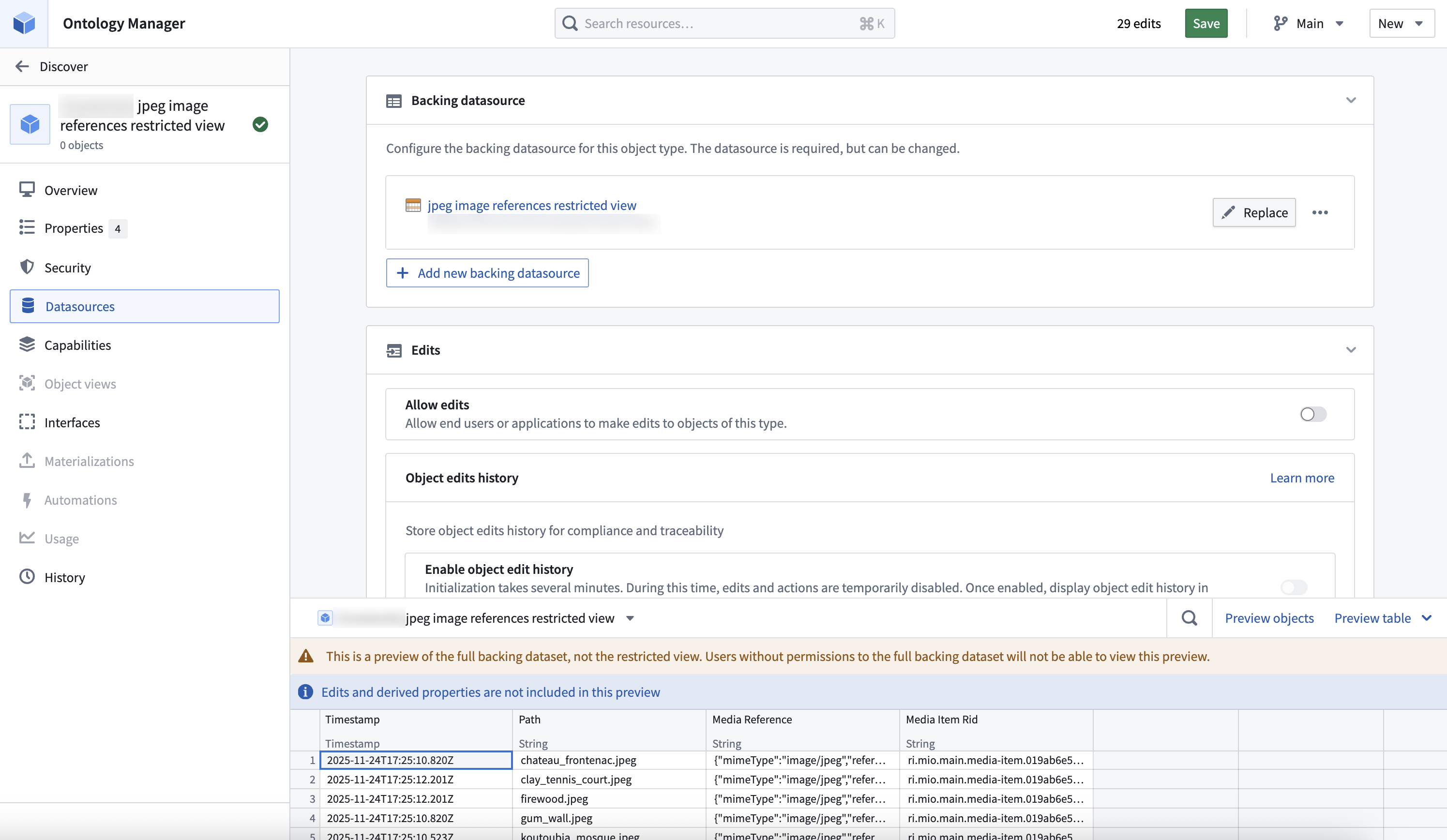
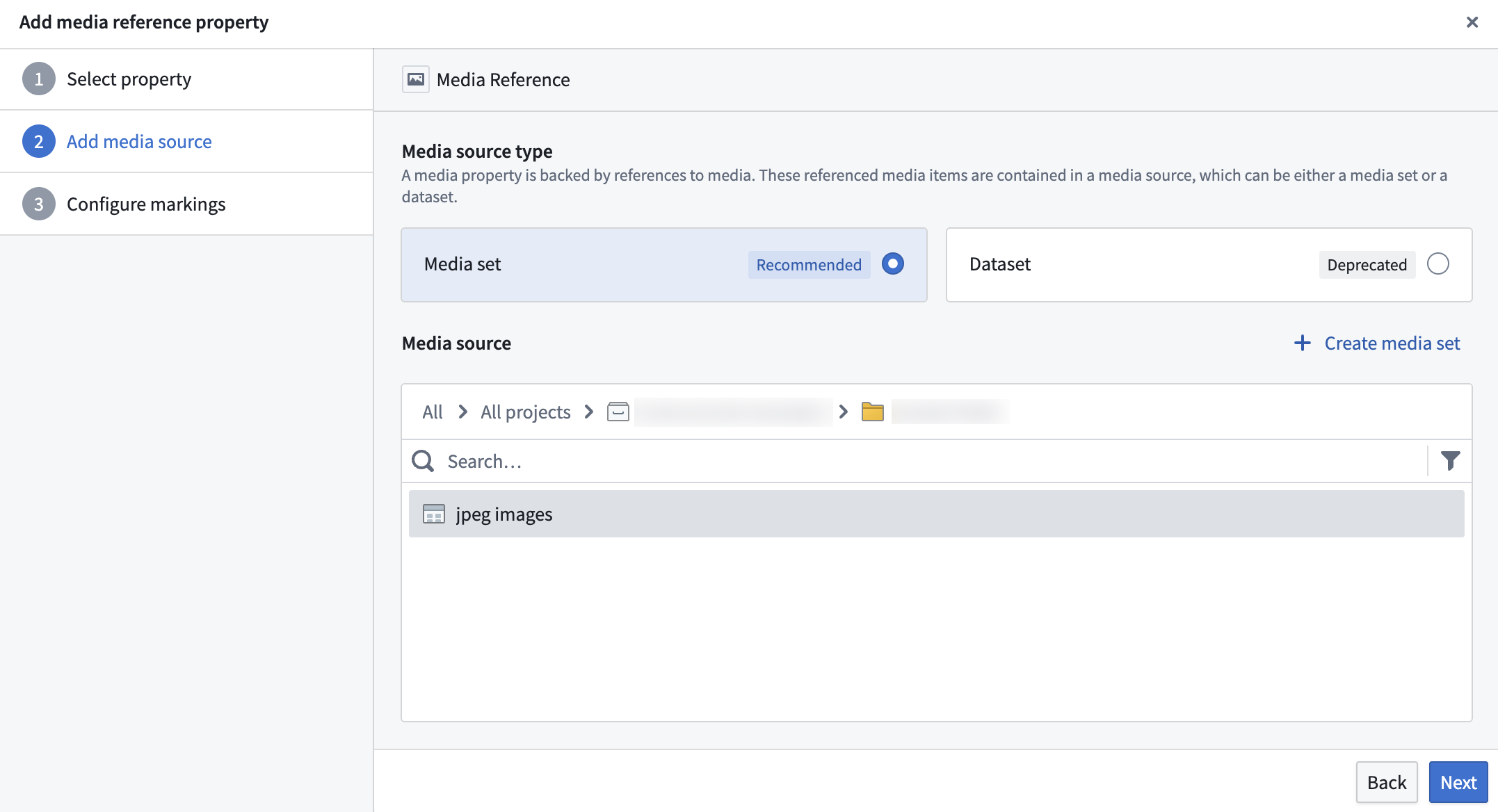
- Configure the property backed by the media reference column as a media reference property.
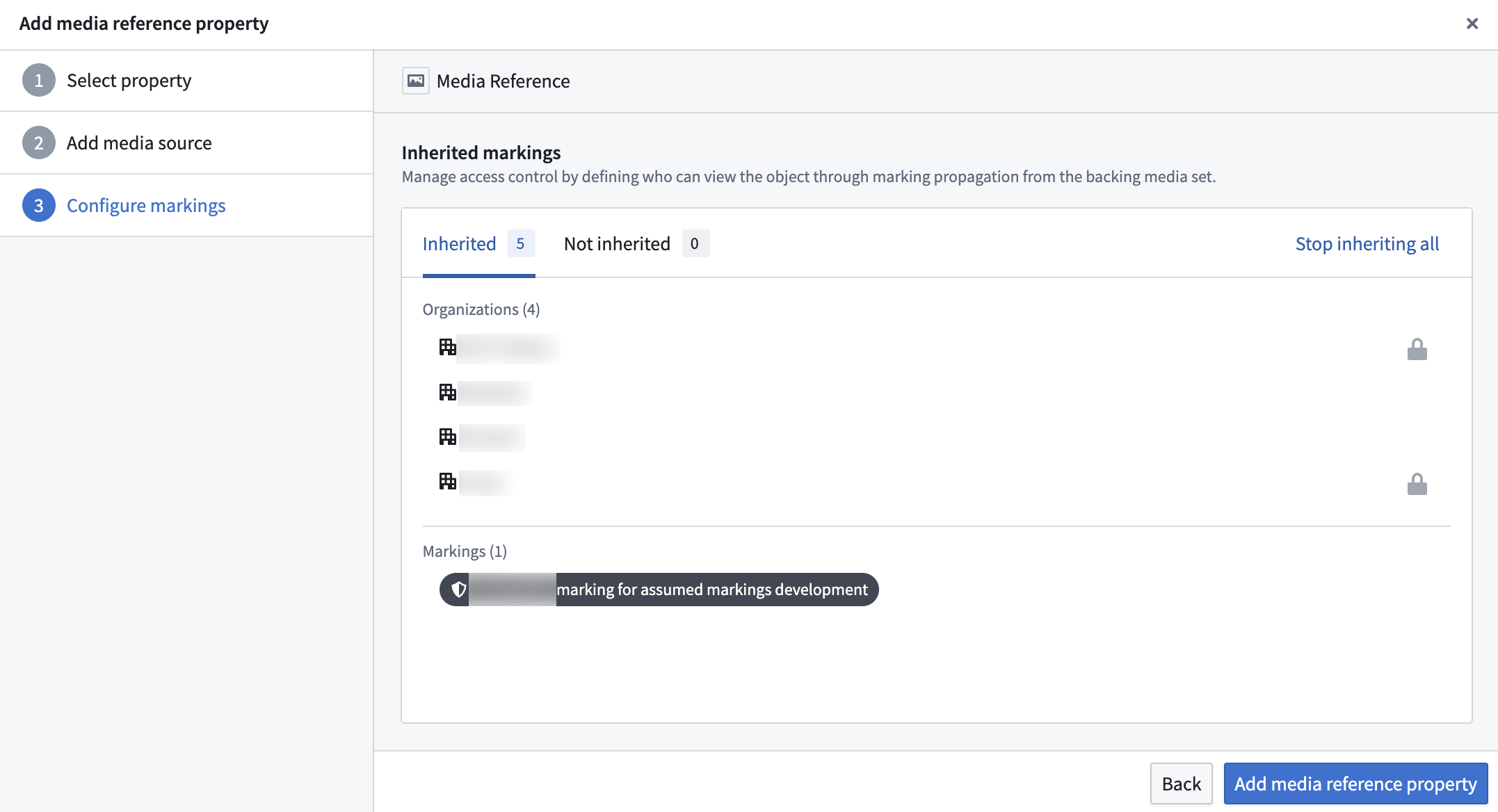
- Select which markings to stop inheriting from the backing media set. By default, users must have access to all markings on the backing media set to view any media reference properties on this object. You can stop inheriting specific markings to remove this restriction, but users will still need to satisfy the granular policy on the restricted view data source to see the object. Note that stopping inheritance only affects this object and does not remove the marking from the backing media set itself.
4. Interact with the media through the ontology
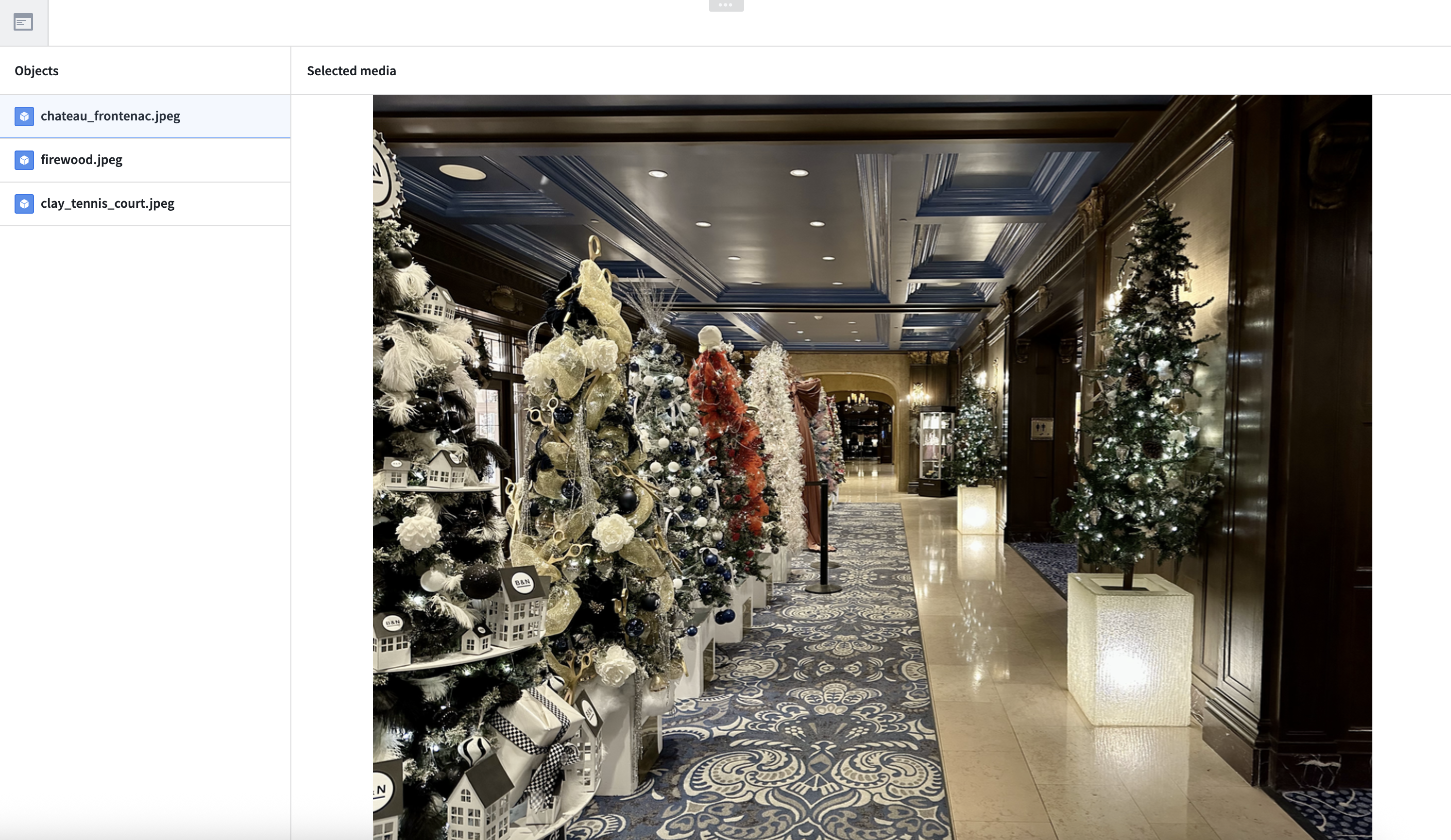
The newly defined object type is now available in all ontology applications, such as Workshop, Object Explorer, and Vertex. Media reference property access is controlled by the granular policy on the restricted view data source, with inherited markings from the backing media set still applying.
中文翻译
配置媒体项目的细粒度策略
本指南介绍如何构建一个工作流,为同一媒体集中的媒体项目提供不同级别的访问权限。
1. 创建媒体集
首先,创建一个媒体集来存储媒体文件。有两种方式可以实现:
创建完成后,您将能够查看您的媒体集。
2. 创建包含媒体引用的数据集和受限视图
- 基于该数据集创建一个受限视图,并定义细粒度策略(granular policy)以确定用户可以查看的行。
3. 通过受限视图将媒体本体化
- 创建一个以受限视图为后端的对象类型(object type)。
- 将以媒体引用列为后端的属性配置为媒体引用属性。
- 选择要停止从后端媒体集继承的标记(markings)。默认情况下,用户必须拥有后端媒体集上的所有标记访问权限,才能查看此对象上的任何媒体引用属性。您可以停止继承特定标记以移除这一限制,但用户仍需满足受限视图数据源上的细粒度策略才能看到该对象。请注意,停止继承仅影响此对象,不会从后端媒体集本身移除该标记。
4. 通过本体与媒体交互
新定义的对象类型现在可在所有本体应用程序中使用,例如 Workshop、Object Explorer 和 Vertex。媒体引用属性的访问权限由受限视图数据源上的细粒度策略控制,同时来自后端媒体集的继承标记仍然适用。