Upload media(上传媒体文件)
This guide explains how to create a workflow for uploading media. The recommended approach is to set up an action to upload media and call this action in Workshop using a Button group widget. See upload media for more information.
Prerequisites
Before you begin, ensure you have:
- An object type with a media reference property.
- Permissions to create action types in your ontology. See ontology permissions for more information.
Part 1: Create an action type with a media reference parameter
First, you will create an action that allows users to upload media to your object type.
-
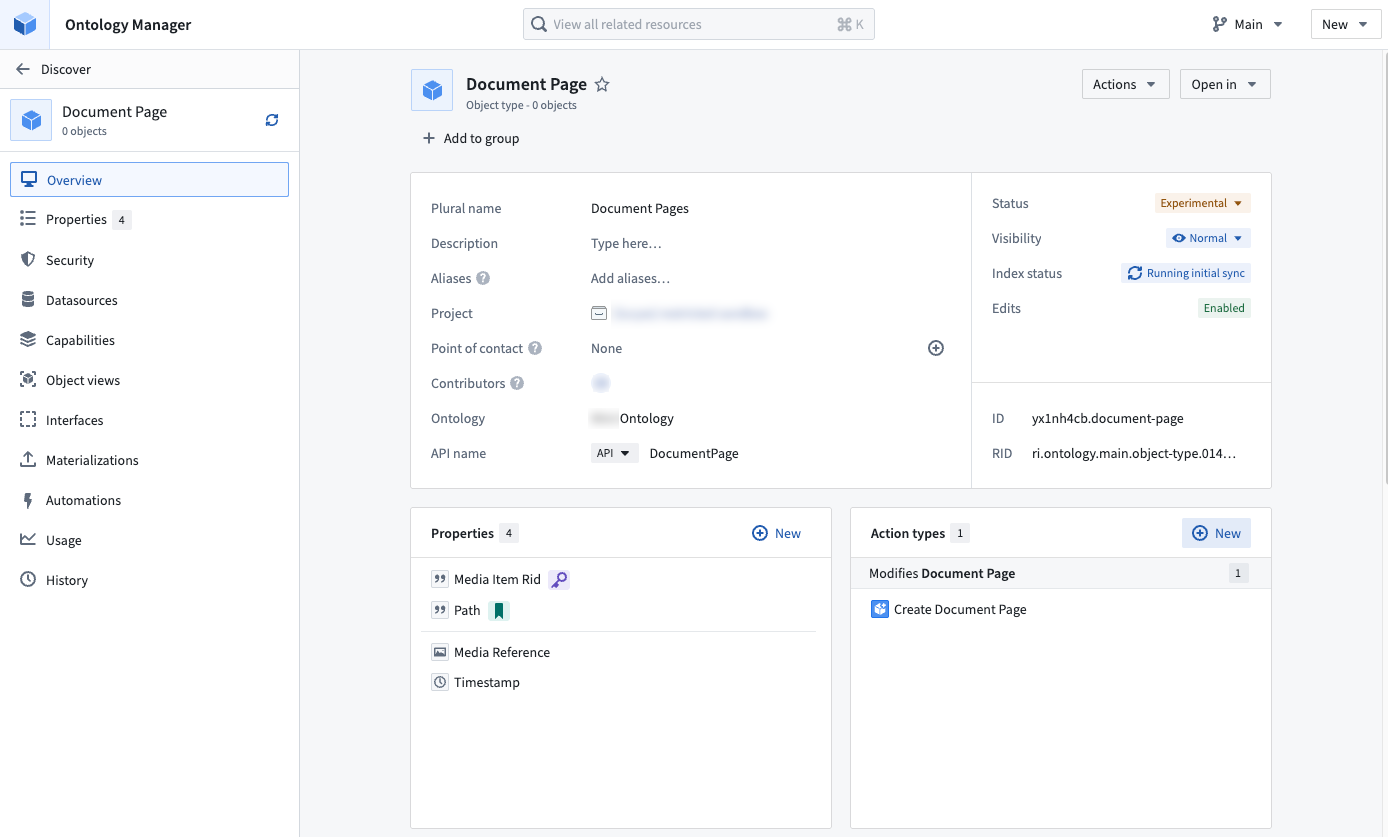
Navigate to your object type with a media reference property in Ontology Manager. Select New from the action types section.
-
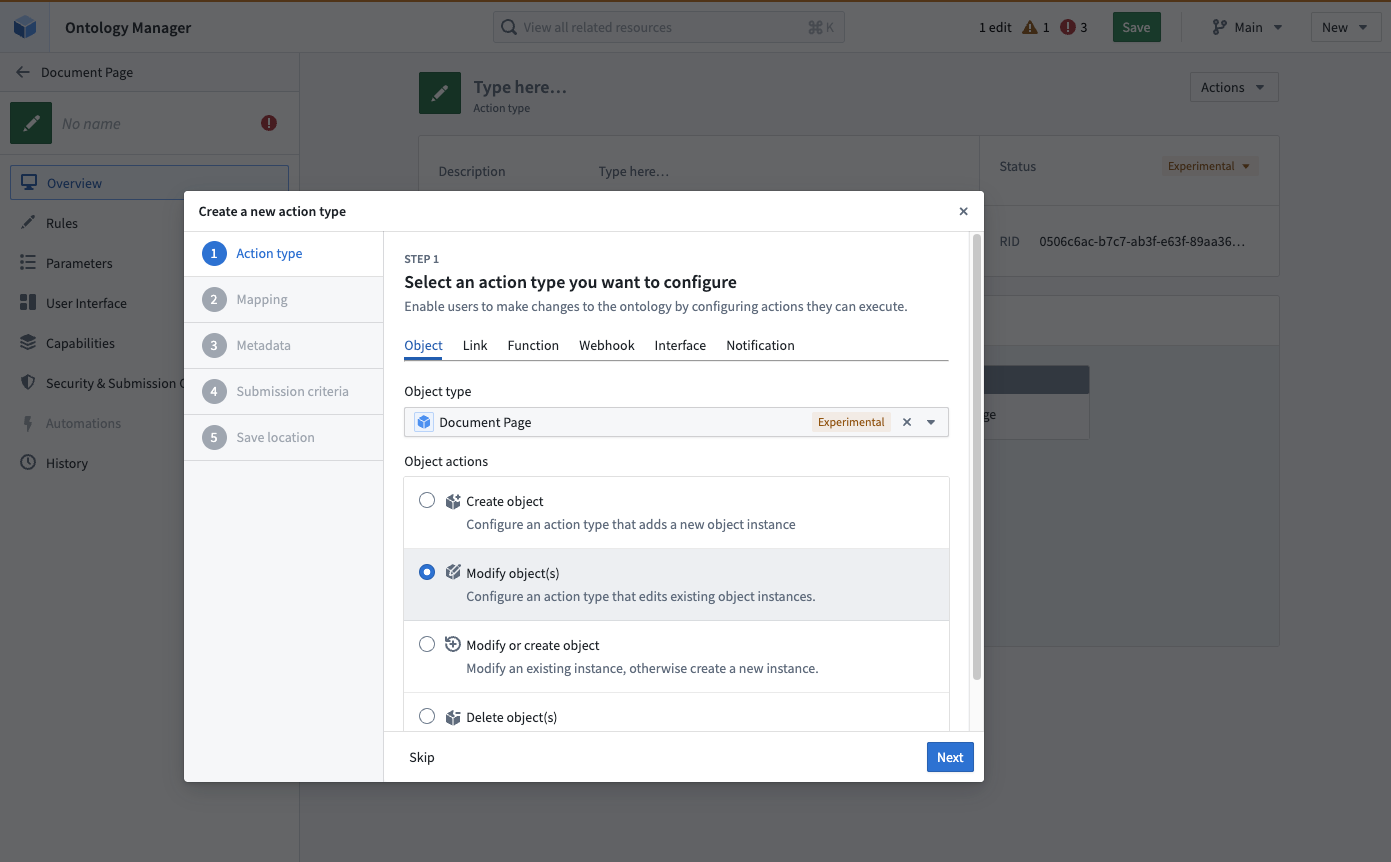
Step through the dialog to configure rules and parameters on the action type.

Part 2: Configure the media reference parameter
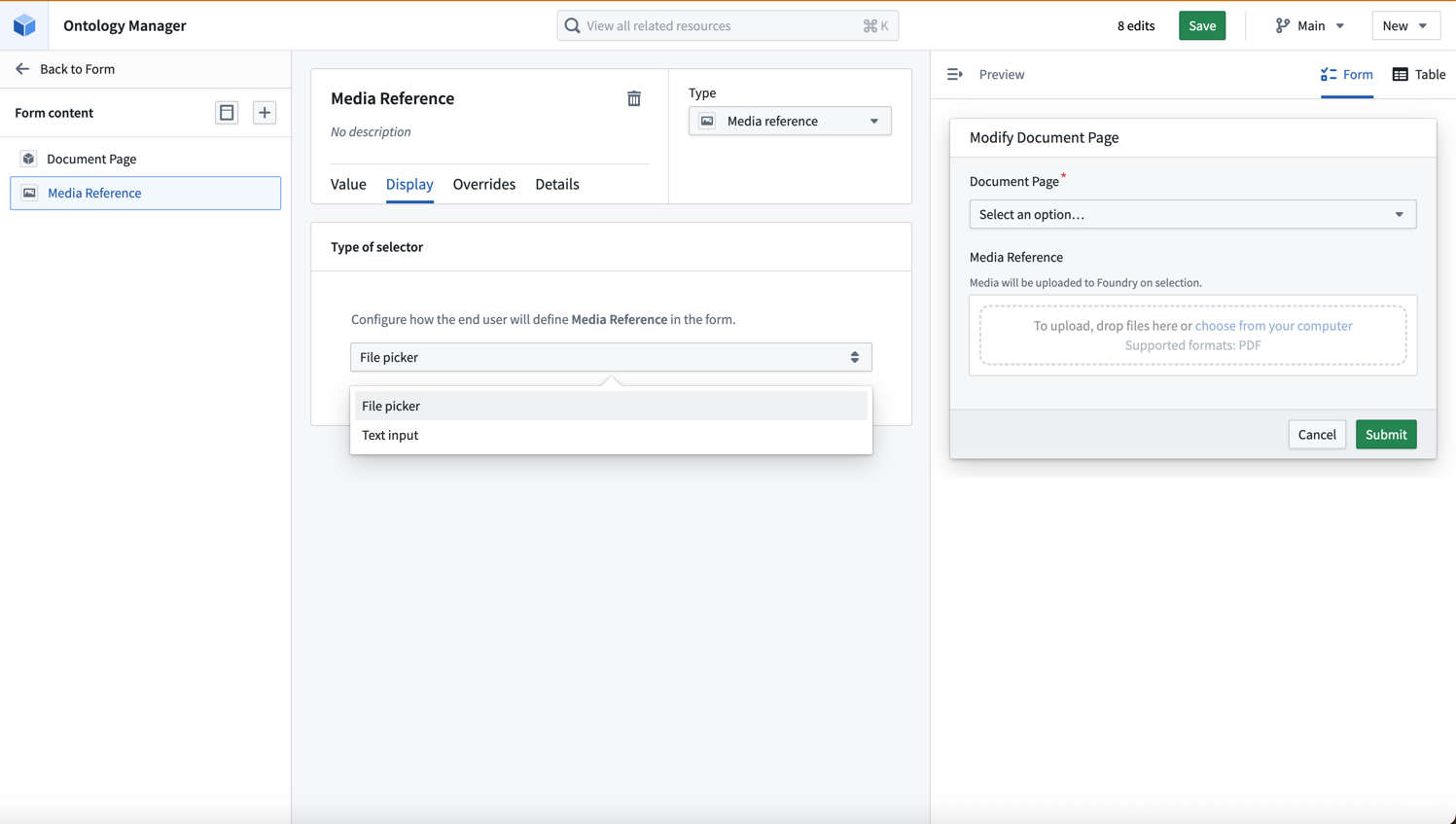
Navigate to the Media Reference parameter section in your action form. The supported render options are File picker and Text input.
- Under Display, select File picker to enable drag-and-drop uploads.
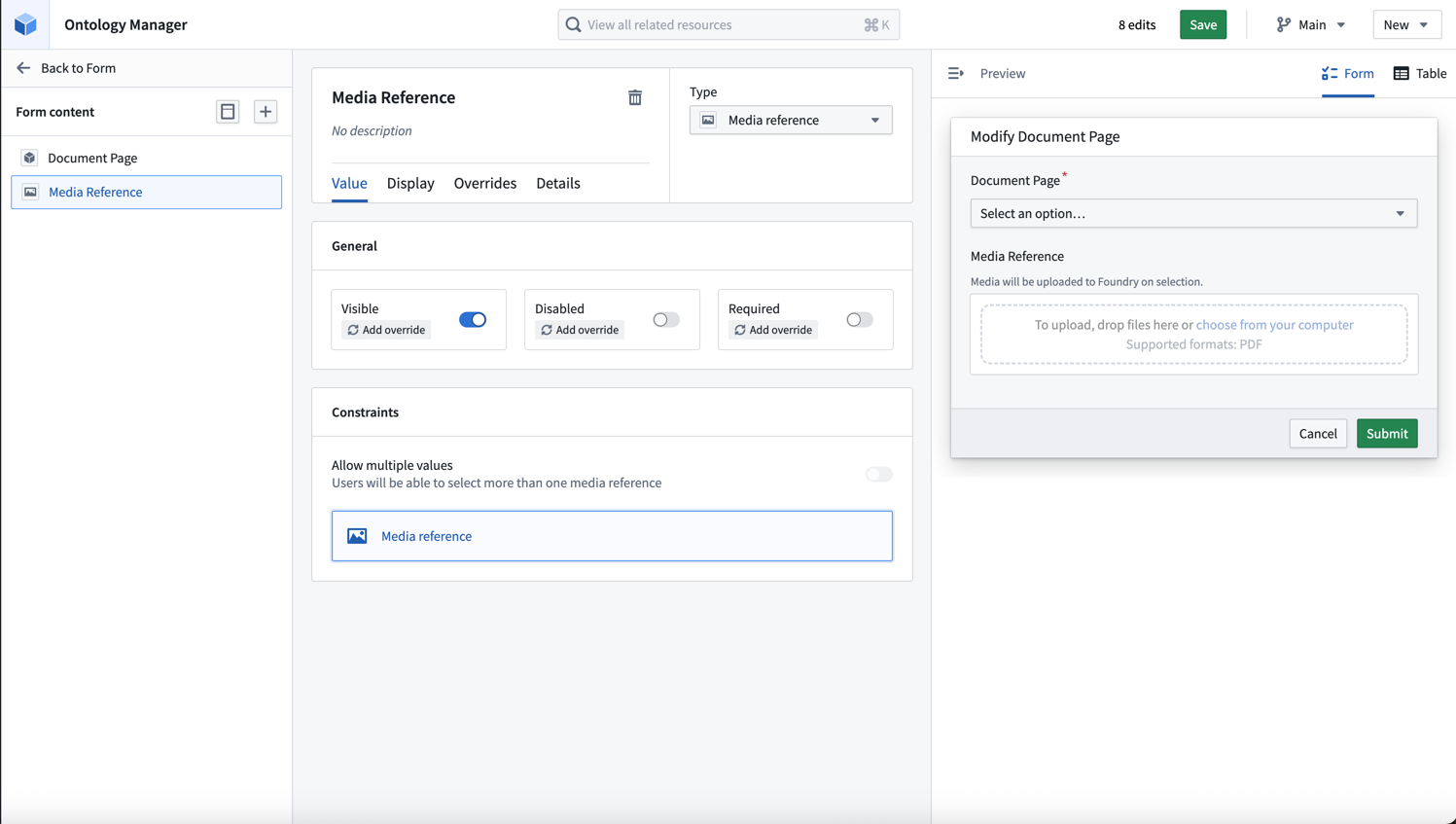
You can also choose to make the media reference parameter optional or required using the toggle.
- Choose the Form layout to perform single uploads. To upload multiple media files at once, you can use the Table layout option.

Part 3: Add the action to Workshop
Once your action type is saved, you can add it to a Workshop application inline, or by using the Button group widget.
-
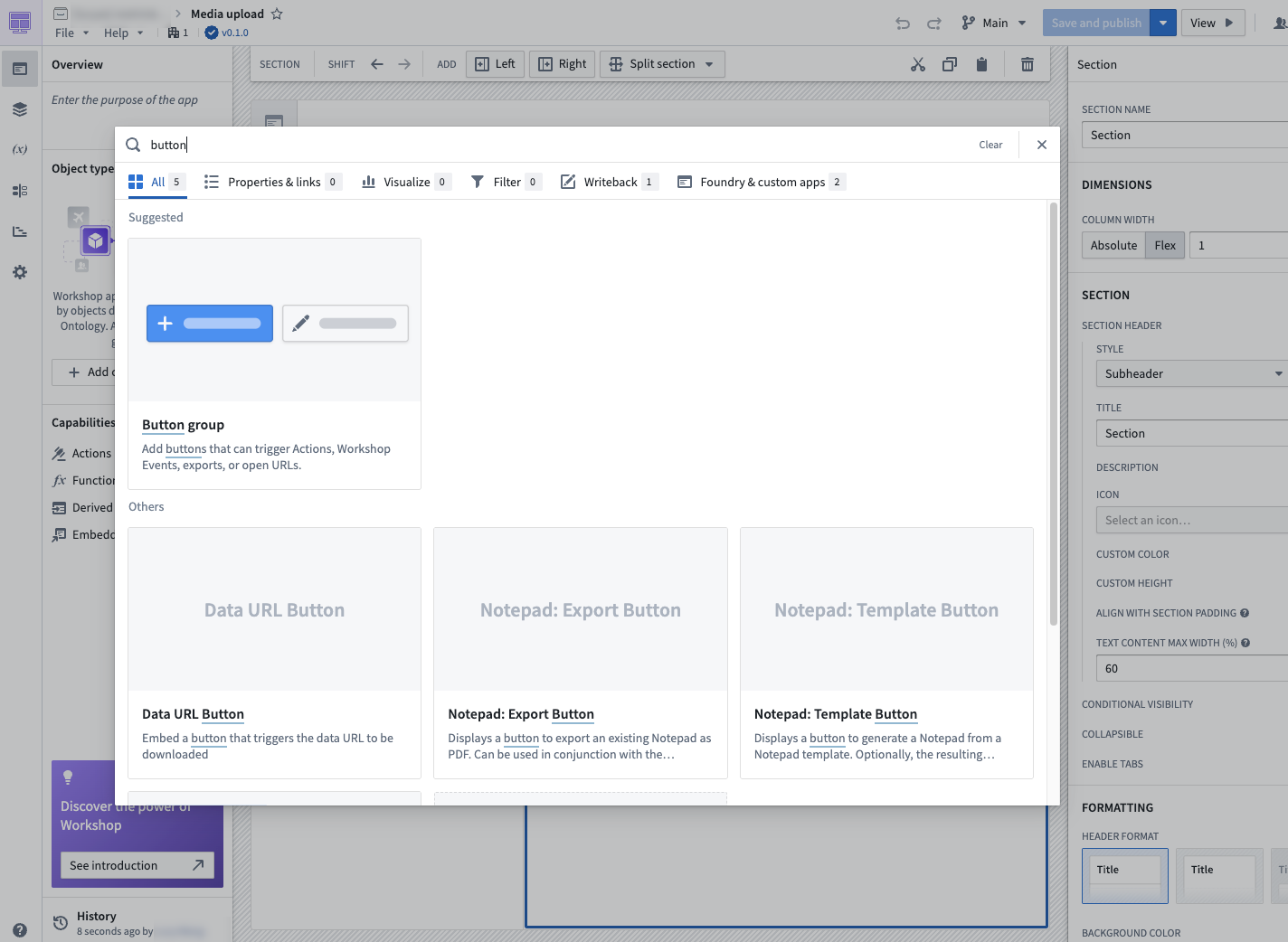
In your Workshop application, add a Button group widget.
-
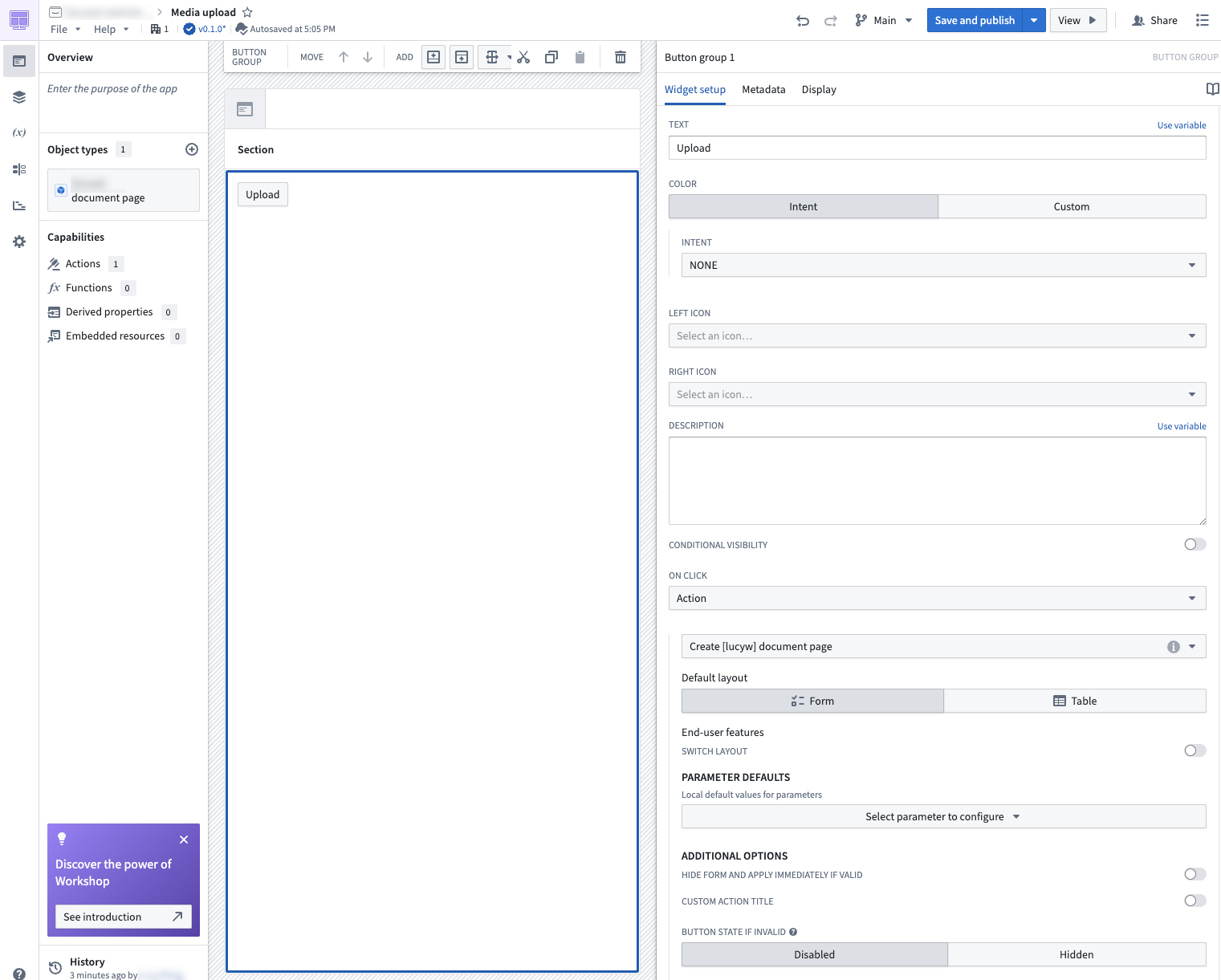
Select Action under ON CLICK, and choose the action you created.
-
Select the button in your Workshop, and drag and drop files into your action form or table.
For more information about using media in Workshop applications, see Using media in Workshop.
中文翻译
上传媒体文件
本指南介绍如何创建用于上传媒体文件的工作流。推荐的做法是设置一个上传媒体的操作(action),然后在 Workshop 中通过按钮组(Button group)组件调用该操作。更多信息请参阅上传媒体文件。
前提条件
开始前,请确保您已具备以下条件:
- 一个包含媒体引用属性(media reference property)的对象类型(object type)。
- 在您的本体(ontology)中创建操作类型(action type)的权限。更多信息请参阅本体权限。
第一部分:创建包含媒体引用参数的操作类型
首先,您将创建一个操作,允许用户向对象类型上传媒体文件。
-
在 Ontology Manager 中导航至包含媒体引用属性的对象类型。在操作类型部分选择新建。
-
按对话框步骤配置操作类型的规则和参数。
第二部分:配置媒体引用参数
在操作表单中导航至媒体引用参数部分。支持的渲染选项包括文件选择器(File picker)和文本输入(Text input)。
- 在显示下,选择文件选择器以启用拖放上传功能。
您还可以使用开关将媒体引用参数设置为可选或必填。
- 选择表单(Form)布局以执行单次上传。如需一次上传多个媒体文件,可以使用表格(Table)布局选项。
第三部分:将操作添加到 Workshop
操作类型保存后,您可以将其内联添加到 Workshop 应用程序中,或通过按钮组组件添加。
-
在您的 Workshop 应用程序中,添加一个按钮组组件。
-
在点击时(ON CLICK)下选择操作,然后选择您创建的操作。
-
在 Workshop 中选择按钮,然后将文件拖放到操作表单或表格中。
有关在 Workshop 应用程序中使用媒体文件的更多信息,请参阅在 Workshop 中使用媒体文件。