Analysis configuration(分析配置)
Context management
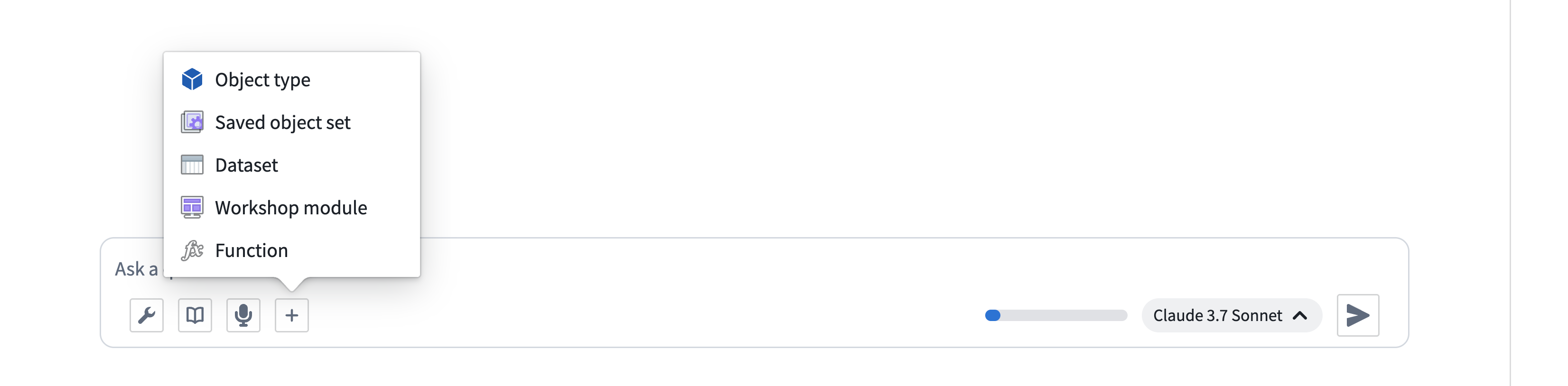
Context can be manually added to AIP Analyst using the + button in the input field. You can also drag and drop Foundry resources directly into the chat input area to add them as context. Dragging a resource URL from another browser tab or from within Foundry will automatically resolve the resource and load it into your analysis. Supported resources include datasets, object sets, notepads, Workshop modules, functions, and more. You can also paste Foundry resource identifiers (RIDs) directly into the input to import them.
AIP Analyst includes a Context cleanup tool that automatically manages conversation context by hiding outdated or unnecessary information. This enables longer analytical sessions while ensuring the agent focuses on relevant data when answering your questions. You can also manage context manually using the analysis outline.
Branching
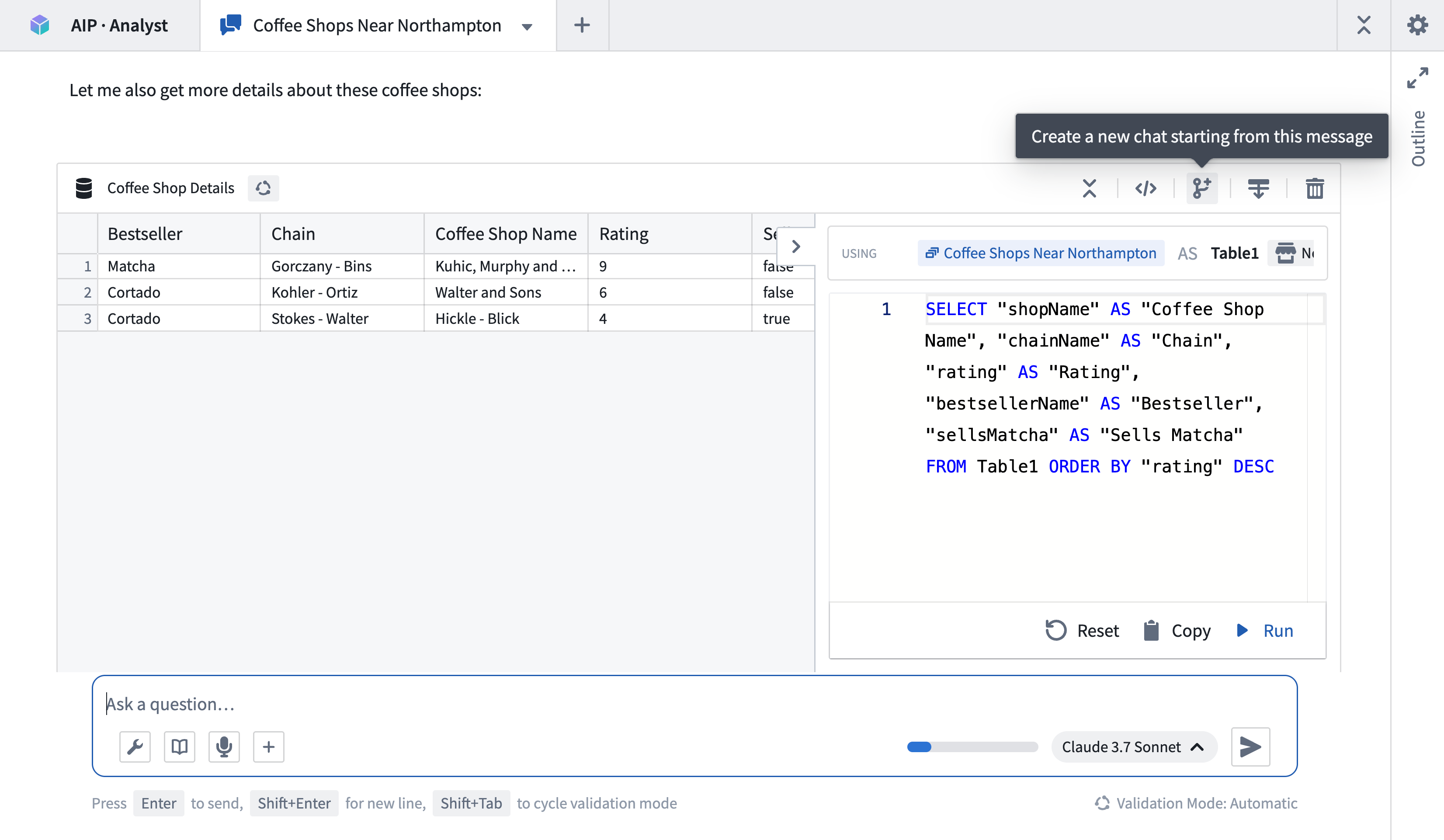
An analysis path can be forked at any point, creating a new tab that only contains upstream context and enables users to explore multiple analysis paths from identical starting states. Empty analysis paths can be created using the + button in the tab header. Tabs will continue running even when not in focus.
Limit the scope of an analysis
In the Settings menu, you can limit the scope of search tools within the analysis by providing a specific ontology and set of object type groups. When these are provided, the Object type search and Object search tools will only discover results from the specified ontology and groups. When an ontology includes hundreds or thousands of object types, applying these filters can greatly improve performance.

Embed AIP Analyst in other applications
AIP Analyst can be embedded in Workshop or OSDK applications using an iframe. It supports a number of URL parameters to allow for specialization.
Control which data AIP Analyst can access
ontologyRid: Sets the ontology that AIP Analyst can explore, for example,ri.ontology.main....objectTypeGroupRids: Limits AIP Analyst to searching across specific object type groups.hideManualContextMenu: Prevents users from manually adding other data sources when set totrue.
/workspace/aip-analyst?ontologyRid=ri.ontology.main.abc123&objectTypeGroupRids=group1,group2&hideManualContextMenu=true
Pre-load data for users
Give users a head start by loading the following data automatically:
workshopRids: Load object types, links, and functions from your Workshop module, for exampleri.workshop.main.module....objectSetRids: Load saved object sets, for exampleri.object-set.main....datasetRids: Load specific datasets.objectTypeIds: Load individual object types.functionRids: Load individual functions.actionTypeRids: Load individual action types.
/workspace/aip-analyst?workshopRids=ri.workshop.main.module.xyz789&objectSetRids=ri.object-set.main.abc456
Simplify the interface
embedded: Hides the workspace sidebar for a cleaner look when set totrue.hideSettingsMenu: Hides the settings menu when set totrue.theme: Set the color theme (lightordark).modelRid: Set a specific model to use for analysis.
Notifications
If enabled, AIP Analyst can send notifications when in the background, allowing users to ask questions and be informed when the analysis requires their attention.
中文翻译
分析配置
上下文管理
在 AIP Analyst 中,可以通过输入框中的 + 按钮手动添加上下文。您也可以将 Foundry 资源拖放到聊天输入区域,将其添加为上下文。从其他浏览器标签页或 Foundry 内部拖动资源 URL 时,系统会自动解析该资源并将其加载到您的分析中。支持的资源包括数据集(dataset)、对象集(object set)、记事本(notepad)、Workshop 模块、函数(function)等。您还可以直接将 Foundry 资源标识符(RID)粘贴到输入框中以导入资源。
AIP Analyst 包含一个上下文清理工具,可通过隐藏过时或不必要的信息自动管理对话上下文。这有助于延长分析会话时长,同时确保代理在回答问题时专注于相关数据。您也可以使用分析大纲手动管理上下文。
分支
分析路径可在任意节点进行分叉,从而创建一个仅包含上游上下文的新标签页,使用户能够从相同的初始状态探索多条分析路径。通过标签页标题栏中的 + 按钮可创建空的分析路径。即使标签页未处于焦点状态,其运行也不会中断。
限制分析范围
在设置菜单中,您可以通过指定特定的本体(ontology)和对象类型组(object type group)来限制分析中搜索工具的范围。设置后,对象类型搜索和对象搜索工具将仅从指定的本体和组中查找结果。当本体包含数百或数千个对象类型时,应用这些过滤器可显著提升性能。
在其他应用中嵌入 AIP Analyst
AIP Analyst 可通过 iframe 嵌入 Workshop 或 OSDK 应用中。它支持多种 URL 参数以实现定制化。
控制 AIP Analyst 可访问的数据
ontologyRid:设置 AIP Analyst 可探索的本体,例如ri.ontology.main...。objectTypeGroupRids:将 AIP Analyst 限制为仅搜索特定的对象类型组。hideManualContextMenu:当设置为true时,禁止用户手动添加其他数据源。
/workspace/aip-analyst?ontologyRid=ri.ontology.main.abc123&objectTypeGroupRids=group1,group2&hideManualContextMenu=true
为用户预加载数据
通过自动加载以下数据,为用户提供先发优势:
workshopRids:从您的 Workshop 模块加载对象类型、链接和函数,例如ri.workshop.main.module...。objectSetRids:加载已保存的对象集,例如ri.object-set.main...。datasetRids:加载特定数据集。objectTypeIds:加载单个对象类型。functionRids:加载单个函数。actionTypeRids:加载单个操作类型。
/workspace/aip-analyst?workshopRids=ri.workshop.main.module.xyz789&objectSetRids=ri.object-set.main.abc456
简化界面
embedded:当设置为true时,隐藏工作区侧边栏以获得更简洁的外观。hideSettingsMenu:当设置为true时,隐藏设置菜单。theme:设置颜色主题(light或dark)。modelRid:设置用于分析的特定模型。
通知
如果启用,AIP Analyst 可在后台运行时发送通知,使用户在提问后,当分析需要其关注时能及时收到提醒。