Core concepts(核心概念)
We recommend reviewing the following concepts before using AIP Analyst.
Context
Context allows you to provide additional information to an analysis, and reduces the time needed for AIP Analyst to produce an answer. Adding a dataset to context enables AIP Analyst to analyze datasets, as opposed to object types, and can be used for exploratory data analysis before constructing an ontology.
Analysis provenance
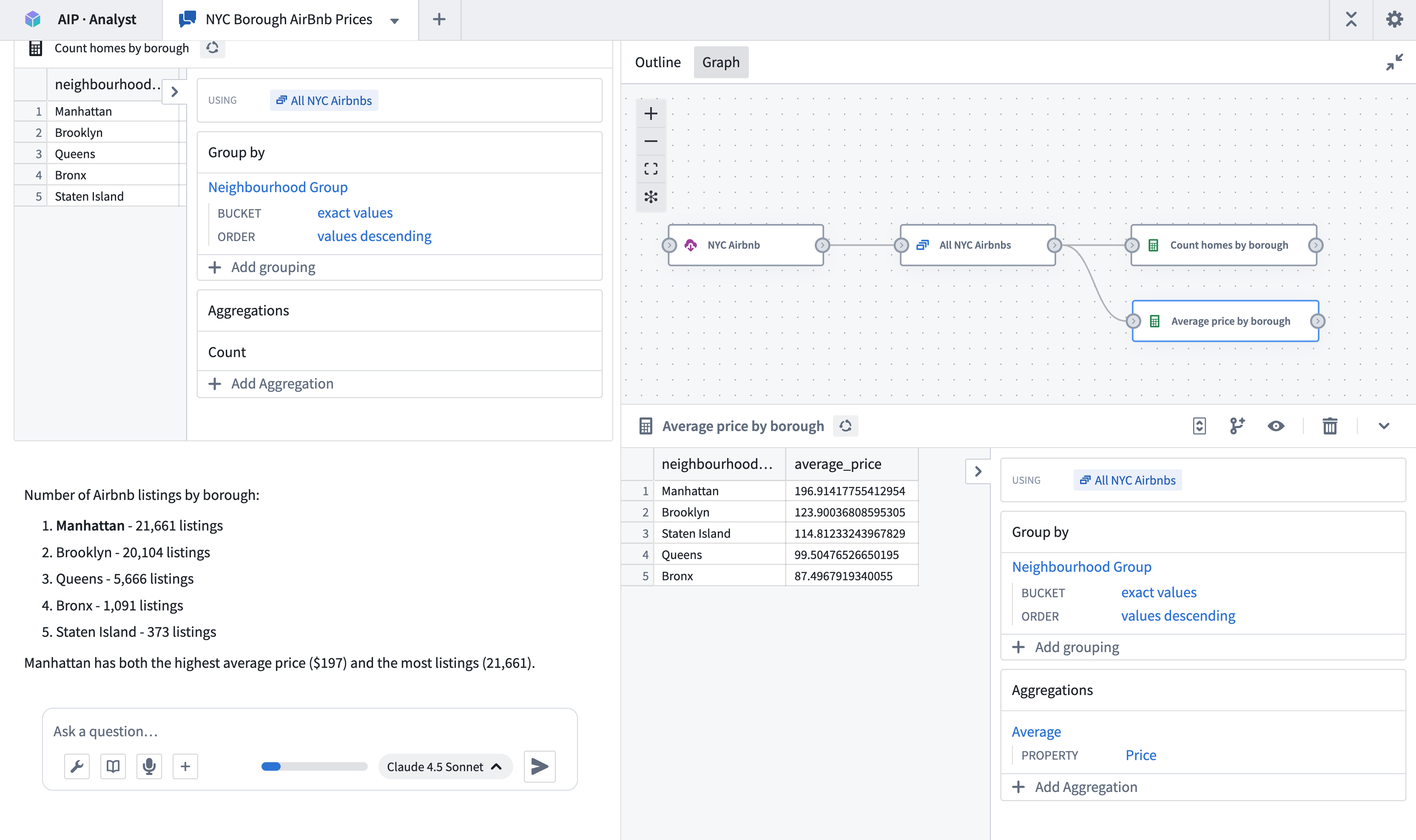
To improve confidence in AIP Analyst output, you can trace the provenance of the analysis by reviewing a directed graph showing each step of the analysis process. AIP Analyst's provenance view allows you to do the following:
- Trace how the agent arrived at its conclusions and check the logic of each step.
- Audit data transformations applied during analysis and ensure reproducibility of results.
- Verify that results are grounded in actual data rather than hallucinations. With AIP Analyst, you can see the Ontology data that is used at each step and ensure that all conclusions are based in reality.
Analysis outline
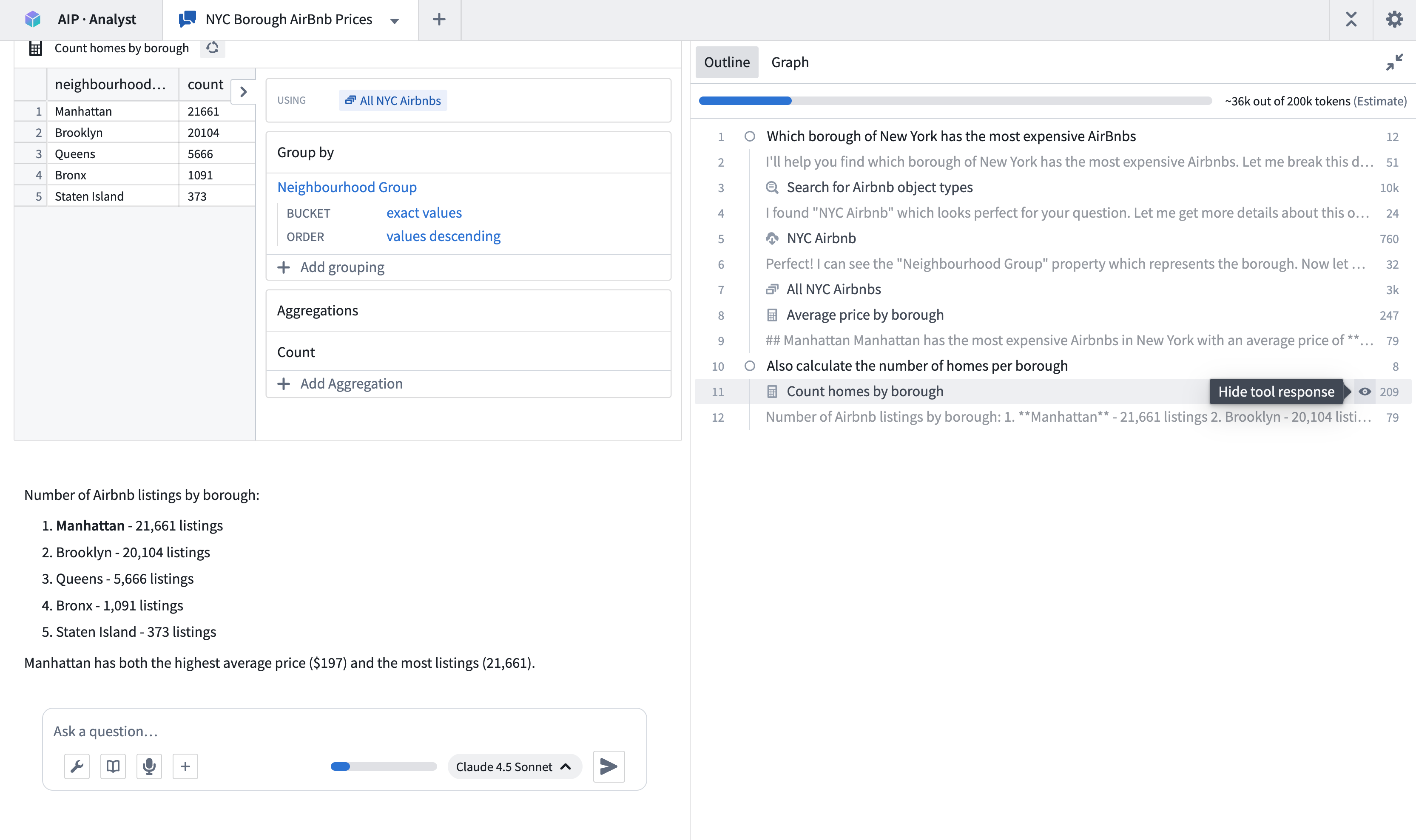
The analysis outline provides a structured summary of your session, displaying your questions alongside the agent's tool usage. Your messages appear with circle icons, while tool calls are marked with icons corresponding to their function.
You can use the outline to:
- Navigate quickly through prior analysis steps
- Review token usage for each tool call
- Hide specific tool results by clicking the eye icon that appears when hovering over outline items
中文翻译
核心概念
在使用 AIP Analyst 之前,我们建议先了解以下概念。
上下文 (Context)
上下文允许你为分析提供额外信息,从而缩短 AIP Analyst 生成答案所需的时间。将数据集添加到上下文中,可使 AIP Analyst 分析数据集(而非对象类型),并可在构建本体论 (Ontology) 之前用于探索性数据分析。
分析溯源 (Analysis provenance)
为提升对 AIP Analyst 输出的可信度,你可以通过查看展示分析过程每一步的有向图来追溯分析的来源。AIP Analyst 的溯源视图允许你执行以下操作:
- 追溯代理得出其结论的过程,并检查每一步的逻辑。
- 审计分析过程中应用的数据转换,并确保结果的可复现性。
- 验证结果是否基于实际数据而非幻觉。借助 AIP Analyst,你可以查看每一步所使用的本体论 (Ontology) 数据,并确保所有结论都基于现实。
分析大纲 (Analysis outline)
分析大纲提供了会话的结构化摘要,显示你的问题以及代理的工具使用情况。你的消息以圆形图标显示,而工具调用则以其功能对应的图标标记。
你可以使用大纲来:
- 快速浏览之前的分析步骤
- 查看每次工具调用的令牌使用量
- 通过点击悬停在大纲项目上时出现的眼睛图标,隐藏特定工具的结果