Evaluations metrics dashboard(评估指标仪表盘)
Metrics from evaluation suite runs are collected in reports that can be viewed in the AIP Evals metrics dashboard. Here, you can view charts and statistics or compare aggregate results from evaluation functions and/or results from individual test cases. Note that metric objectives are not supported in the dashboard view.
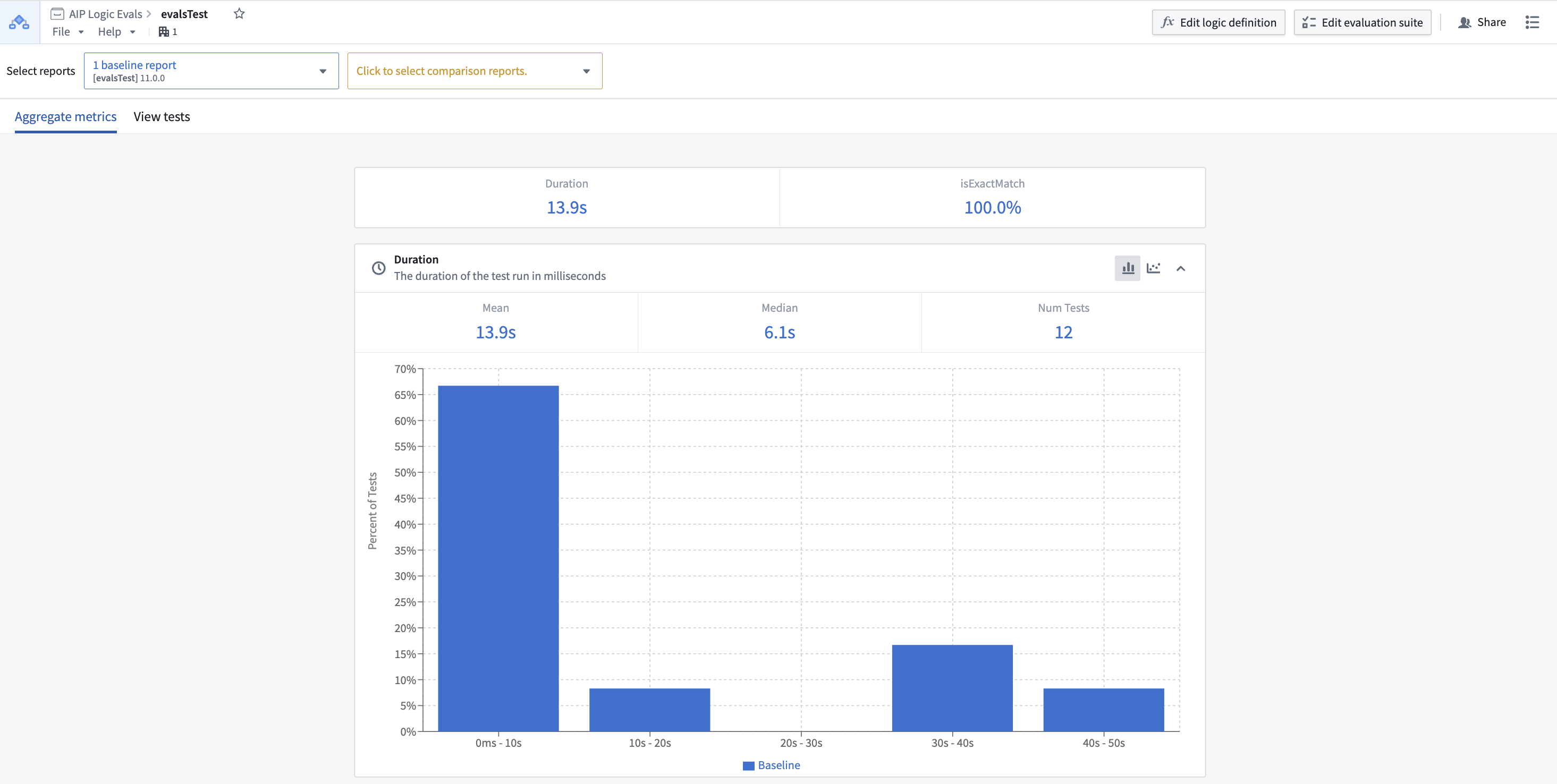
To access the dashboard select View metrics dashboard in the run results view on the Logic sidebar or the Run tests tab on the evaluation suite page.

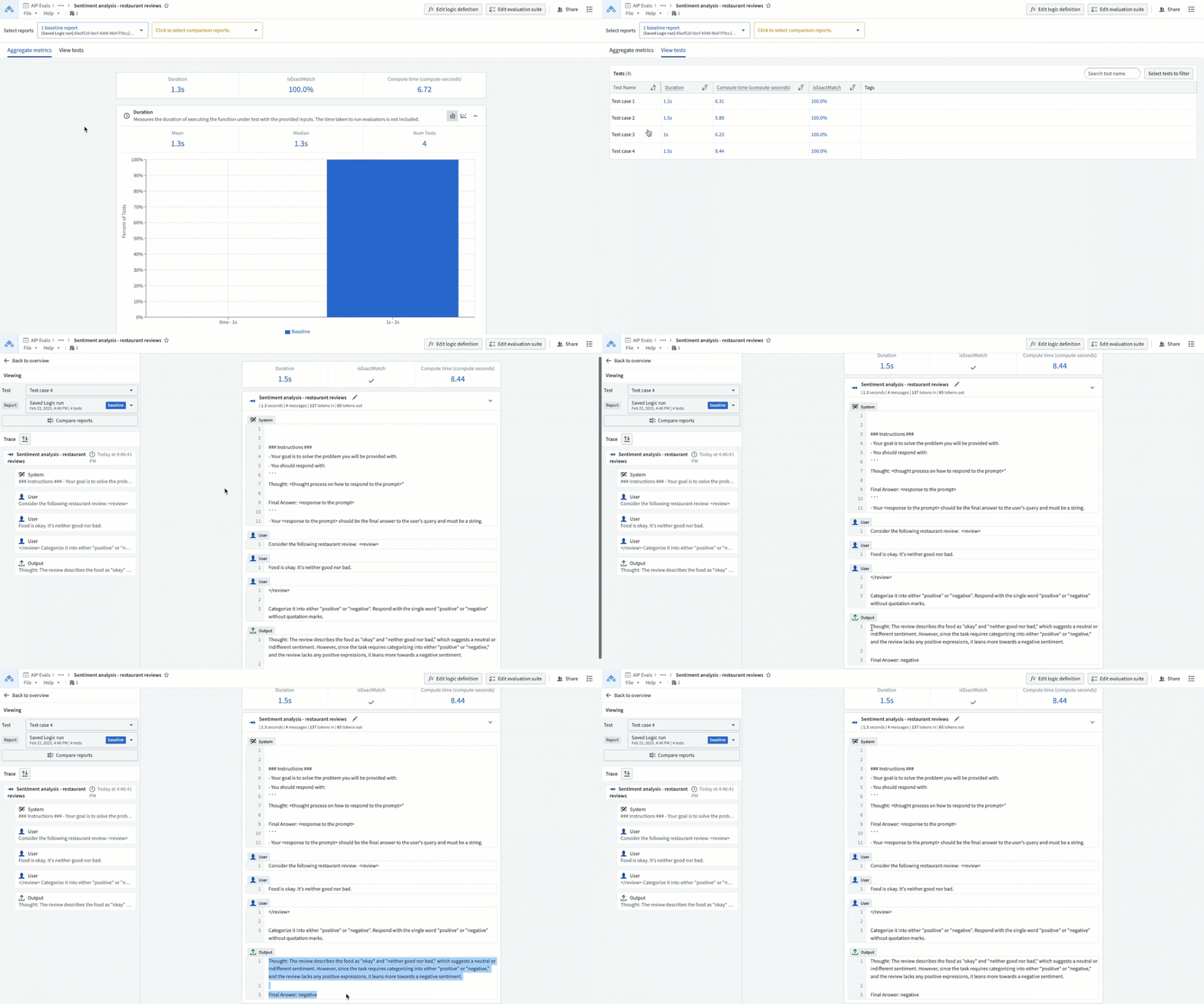
For deeper analysis and debugging, you can access the LLM trace viewer. Navigate to the View tests tab and double click into a test case to open the trace viewer. Here, you will be able to view execution information outlining how the function result was computed. If you are using a custom LLM as a judge evaluator, the LLM trace viewer will also include information about the decision-making process of the LLM judge.
中文翻译
评估指标仪表盘
评估套件运行的指标会收集到报告中,您可以在 AIP Evals 评估指标仪表盘(metrics dashboard)中查看。在这里,您可以查看图表和统计数据,或比较评估函数的聚合结果以及/或单个测试用例的结果。请注意,指标目标(metric objectives)在仪表盘视图中不受支持。
要访问仪表盘,请在 Logic 侧边栏的运行结果视图中选择 查看指标仪表盘(View metrics dashboard),或在评估套件页面上选择 运行测试(Run tests) 选项卡。
如需进行更深入的分析和调试,您可以访问 LLM 追踪查看器(LLM trace viewer)。导航至 查看测试(View tests) 选项卡,双击某个测试用例即可打开追踪查看器。在这里,您将能够查看说明函数结果计算方式的执行信息。如果您使用自定义 LLM 作为评判评估器(judge evaluator),LLM 追踪查看器还将包含 LLM 评判决策过程的相关信息。