Inputs(输入(Inputs))
Model Studio accepts Foundry datasets as inputs for a training job. Each trainer defines what types of datasets it expects to receive.
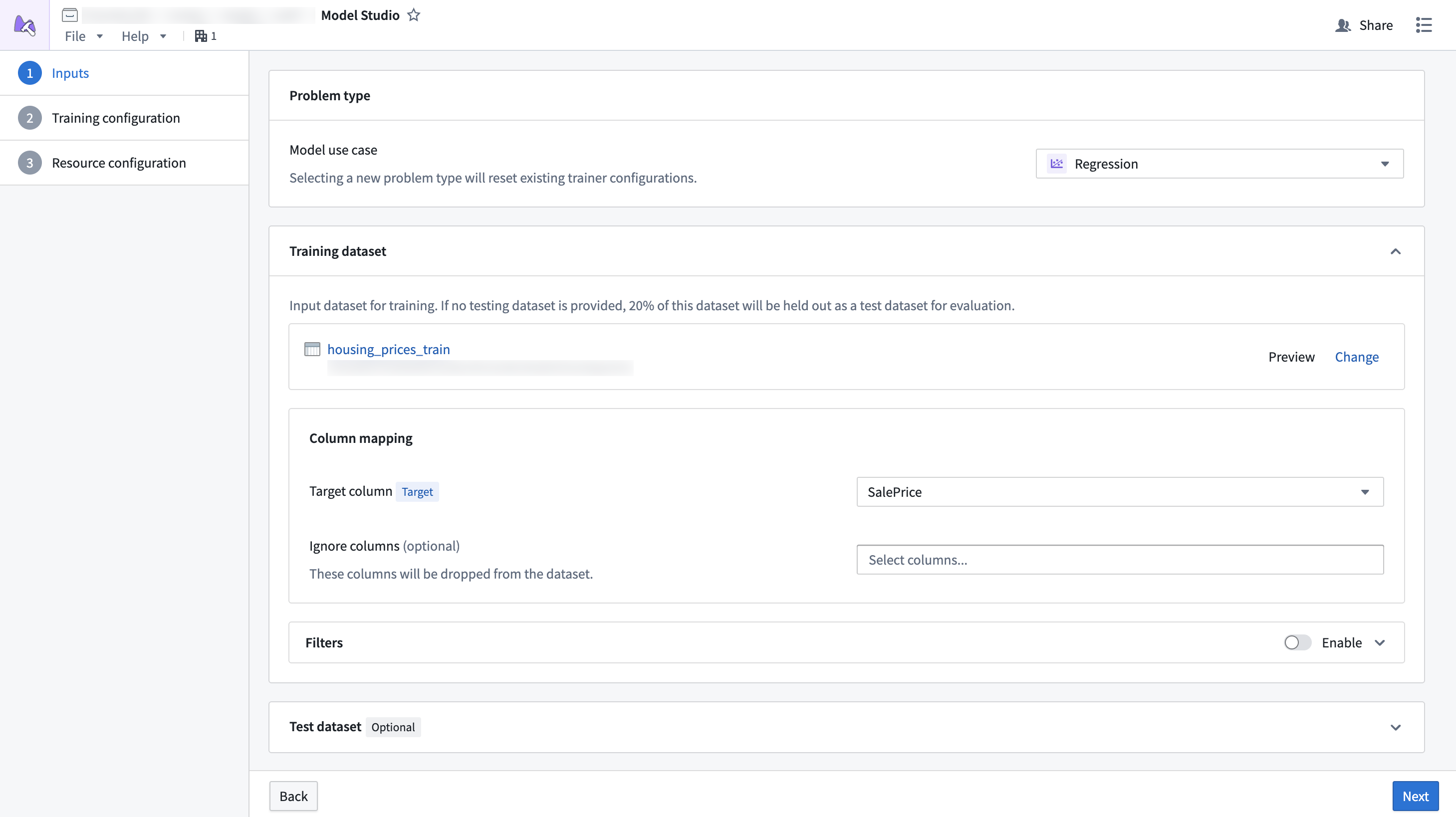
Dataset mapping
Each card in the dataset configuration page of the configuration wizard is a specific dataset that an input can be mapped to. Some datasets are required, while others are optional. For example, test datasets tend to be optional, since the training job will split 20% of the data to be used as a testing dataset.
Additionally, datasets must have columns mapped to specific column types so the trainer knows which columns are important. For example, the time series forecasting trainer might define that it needs one target column, one timestamp column, and an optional item_id column. Each column mapping defines a specific set of column type requirements that must be met for a column to be selectable.
Dataset columns can also be ignored. When a column is ignored, it will be dropped from the dataset during training.
Preview
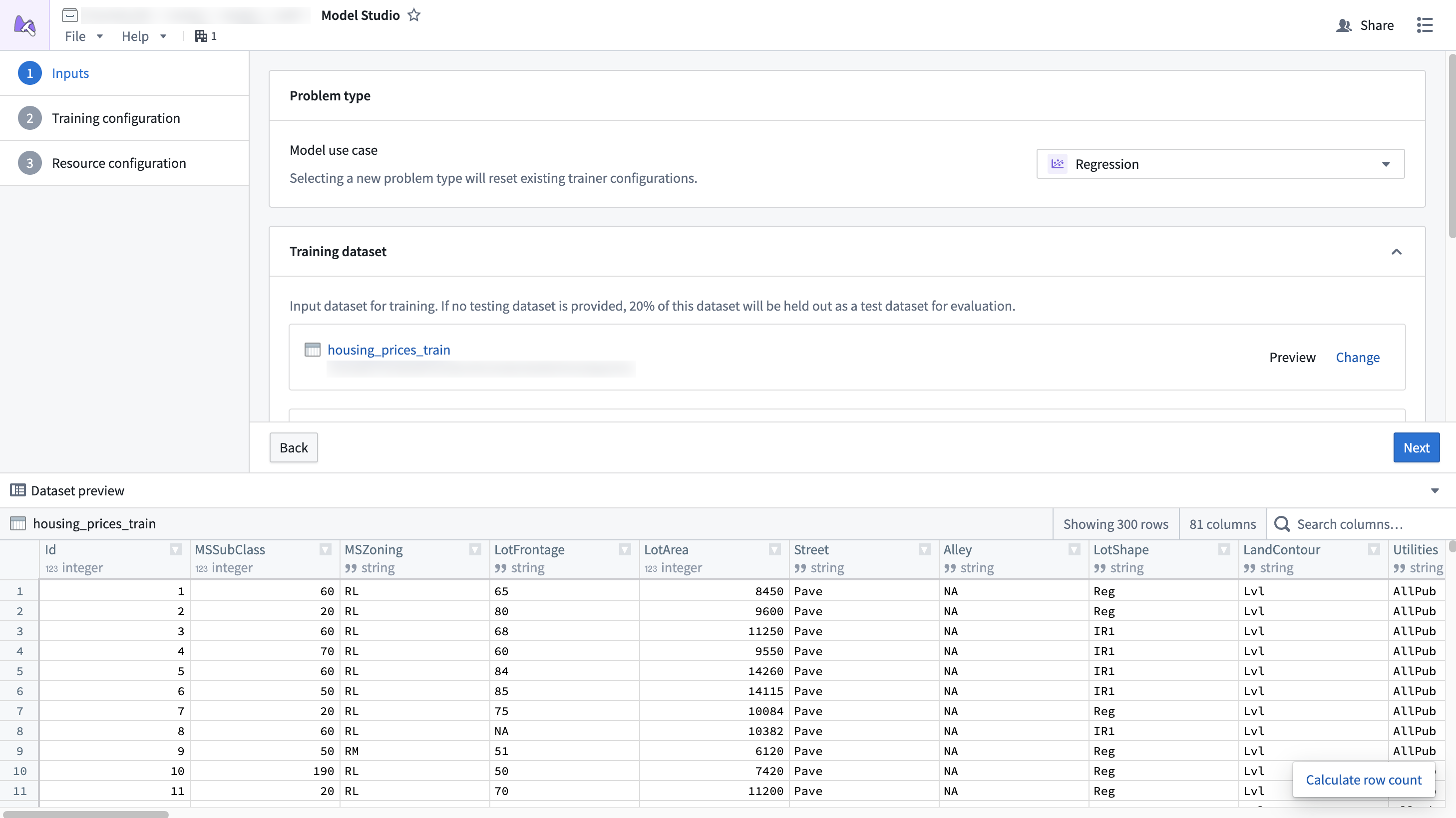
Selected datasets can also be previewed. The preview window allows you to inspect datasets while setting up inputs and view the statistics of different columns.
Filtering
:::callout{theme="warning"} Filters applied to non Parquet ↗ datasets do not support pushdown filtering. You may need to provision more memory for your configuration to prevent out of memory errors. :::
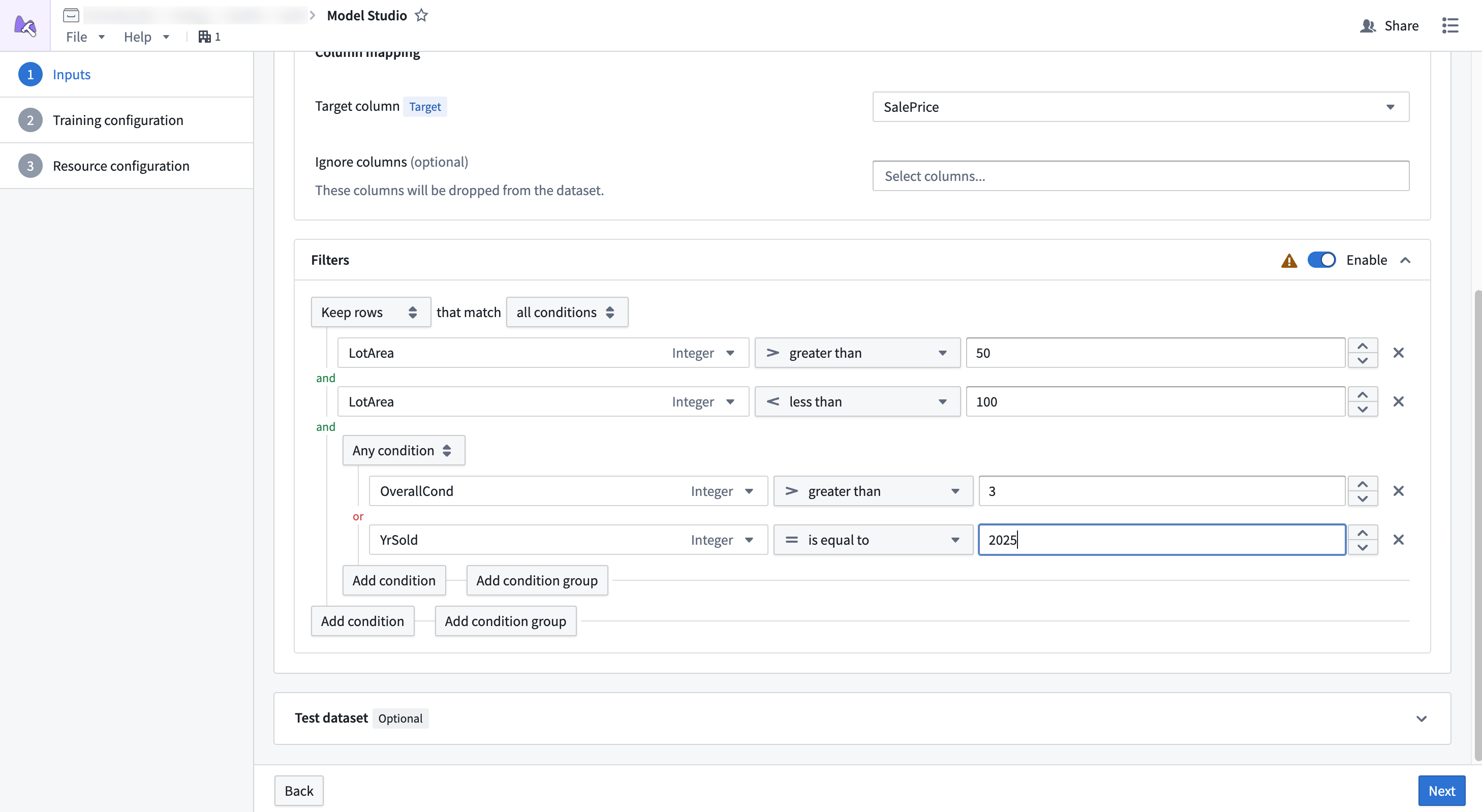
Dataset filtering allows you to remove rows from datasets if they meet a given condition. This is a good strategy if your dataset has a large number of null values, or if you want to ignore a subset of rows that match some condition.
Pushdown filtering is a filtering strategy available for Parquet ↗ datasets that allows filters to be applied before the data is downloaded during a job. This allows you to reduce the total amount of memory applied to the job. Datasets produced within Foundry, such as an output from Pipeline Builder, will generally support pushdown filtering, while those that are uploaded, such as CSVs, will not.
中文翻译
输入(Inputs)
Model Studio 接受 Foundry 数据集(Foundry datasets) 作为训练任务的输入。每个训练器(trainer)会定义其期望接收的数据集类型。
数据集映射(Dataset mapping)
配置向导的数据集配置页面中,每张卡片代表一个可映射输入的具体数据集。部分数据集为必填项,其他则为可选项。例如,测试数据集(test datasets)通常为可选项,因为训练任务会自动拆分 20% 的数据作为测试数据集。
此外,数据集必须将列映射到特定的列类型(column types),以便训练器识别关键列。例如,时间序列预测训练器(time series forecasting trainer)可能要求包含一个目标列(target column)、一个时间戳列(timestamp column)以及一个可选的 item_id 列。每个列映射(column mapping)都定义了该列必须满足的特定列类型要求,才能被选中。
数据集列也可以被忽略。被忽略的列将在训练过程中从数据集中移除。
预览(Preview)
已选数据集支持预览。预览窗口允许您在设置输入时检查数据集,并查看不同列的统计信息。
过滤(Filtering)
:::callout{theme="warning"} 应用于非 Parquet ↗ 数据集的过滤器不支持下推过滤(pushdown filtering)。您可能需要为配置分配更多内存,以防止内存溢出错误。 :::
数据集过滤功能允许您根据特定条件移除数据集中的行。如果数据集中存在大量空值,或您希望忽略符合某些条件的行子集,这是一种有效的策略。
下推过滤是一种适用于 Parquet ↗ 数据集的过滤策略,可在任务执行期间下载数据前应用过滤器。这有助于减少任务所需的总内存量。在 Foundry 内部生成的数据集(例如 Pipeline Builder 的输出)通常支持下推过滤,而上传的数据集(如 CSV 文件)则不支持。