Model Studio
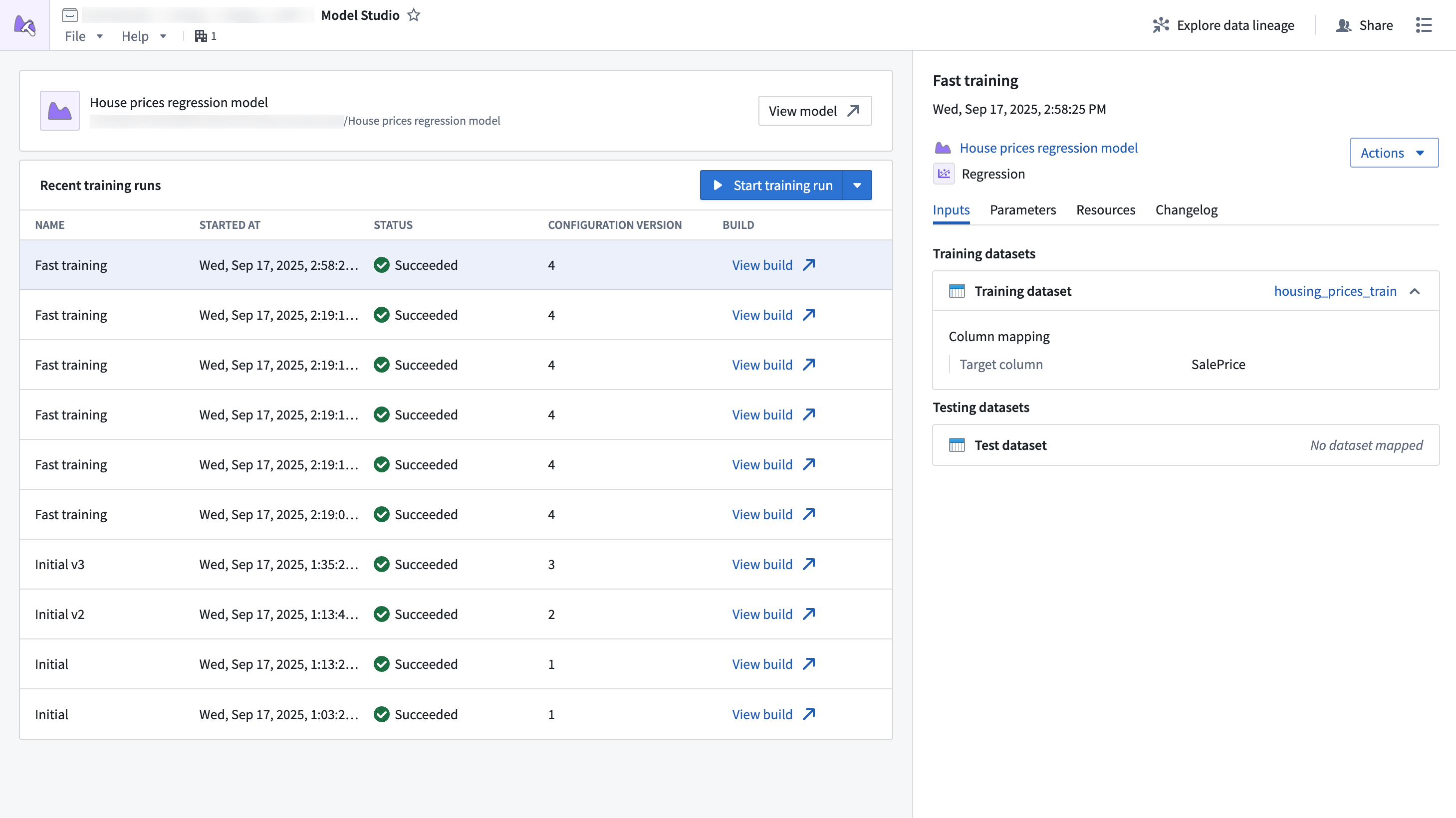
Model Studio is Foundry's no-code model development tool. With Model Studio, users can choose a training task, select input datasets, and optionally configure parameters to train and deploy production-grade machine learning models without writing code.
Features
- A streamlined point-and-click interface for configuring model training jobs; no coding required.
- Built-in production-grade model trainers tailored for common use cases such as time series forecasting, regression, and classification.
- Smart defaults and guided workflows that empower you get started quickly, even if you are new to machine learning.
- In-depth experiment tracking with integrated performance metrics that allow you to monitor and refine your models with confidence.
- Full data lineage and secure access controls built on top of the Palantir platform, ensuring transparency and security at every step.
Workflow
Building a model using Model Studio requires the following steps:
- Choose your model trainer: Built-in trainers are available for common modeling tasks like time series forecasting, regression, and classification.
- Provide your data: Choose the datasets to provide as training and optional testing data.
- Configure your model: Parameters are available for each trainer. You can choose to fine-tune the parameters or stick with the defaults.
- Launch the build: Launch the transform job and visualize training metrics in the experiment created at runtime.
Once model training is complete, the model can be used for inference in downstream applications like Python transforms, Pipeline Builder, functions, and more.
Model Studio training jobs can also be integrated with build schedules to automatically retrain the model whenever new data is available.
Ready to get started? See the guided tutorial or learn more about Model Studio.
中文翻译
Model Studio
Model Studio 是 Foundry 的无代码模型开发工具。通过 Model Studio,用户可以选择训练任务、选择输入数据集,并可选择配置参数,从而无需编写代码即可训练和部署生产级机器学习模型。
功能特性
- 简化的点击式界面,用于配置模型训练任务,无需编码。
- 内置的生产级模型训练器,专为时间序列预测、回归和分类等常见用例量身定制。
- 智能默认设置与引导式工作流,即使您是机器学习新手,也能快速上手。
- 深入的实验追踪,集成性能指标,让您能够自信地监控和优化模型。
- 完整的数据沿袭与安全访问控制,基于 Palantir 平台构建,确保每一步的透明性和安全性。
工作流程
使用 Model Studio 构建模型需要以下步骤:
- 选择模型训练器: 内置训练器适用于常见建模任务,如时间序列预测、回归和分类。
- 提供数据: 选择作为训练数据和可选测试数据的数据集。
- 配置模型: 每个训练器都有可调参数。您可以选择微调参数,或使用默认设置。
- 启动构建: 启动转换作业,并在运行时创建的实验中可视化训练指标。
模型训练完成后,该模型可用于下游应用中的推理,例如 Python 转换、Pipeline Builder、函数等。
Model Studio 训练作业还可以与构建计划集成,以便在新数据可用时自动重新训练模型。
准备好开始了吗?请参阅引导式教程或了解更多关于 Model Studio 的信息。