Archive models in an objective(在目标中归档模型)
As a modeling objective matures and accumulates many model submissions, it can be useful to archive old or rejected model submissions to make the objective easier to work with and understand.
Archiving a model submission has several effects:
- Removes the ability to create a release from that model.
- Moves the model submission into the Archive table, accessible by clicking on the View archive link in the top right section of the Models view.
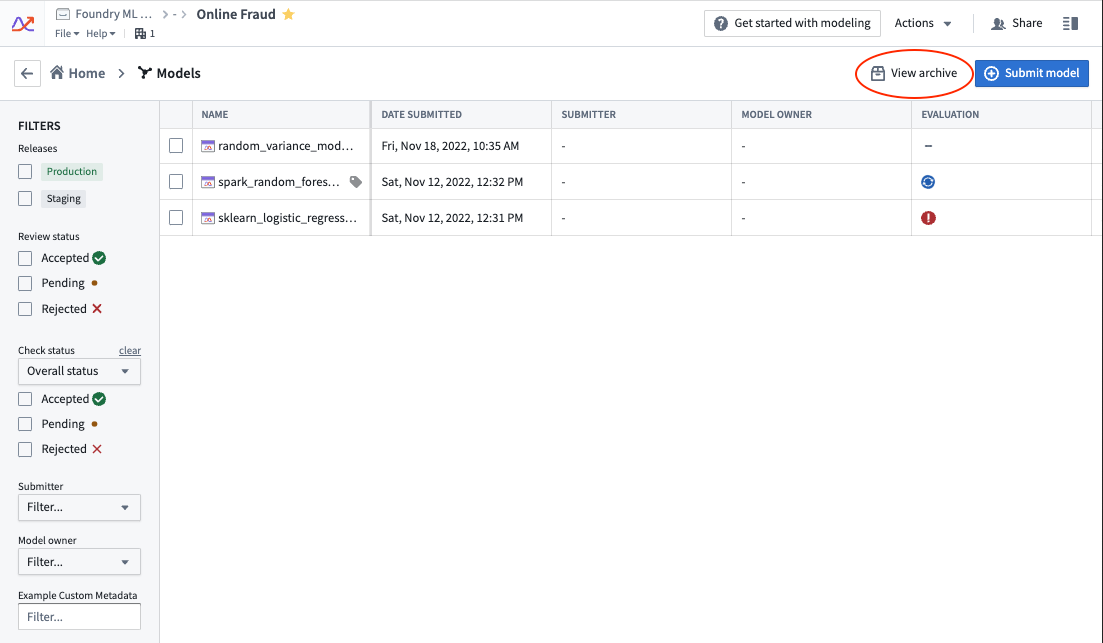
Foundry provides model archiving instead of hard deletion because objectives can act as an important system of record for models that have been previously deployed and used for operational decision-making.
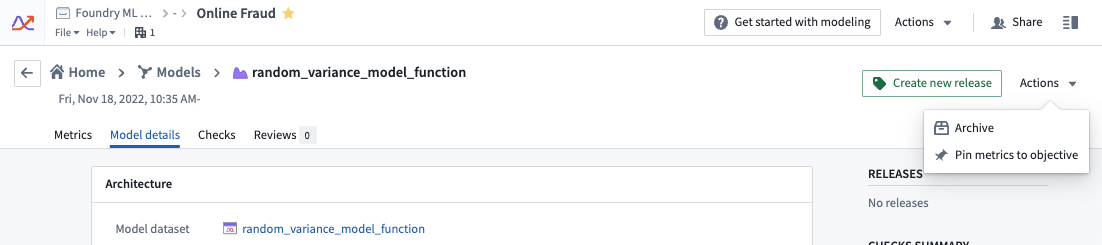
To archive a model submission, navigate to the model submission's individual page, click on the Actions button in the top right corner, and select Archive.
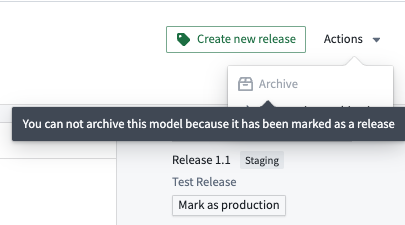
Models that have been marked as a release are unable to be archived.
:::callout{theme="neutral" title="Clean up"} After archiving a model submission, don't forget to adjust or remove the build schedule of any configured metric management pipelines. :::
中文翻译
在目标中归档模型
随着建模目标逐渐成熟并积累大量模型提交,将旧版或已拒绝的模型提交进行归档,有助于简化目标的操作与理解。
归档模型提交会产生以下影响:
- 移除从该模型创建发布版本的能力。
- 将该模型提交移至归档表格中,可通过点击模型视图右上角的查看归档链接访问。
Foundry 提供模型归档而非硬删除功能,因为目标可作为先前部署并用于运营决策模型的重要记录系统。
要归档模型提交,请导航至该模型提交的独立页面,点击右上角的操作按钮,然后选择归档。
已标记为发布版本的模型无法进行归档。
:::callout{theme="neutral" title="清理工作"} 归档模型提交后,请记得调整或移除已配置的指标管理管道的构建计划。 :::