Configure objective metadata(配置建模目标元数据)
When a model is submitted to a modeling objective, certain metadata about that model and version is collected by default. In addition, you can define additional context-specific metadata to attach to each submitted model.
Different teams have different mandates or required information that they wish to track. For example, you may wish to monitor compliance codes, model vendor IDs, or ticket numbers in a task tracker such as Jira. Custom metadata enables you to track any information you wish to capture associated with a model.
The Display metadata tab on the Settings page provides the option for changing the display options for the default metadata collected by each objective. However, all metadata in that tab, selected or unselected, will be shown in the Model details section for each model submission.
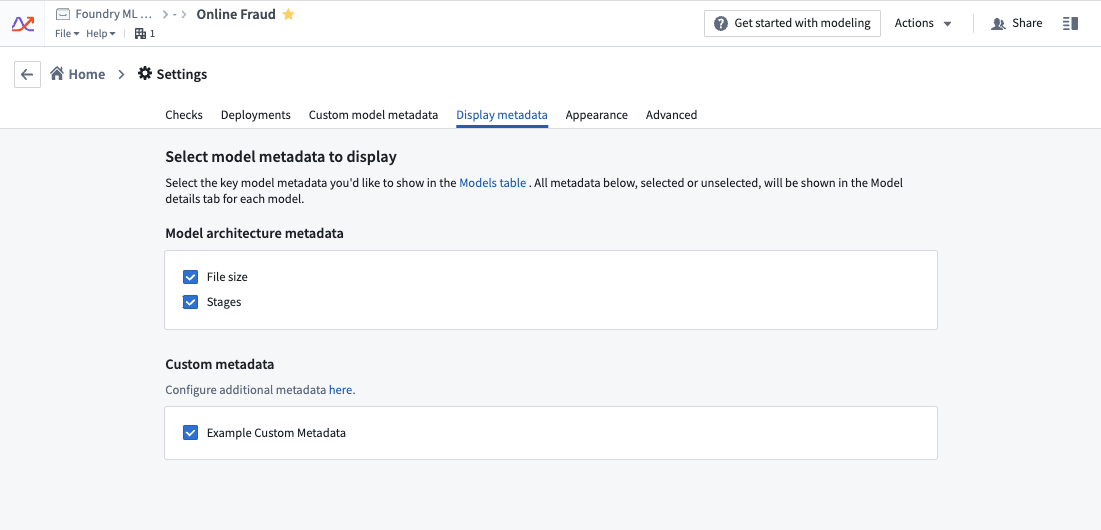
The Custom model metadata tab provides an interface for configuring additional custom metadata fields.
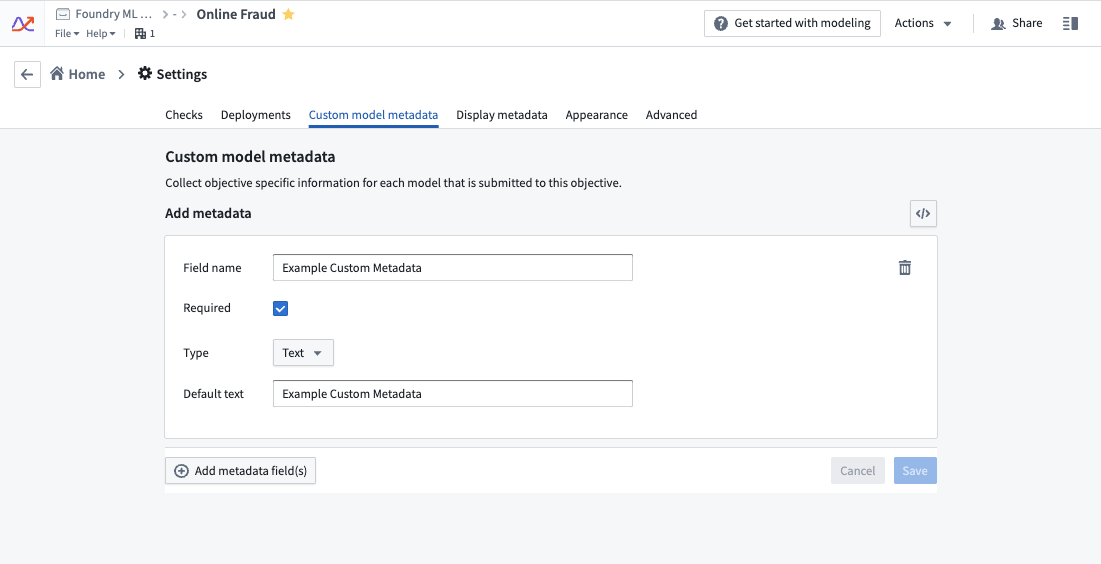
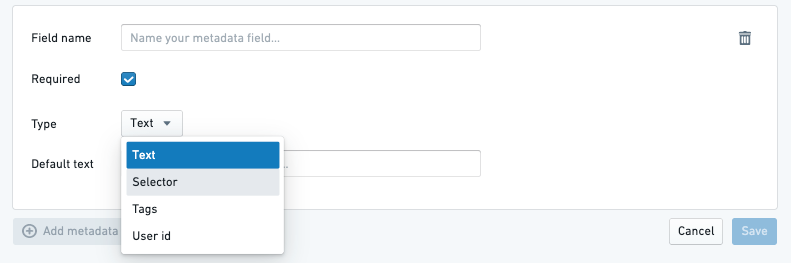
Multiple metadata types are supported.
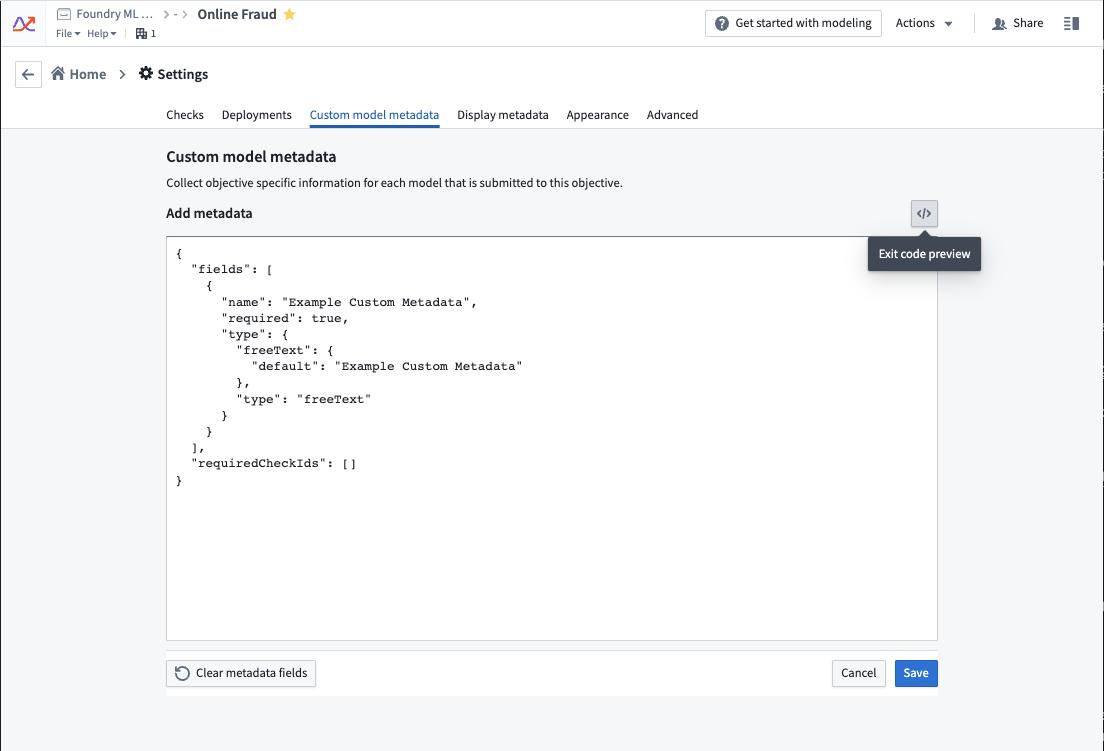
There is a JSON editor option to easily copy/paste metadata between objectives.
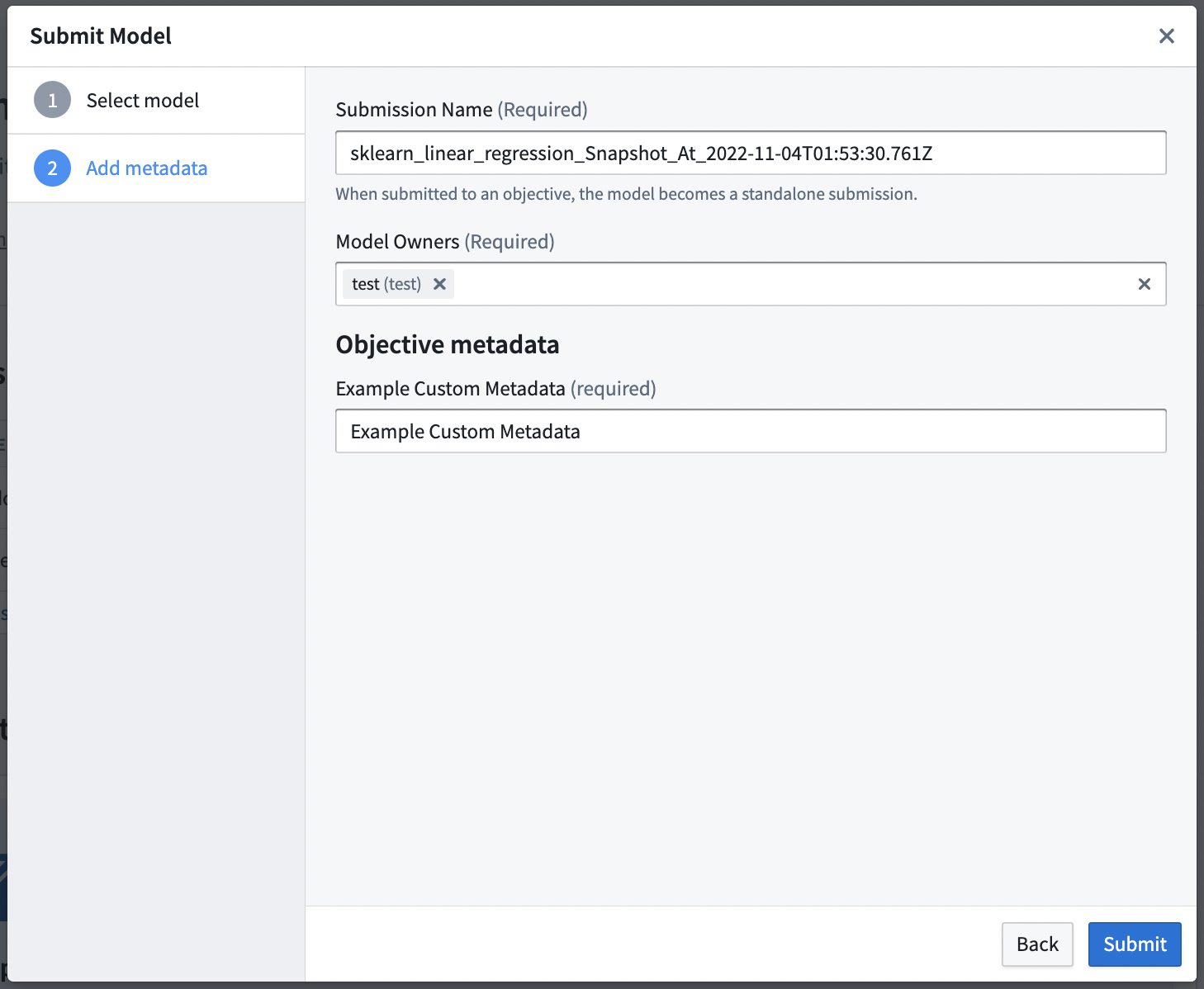
After adding custom metadata to an objective, when someone submits a model, the custom metadata fields will be available for submitters to enter.
中文翻译
配置建模目标元数据
当模型提交至建模目标时,系统默认会收集该模型及版本的特定元数据。此外,您还可以定义额外的上下文相关元数据,将其附加到每个提交的模型中。
不同团队有不同的职责或需要追踪的信息要求。例如,您可能希望监控合规代码、模型供应商ID,或Jira等任务追踪工具中的工单编号。自定义元数据使您能够追踪任何与模型关联且希望捕获的信息。
在设置页面的显示元数据标签页中,您可以更改每个目标默认收集的元数据显示选项。不过,该标签页中的所有元数据(无论是否选中)都会在每次模型提交的模型详情部分显示。
自定义模型元数据标签页提供了配置额外自定义元数据字段的界面。
支持多种元数据类型。
提供JSON编辑器选项,便于在不同目标之间复制/粘贴元数据。
为目标添加自定义元数据后,当有人提交模型时,提交者将能够填写这些自定义元数据字段。