Create a modeling objective(创建建模目标)
The Modeling Objectives application is an intuitive workspace for teams to manage models as they progress through the modeling lifecycle. Creating a modeling objective helps simplify a modeling project by consolidating models, metadata, and data sources alongside the model review, release, and deployment of those models.
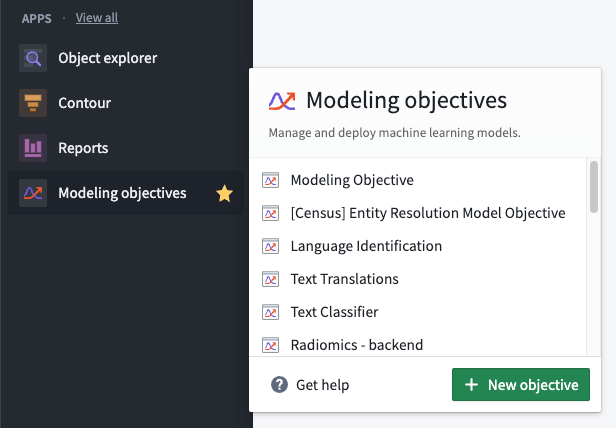
Create a modeling objective by selecting the Modeling Objectives application on the Foundry sidebar and clicking New objective.
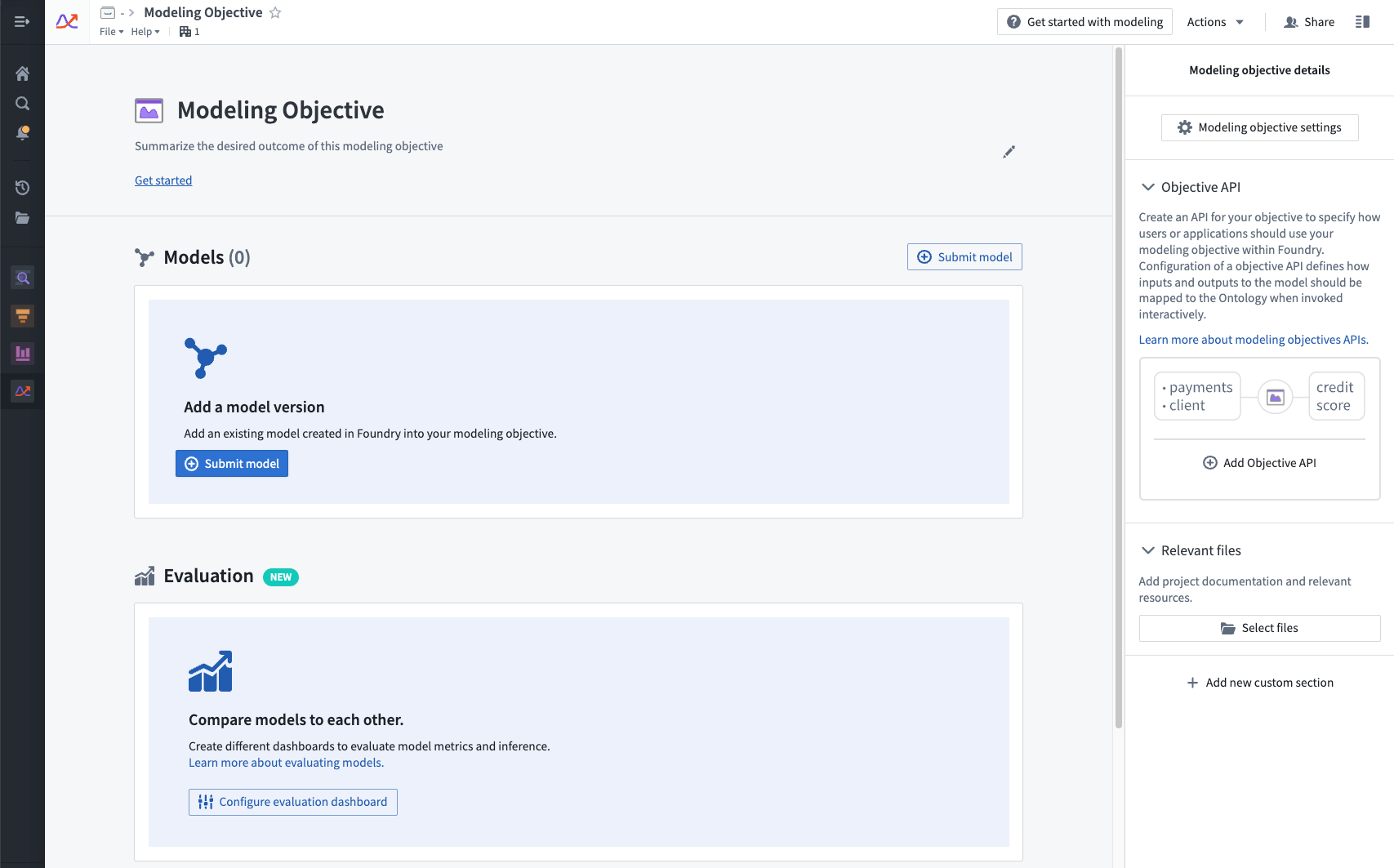
After the modeling objective has been created, you can select a location to save the objective. We recommend saving the modeling objective in a centralized location where all relevant contributors, stakeholders, and consumers will have access to the project.
Configure modeling objective
Modeling objectives can be edited and configured in several ways. This section provides more information about configuration options available for modeling objectives.
Edit description
After creating a modeling objective, you can add a description by clicking the Edit description button. The description field is Markdown ↗-compatible; we recommend using this space as a README for the objective and its goals.

Edit objective metadata
There are several options available for editing objective metadata, including:
- Modeling objective checks are a way to ensure that models pass predefined quality checks before a model is operationalized.
- Model submission metadata enable a modeling objective owner to ensure that all models submitted to that objective have required metadata.
- Model evaluation options allow modeling objectives to be configured to automatically generate and build inference and metrics pipelines for all model submissions. This enables a systematic testing and evaluation plan in software.
中文翻译
创建建模目标
建模目标(Modeling Objectives)应用是一个直观的工作空间,供团队在建模生命周期中管理模型。创建建模目标有助于简化建模项目,将模型、元数据、数据源与模型的审查、发布和部署整合在一起。
通过以下步骤创建建模目标:在 Foundry 侧边栏中选择 建模目标(Modeling Objectives) 应用,然后点击 新建目标(New objective)。
创建建模目标后,您可以选择一个位置来保存该目标。我们建议将建模目标保存在一个集中位置,以便所有相关贡献者、利益相关者和使用者都能访问该项目。
配置建模目标
建模目标可以通过多种方式进行编辑和配置。本节将详细介绍建模目标的可用配置选项。
编辑描述
创建建模目标后,您可以点击 编辑描述(Edit description) 按钮添加描述。描述字段支持 Markdown ↗ 格式;我们建议将此空间用作该目标及其目标的 README 说明文档。
编辑目标元数据
编辑目标元数据有多个可用选项,包括:
- 建模目标检查(Modeling objective checks):确保模型在投入运营前通过预定义的质量检查。
- 模型提交元数据(Model submission metadata):使建模目标所有者能够确保提交到该目标的所有模型都包含必需的元数据。
- 模型评估(Model evaluation) 选项:允许将建模目标配置为自动生成并构建所有模型提交的推理和指标管道。这有助于在软件中实现系统化的测试和评估方案。