Release a model(发布模型)
There are two types of Releases in a modeling objective.
A production release represents the best current model and will power all production deployments in its modeling objective.
A staging release is a release that is staged to become the production release; staging releases are used in all staging deployments. A staging deployment can be used to test downstream operational uses of a model before the model is productionized. After testing, an objective owner can mark a staging release as production.
Once a model submission has been released, it can no longer be archived.
Create a new staging release
To create a new release, navigate to the modeling objective home page, scroll to the Releases section, select the model that you want to release, and click Release to staging.

Alternatively, navigate to the model submission page and click Create new release at the top right of the page.
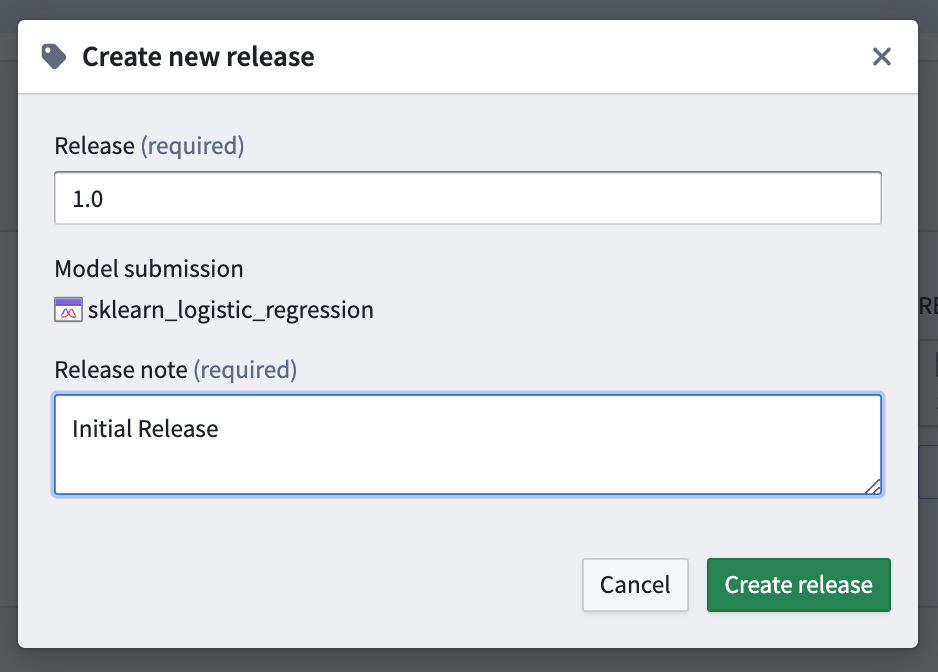
Give the model a release number and a release note, then click Create release.
Create a new production release
If a staging release meets organizational testing criteria, a staging release can be promoted to production by clicking Mark as production from the model submission page or from the releases section on the Modeling Objective home page.

Release history
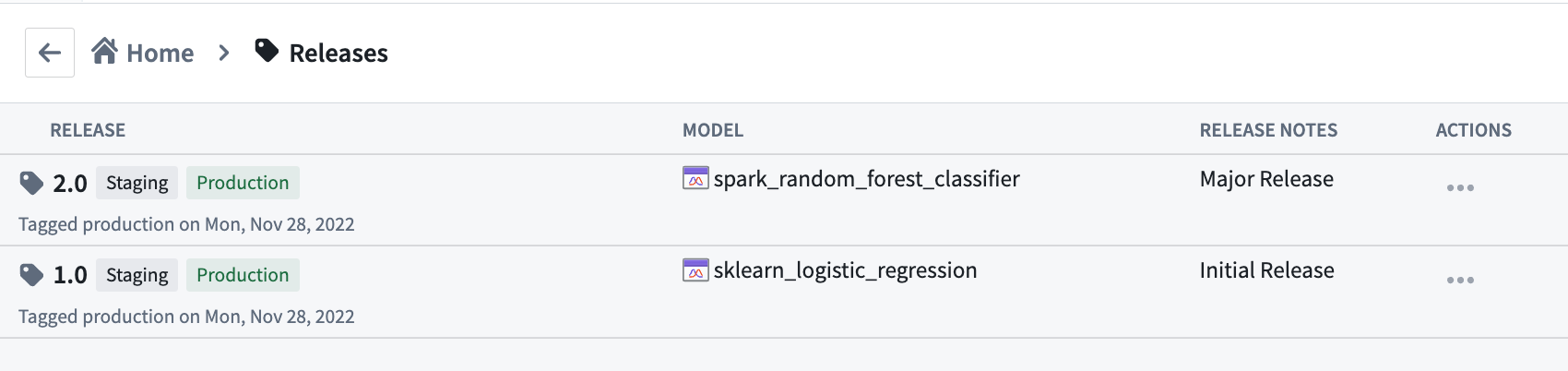
Every release will overwrite the previous release for that environment, and all deployments in that environment will automatically be upgraded to use the newly released model. To view a history of releases, upgrade times, and release metadata, click Releases from the Modeling Objective home page and view the full release history.
中文翻译
发布模型
在建模目标(modeling objective)中,有两种类型的发布(Release)。
生产发布(production release)代表当前最佳模型,并将为其建模目标中的所有生产部署(production deployment)提供支持。
预发布(staging release)是一种暂定发布,旨在成为生产发布;所有预发布部署均使用预发布。在模型正式投入生产之前,可以使用预发布部署来测试模型的下游操作用途。测试完成后,目标负责人可以将预发布标记为生产发布。
一旦模型提交被发布,就无法再将其归档。
创建新的预发布
要创建新的发布,请导航至建模目标主页,滚动到发布(Releases)部分,选择要发布的模型,然后点击发布到预发布(Release to staging)。
或者,导航至模型提交页面,点击页面右上角的创建新发布(Create new release)。
为模型指定发布编号和发布说明,然后点击创建发布(Create release)。
创建新的生产发布
如果预发布符合组织的测试标准,可以通过在模型提交页面或建模目标主页的发布部分点击标记为生产(Mark as production),将预发布提升为生产发布。
发布历史
每次发布都会覆盖该环境中的上一次发布,并且该环境中的所有部署将自动升级以使用新发布的模型。要查看发布历史、升级时间和发布元数据,请从建模目标主页点击发布(Releases),查看完整的发布历史。