Set up a batch deployment(设置批量部署)
A batch deployment is a special pipeline configured inside a modeling objective which allows data to be run through a model that outputs results to a Foundry dataset. These output datasets can be managed on a build schedule.
Prerequisites
Before creating a new batch deployment, there are two prerequisites:
-
There must be an existing release inside the objective with the corresponding environment tag of either staging or production.
-
Select an input dataset to run through your models. Ideally this dataset should be carefully maintained and updating regularly—it represents the new information of the problem you're trying to solve.
Create deployment
To create a new batch deployment, navigate to the Deployments section at the bottom of your modeling objective home page, and select + Create deployment in the top right.
Fill out the details and relevant information inside the prompts. Select your deployment environment based off of requirement #1, choose the input dataset decided upon in requirement #2, and choose a location and name for the output dataset. Alternatively, instead of creating a new output dataset, an existing dataset can also be chosen as the output dataset.
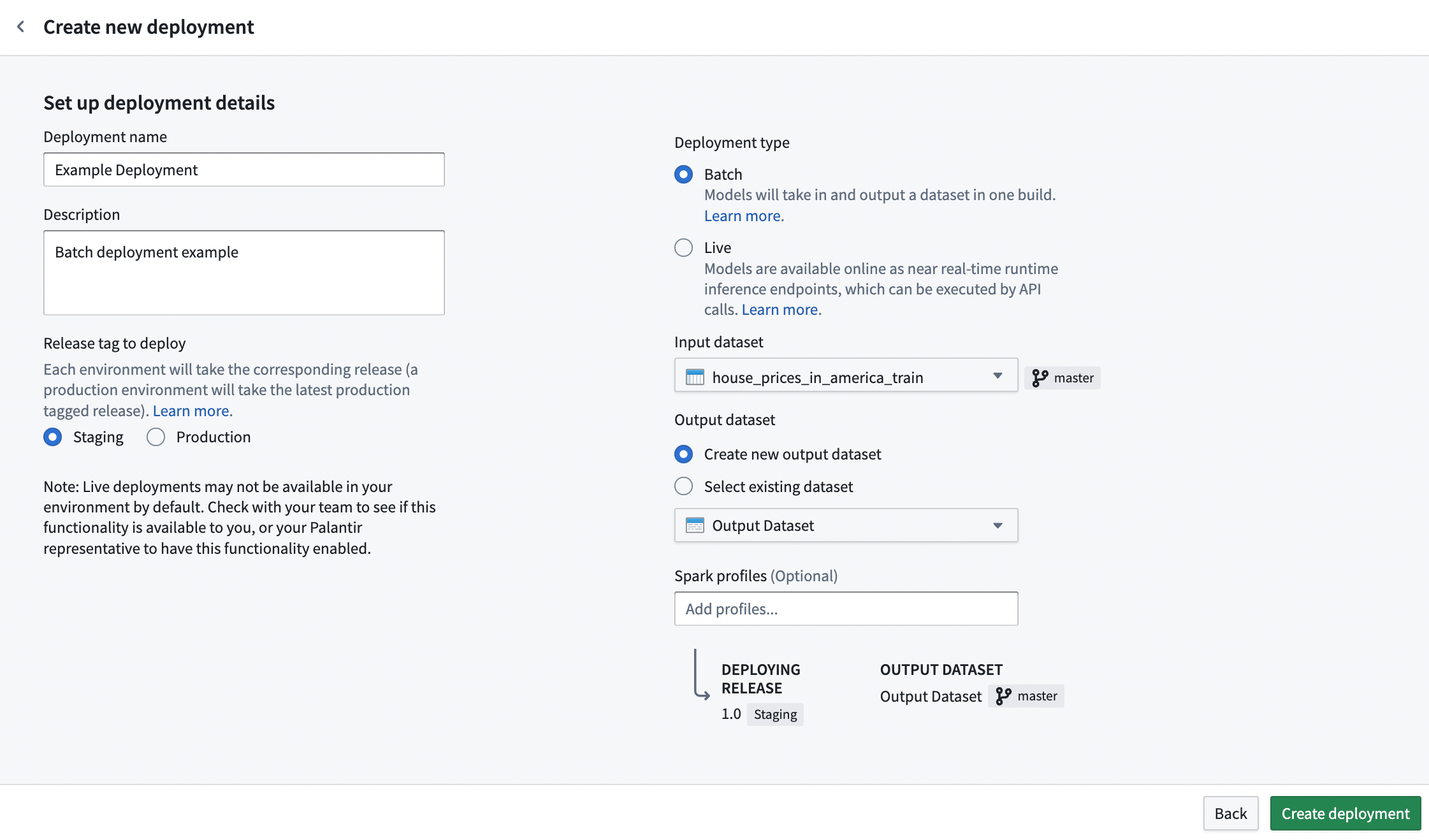
:::callout{theme="neutral"} Direct set up of batch deployment in Modeling Objectives is only compatible with models using a single tabular dataset input. If your model adapter requires several inputs, you can set up batch inference in a Python transform instead. :::
Resource configuration
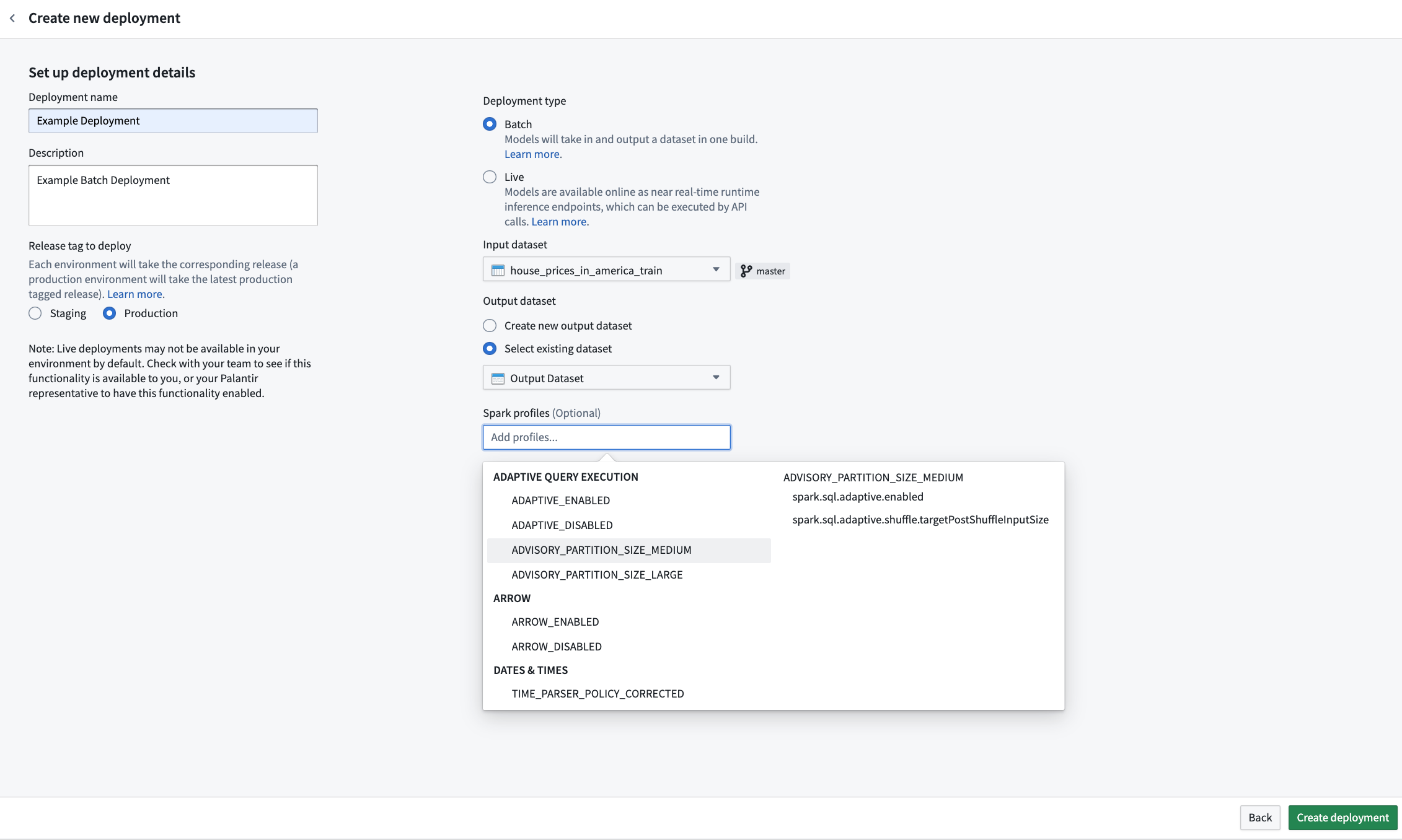
While creating a new batch deployment, you can configure the resources required for that individual deployment. Resources are configured via Spark profiles, which will be applied to the Spark environment during inference.
If creating a new batch deployment, a Spark profile selector will be presented upon initial deployment configuration. The behavior matches that of Python transforms. If omitted, no Spark profiles will be configured for the deployment, and a default resource profile will be used.
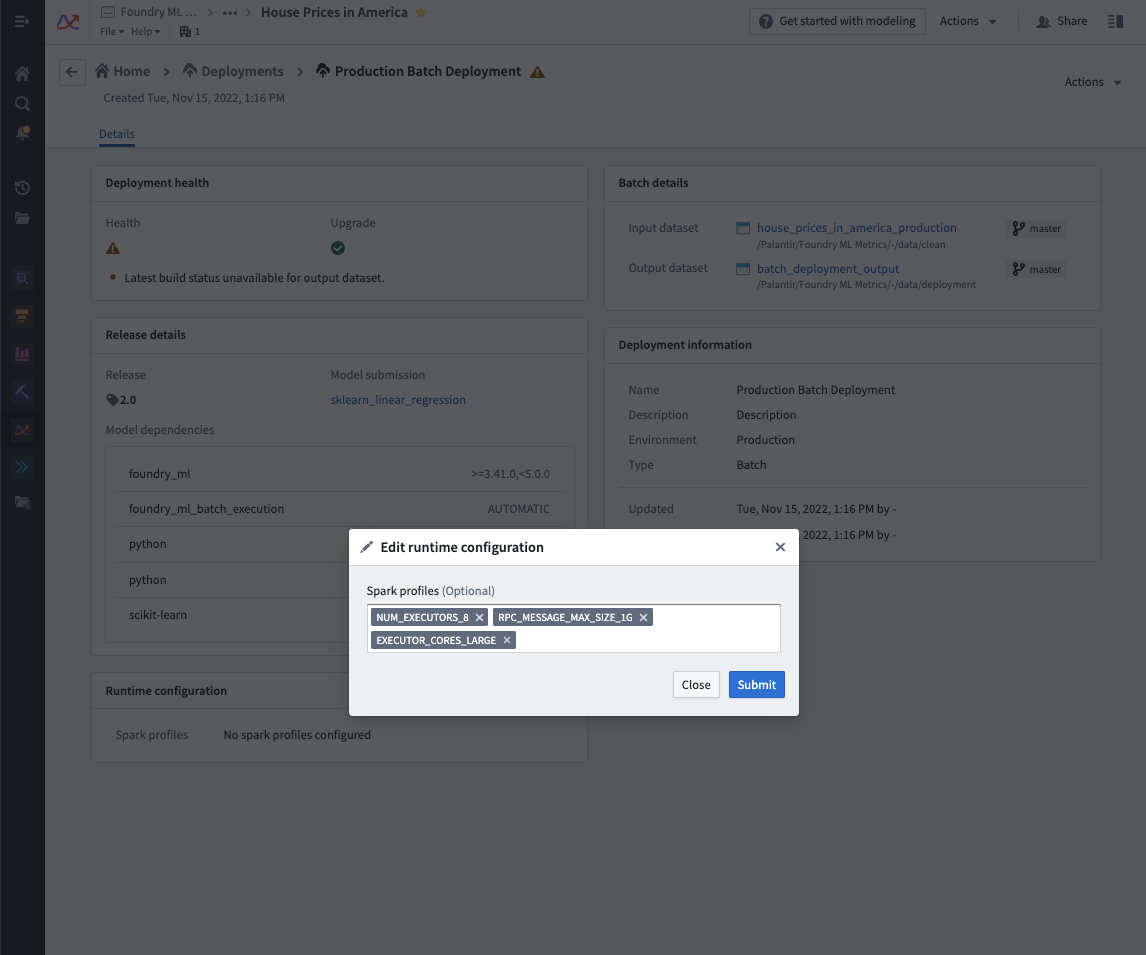
To edit the configured Spark profiles on an existing batch deployment, navigate to the Deployments section in your modeling objective, select your deployment from the listed deployments, and select the edit button under Runtime configuration to edit the Spark profiles. This will automatically update the deployment.
Automatically build deployment output
To navigate to the deployment view, select the new deployment.
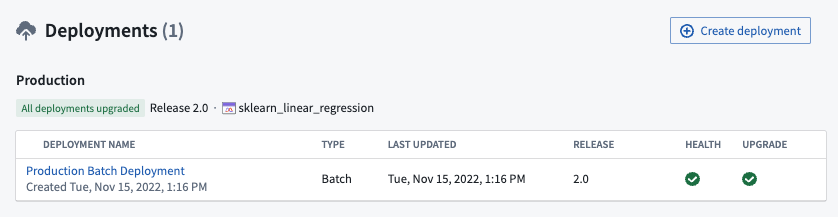
To navigate to the output dataset, select the dataset link in the deployment details view.
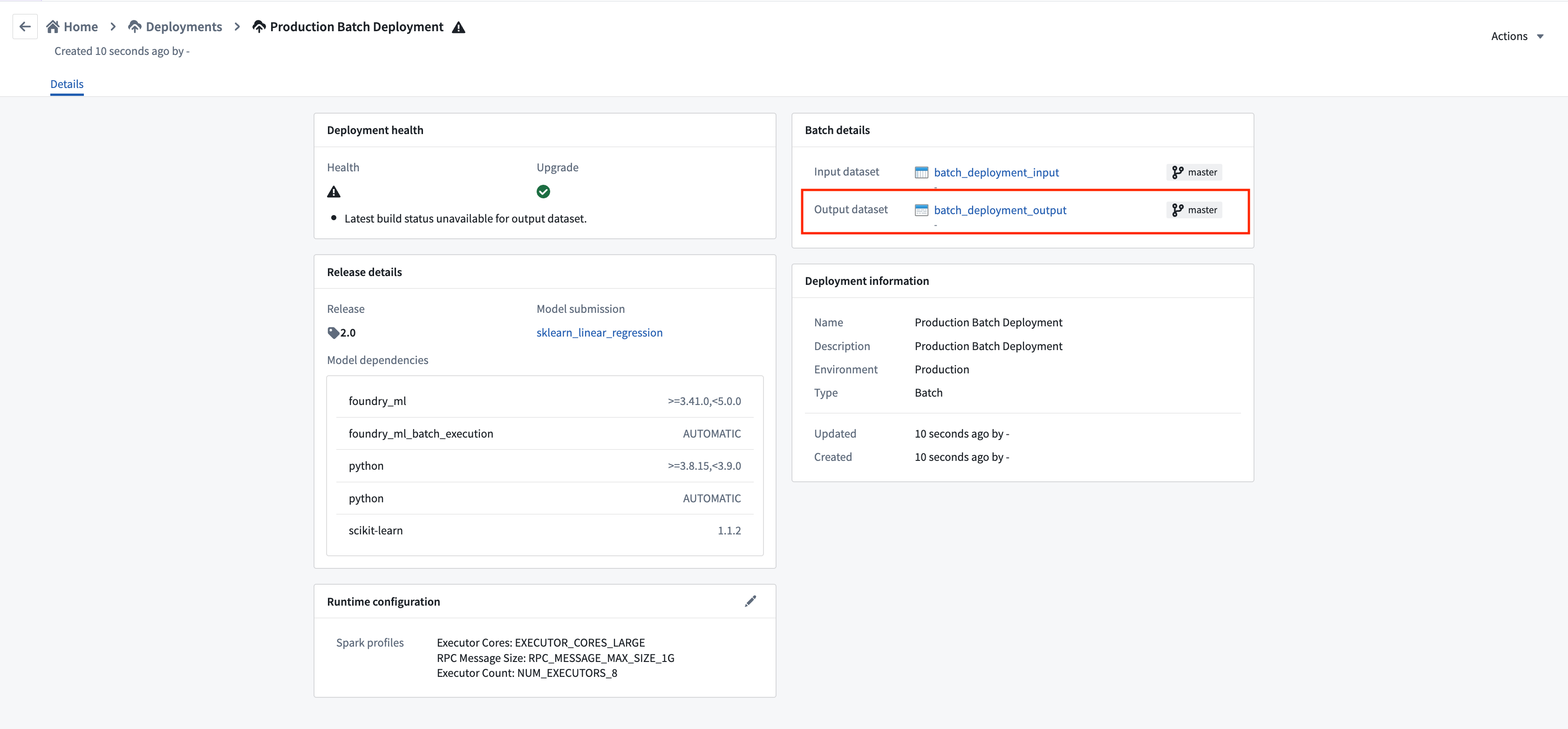
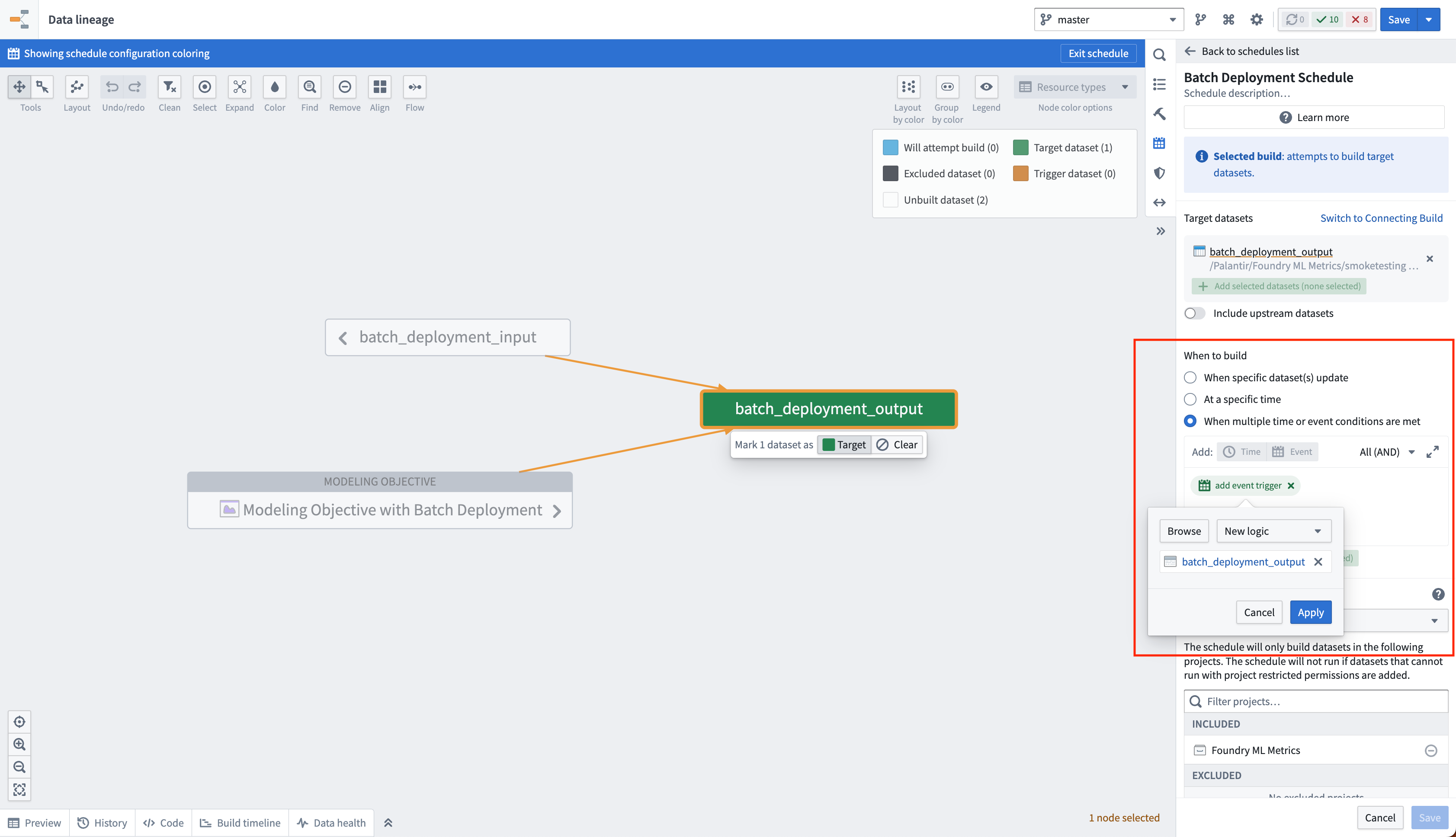
You can create a schedule on the output dataset of a batch deployment for it to automatically update whenever a new model is released to that deployment environment. This is achieved by creating a new logic schedule that builds the output dataset whenever the logic for that dataset updates. When a new model is released in the objective, the logic for the output dataset will be updated and this schedule will be triggered.
中文翻译
设置批量部署
批量部署是在建模目标(modeling objective)内配置的一种特殊流水线,允许数据通过模型运行,并将结果输出到 Foundry 数据集。这些输出数据集可以按构建计划进行管理。
前提条件
在创建新的批量部署之前,需要满足两个前提条件:
-
目标内必须存在一个已发布的版本(release),且带有对应的环境标签(environment tag),标签值为 staging 或 production。
-
选择一个输入数据集(input dataset)用于运行模型。理想情况下,该数据集应经过精心维护并定期更新——它代表了您要解决的问题的新信息。
创建部署
要创建新的批量部署,请导航至建模目标主页底部的 Deployments 部分,然后选择右上角的 + Create deployment。
在弹出的提示中填写详细信息及相关内容。根据前提条件 #1 选择部署环境,根据前提条件 #2 选择输入数据集,并为输出数据集选择位置和名称。此外,您也可以选择现有数据集作为输出数据集,而无需创建新的输出数据集。
:::callout{theme="neutral"} 在建模目标中直接设置批量部署仅适用于使用单个表格数据集输入的模型。如果您的模型适配器需要多个输入,您可以改为在 Python 转换中设置批量推理。 :::
资源配置
在创建新的批量部署时,您可以配置该部署所需的资源。资源通过 Spark 配置文件(Spark profiles)进行配置,这些配置文件将在推理期间应用于 Spark 环境。
如果创建新的批量部署,在初始部署配置时会显示一个 Spark 配置文件选择器。其行为与 Python 转换一致。如果省略此步骤,则不会为部署配置任何 Spark 配置文件,并将使用默认资源配置文件。
要编辑现有批量部署的 Spark 配置文件,请导航至建模目标中的 Deployments 部分,从列出的部署中选择您的部署,然后选择 Runtime configuration 下的编辑按钮来编辑 Spark 配置文件。这将自动更新该部署。
自动构建部署输出
要导航至部署视图,请选择新创建的部署。
要导航至输出数据集,请在部署详情视图中选择数据集链接。
您可以在批量部署的输出数据集上创建计划,以便每当新模型发布到该部署环境时,输出数据集自动更新。这通过创建一个新的逻辑计划来实现,该计划在输出数据集的逻辑更新时构建该数据集。当目标中发布新模型时,输出数据集的逻辑将更新,从而触发此计划。