Proposals(提案(Proposals))
To make edits to a HyperAuto pipeline, users will need to create a proposal. One proposal can exist on a HyperAuto pipeline at a time and represents a staged regeneration of the resources and transformation logic owned by that pipeline.
Users must decide to either approve and apply the proposal or discard it.
Create a proposal
To create a proposal, open the Configuration tab of an existing HyperAuto pipeline and select Edit.
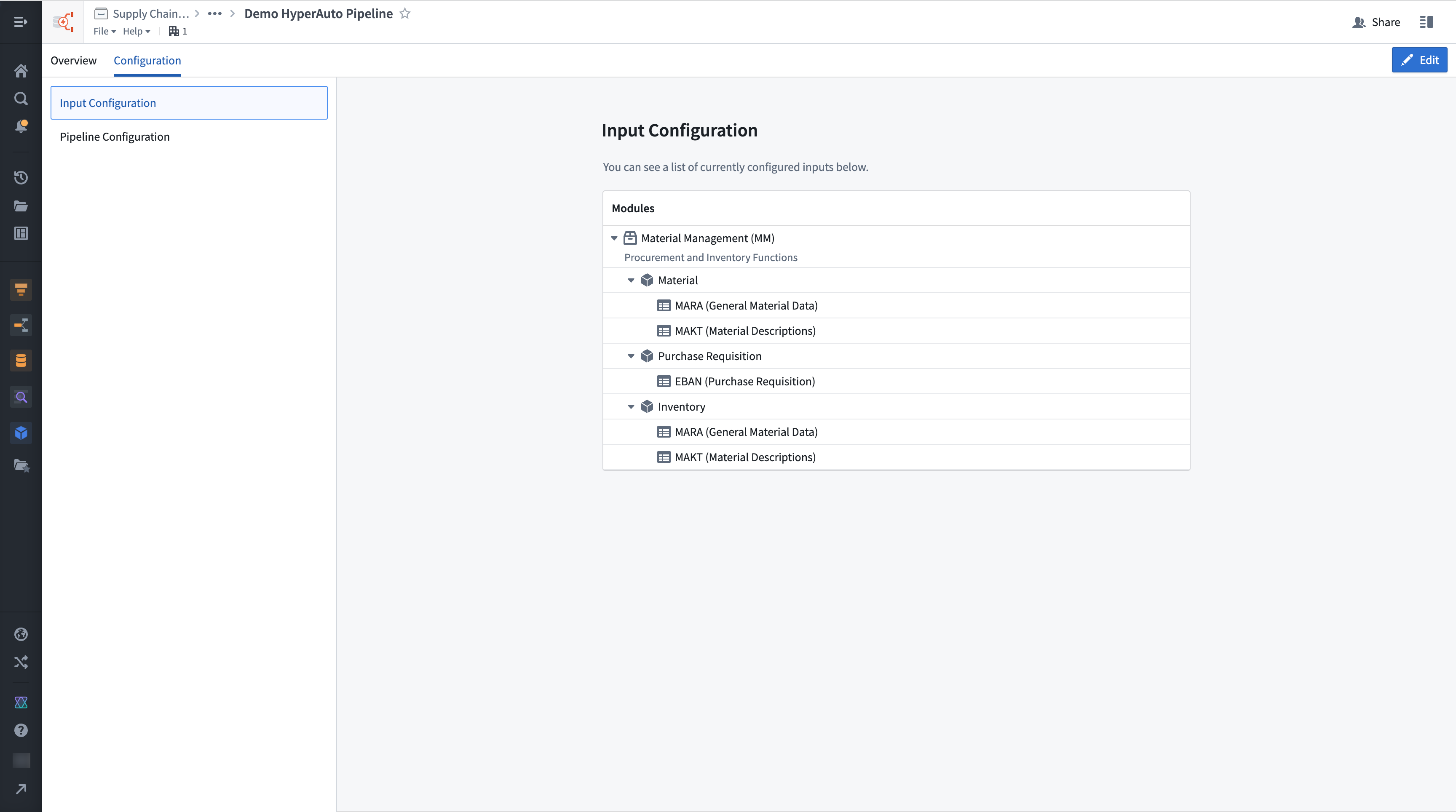
Within edit mode, both the input configuration (adding or removing source tables as inputs) and pipeline configuration can be updated within a single edit.
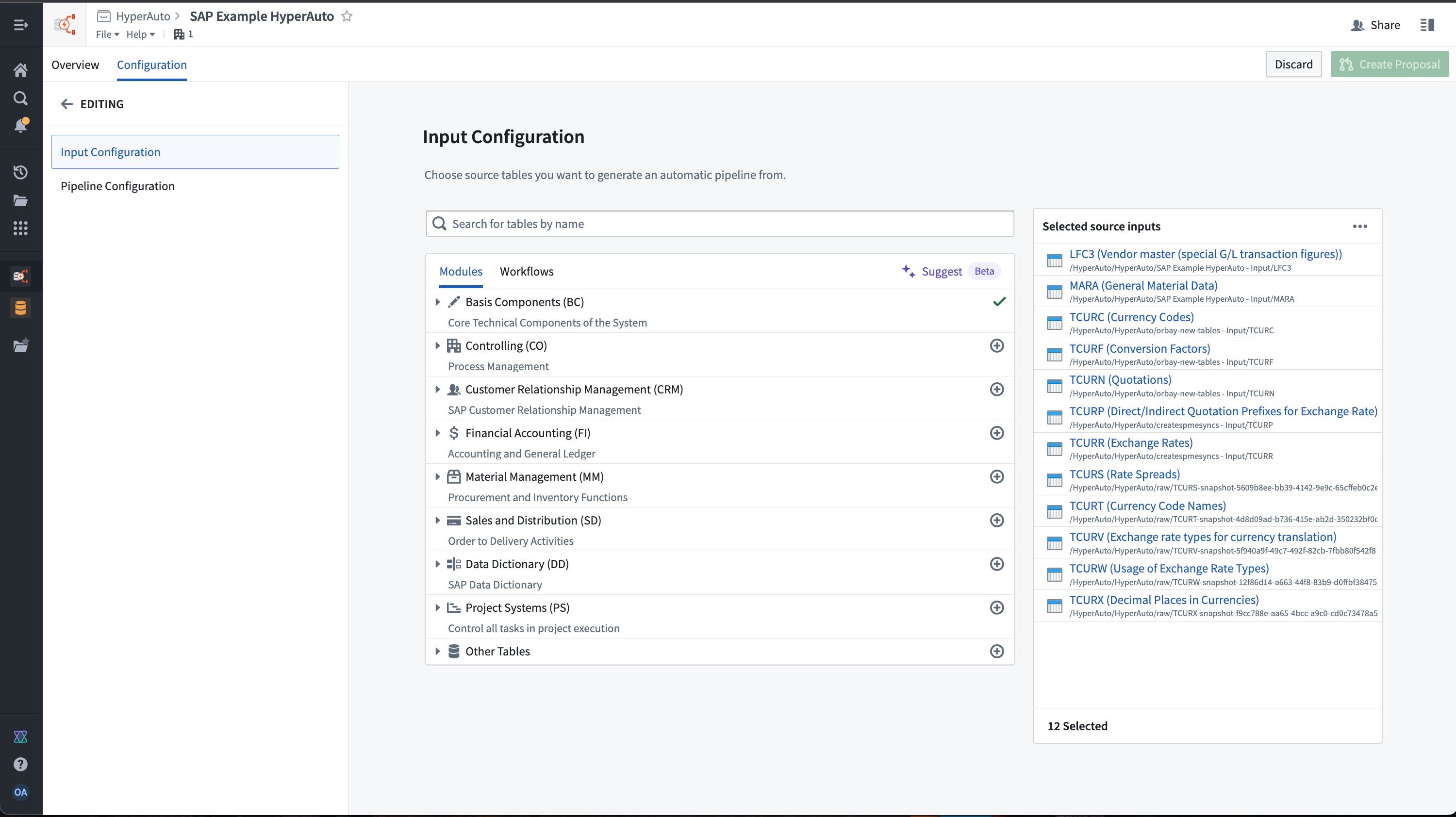
Once satisfied with the changes, select Create proposal to obtain a proposal that is ready and linked for you to evaluate and approve.
View a proposal
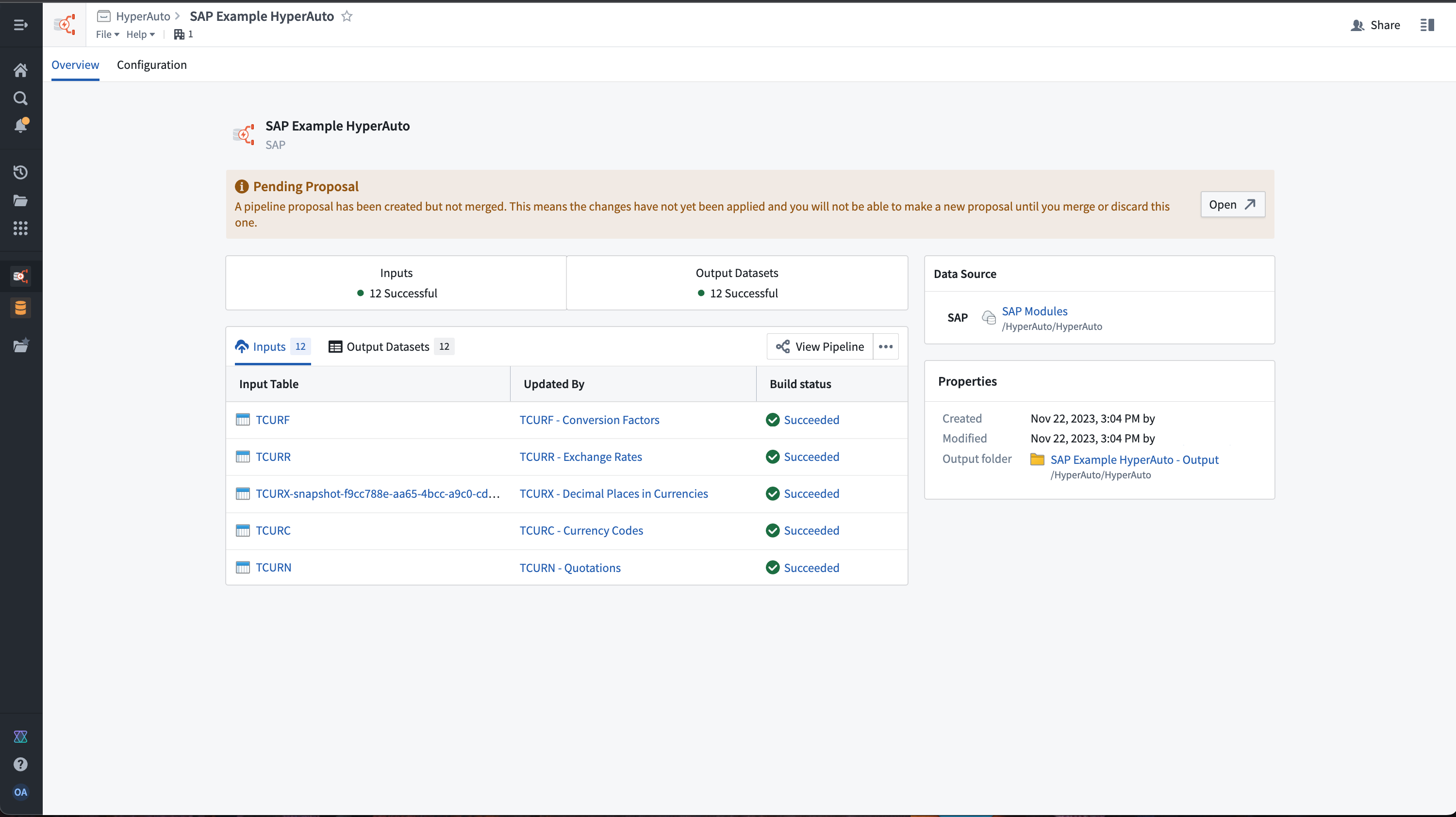
Select View proposal from the overview page to open the proposal within Pipeline Builder. This is the page where you can merge or close a proposal. Actions taken will be reflected back on the corresponding HyperAuto pipeline page.
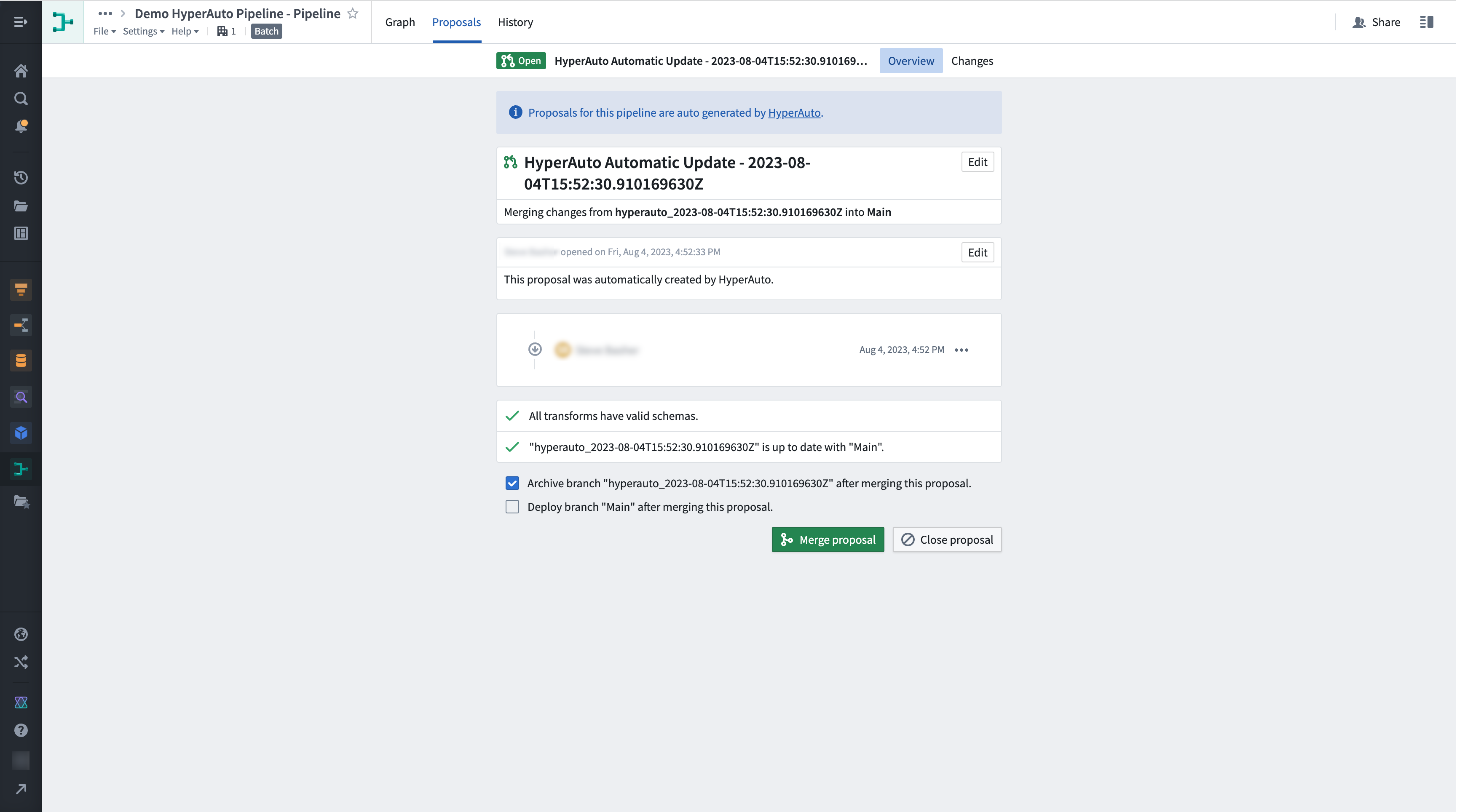
To view the pipeline logic changes that have been generated by the proposal, select the Changes tab.
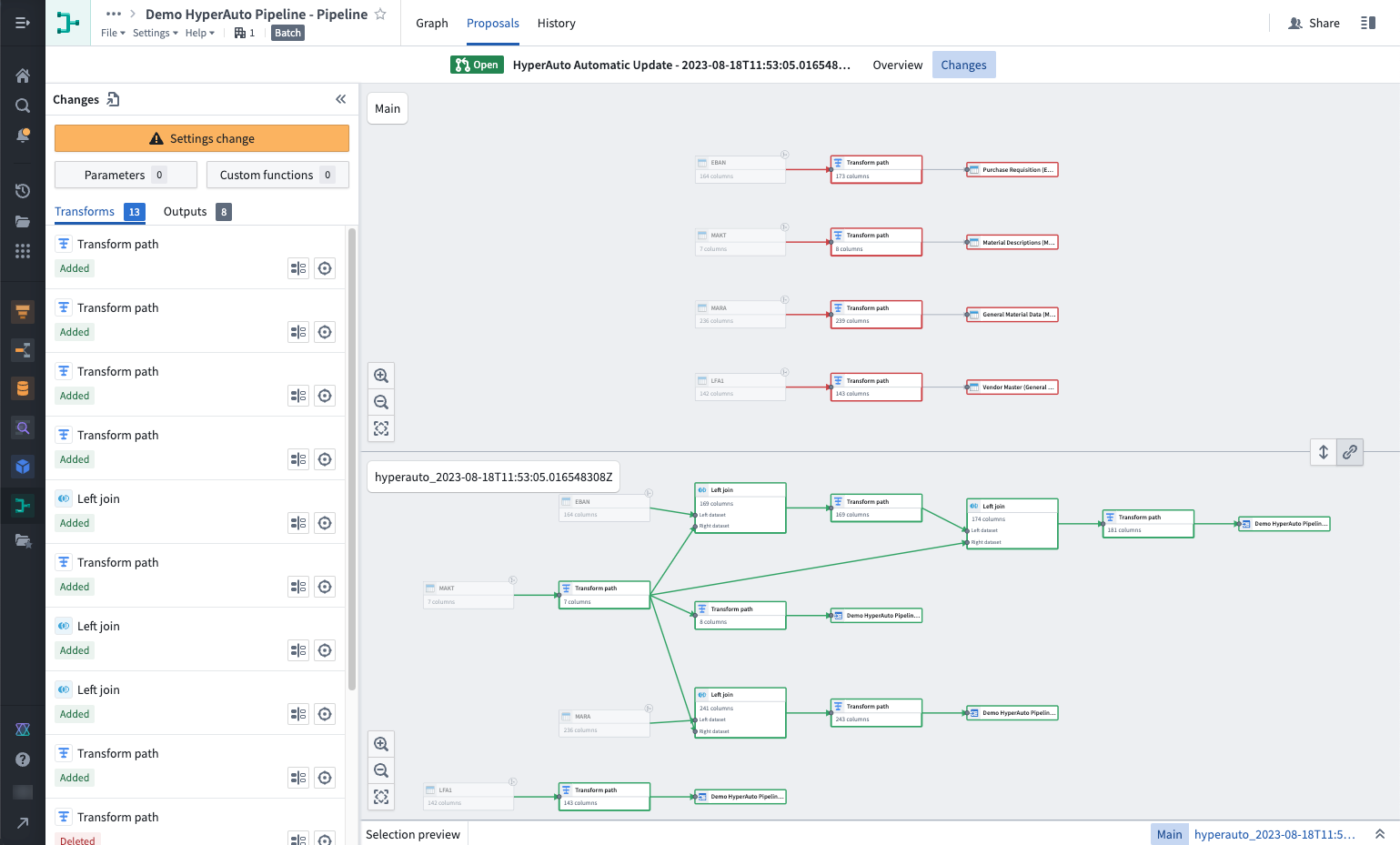
After reviewing the changes, select Merge proposal to commit the change to the main branch of the pipeline. Ensure you have selected Deploy the branch "Main" after merging the proposal. This will ensure that the pipeline is deployed and the changes are manifested in the output datasets and Ontology.
中文翻译
提案(Proposals)
要对 HyperAuto 流水线进行编辑,用户需要创建一个提案。每个 HyperAuto 流水线在同一时间只能存在一个提案,该提案代表对该流水线所拥有的资源和转换逻辑进行分阶段重新生成。
用户必须决定是批准并应用该提案,还是将其丢弃。
创建提案
要创建提案,请打开现有 HyperAuto 流水线的 配置(Configuration) 选项卡,然后选择 编辑(Edit)。
在编辑模式下,输入配置(添加或移除作为输入的源表)和流水线配置都可以在单次编辑中更新。
对更改满意后,选择 创建提案(Create proposal) 以获取一个已就绪且关联的提案,供您评估和批准。
查看提案
从概览页面选择 查看提案(View proposal),以在 Pipeline Builder 中打开该提案。在此页面中,您可以合并或关闭提案。所执行的操作将反映到对应的 HyperAuto 流水线页面上。
要查看由提案生成的流水线逻辑更改,请选择 更改(Changes) 选项卡。
审查更改后,选择 合并提案(Merge proposal) 以将更改提交到流水线的主分支。合并提案后,请确保选择 部署分支 "Main"(Deploy the branch "Main")。这将确保流水线被部署,并且更改会体现在输出数据集和本体(Ontology)中。