SDDI cockpit(SDDI 控制台(SDDI cockpit))
:::callout{theme="warning" title="Sunset"} HyperAuto V1 is in the sunset phase of development and will be deprecated at a future date. Full support remains available. The creation of new V1 pipelines is discouraged, and users should migrate from HyperAuto V1 to V2 as detailed in the migration documentation. :::
SDDI Cockpit is the central place to configure and execute your SDDI flow, guiding you from sync creation and configuration to data pipeline generation and Ontology creation.
Cockpit's left-side panel lists out individual SDDI flow steps as well as the status of those steps. When clicking into each step, the right-side main section surfaces different actions that you can take for that particular SDDI flow step.
Initial state
Before getting started, it is necessary to tie Cockpit to a functional SDDI instance. To configure your first SDDI instance, see Getting started.
Access an existing Cockpit
To view an already-configured SDDI instance, navigate to the Source Overview page of the attached source in Data Connection and select Edit pipeline generator settings.
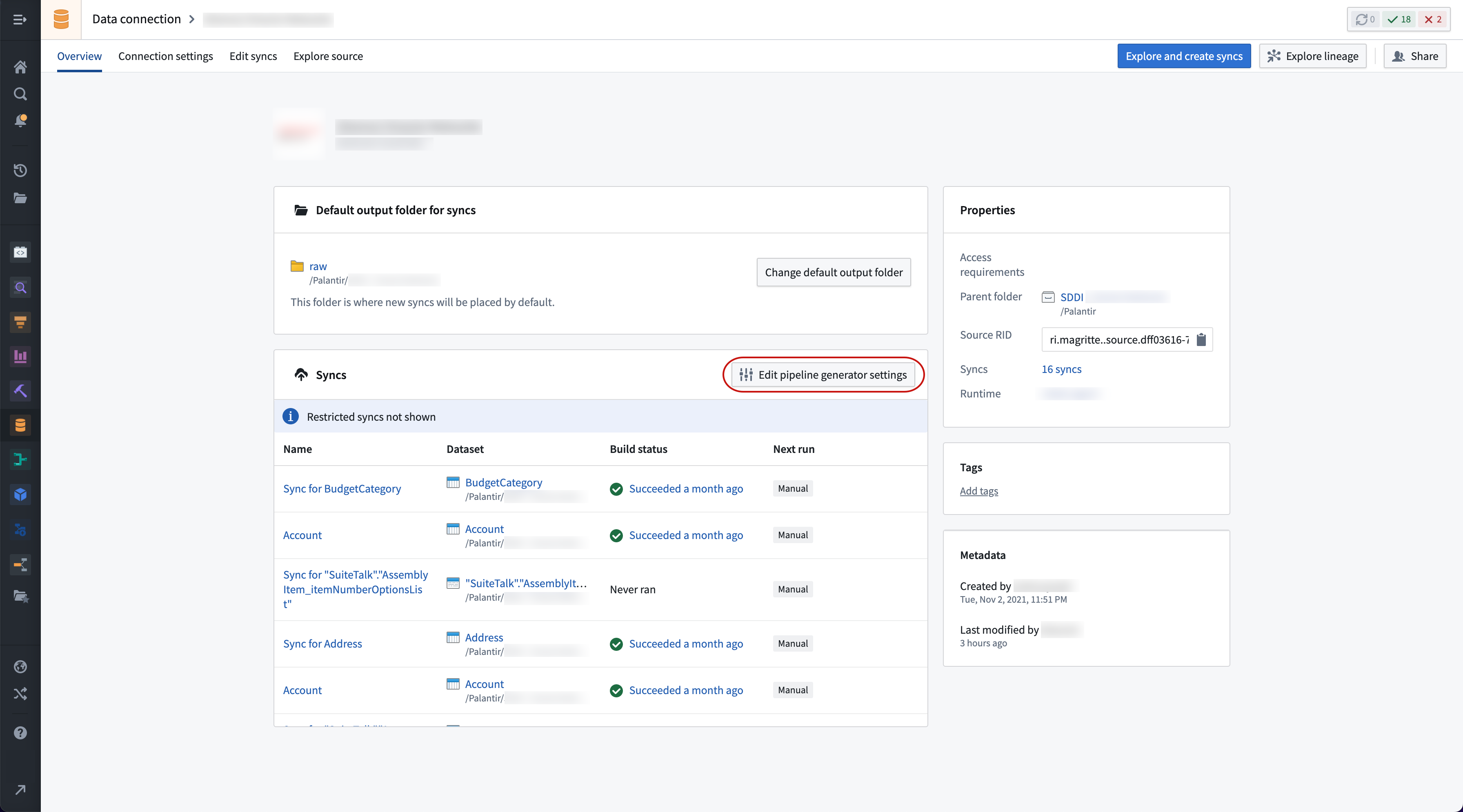
Cockpit controls
Cockpit's left-side panel lists three stages:
Sync data
During the sync data stage you can explore data from the source and create new syncs into Foundry. It also automates the configuration of metadata tables into Foundry that are needed for SDDI to function correctly. Finally, it allows you to trigger the ingestion of this data into Foundry.
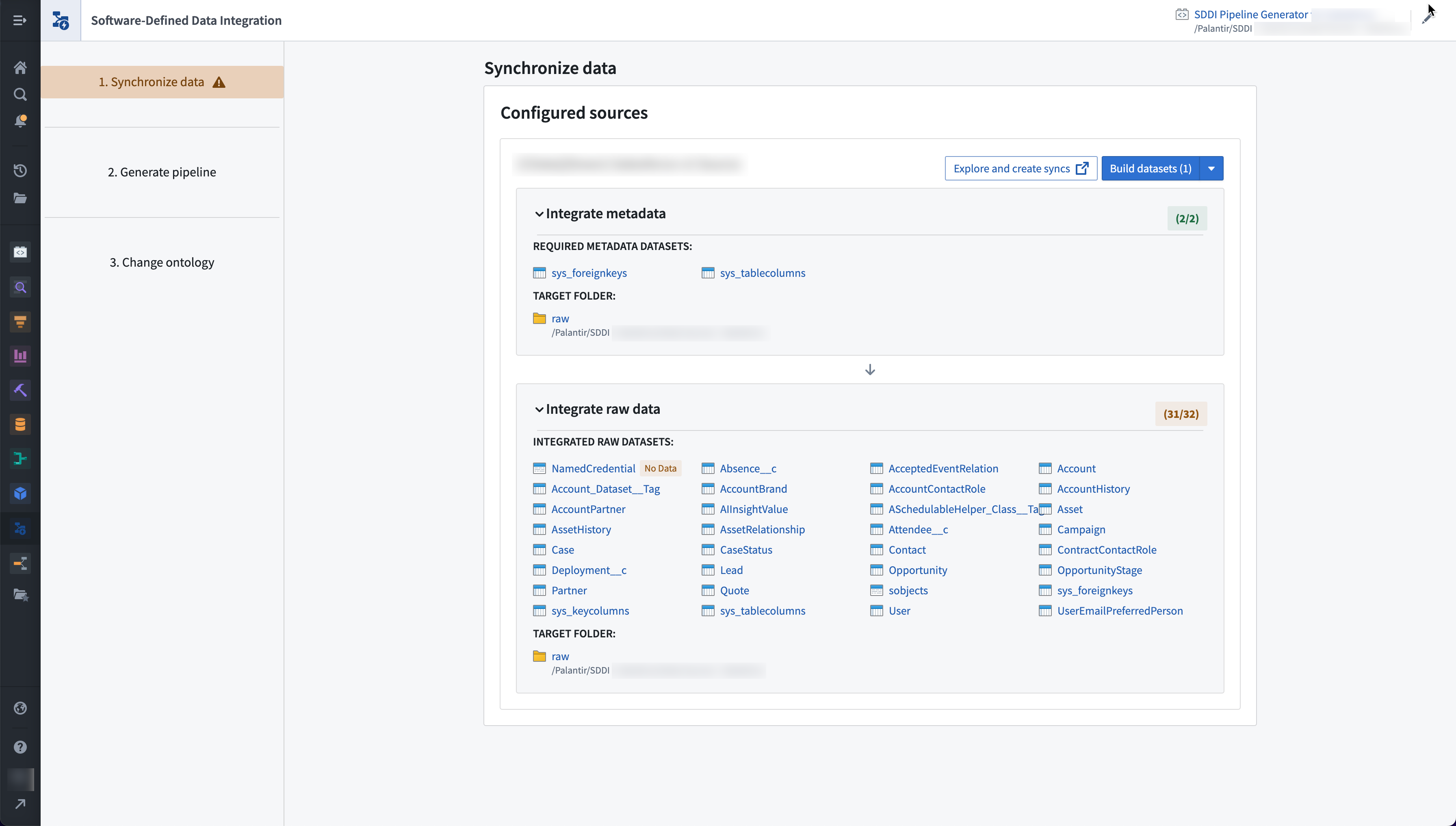
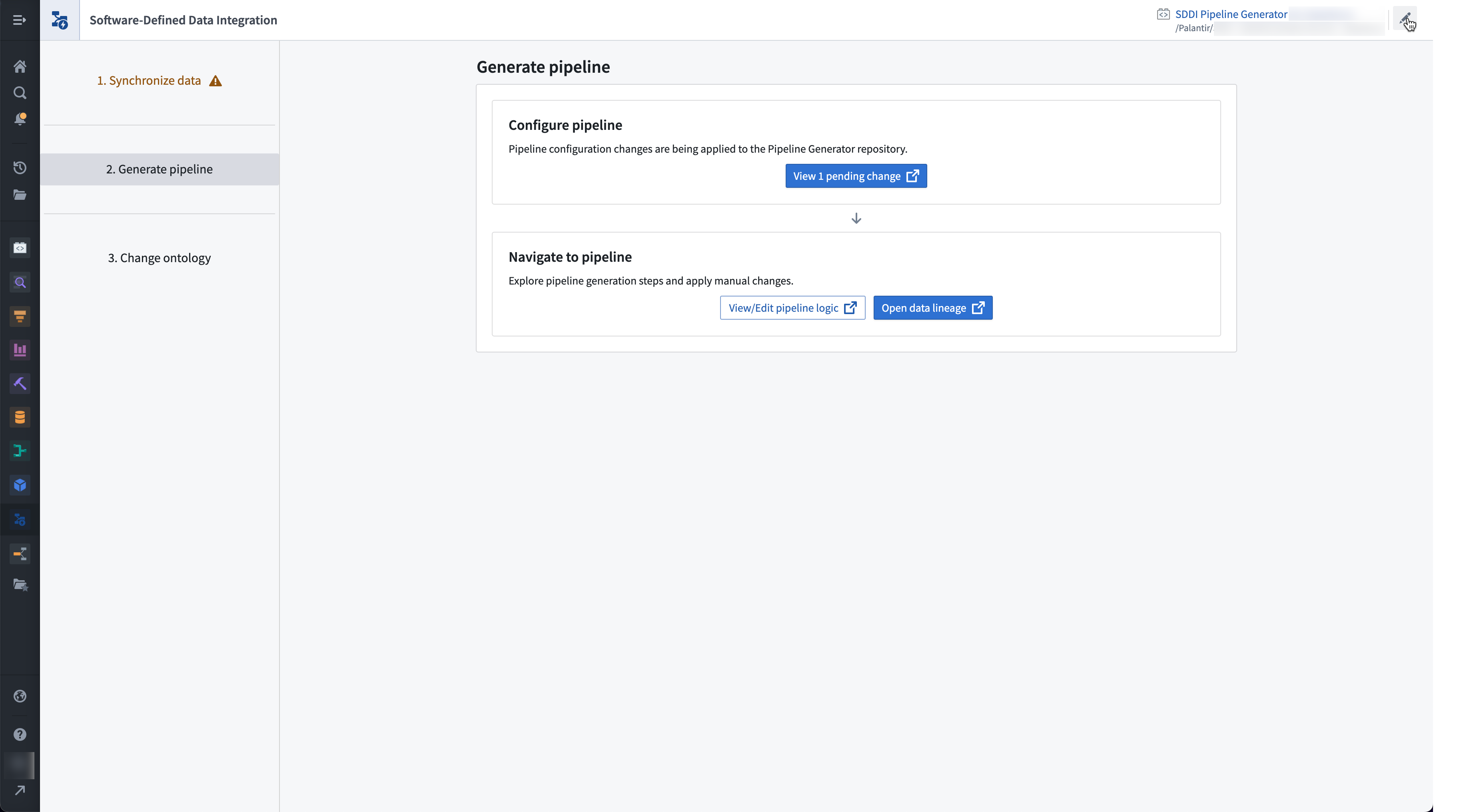
Pipeline generation
The pipeline generation stage allows you to interact with the SDDI Automatic Pipeline Generator repository via point-and-click to generate and build data pipelines, as well as navigate to SDDI data lineage.
:::callout{theme="neutral" title="Note"} Pipeline configuration is only available for non-SAP sources. For SAP sources, pipeline configurations are set within the SDDI Source Explorer for SAP. :::
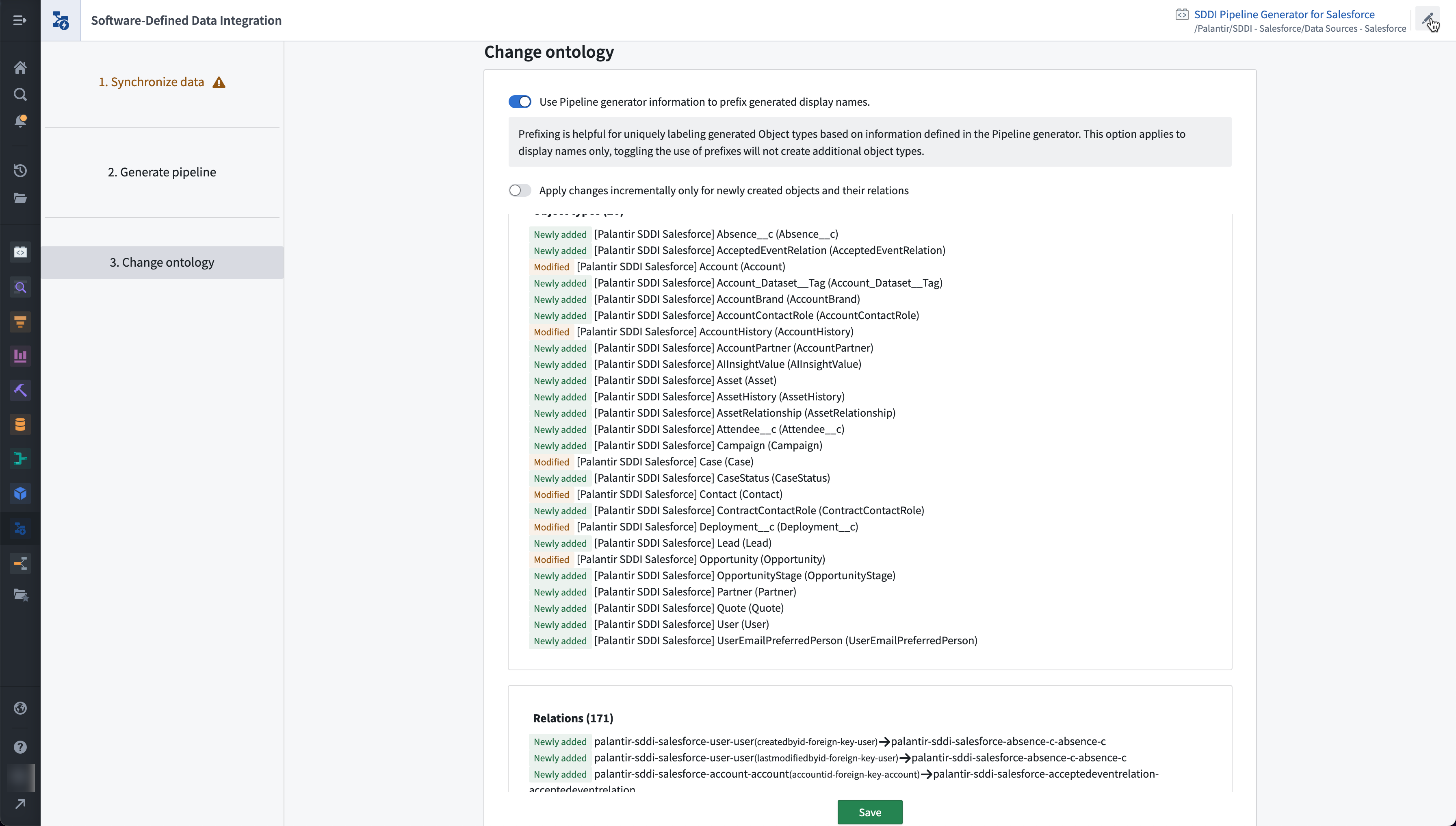
Ontology changes
During the Ontology changes step, you can preview Ontology changes that can be made in bulk based on the datasets that are being specified and processed in the SDDI Automatic Pipeline Generator repository.
Troubleshooting access
Access the Cockpit from the workspace navigation bar under Software Defined Data Integration.
Permissions are configurable through Control Panel's Application access page. If you do not have the permission to access SDDI Cockpit, contact either your Foundry Platform IT administrator or Palantir Support.
中文翻译
SDDI 控制台(SDDI cockpit)
:::callout{theme="warning" title="停用公告"} HyperAuto V1 已进入开发停用阶段,将在未来某个日期被弃用。目前仍提供全面支持。不建议创建新的 V1 管道,用户应按照迁移文档中的说明,从 HyperAuto V1 迁移至 V2。 :::
SDDI 控制台(SDDI Cockpit) 是配置和执行 SDDI 流程的核心位置,可引导您完成从同步创建与配置,到数据管道生成,再到本体(Ontology)创建的完整流程。
控制台左侧面板列出了各个 SDDI 流程步骤及其状态。点击每个步骤时,右侧主区域会显示针对该 SDDI 流程步骤可执行的不同操作。
初始状态
在开始之前,需要将控制台绑定到一个可正常运行的 SDDI 实例。 要配置您的第一个 SDDI 实例,请参阅入门指南。
访问现有控制台
要查看已配置的 SDDI 实例,请导航至数据连接(Data Connection)中已附加数据源的源概览(Source Overview)页面,然后选择编辑管道生成器设置(Edit pipeline generator settings)。
控制台控件
控制台左侧面板列出了三个阶段:
同步数据
在同步数据阶段,您可以探索源数据并创建新的同步任务,将数据导入 Foundry。该阶段还会自动配置 SDDI 正常运行所需的元数据表到 Foundry 中。最后,您可以触发将这些数据摄取到 Foundry 的操作。
管道生成
管道生成阶段允许您通过点击操作与 SDDI 自动管道生成器(Automatic Pipeline Generator)仓库进行交互,以生成和构建数据管道,并导航至 SDDI 数据沿袭(data lineage)。
:::callout{theme="neutral" title="注意"} 管道配置仅适用于非 SAP 数据源。对于 SAP 数据源,管道配置需在 SDDI 源浏览器(Source Explorer for SAP)中设置。 :::
本体变更
在本体变更步骤中,您可以预览基于 SDDI 自动管道生成器仓库中指定和处理的数据集而批量进行的本体变更。
访问故障排除
您可以通过工作区导航栏中的软件定义数据集成(Software Defined Data Integration)访问控制台。
权限可通过控制面板的应用访问(Application access)页面进行配置。如果您没有访问 SDDI 控制台的权限,请联系您的 Foundry 平台 IT 管理员或 Palantir 支持团队。