Logic effects(逻辑效果)
Logic effects allow you to automatically run AIP Logic functions when an automation triggers or recovers. Logic functions enable AI-powered workflows that can analyze data, make decisions, and propose or automatically execute Ontology edits.
Configuration
To set up a Logic effect, open the automation configuration wizard. On the Effects page, add a Logic effect; this will take you to the Logic effect configuration page.
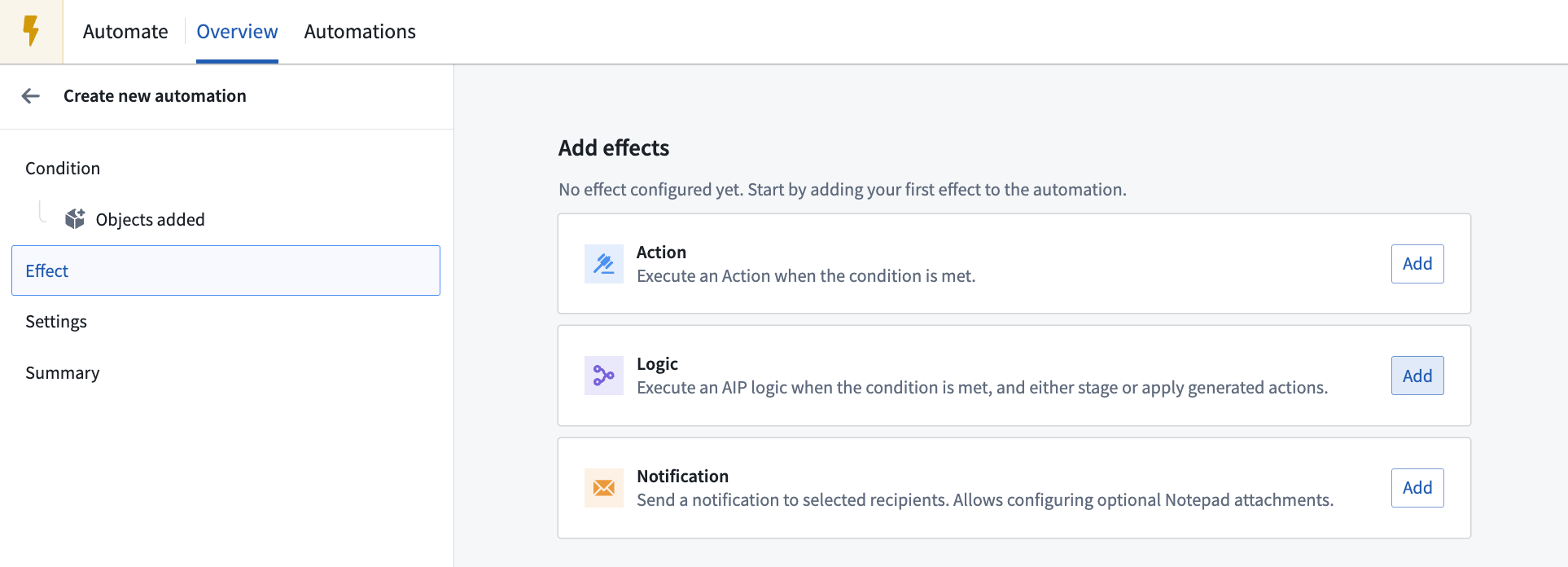
Alternatively, you can create an automation directly from your AIP Logic in the Usage tab. Learn more about creating automations from Logic files.
Logic function
Select a Logic function and specify the version. You can toggle Auto upgrade to compatible versions, which will automatically upgrade non-prerelease versions up until the next major version. This allows the automation to use newer compatible Logic function versions as they become available. Note that auto upgrade is not supported with Project scope mode.
The interface will display the parameters required by the selected Logic function. Then, configure the required function inputs.
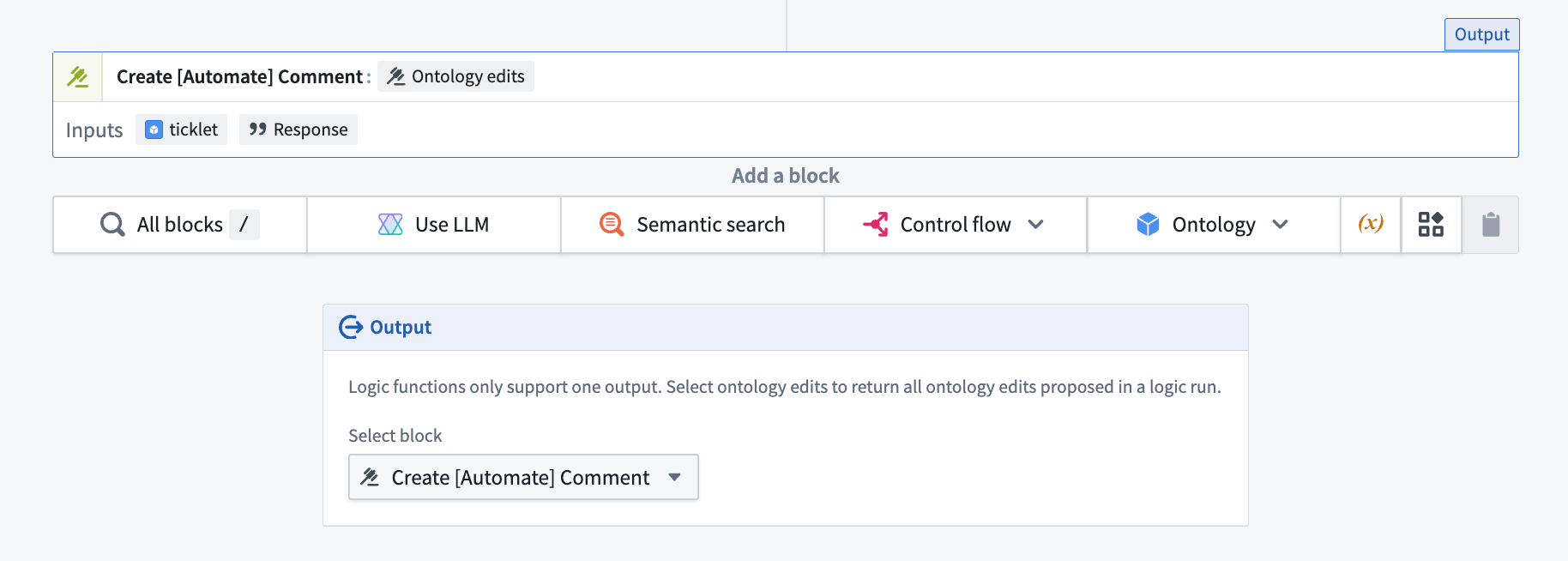
The Logic function output must return an ontology edit for the automation to execute properly.
Execution mode
Depending on your Logic function configuration, the function will either execute once for all objects added or once per each object added.
Execute once per object
When your Logic function uses a single affected object parameter, the function will execute once for each object that triggered the automation. For example, if the automation is triggered by three Support Ticket objects, the Logic function will execute three separate times—once for each Support Ticket.
For executions that are once per object, you can choose to customize function parallelization.
Customize function parallelization
Enable this setting to customize the number of Logic functions executed at a time. By default, Logic functions will execute in groups of 20. Decreasing parallelization will potentially reduce conflicts between function edits at the expense of longer runtime. Note that this parallelization setting applies only within each individual automation trigger.
Error handling
You can configure multiple ways to handle a failed Logic function, including a retry strategy. Available retry strategies include:
- Constant backoff: Automatically retry with a fixed wait time between attempts.
- Exponential backoff: Wait time increases exponentially between retries.
You can also configure the amount of jitter, which is a variation in delay time between retries to prevent simultaneous retries.
For information about Logic effect execution guarantees and how to handle potential duplicate executions, review the execution guarantees section in the execution settings documentation.
You can also configure a fallback effect to handle failures gracefully by executing alternative actions when the primary Logic function fails. For more information about Logic errors, review the error reference documentation.
Permissions
Logic functions are associated with the owner of an automation. This means that the Logic function will be run on behalf of the owner of the automation. The owner of the Logic function configuration must have the necessary permissions to execute that function and perform any resulting Ontology edits.
:::callout{theme="warning"} Since Logic functions run on behalf of a specific user (the owner of an automation), a Logic function will no longer run if the associated user account is disabled or deleted. :::
中文翻译
逻辑效果
逻辑效果(Logic effects)允许您在自动化触发或恢复时自动运行 AIP Logic 函数。逻辑函数(Logic functions)支持基于 AI 的工作流,能够分析数据、做出决策,并建议或自动执行本体编辑(Ontology edits)。
配置
要设置逻辑效果,请打开自动化配置向导。在效果(Effects)页面上,添加一个逻辑(Logic)效果;这将带您进入逻辑效果配置页面。
或者,您也可以直接从 AIP Logic 的使用(Usage)选项卡创建自动化。了解更多关于从 Logic 文件创建自动化的信息。
逻辑函数
选择一个逻辑函数并指定版本。您可以切换自动升级到兼容版本(Auto upgrade to compatible versions),该选项会自动将非预发布版本升级到下一个主要版本之前。这允许自动化在可用时使用更新的兼容逻辑函数版本。请注意,项目范围模式(Project scope mode)不支持自动升级。
界面将显示所选逻辑函数所需的参数。然后,配置所需的函数输入。
逻辑函数的输出必须返回一个本体编辑(ontology edit),自动化才能正确执行。
执行模式
根据逻辑函数的配置,函数将针对所有添加的对象执行一次,或针对每个添加的对象执行一次。
每个对象执行一次
当逻辑函数使用单个受影响对象参数时,函数将针对触发自动化的每个对象执行一次。例如,如果自动化由三个支持工单(Support Ticket)对象触发,则逻辑函数将分别执行三次——每个支持工单执行一次。
对于每个对象执行一次的情况,您可以选择自定义函数并行化。
自定义函数并行化
启用此设置可自定义同时执行的逻辑函数数量。默认情况下,逻辑函数将以每组 20 个的方式执行。降低并行化可能会减少函数编辑之间的冲突,但会延长运行时间。请注意,此并行化设置仅适用于每个单独的自动化触发器。
错误处理
您可以配置多种方式来处理失败的逻辑函数,包括重试策略。可用的重试策略包括:
- 恒定退避(Constant backoff):自动重试,尝试之间具有固定的等待时间。
- 指数退避(Exponential backoff):重试之间的等待时间呈指数增长。
您还可以配置抖动(jitter)量,即重试之间的延迟时间变化,以防止同时重试。
有关逻辑效果执行保证以及如何处理潜在重复执行的信息,请查看执行设置文档中的执行保证部分。
您还可以配置回退效果,以便在主逻辑函数失败时通过执行替代操作来优雅地处理故障。有关逻辑错误的更多信息,请查看错误参考文档。
权限
逻辑函数与自动化的所有者相关联。这意味着逻辑函数将代表自动化的所有者运行。逻辑函数配置的所有者必须拥有执行该函数以及执行任何由此产生的本体编辑所需的权限。
:::callout{theme="warning"} 由于逻辑函数代表特定用户(自动化的所有者)运行,如果关联的用户账户被禁用或删除,逻辑函数将不再运行。 :::