Effect settings(效果设置)
This page contains information about effect settings, which can be accessed from the Effect page when configuring an automation.
Concurrency
Automations run independently. If multiple automations trigger at the same time, the automations will execute in parallel in a nondeterministic order. Effects for a single automation, however, can be configured to execute sequentially or in parallel.
:::callout{theme="warning"} Action, logic, and function effects can be ordered sequentially. You must have at least two of these types of effects to enable sequential execution. Otherwise, effects execute in parallel. :::
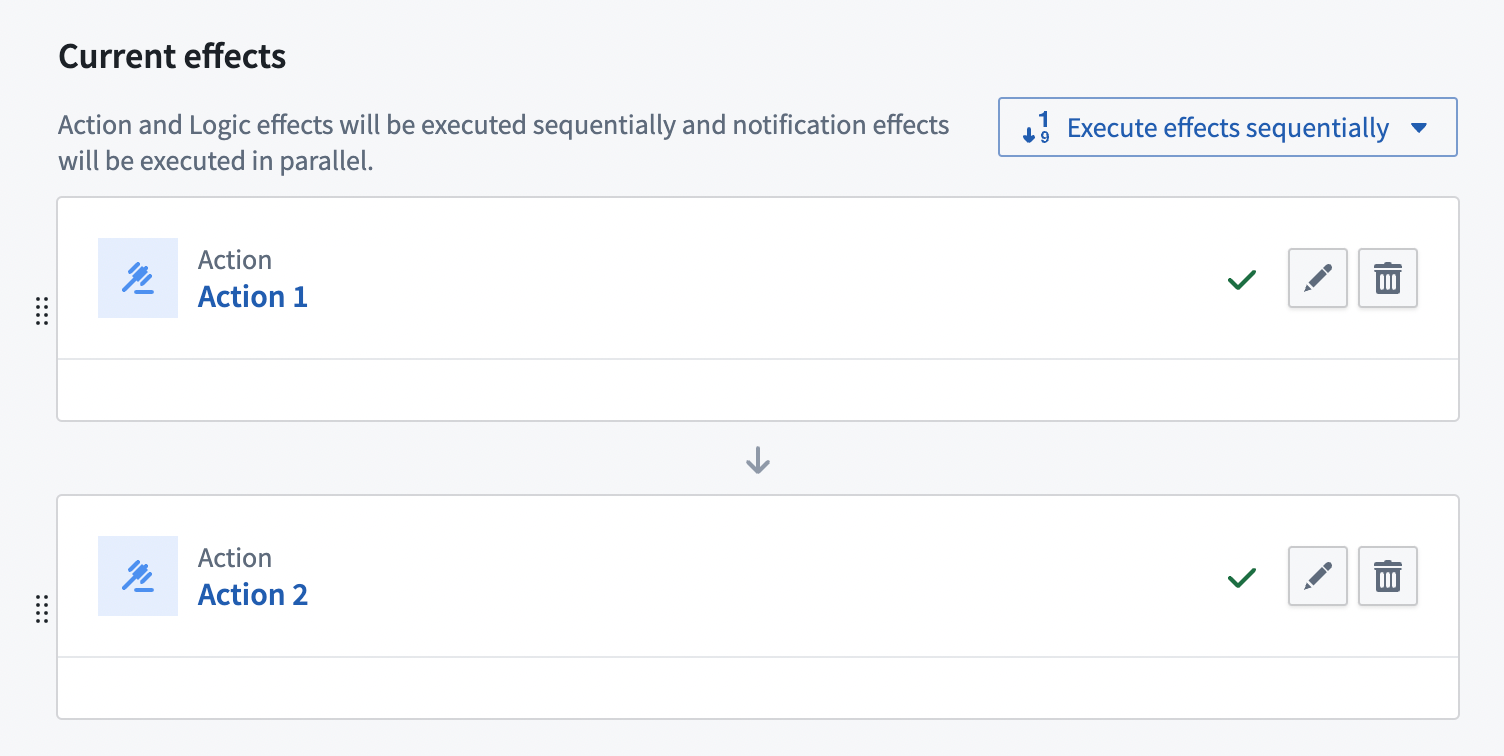
In the example above, the effects are set to execute sequentially, so "Action 1" will be executed before "Action 2". Sequential execution settings apply regardless of partitioning configuration. For example, if 40 objects trigger the automation and the partition size is 20, there will be four sequential executions:
- First set of 20 objects trigger Action 1.
- Second set of 20 objects trigger Action 1.
- First set of 20 objects trigger Action 2.
- Second set of 20 objects trigger Action 2.
However, if parallel execution was configured, the automation would result in four executions (two sets of two in parallel):
- First set of 20 objects trigger Action 1 and Action 2 in parallel.
- Second set of 20 objects trigger Action 1 and Action 2 in parallel.
Failure behavior
In sequential execution, if an effect fails, subsequent effects in the sequence will not execute. This applies even if a fallback effect is configured and executes successfully. A successful fallback action handles the failure of that specific effect but does not allow the sequence to continue.
This failure behavior applies on a per-object basis. If one object fails and another succeeds, the successful object will continue through subsequent effects while the failed object stops at the fallback.
In parallel execution, effects execute independently and one effect's failure does not impact other effects.
Object edits
When an automation is triggered by object edits rather than datasource updates, you can configure how the automation handles multiple edits to the same object within a short time period.
The automation processes rapid successive edits differently based on evaluation frequency:
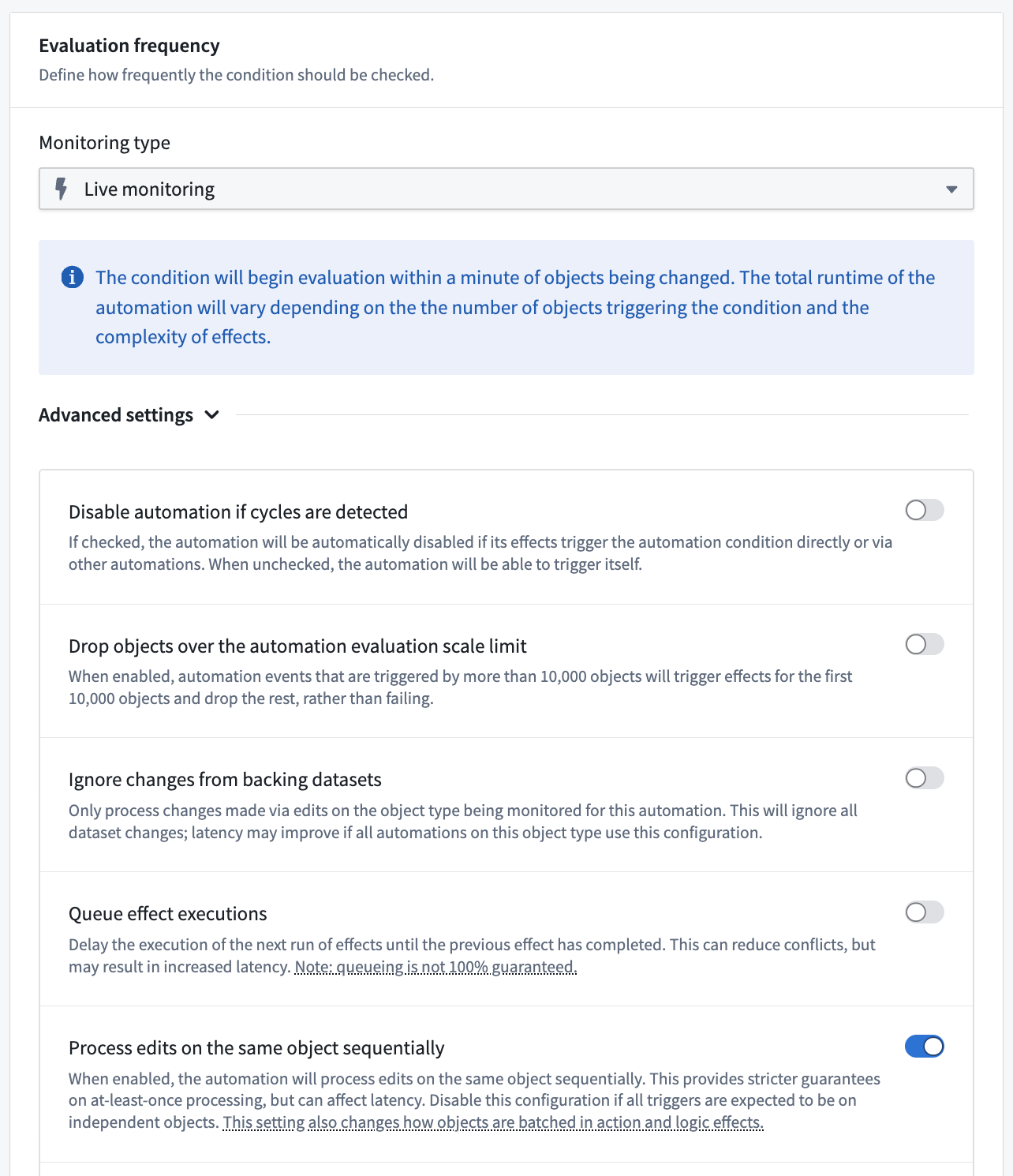
- Live monitoring: Each batch of concurrent edits triggers the automation separately. The automation's concurrency settings are respected within each batch.
- To disable this behavior and instead use scheduled execution behavior, toggle off Process edits on the same object sequentially under the Advanced settings section of the Evaluation frequency configuration in the automation Condition tab.
- Scheduled monitoring: All edits since the last evaluation are combined into a single trigger.
Execution guarantees
Effects follow at-least-once execution semantics rather than exactly-once guarantees. In rare cases, the same effect may execute multiple times for the same trigger event. When designing actions and functions that will be used with Automate, ensure that your actions and functions can handle potential reruns gracefully.
Strategies for handling duplicate executions:
- Implement idempotent operations, meaning operations that produce the same result regardless of how many times they execute. For example, creating a resource with a consistent ID will only create the resource once, even if the creation code runs multiple times.
- Use conditional checks to verify if an operation has already been performed before proceeding.
- Design for duplicates. Structure data models to handle duplicate submissions appropriately.
Automate attempts to minimize duplicate executions but cannot completely eliminate them due to the distributed nature of the system and the retry mechanisms for handling transient failures. It is important to consider this execution behavior when designing automation workflows, particularly for critical operations.
中文翻译
效果设置
本页面包含效果设置的相关信息,可通过配置自动化时的效果页面进行访问。
并发性
自动化任务独立运行。如果多个自动化任务同时触发,它们将以非确定性顺序并行执行。但单个自动化任务的效果可以配置为顺序执行或并行执行。
:::callout{theme="warning"} 操作、逻辑和函数效果可以按顺序排列。您必须至少拥有其中两种类型的效果才能启用顺序执行。否则,效果将并行执行。 :::
在上述示例中,效果被设置为顺序执行,因此"操作1"将在"操作2"之前执行。顺序执行设置不受分区配置影响。例如,如果有40个对象触发自动化任务且分区大小为20,则将产生四次顺序执行:
- 第一批20个对象触发操作1。
- 第二批20个对象触发操作1。
- 第一批20个对象触发操作2。
- 第二批20个对象触发操作2。
然而,如果配置为并行执行,自动化任务将产生四次执行(两组各两个并行执行):
- 第一批20个对象并行触发操作1和操作2。
- 第二批20个对象并行触发操作1和操作2。
失败行为
在顺序执行中,如果某个效果失败,序列中的后续效果将不会执行。即使配置了回退效果并成功执行,此规则仍然适用。成功的回退操作处理了该特定效果的失败,但不会让序列继续执行。
此失败行为基于每个对象单独应用。如果一个对象失败而另一个对象成功,成功的对象将继续执行后续效果,而失败的对象将在回退处停止。
在并行执行中,效果独立运行,一个效果的失败不会影响其他效果。
对象编辑
当自动化任务由对象编辑而非数据源更新触发时,您可以配置自动化任务如何处理短时间内对同一对象的多次编辑。
自动化任务根据评估频率以不同方式处理快速连续编辑:
- 实时监控: 每批并发编辑会单独触发自动化任务。自动化任务的并发设置在各批次内生效。
- 要禁用此行为并使用计划执行行为,请在自动化条件选项卡的评估频率配置中的高级设置部分关闭按顺序处理同一对象的编辑选项。
- 计划监控: 自上次评估以来的所有编辑将合并为单个触发器。
执行保证
效果遵循至少一次执行语义,而非恰好一次保证。在极少数情况下,同一效果可能针对同一触发事件执行多次。在设计将与自动化功能配合使用的操作和函数时,请确保您的操作和函数能够优雅地处理潜在的重复运行。
处理重复执行的策略:
- 实现幂等操作,即无论执行多少次都能产生相同结果的操作。例如,使用一致ID创建资源将只创建一次资源,即使创建代码运行多次也是如此。
- 使用条件检查,在继续操作前验证操作是否已执行。
- 为重复情况设计。构建适当的数据模型以处理重复提交。
自动化功能会尽量减少重复执行,但由于系统的分布式特性以及处理临时故障的重试机制,无法完全消除重复执行。在设计自动化工作流时,特别是对于关键操作,务必考虑此执行行为。