Example: Auto-close inactive tickets after a specified time(示例:在指定时间后自动关闭非活跃工单)
In this example, we want to auto-close open support tickets for which there has been no update in the last 365 days. We will use the Support Ticket object type, which is a custom object type that we have created for this example.
Condition
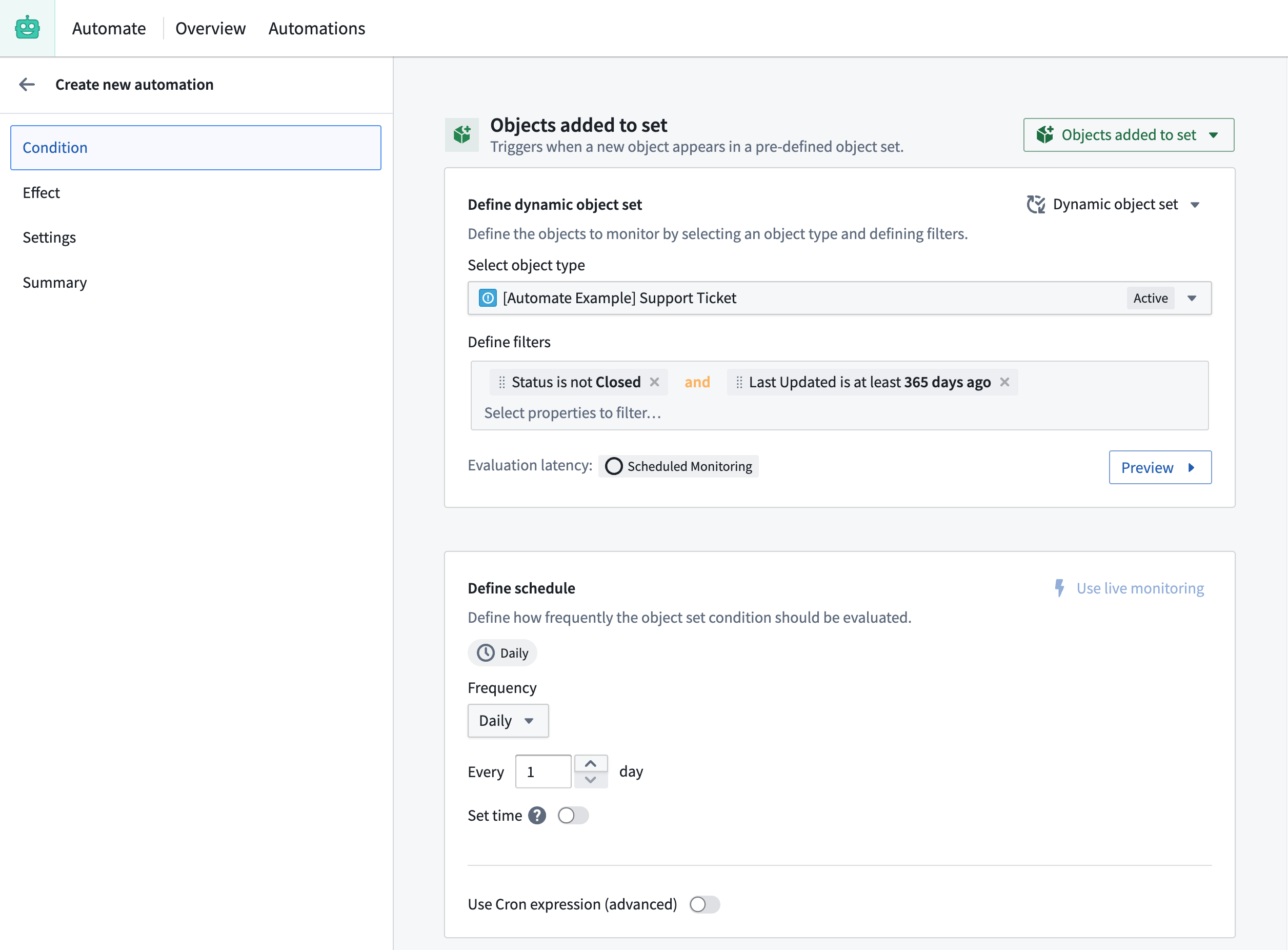
We start in the automation creation wizard by selecting the Object added to set condition. At first, we need to define the object set of old, unclosed issues. We begin by selecting the Support Ticket type. Next, we add two filters on the object set: a filter for ticket status is not closed, and one for last update having happened at least 365 days ago. Since we are using a relative time filter, the condition will be evaluated using scheduled monitoring. We keep the default of daily evaluation.
With this configuration, the automation will check daily whether there are new support tickets that have not updated in the last 365 days and have not been closed.
Effect
To automatically close the Support Tickets, an Action effect must run on the objects that we have identified as inactive.
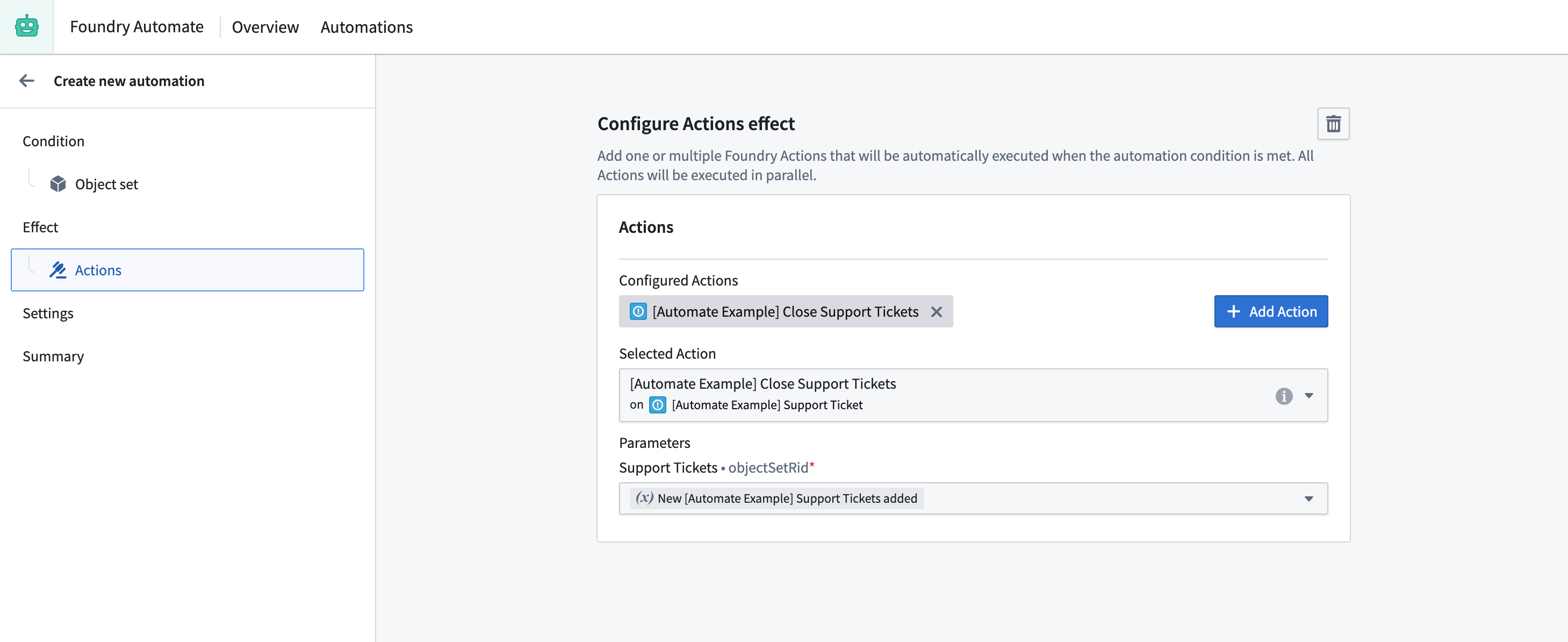
To accomplish this, we use the Close Support Tickets Action that has been pre-configured in the Ontology Manager.
For the Support Tickets parameter, use the New Support Tickets added condition effect input from our object set condition as shown below. In that way, the objects that triggered the automation will be passed to the close-ticket Action. For the execution mode, keep the default Execute once for all Support Tickets added so that the effects are executed only once, even when multiple Support Ticket objects trigger the condition simultaneously.
Summary
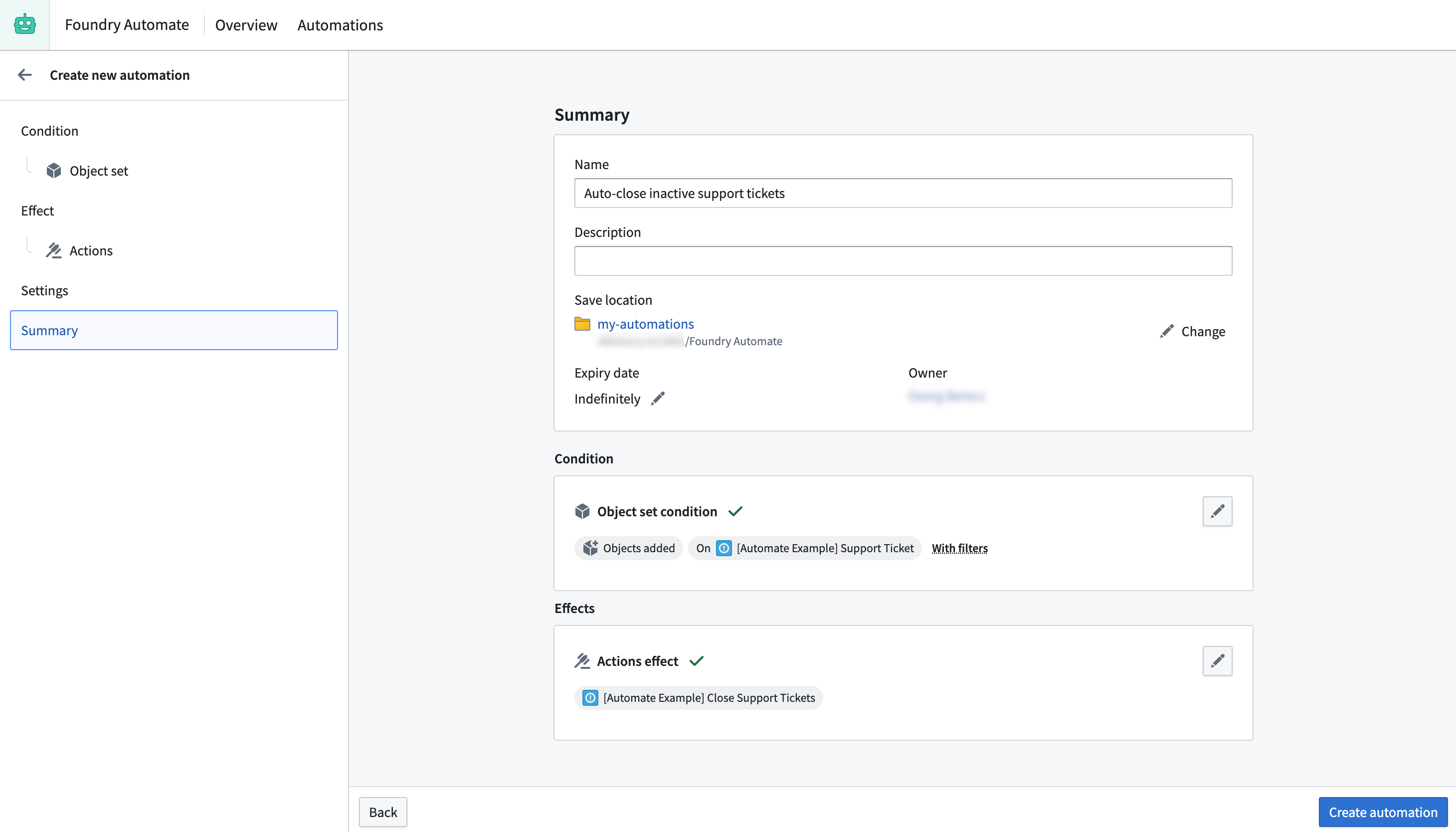
To complete this process, provide a name for the automation, select a save location, adjust the expiration date to never expire, and save the automation.
中文翻译
示例:在指定时间后自动关闭非活跃工单
在本示例中,我们希望自动关闭过去365天内未更新且处于开启状态的支持工单。我们将使用Support Ticket(支持工单)对象类型,这是为本示例创建的自定义对象类型。
条件
在自动化创建向导中,我们首先选择Object added to set(对象添加到集合)条件。首先需要定义包含旧未关闭问题的对象集合。我们选择Support Ticket类型,然后为该对象集合添加两个筛选条件:工单status(状态)不等于已关闭,以及last update(最后更新)时间距今至少365天。由于使用了相对时间筛选,系统将通过定时监控来评估条件。我们保留默认的每日评估频率。
通过此配置,自动化将每日检查是否存在过去365天内未更新且未关闭的新增支持工单。
效果
要自动关闭这些Support Tickets(支持工单),需要对已识别为非活跃的对象执行Action(操作)效果。
为此,我们使用在Ontology Manager(本体管理器)中预配置的Close Support Tickets(关闭支持工单)Action。
对于Support Tickets参数,使用对象集合条件中的New Support Tickets added(新增支持工单)条件效果输入,如下图所示。这样,触发自动化的对象将被传递至close-ticket(关闭工单)Action。执行模式保留默认的Execute once for all Support Tickets added(对所有新增支持工单执行一次),以便即使多个Support Ticket对象同时触发条件,效果也仅执行一次。
总结
完成此流程需要为自动化命名、选择保存位置、将过期时间调整为永不过期,然后保存自动化。