Integrations(集成)
Automate integrates natively with the following Foundry applications:
AIP Logic
Automate your AIP Logic to automatically apply or stage Ontology edits for human review. Automations can trigger on existing objects or when new objects are created.
Learn how to automate your Logic function.
Notepad
Notepad documents and Notepad templates can be attached to an automation notification effect, enabling automated distribution of reports and digests with the latest data from Notepad.
To create an automation directly from Notepad, select the Actions dropdown menu in the top right and choose Add automation.

You will be directed to the automation overview page for the Notepad document. Select New automation to launch the automation creation wizard, which will open with the Notepad document pre-filled as an attachment.
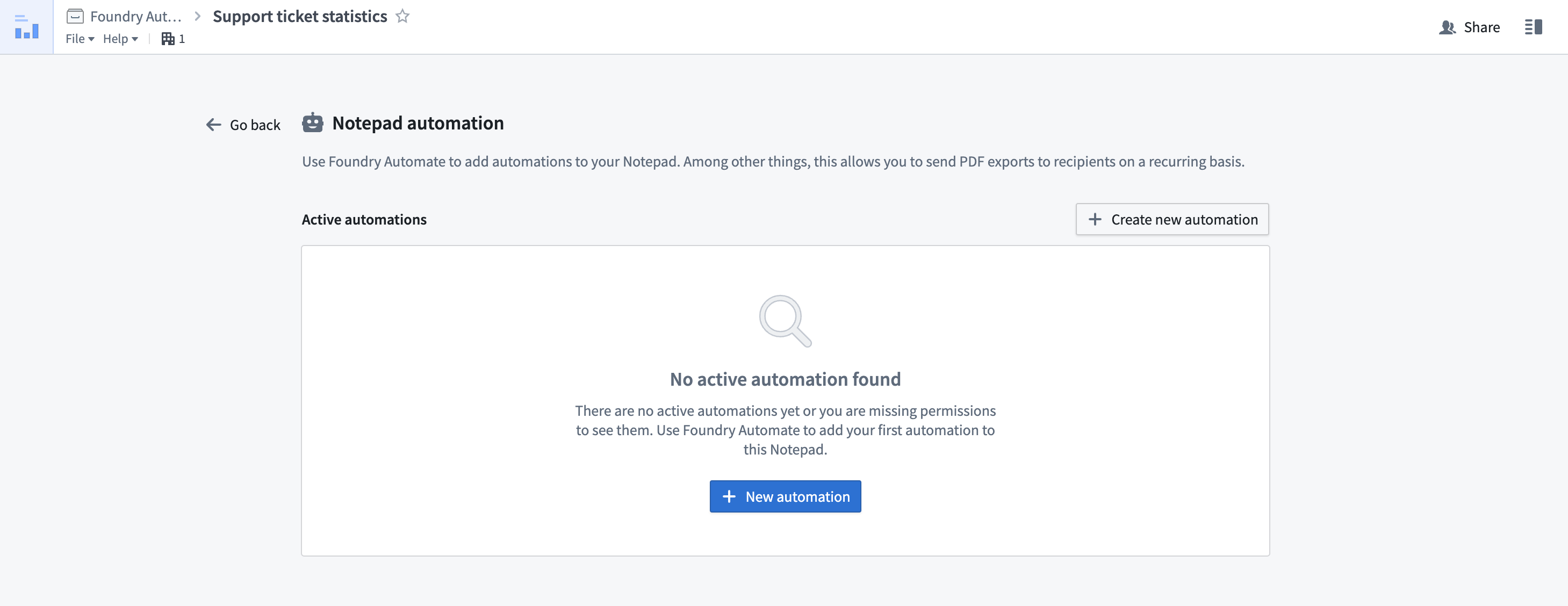
After configuring and saving your automation, you will return to the automation overview page within your document, which now displays your newly created automation.
Object Explorer
Create automations in Object Explorer by following the steps below:
- Choose Save in the exploration view.
- Select a Project or folder destination.

3. After saving, select Monitor in the top right of the page to view all automations using this exploration as input. Newly created explorations will show an empty list.

4. Select Add new automation to open a simplified setup view for creating a new automation.

Ontology Manager
Ontology Manager enables users to define their Foundry Ontology, including object types and action types. Automate integrates with Ontology Manager in two ways:
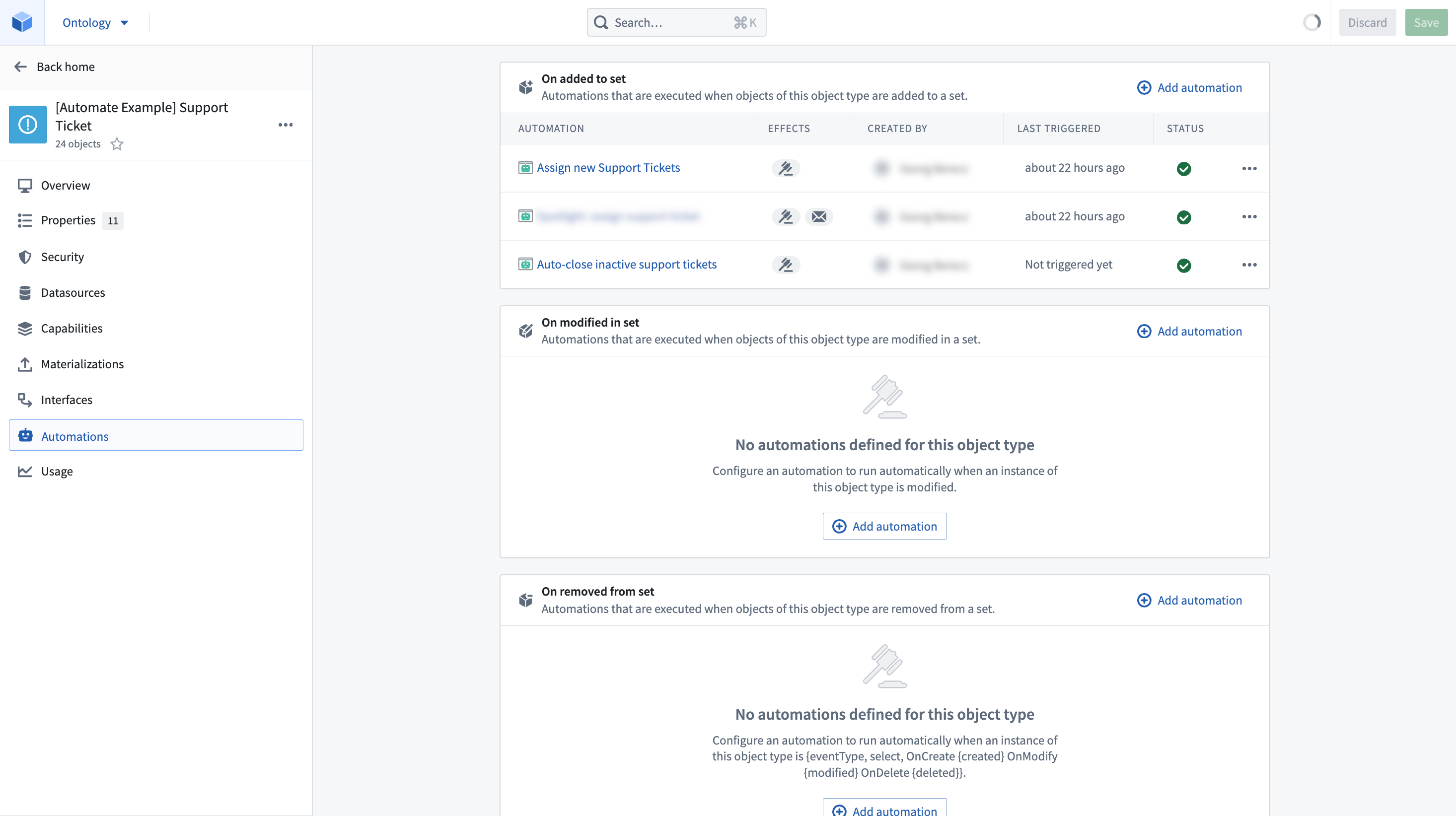
- The Automations tab in the object type view displays all automations associated with the selected object type, including which automations trigger when objects of that type are created or updated. Select Add automation to launch the automation creation wizard with the object type pre-filled as a condition.
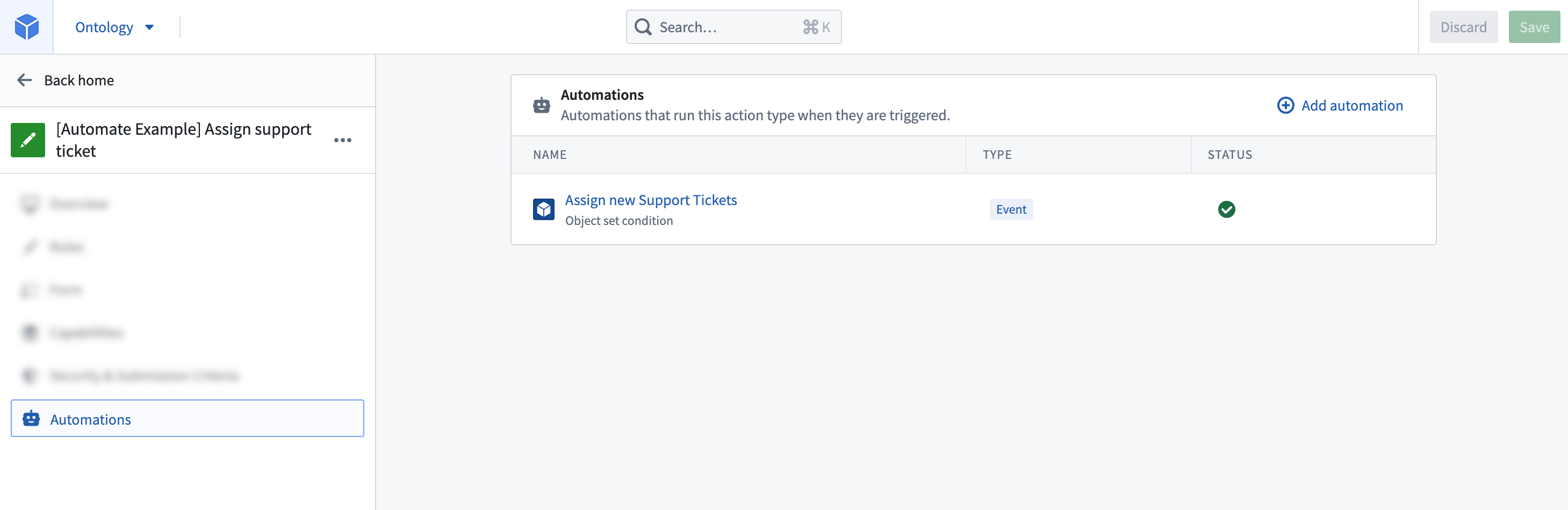
- Similarly, the Automations tab in the action type view displays all automations that use the selected action type in their actions effect. Select Add automation to launch the creation wizard with the action type pre-filled as an effect.
Time series (Quiver)
You can automate your time series search logic in Quiver so that periods of interest in your time series data can be saved as events in the Ontology.
Learn how to automate your time series search.
中文翻译
集成
Automate 与以下 Foundry 应用原生集成:
AIP Logic
自动化您的 AIP Logic,以自动应用或暂存本体编辑供人工审核。自动化可针对现有对象触发,也可在新对象创建时触发。
Notepad
Notepad 文档和 Notepad 模板 可附加到自动化通知效果中,从而实现利用 Notepad 最新数据自动分发报告和摘要。
要从 Notepad 直接创建自动化,请选择右上角的 Actions 下拉菜单,然后选择 Add automation。
您将被引导至该 Notepad 文档的自动化概览页面。选择 New automation 启动自动化创建向导,该向导将自动预填该 Notepad 文档作为附件。
配置并保存自动化后,您将返回文档内的自动化概览页面,此时页面会显示您新创建的自动化。
Object Explorer
按照以下步骤在 Object Explorer 中创建自动化:
- 在探索视图中选择 Save。
- 选择一个项目或文件夹目标。
3. 保存后,选择页面右上角的 Monitor,查看所有使用此探索作为输入的自动化。新创建的探索将显示空列表。
4. 选择 Add new automation,打开用于创建新自动化的简化设置视图。
Ontology Manager
Ontology Manager 允许用户定义其 Foundry 本体,包括对象类型和操作类型。Automate 通过两种方式与 Ontology Manager 集成:
- 对象类型视图中的 Automations 选项卡显示与所选对象类型关联的所有自动化,包括哪些自动化会在该类型的对象创建或更新时触发。选择 Add automation 启动自动化创建向导,该向导将自动预填该对象类型作为条件。
- 类似地,操作类型视图中的 Automations 选项卡显示所有在其操作效果中使用所选操作类型的自动化。选择 Add automation 启动创建向导,该向导将自动预填该操作类型作为效果。
时间序列(Quiver)
您可以自动化 Quiver 中的时间序列搜索逻辑,从而将时间序列数据中的关注时段作为事件保存到本体中。