Muting, pausing, and expiration(静音、暂停与过期)
Automations can be muted, paused, or configured to expire.
Muting an automation
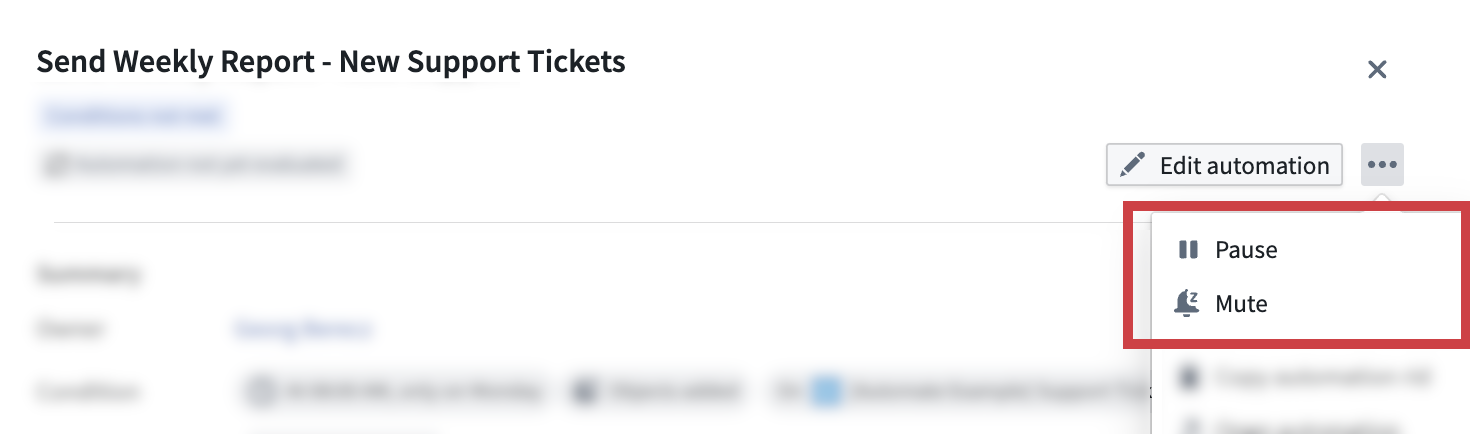
Automations can be muted by users or automatically by the system. When an automation is muted, the condition continues to be evaluated and activity is still recorded. However, no effects will be triggered. The automation can be unmuted at any time by a user with an Editor role on the automation.
Auto-mute
When the Auto-mute this automation setting is enabled, the automation will automatically mute when all effects fail for at least 80% of the past 30 events.

Pausing an automation
Automations can be paused by users. While an automation is paused, the condition will not be evaluated and no further executions will be triggered. Additionally, Automate interrupts any currently active executions when an automation is paused by a user. The automation can be resumed at any time by a user with an Editor role on the automation.
Automation expiration
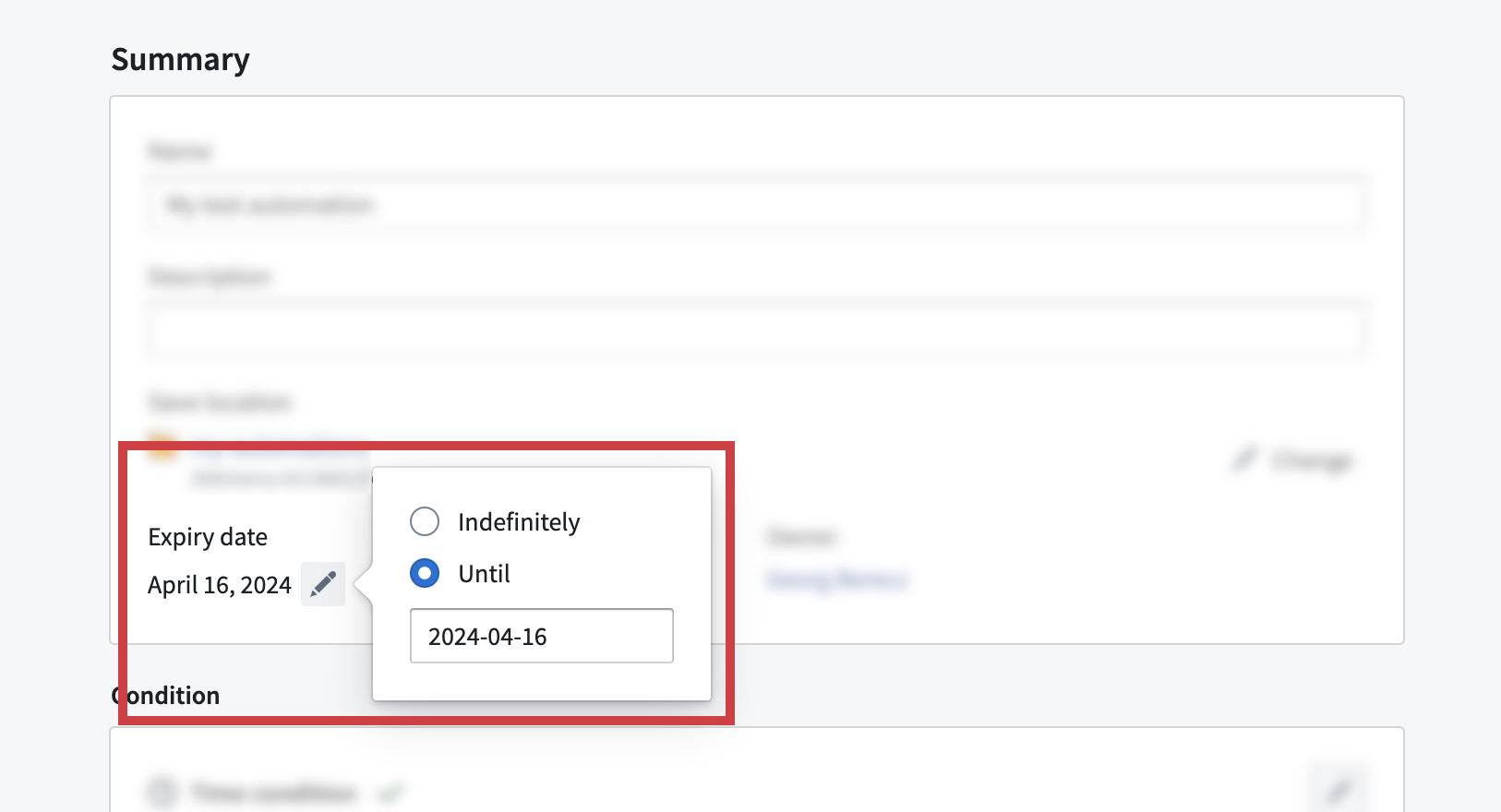
Automations can be configured to have an expiration date or to run indefinitely. The longest permitted expiration date is six months from the present time. The expiration date can be updated at any time by a user with an Editor role on the automation.
The expiration date can be viewed and modified in the Summary tab of the automation edit wizard. Click on an automation to view the automation overview panel and then select Edit automation. Then, open the Summary tab to access the expiration date configuration.
中文翻译
静音、暂停与过期
自动化(Automation)可以静音、暂停,或配置为过期。
静音自动化
自动化可由用户静音,也可由系统自动静音。当自动化被静音时,条件仍会被评估,活动记录也会继续保存,但不会触发任何效果。拥有自动化编辑者(Editor)角色的用户可随时取消静音。
自动静音
当启用自动静音此自动化设置时,若过去30个事件中所有效果失败的比例达到80%以上,自动化将自动静音。
暂停自动化
自动化可由用户暂停。当自动化暂停时,条件将不再被评估,也不会触发任何执行。此外,当用户暂停自动化时,自动化(Automate)会中断当前正在进行的执行。拥有自动化编辑者(Editor)角色的用户可随时恢复自动化。
自动化过期
自动化可配置为具有过期日期,或设置为无限期运行。允许的最长过期日期为当前时间起六个月。拥有自动化编辑者(Editor)角色的用户可随时更新过期日期。
过期日期可在自动化编辑向导的摘要(Summary)选项卡中查看和修改。点击自动化以查看自动化概览面板,然后选择编辑自动化(Edit automation)。接着,打开摘要(Summary)选项卡即可访问过期日期配置。