Manual and automatic retries(手动重试与自动重试)
Automations can sometimes fail to execute. When this occurs, Automate will display an error as shown in the screenshot below.
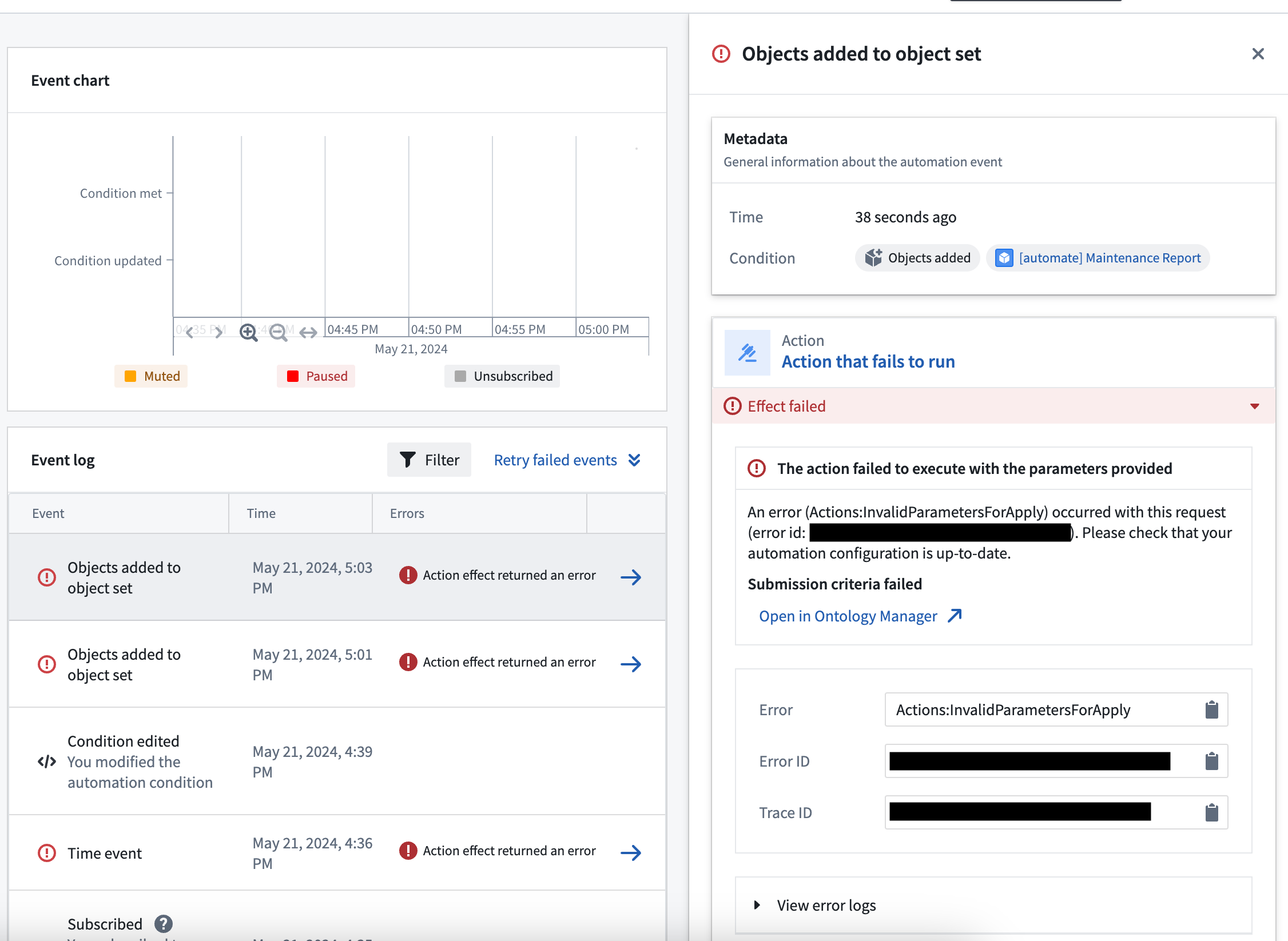
Errors can be transient (temporary) or due to an invalid configuration. Automate's retry functionality provides resilience for both of these error types.
Configure per-effect automatic retries
Automations can fail for reasons that are transient. These failures can be manually retried, but you can also configure automatic retries for individual effect executions that are prone to transient errors.
Examples of transient errors include:
- Rate limit errors from AIP models
- External service errors when using webhooks
The retry configuration can be modified on the specific effect, as shown below.
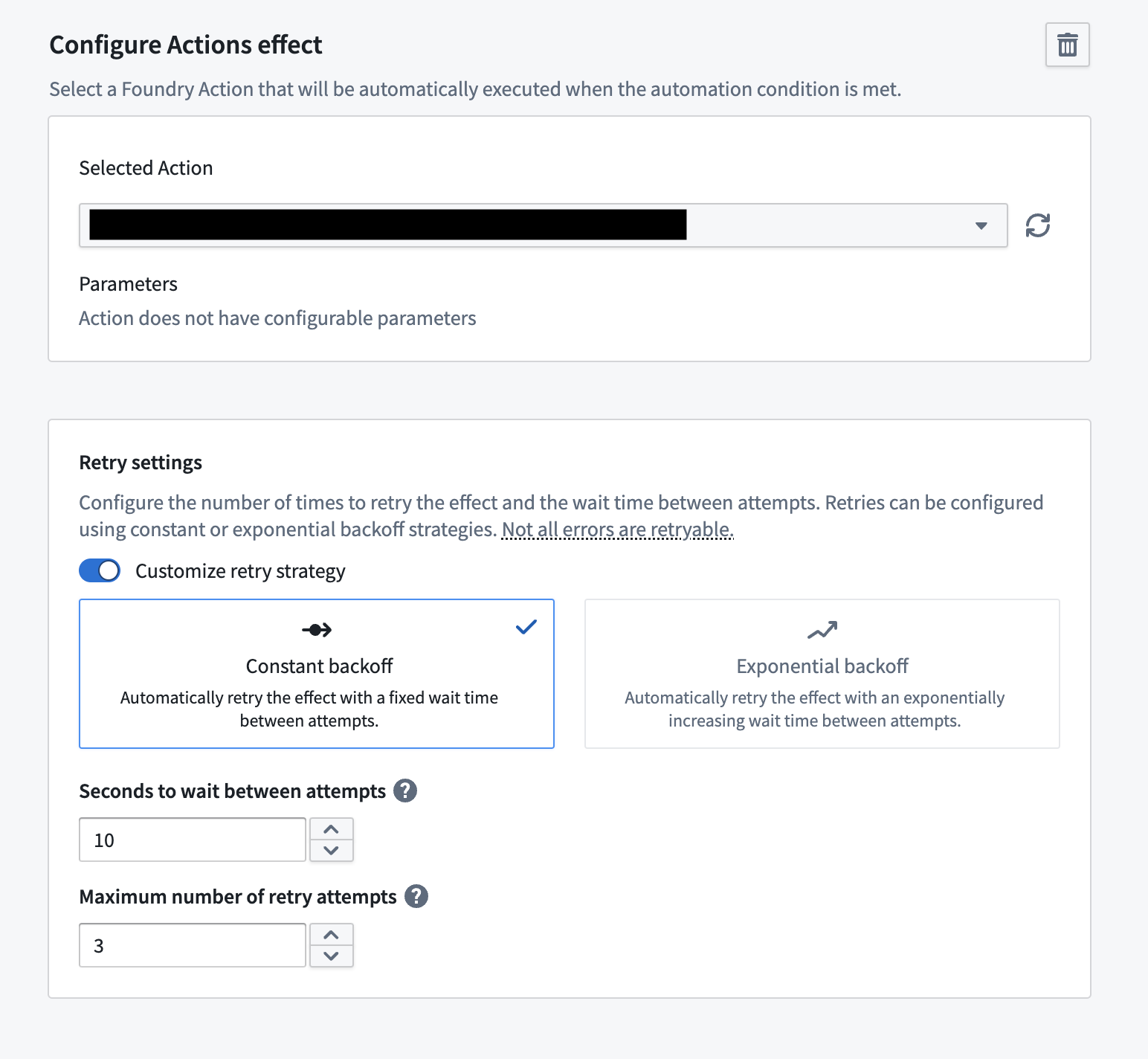
Note that effect retries can currently only be configured on the following:
- Action effects
- Logic effects
Manually retry failures
Automate errors can occur when effects are not configured correctly. For example, when an action is misconfigured such that there are action effect errors, automations using this action can fail. In order to remediate this, you can update the action configuration and rerun failed automations manually to ensure these events are correct.
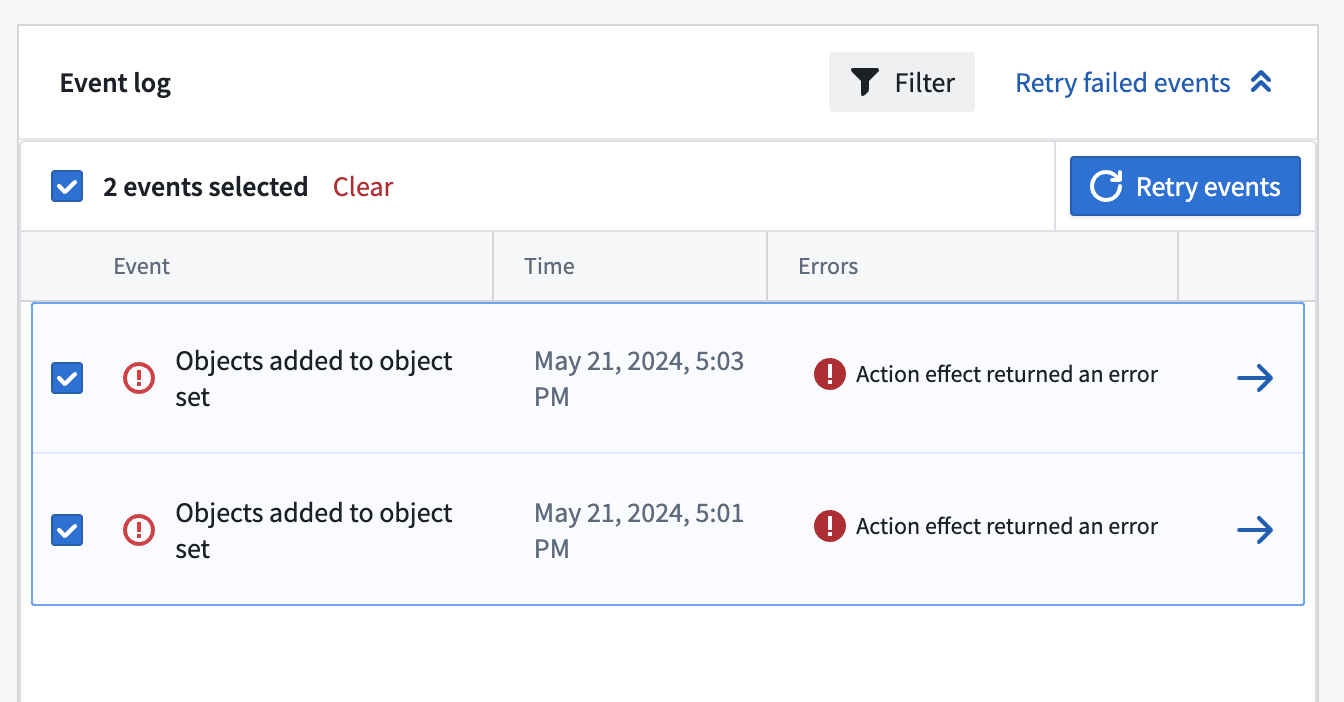
These failures can be manually retried by selecting Retry failed events. This enables you to choose the specific events to retry, as shown below.
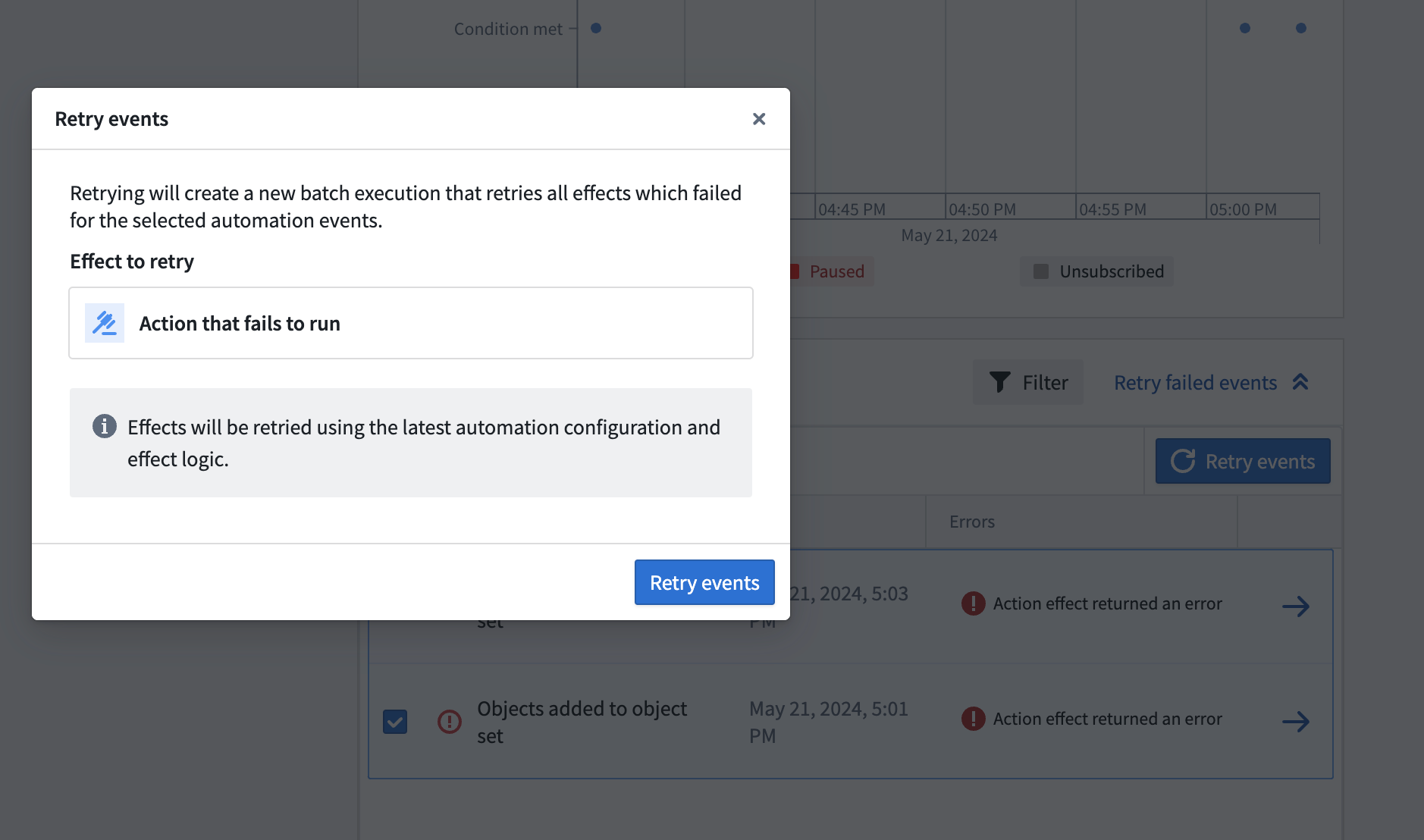
After choosing the events to retry, you can select the specific effects to retry. Note that these effects will be retried on the latest configuration. If there is only one effect available to retry, that effect will be automatically selected.
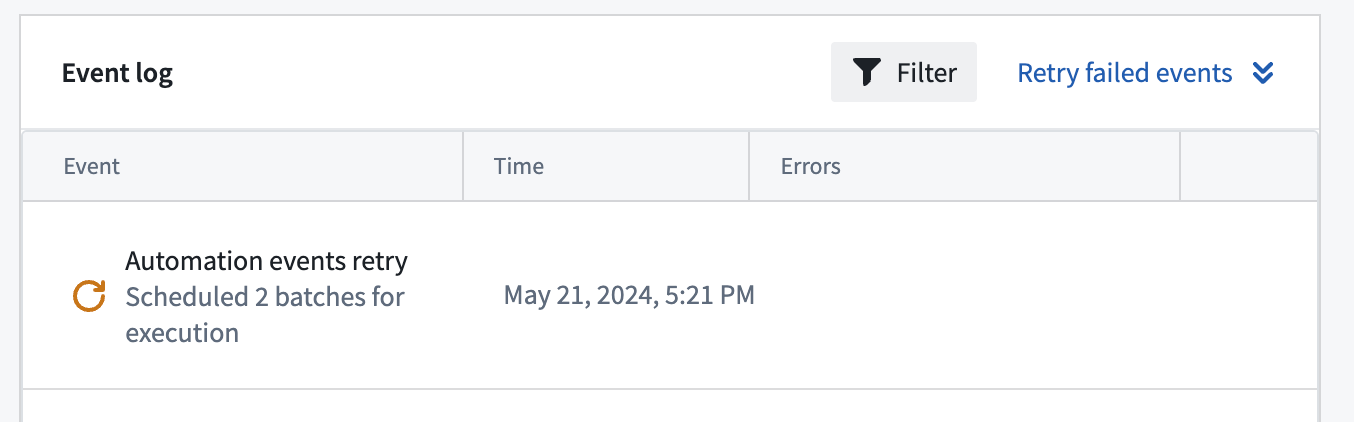
After selecting Retry events, a retry job will be scheduled and will appear in the Event log as shown below. More details about the scheduled retry job can be viewed on the manual execution page.
Manual execution failures
You can also retry manual executions which have failed effects. In order to retry failed batches, open up the sidebar for a manual execution run.
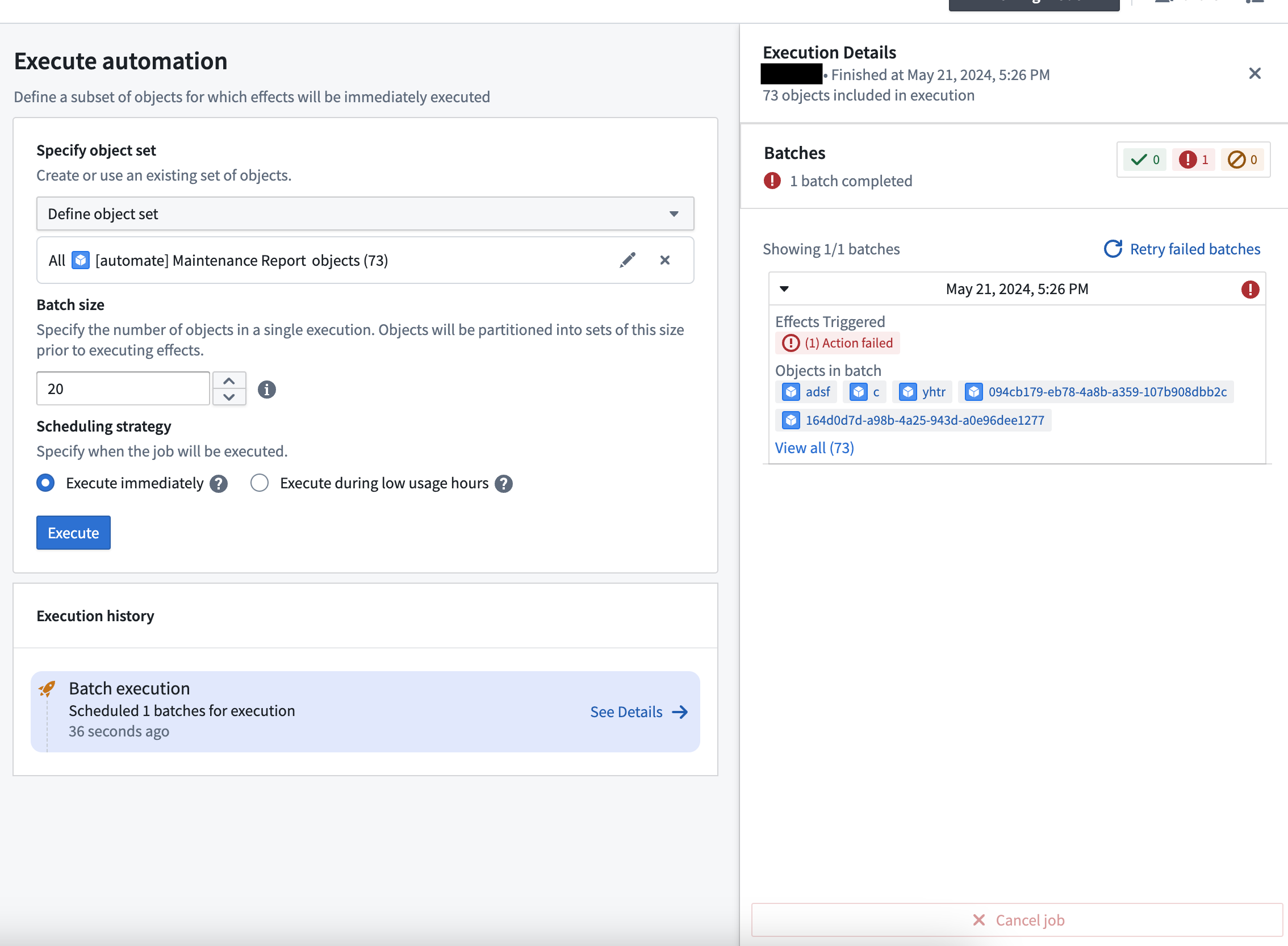
Selecting Retry failed batches will allow you to configure how you want the retried job to run, such as the batch size.
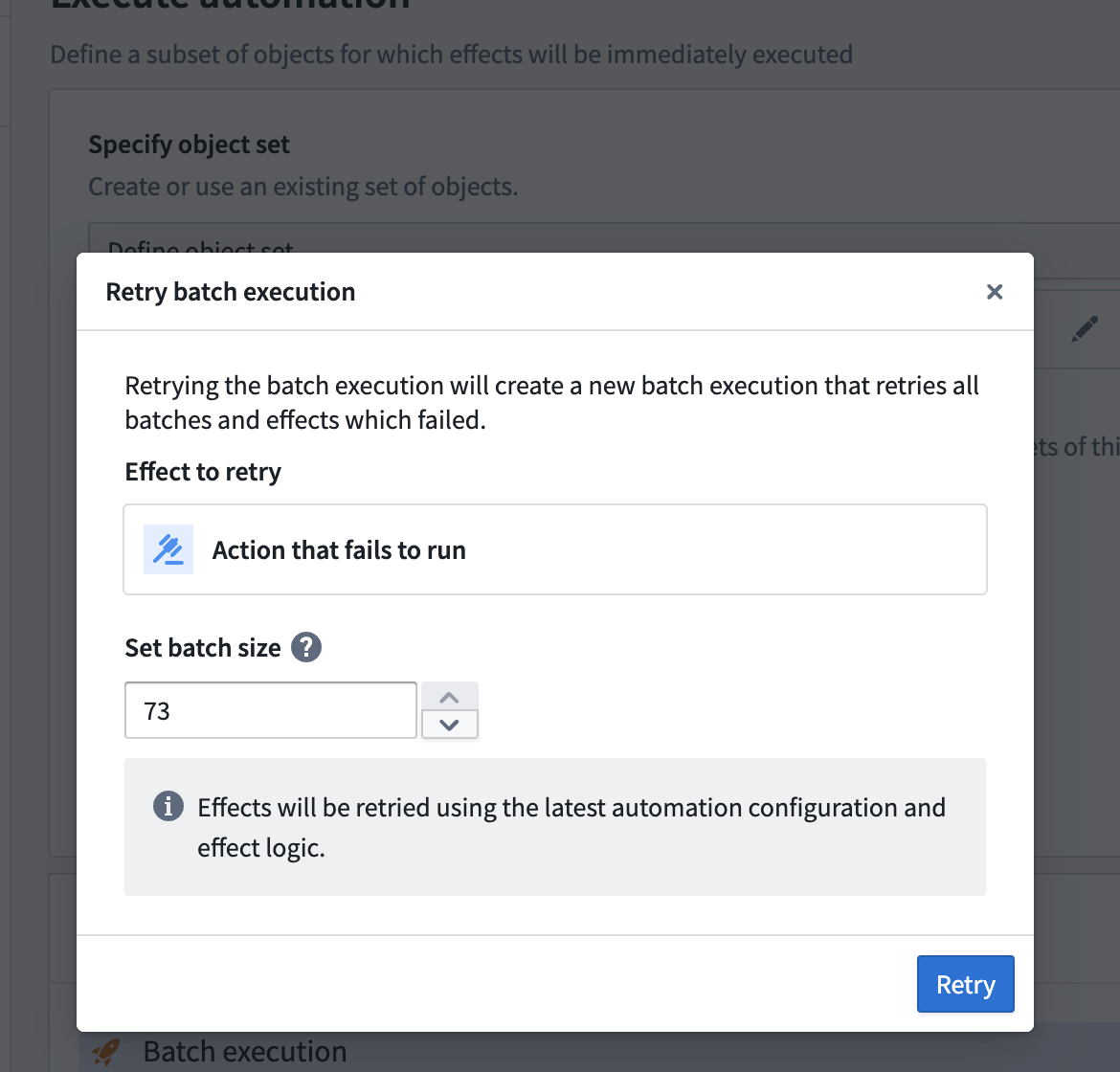
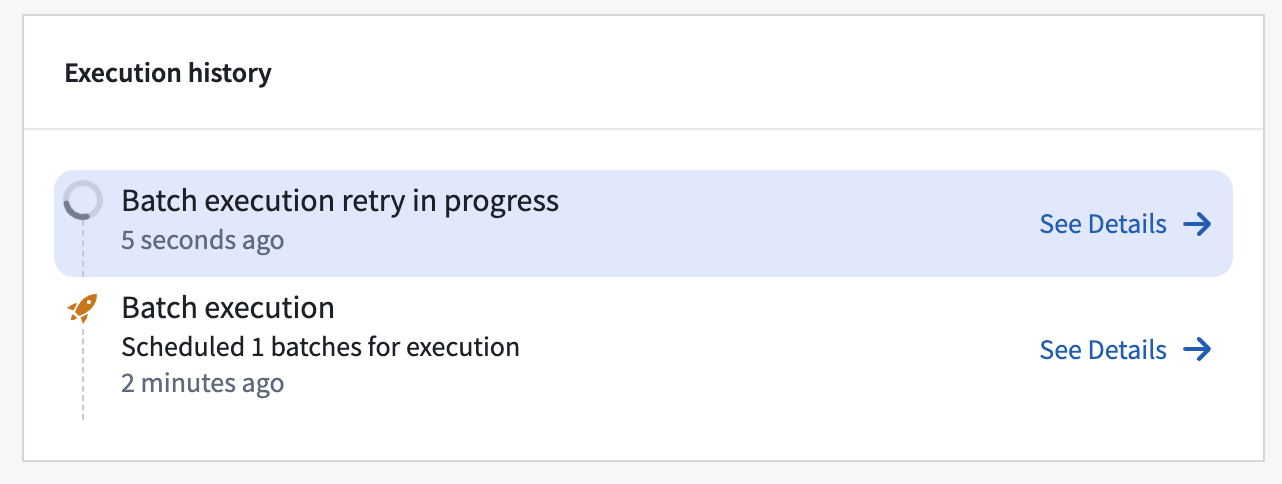
Selecting Retry will immediately schedule a re-run of the failed effects.
Event retries
Action, logic, and function effects support immediate, short-term retries for individual effect executions within a trigger event to overcome ephemeral errors such as rate limits. However, some errors such as service degradation and outages are more persistent and would need a more long-term retry strategy.
With event retries, users can configure retry strategies for entire trigger events, which will cause failed effect executions on individual objects to be attempted a specified time later, up to a certain number of times.
Configuration
Two parameters can be configured:
- Retry interval: The time interval between retries. This must be less than 24 hours.
- Number of retries: The maximum number of times an event will be retried. Note that this does not include the initial attempt, and this must be between 1 and 5.
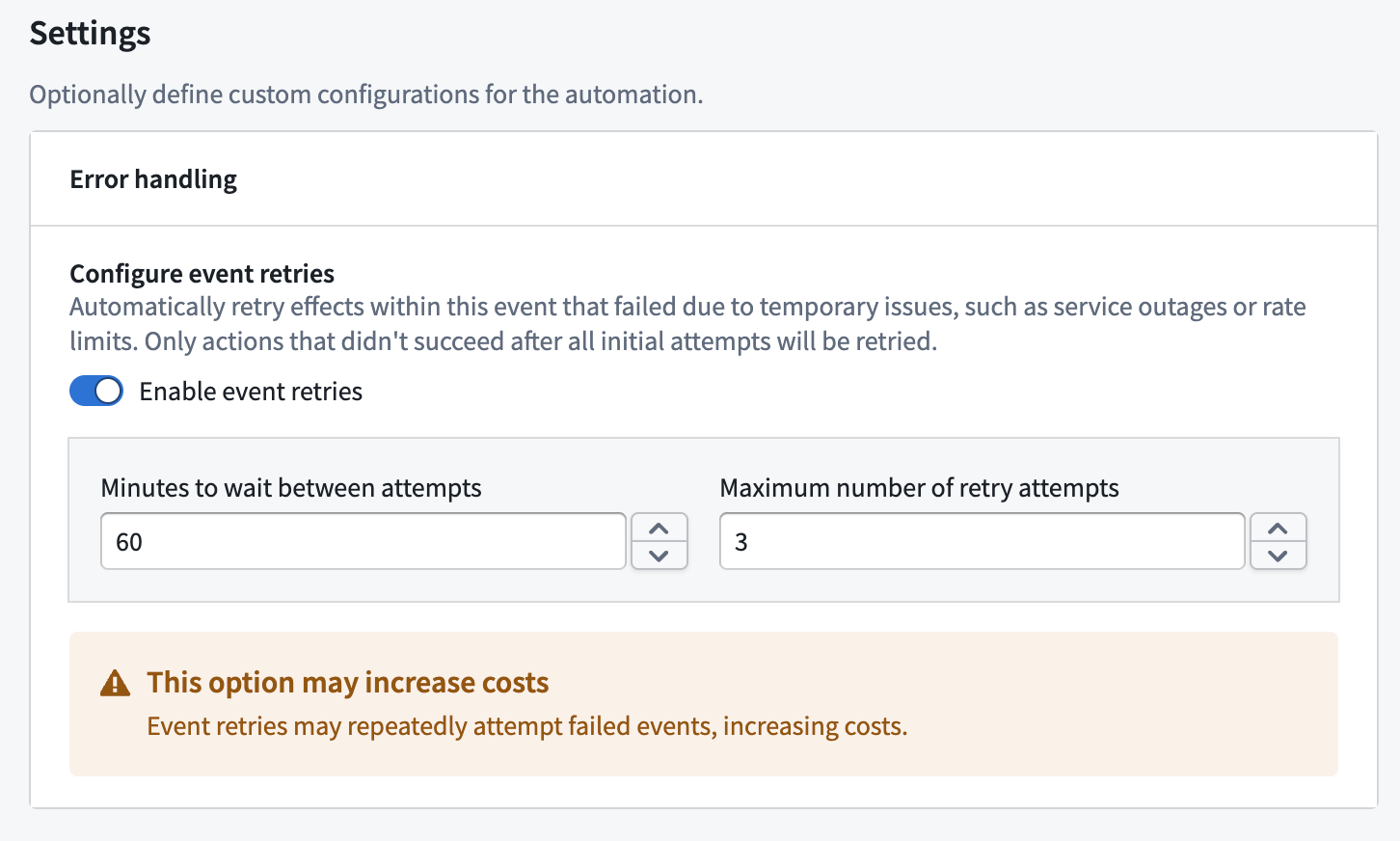
Retry mechanism
If an event retry strategy has been configured, then for each effect, on each object, if the execution failed with a retryable error, the object on that effect will be considered eligible in the next retry.
Retryable errors include:
- Rate limits
- Service outages
- Ephemeral errors such as
Actions:ObjectVersionChanged
Note that no retry is scheduled if there are no retryable errors on any object or effect, or the maximum number of retries has been reached.
Fallback effects are not eligible for retries, and will only execute if an object failed non-retryably, or the maximum number of retries has been reached.
Example
Event retries will appear as entirely new events in the event history page, with links to navigate between them.
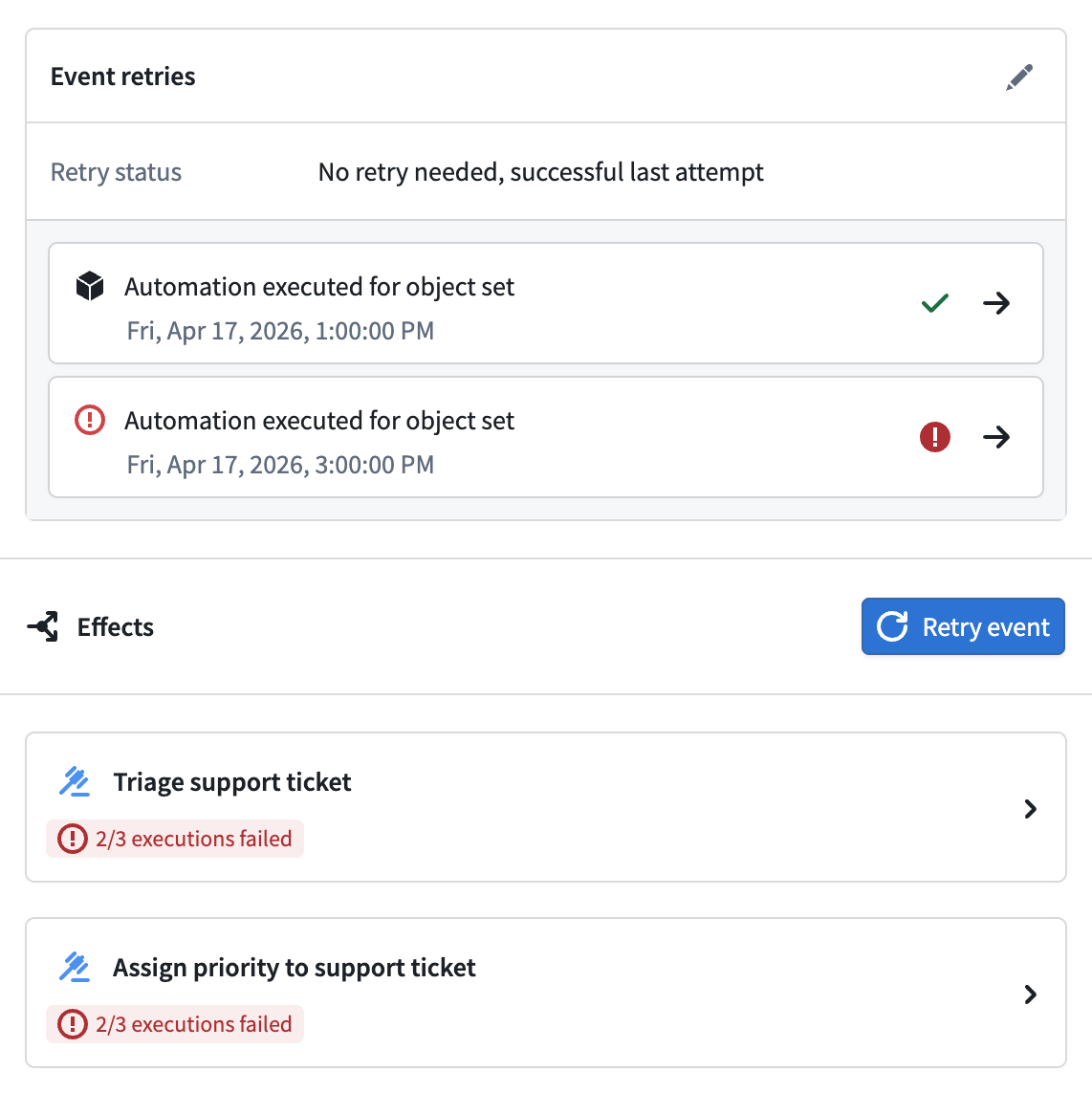
中文翻译
手动重试与自动重试
自动化流程有时可能执行失败。发生这种情况时,Automate 将显示错误信息,如下方截图所示。
错误可能是临时性的(瞬时错误),也可能是由于配置无效导致的。Automate 的重试功能为这两种错误类型提供了容错能力。
为单个效果配置自动重试
自动化流程可能因瞬时原因而失败。这些失败可以手动重试,但您也可以为容易发生瞬时错误的单个效果执行配置自动重试。
瞬时错误的示例包括:
- AIP 模型的速率限制错误
- 使用 Webhook 时的外部服务错误
重试配置可以在特定效果上进行修改,如下所示。
请注意,效果重试目前只能在以下类型上配置:
- 操作效果(Action effects)
- 逻辑效果(Logic effects)
手动重试失败项
当效果配置不正确时,可能会发生 Automate 错误。例如,当操作配置错误导致操作效果错误时,使用该操作的自动化流程可能会失败。为了解决这个问题,您可以更新操作配置并手动重新运行失败的自动化流程,以确保这些事件正确无误。
这些失败可以通过选择 重试失败事件(Retry failed events) 来手动重试。这使您能够选择要重试的特定事件,如下所示。
选择要重试的事件后,您可以进一步选择要重试的特定效果。请注意,这些效果将使用最新的配置进行重试。如果只有一个效果可供重试,该效果将被自动选中。
选择 重试事件(Retry events) 后,将安排一个重试任务,该任务会显示在事件日志(Event log)中,如下所示。有关已安排重试任务的更多详细信息,可以在手动执行页面上查看。
手动执行失败
您也可以重试存在失败效果的手动执行。要重试失败的批次,请打开手动执行运行的侧边栏。
选择 重试失败批次(Retry failed batches) 将允许您配置重试任务的运行方式,例如批次大小。
选择 重试(Retry) 将立即安排重新运行失败的效果。
事件重试(Event retries)
操作、逻辑和函数效果支持对触发事件内的单个效果执行进行即时、短期的重试,以克服速率限制等瞬时错误。然而,某些错误(如服务降级和中断)更为持久,需要更长期的重试策略。
通过事件重试,用户可以为整个触发事件配置重试策略,这将导致对单个对象上失败的效果执行在指定时间后再次尝试,最多重试一定次数。
配置
可以配置两个参数:
- 重试间隔(Retry interval): 重试之间的时间间隔。必须小于 24 小时。
- 重试次数(Number of retries): 事件将被重试的最大次数。请注意,这不包括初始尝试,且该值必须在 1 到 5 之间。
重试机制
如果已配置事件重试策略,那么对于每个效果、每个对象,如果执行因可重试错误而失败,则该对象上的该效果将被视为符合下一次重试的条件。
可重试错误包括:
- 速率限制
- 服务中断
- 瞬时错误,例如
Actions:ObjectVersionChanged
请注意,如果任何对象或效果上没有可重试错误,或者已达到最大重试次数,则不会安排重试。
回退效果(Fallback effects)不符合重试条件,并且仅当对象以不可重试的方式失败或已达到最大重试次数时才会执行。
示例
事件重试将在事件历史页面中显示为全新的事件,并带有导航链接。