Streaming(流式处理(Streaming))
For real-time data processing use cases, consider setting up automations on streaming datasets or objects. Effects will execute within seconds of new data entering the ontology.
Automation on stream-backed objects
For users requiring higher scale, you can automate on a stream-backed object to allow for monitoring without any throughput restrictions. This is particularly useful for large-scale applications where data is continuously ingested and processed, such as financial transaction monitoring or large-scale IoT deployments.
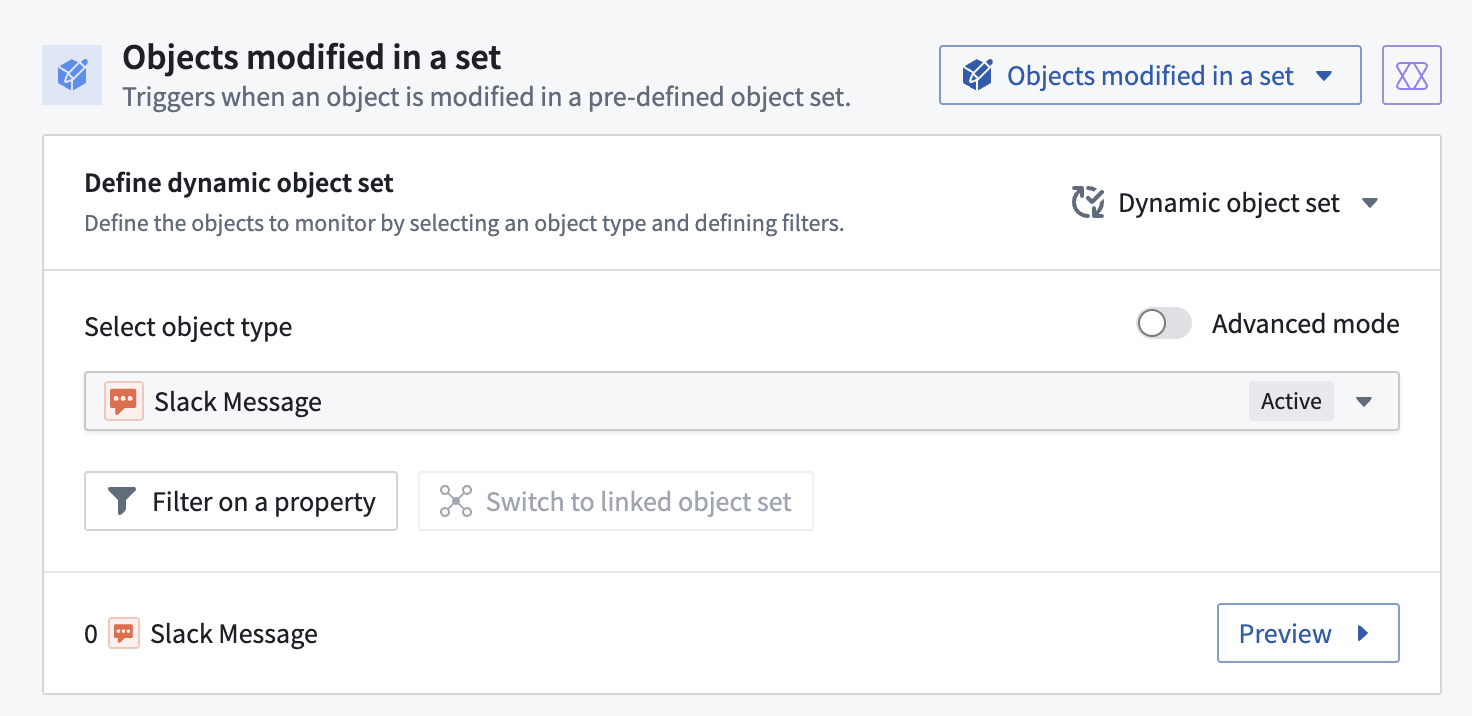
To set this up, navigate to the Objects modified condition and select the stream-backed object. You should see evaluation frequency below the condition update accordingly.
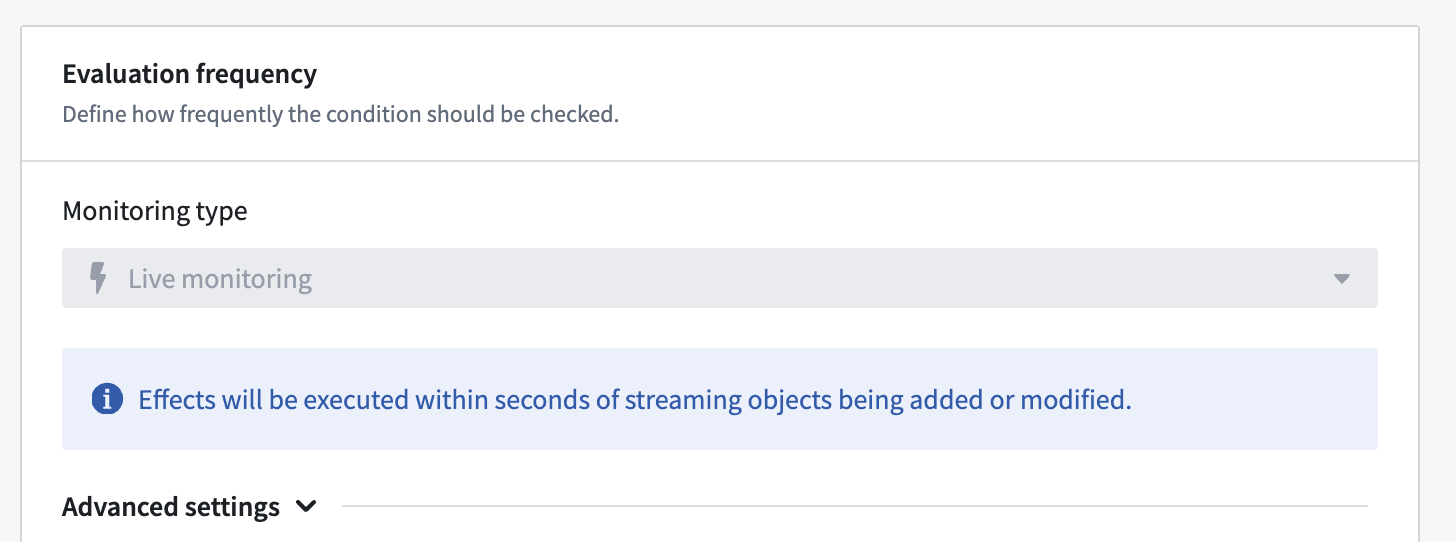
Note that for real-time stream monitoring, it is not possible to explicitly specify properties to be monitored. All changes will be processed. To support stateful execution, modify the object set you are monitoring and handle state in the downstream ontology.
Example use case
Imagine a financial institution that needs to monitor transactions for fraud detection. With stream-backed objects, you can automate the detection of suspicious patterns in real-time, regardless of the volume of transactions being processed.
Automation on streaming datasets
You can monitor streaming datasets directly through Automate. This allows for real-time automation on data streams, provided that the throughput does not exceed 200 records per second. This feature is ideal for scenarios where immediate action is required based on incoming data, such as monitoring live sensor data or tracking real-time user interactions.
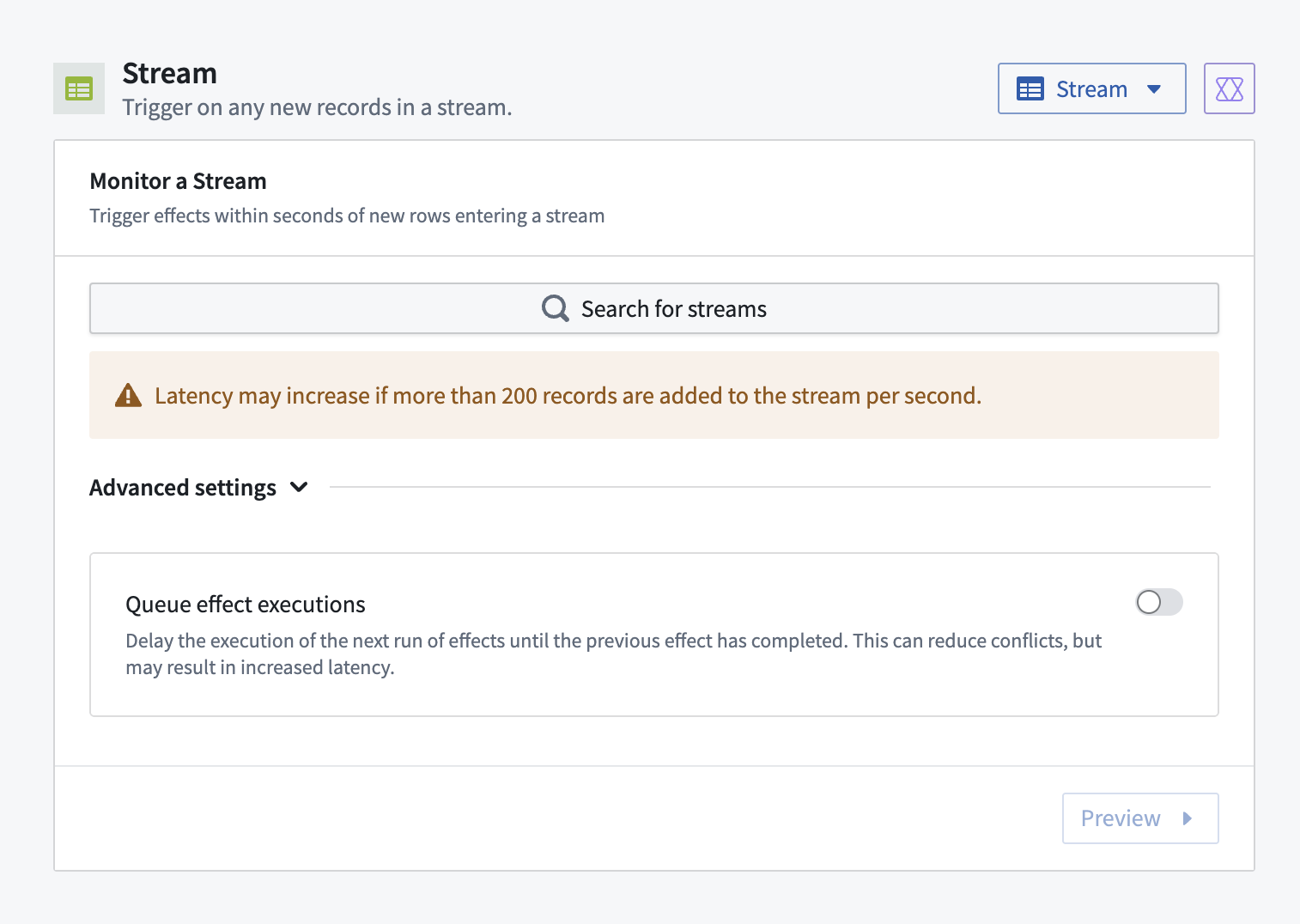
To set up this condition, simply select a stream condition, then search for the relevant streaming dataset in the user interface. Then, proceed to set up effects, including actions or logic.
You can additionally queue effect executions to ensure ordered event processing.
:::callout{theme="neutral"}
When using a binary stream column as the input for an effect, Automate will decode the content for you. For example, the binary stream value eyJIZWxsbyI6ICJXb3JsZCEifQ== will be passed to your effect as the string value {"Hello": "World!"}.
:::
Example use case
Consider a scenario where you are monitoring a stream of temperature sensor data. You can set up an automation to trigger an alert if the temperature exceeds a certain threshold, ensuring immediate response to potential overheating issues.
中文翻译
流式处理(Streaming)
对于实时数据处理场景,可考虑在流式数据集或对象上设置自动化。当新数据进入本体论(Ontology)后,效果(Effects)将在数秒内执行。
基于流式对象的自动化
对于需要更高扩展性的用户,可以在流式对象上实现自动化,从而在无吞吐量限制的情况下进行监控。这对于持续接收和处理数据的大规模应用尤为实用,例如金融交易监控或大规模物联网(IoT)部署。
要设置此功能,请导航至对象已修改(Objects modified)条件,并选择流式对象。您应能看到下方的评估频率(Evaluation frequency)随之更新。
请注意,对于实时流监控,无法显式指定要监控的属性。所有变更都将被处理。为支持有状态执行,请修改您正在监控的对象集,并在下游本体论中处理状态。
示例用例
假设某金融机构需要监控交易以进行欺诈检测。借助流式对象,您可以实时自动检测可疑模式,无论处理的交易量有多大。
基于流式数据集的自动化
您可以通过自动化(Automate)直接监控流式数据集。这允许在吞吐量不超过每秒200条记录的情况下实现实时自动化。该功能非常适合需要根据传入数据立即采取行动的场景,例如监控实时传感器数据或跟踪实时用户交互。
要设置此条件,只需选择流条件,然后在用户界面中搜索相关的流式数据集。接着,继续设置效果,包括操作或逻辑。
您还可以将效果执行加入队列,以确保有序的事件处理。
:::callout{theme="neutral"}
当使用二进制流列作为效果的输入时,自动化将为您解码内容。例如,二进制流值eyJIZWxsbyI6ICJXb3JsZCEifQ==将作为字符串值{"Hello": "World!"}传递给您的效果。
:::
示例用例
假设您正在监控温度传感器数据流。您可以设置自动化,当温度超过特定阈值时触发警报,确保对潜在过热问题做出即时响应。