Deploy time series Foundry Rules(部署时间序列 Foundry Rules)
:::callout{theme="neutral"} These instructions assume time series have already been set up in your platform. Learn more about using time series in Foundry. :::
To enable time series features in Foundry Rules, first follow the steps to deploy Foundry Rules. Once you deploy Foundry Rules, the steps described below are required to enable time series support:
-
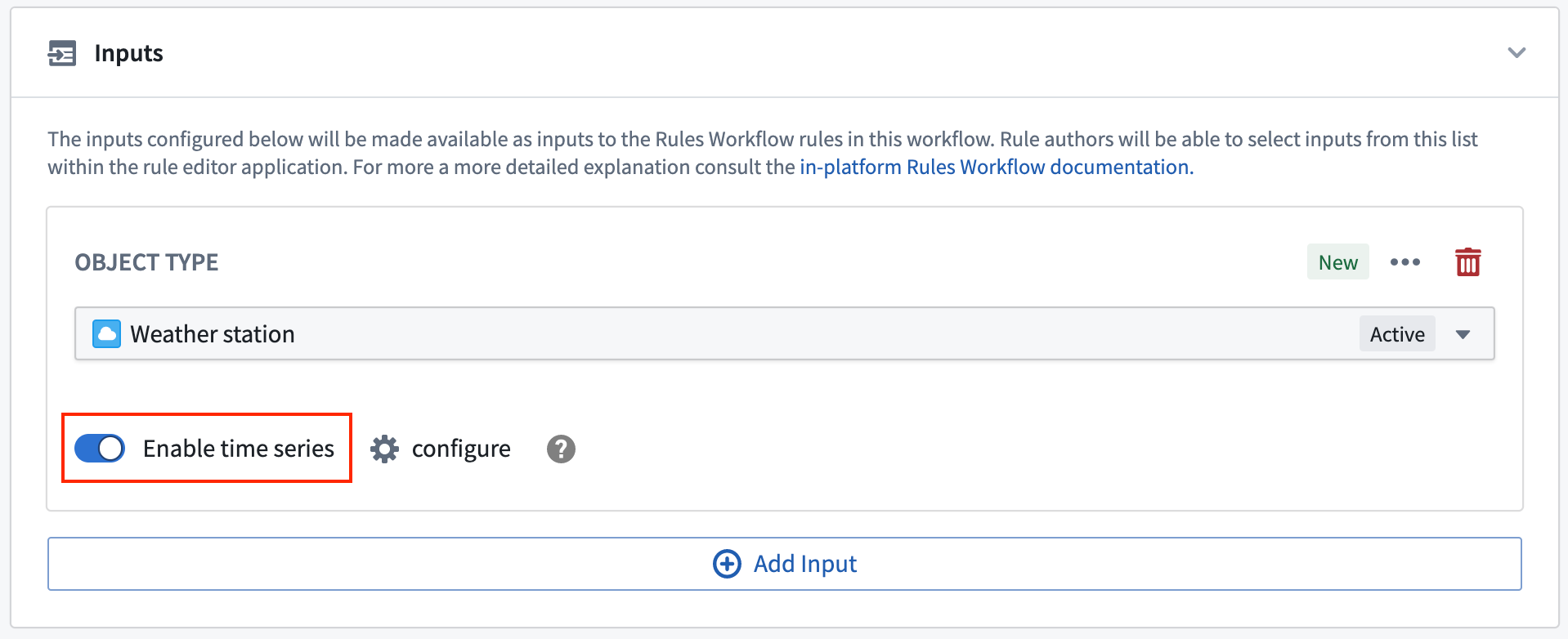
To create time series rules, one of the workflow inputs must be a time series root object type. For all of the input object types that you wish to write time series rules on, toggle the Enable time series switch on.
-
If your time series data has been set up using time series properties, then there are no additional configuration steps required and you can begin authoring time series based rules. However, if your time series data has been configured using measures, you must complete the following steps:
-
On toggling the enable time series switch, a dialog will open prompting you to select the link from the Series object type to the Root object type.
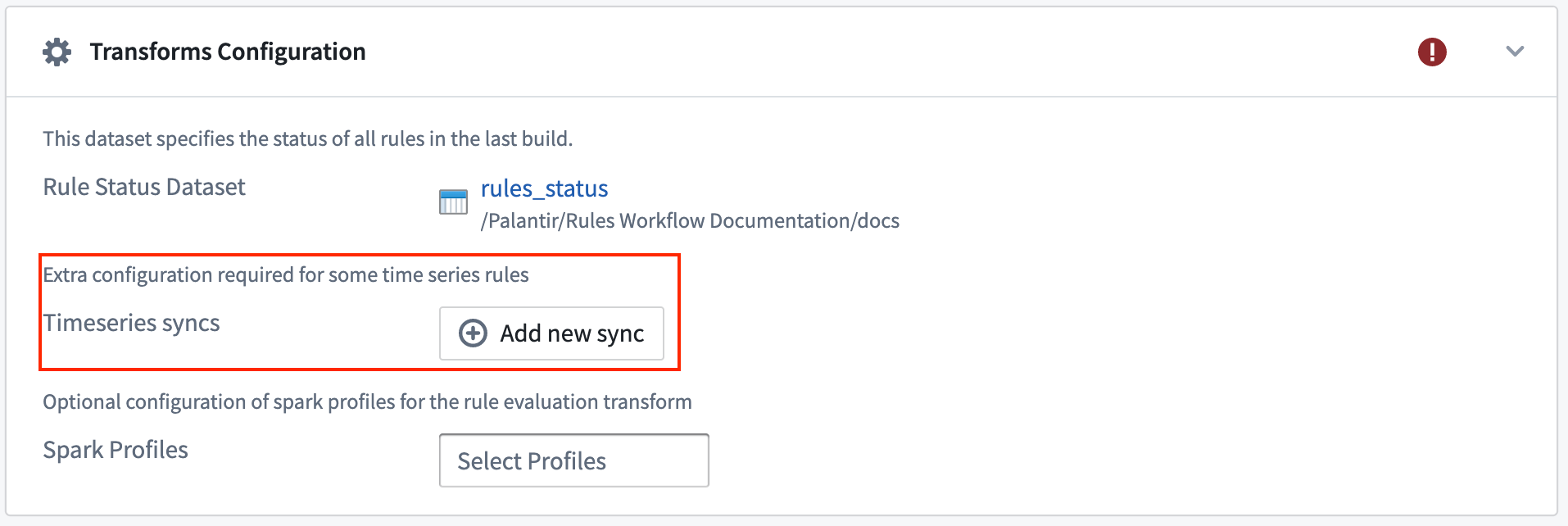
- Then, in the transform configuration section, you must add all time series syncs that back these measures.
中文翻译
部署时间序列 Foundry Rules
:::callout{theme="neutral"} 以下说明假设您已在平台中设置好时间序列(Time Series)。了解更多关于在Foundry中使用时间序列的信息。 :::
要在Foundry Rules中启用时间序列功能,请先按照步骤部署Foundry Rules。部署完成后,还需执行以下步骤以启用时间序列支持:
-
要创建时间序列规则,工作流输入中必须包含一个时间序列根对象类型(Root Object Type)。对于您希望编写时间序列规则的所有输入对象类型,请开启启用时间序列(Enable time series)开关。
-
如果您的时间序列数据已通过时间序列属性(Time Series Properties)设置完成,则无需额外配置步骤,即可开始编写基于时间序列的规则。但如果您的时间序列数据是通过度量(Measures)配置的,则必须完成以下步骤:
-
开启启用时间序列开关后,将弹出一个对话框,提示您选择从序列对象类型(Series Object Type)到根对象类型(Root Object Type)的链接。
- 然后,在转换配置(Transform Configuration)部分,您必须添加所有支持这些度量的时间序列同步(Time Series Syncs)。