Enable optional features(启用可选功能(Optional Features))
Optional features can be enabled or disabled by editing the configuration of the Rule Editor widget within your Rules Workshop application, as shown in the screenshot below.
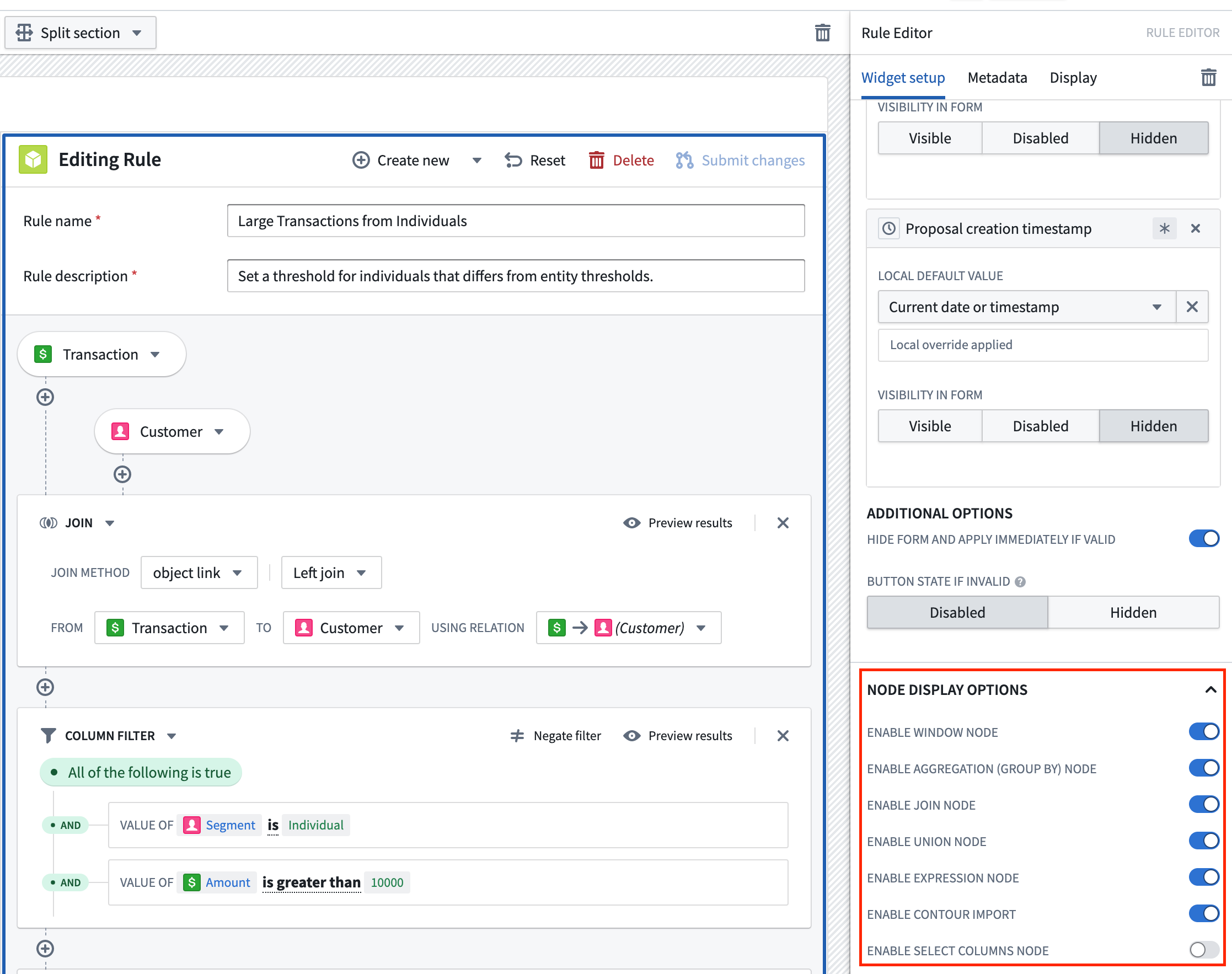
There are a range of optional logic boards that can be enabled or disabled for Foundry Rules:
- Window board: Supports Window functions ↗.
- Aggregation board: Computes aggregates over grouped columns.
- Join board: Joins additional datasets or objects.
- Expression board: Executes arbitrary expressions for adding columns or filtering.
- Select columns board: Selects a subset of columns to carry forward to the next logic board.
- Union board: Unions additional datasets or objects.
Additionally, there is an option to enable or disable importing rules from Contour.
- Contour import: Imports and converts logic stored in a Contour analysis to a rule.
Finally, Foundry Rules supports writing rules directly on top of time series data.
- Time series: Add time series boards which can manipulate time series directly as part of a rule.
中文翻译
启用可选功能(Optional Features)
通过编辑规则工作坊应用(Rules Workshop application)中的规则编辑器(Rule Editor)组件配置,可以启用或禁用可选功能,具体操作如下图所示。
Foundry Rules 提供了一系列可选逻辑面板(Logic Board),可根据需要启用或禁用:
- 窗口面板(Window board): 支持窗口函数 ↗。
- 聚合面板(Aggregation board): 对分组列计算聚合值。
- 连接面板(Join board): 连接其他数据集或对象。
- 表达式面板(Expression board): 执行任意表达式,用于添加列或过滤数据。
- 选择列面板(Select columns board): 选择列的子集,传递至下一个逻辑面板。
- 合并面板(Union board): 合并其他数据集或对象。
此外,还提供了从 Contour 导入规则的启用/禁用选项。
- Contour 导入(Contour import): 导入并转换存储在 Contour 分析 中的逻辑,将其转换为规则。
最后,Foundry Rules 支持直接在时序数据(Time Series)上编写规则。
- 时序数据(Time series): 添加时序面板(Time Series Board),可在规则中直接操作时序数据。