Branching in Workflow Lineage(工作流谱系中的分支管理)
Workflow Lineage supports Global Branching, allowing you to inspect, edit, and validate workflow resources on a branch before merging changes into main. This makes it easier to develop and test end-to-end workflow changes in an isolated branch context before promoting them to production.
For general information on Global Branching concepts and workflows, refer to the Global Branching documentation.
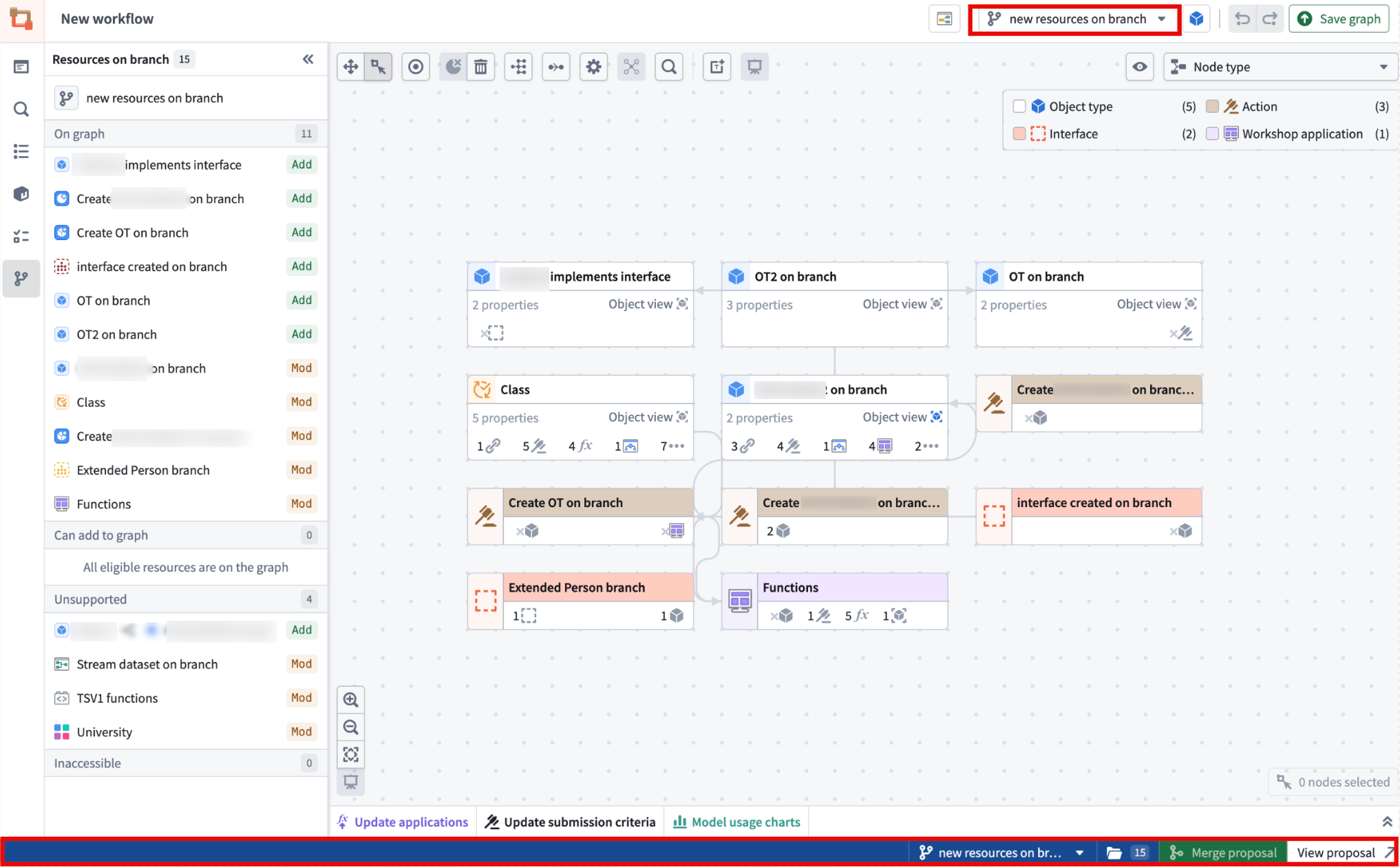
Adding, removing, and modifying resources
When working on a global branch, you can open Workflow Lineage from a variety of supported branch-aware entry points, including:
-
The AI FDE panel, by right-clicking a global branch tag or when selecting a global branch context to add.


-
The global branch bottom bar.

-
The global branch main branch page.
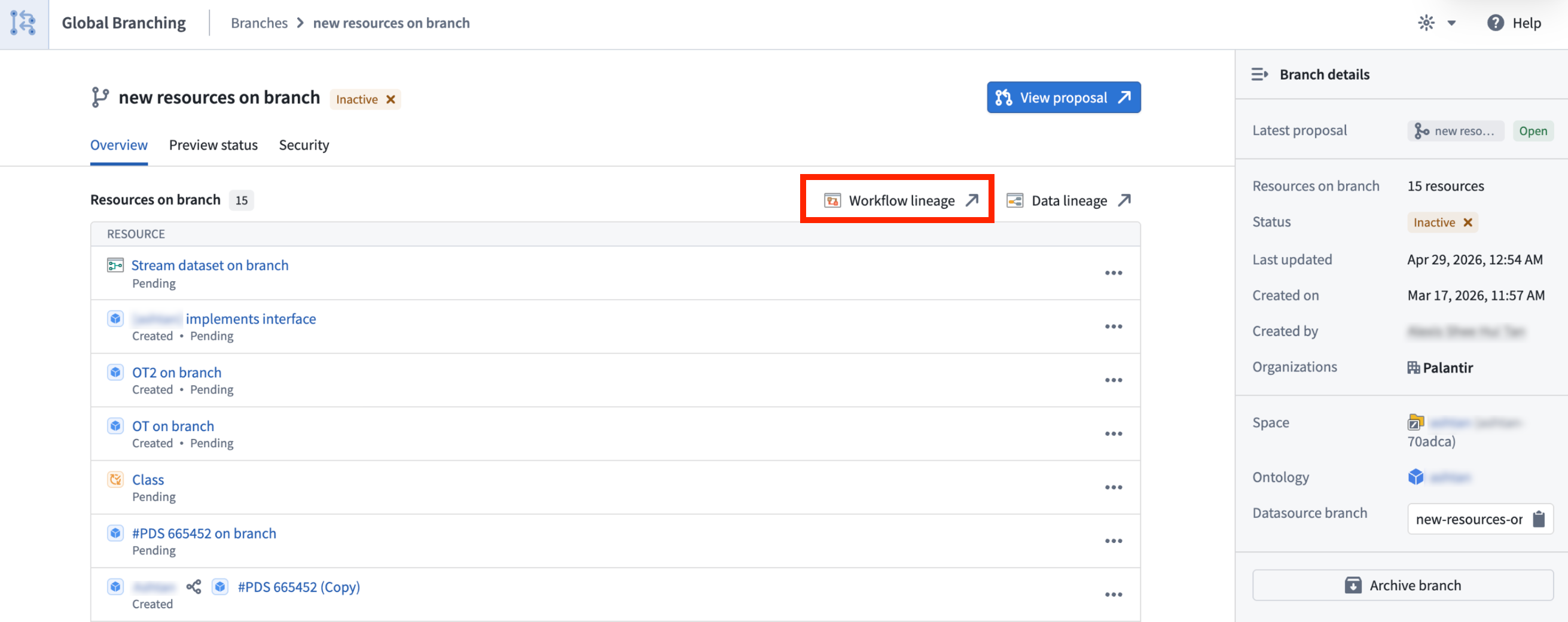
<br>
-
The global branch proposal page.
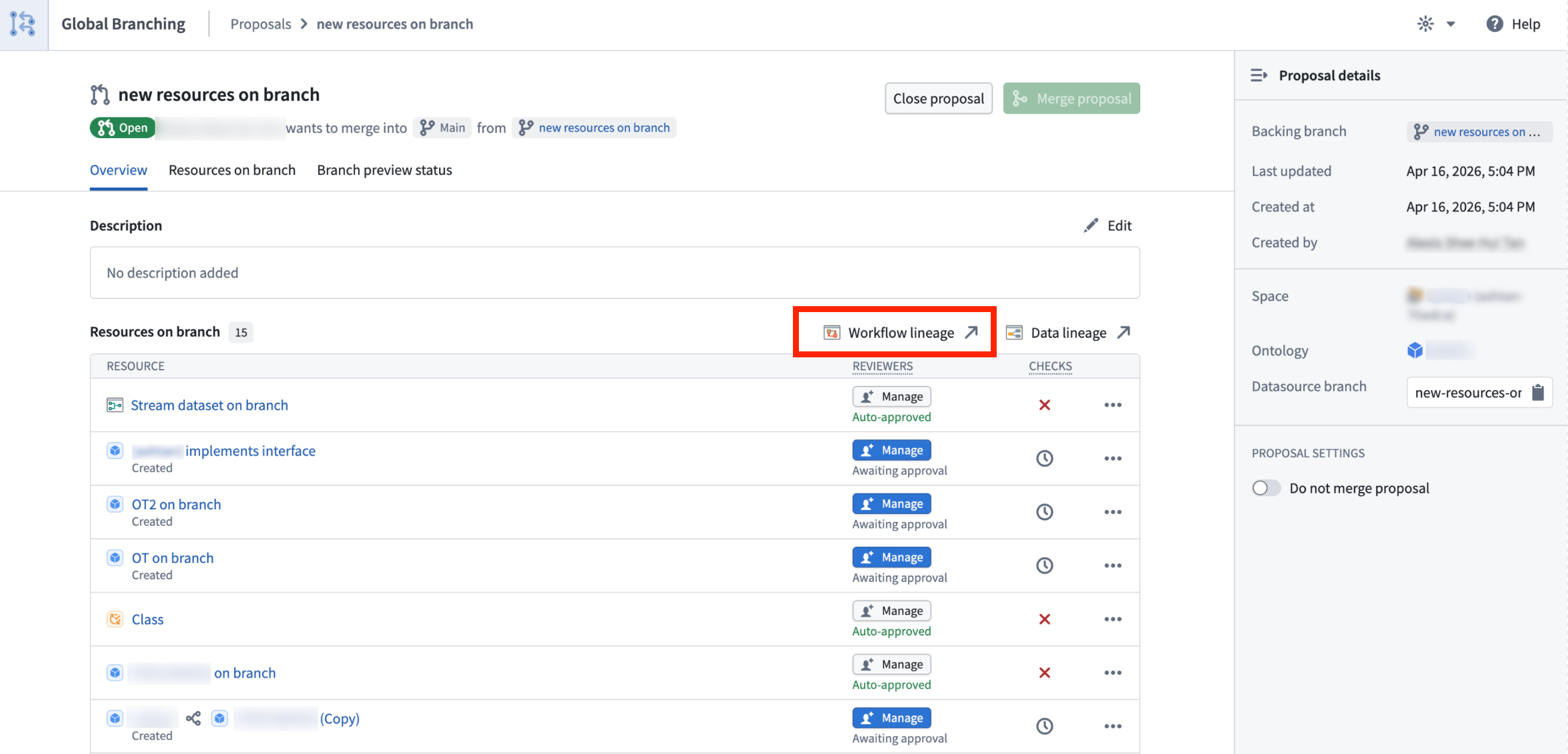
<br>
Eligible resources are added to the graph automatically, and the branch side panel helps you review any added or modified resources. You can also use Cmd+I (macOS) or Ctrl+I (Windows) from supported resources on a branch to open Workflow Lineage in the same branch context. This is supported from Workshop, Ontology Manager, AIP Logic, and Pipeline Builder object type outputs.
Cross-application compatibility
With Global Branching in Workflow Lineage, you can use branch-aware color modes for function repositories, action rules, Ontology status, usages, and out-of-date dependencies.
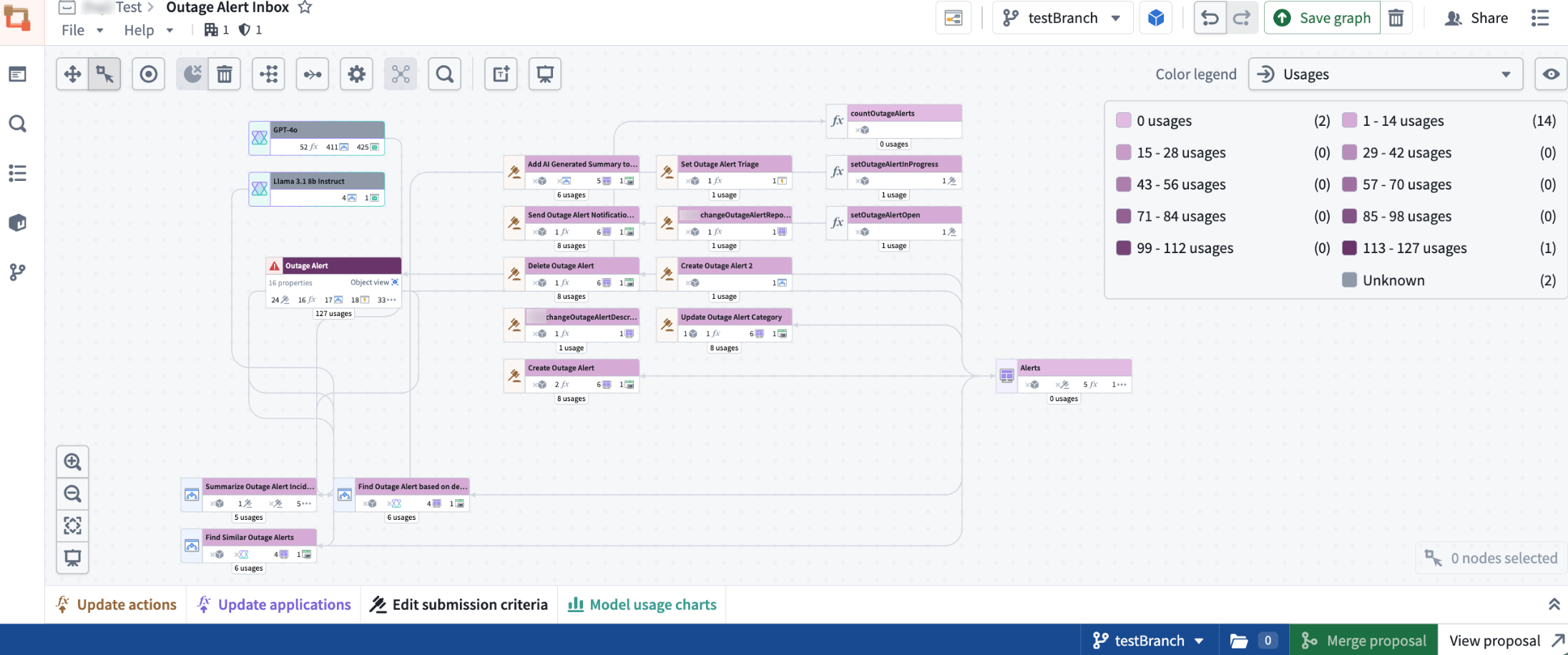
You can also perform supported bulk edits, including upgrading function versions for action types or Workshops, deleting Ontology resources, and updating action type submission criteria.
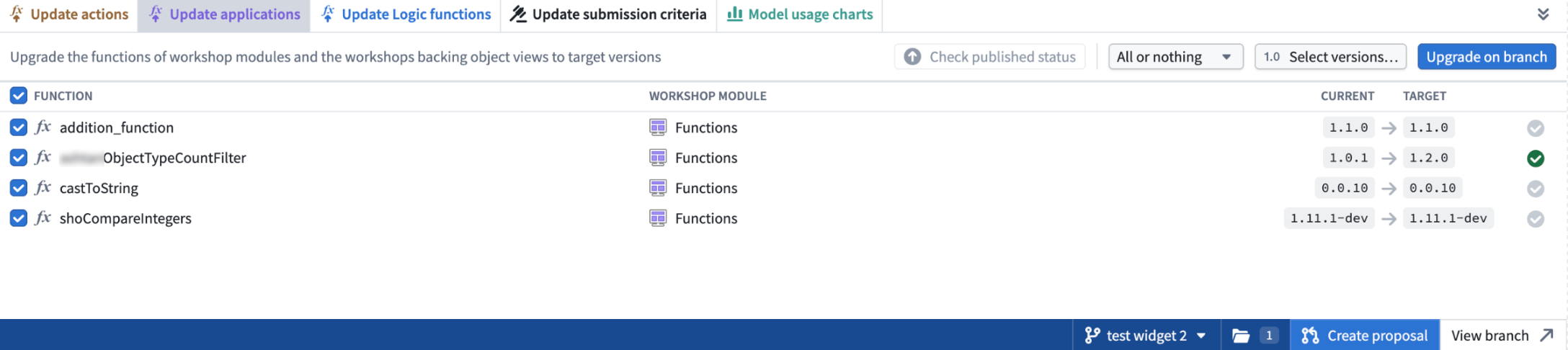
In addition, you can search for and add resources created on a branch, including object types, action types, functions, and interfaces. The side panel helps you review modified resources and add modified resources that are not already displayed on the graph.
Known limitations
- Object type groups in search only reflect those apart of the
mainbranch. - Bulk upgrading logic on a branch is not currently supported.
中文翻译
工作流谱系中的分支管理
工作流谱系(Workflow Lineage)支持全局分支(Global Branching)功能,允许您在将更改合并到main分支之前,在分支上检查、编辑和验证工作流资源。这使得您能够在隔离的分支环境中开发和测试端到端的工作流变更,然后再将其推广到生产环境。
有关全局分支概念和工作流程的通用信息,请参阅全局分支文档。
添加、删除和修改资源
在全局分支上工作时,您可以通过多种支持分支感知的入口点打开工作流谱系,包括:
-
AI FDE面板:右键单击全局分支标签,或在选择要添加的全局分支上下文时打开。
-
全局分支底部栏。
-
全局分支主分支页面。
<br>
-
全局分支提案页面。
<br>
符合条件的资源会自动添加到图谱中,分支侧面板可帮助您审查已添加或修改的资源。您还可以在分支上支持的资源中使用Cmd+I(macOS)或Ctrl+I(Windows)快捷键,在相同的分支上下文中打开工作流谱系。此功能在Workshop、本体管理器(Ontology Manager)、AIP Logic和流水线构建器(Pipeline Builder)的对象类型输出中均受支持。
跨应用兼容性
通过工作流谱系中的全局分支功能,您可以使用分支感知的颜色模式来查看函数仓库、操作规则、本体状态、使用情况和过期依赖关系。
您还可以执行支持的批量编辑操作,包括升级操作类型或Workshop的函数版本、删除本体资源以及更新操作类型的提交条件。
此外,您可以搜索并添加在分支上创建的资源,包括对象类型、操作类型、函数和接口。侧面板可帮助您审查已修改的资源,并添加尚未显示在图谱上的已修改资源。
已知限制
- 搜索中的对象类型组仅反映属于
main分支的部分。 - 分支上的批量升级逻辑目前暂不支持。