Create templates(创建模板(Create templates))
Any Fusion spreadsheet can be converted into a template under the document tab in the toolbar.
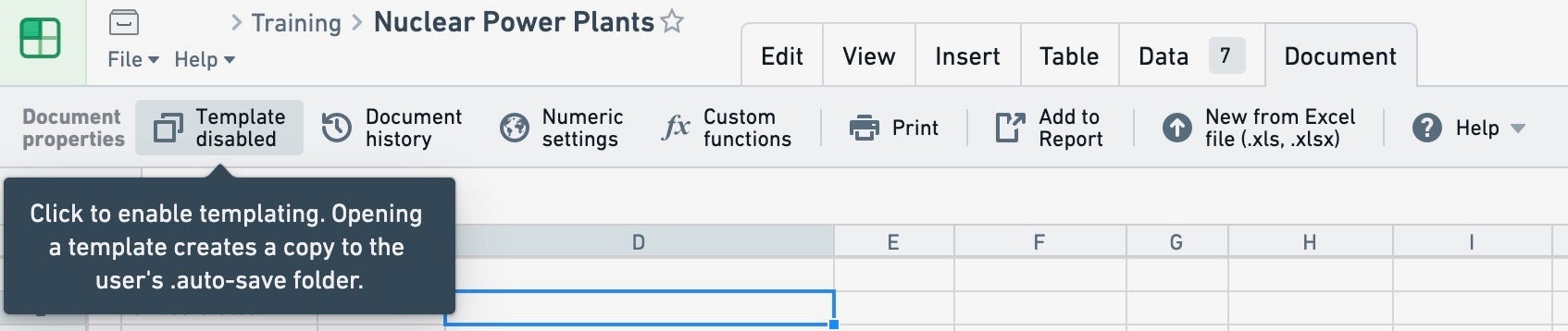
When a Fusion document is marked as a template, attempting to open the Fusion document (e.g. by clicking on it in Foundry or navigating directly to the document's URL) will not open the underlying spreadsheet; instead, a copy of the spreadsheet will be made (the user will be prompted to select a location).
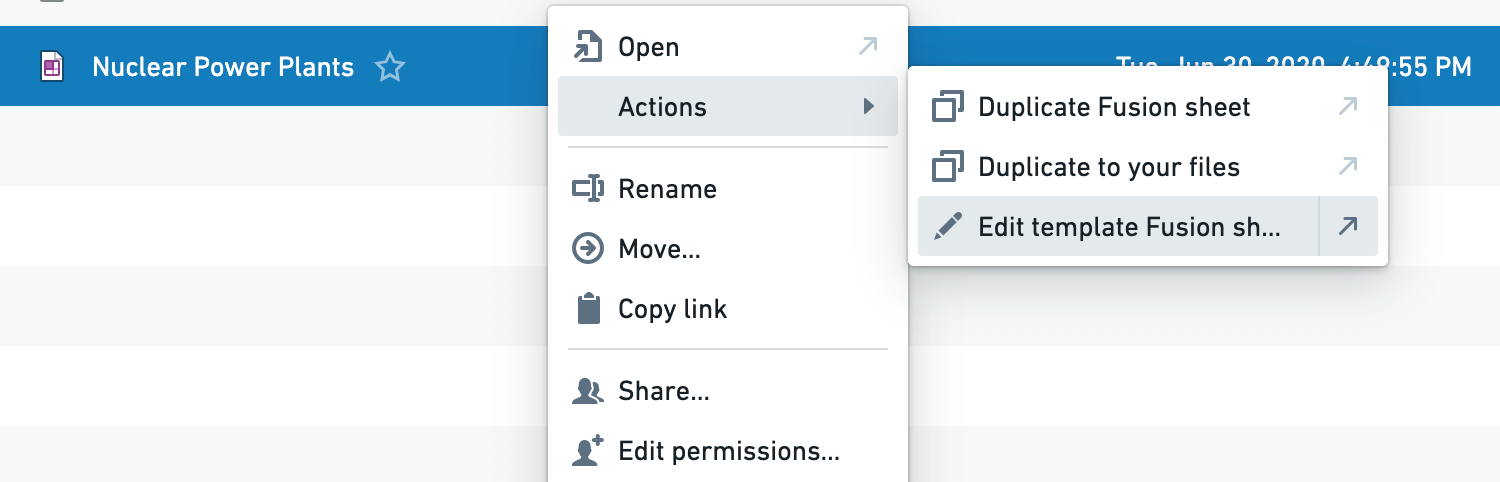
If you’d like to edit the master template (rather than make a copy), right click on the spreadsheet in Foundry and select Actions > Edit template Fusion sheet.
You can also have custom links to Fusion spreadsheets that make a copy with a specific change to the sheet. An example of a URL that copies with cell value overrides would be /copy?Sheet1!A1=test.
中文翻译
创建模板(Create templates)
Fusion 工作表中的任意电子表格都可以在工具栏的文档选项卡下转换为模板。
当 Fusion 文档被标记为模板后,尝试打开该 Fusion 文档(例如在 Foundry 中点击它或直接访问文档的 URL)将不会打开底层的电子表格,而是会创建该电子表格的一个副本(系统会提示用户选择保存位置)。
如果您希望编辑主模板(而非创建副本),请在 Foundry 中右键点击该电子表格,然后选择 操作(Actions) > 编辑模板 Fusion 工作表(Edit template Fusion sheet)。
您还可以为 Fusion 电子表格创建自定义链接,这些链接会在复制时对工作表进行特定更改。例如,一个带有单元格值覆盖的复制 URL 示例如下:/copy?Sheet1!A1=test。