Index datasets(索引数据集(Index datasets))
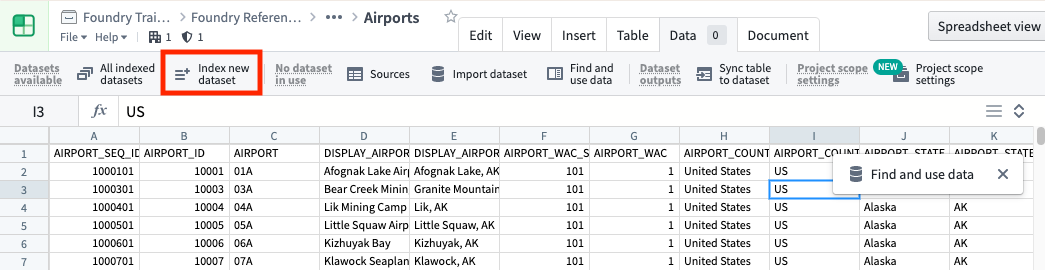
Before you can use your datasets in Fusion, you have to make sure they’re indexed into Lime. The easiest way to do this is through Index new dataset under the Data tab menu in Fusion. The screenshot below uses an open source dataset of U.S. airports.
On the resulting screen, you can select multiple datasets (and branches) to index.
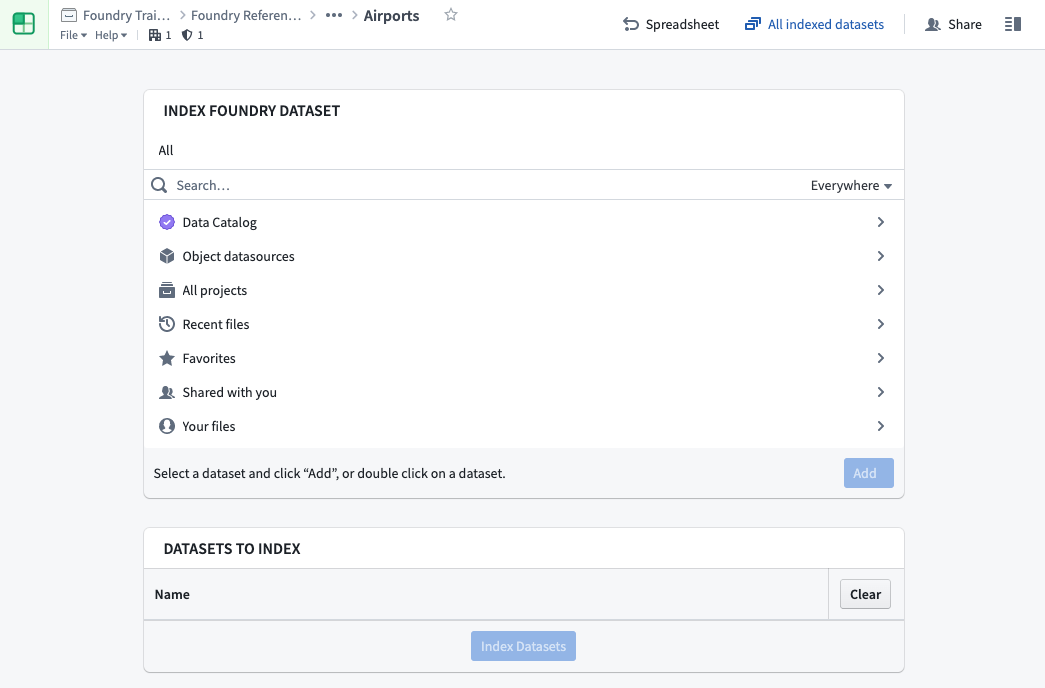
Click Indexed datasets under the settings menu to see the list of datasets available in Fusion and their current index status (Up-to-date, Syncing, Stale).
中文翻译
索引数据集(Index datasets)
在 Fusion 中使用数据集之前,必须确保它们已被索引到 Lime 中。最简便的方法是通过 Fusion 的 数据(Data) 选项卡菜单中的 索引新数据集(Index new dataset) 功能。以下截图使用了美国机场的开放数据集。
在出现的界面上,您可以选择多个数据集(及分支)进行索引。
点击设置菜单下的 已索引数据集(Indexed datasets),即可查看 Fusion 中可用的数据集列表及其当前的索引状态(最新(Up-to-date)、同步中(Syncing)、过期(Stale))。