Perform Actions(执行操作(Perform Actions))
Fusion offers a set of formulas which perform an Action. The Actions display as buttons, which are triggered upon click. For example, a cell with =action.copy_range(A1:A10, B1:B10) will display a button, which, when clicked, will copy the contents of the range A1:A10 to the range B1:B10.
This page is an overview of available Actions. For a full list of formulas and arguments, see the function library.
Action labels
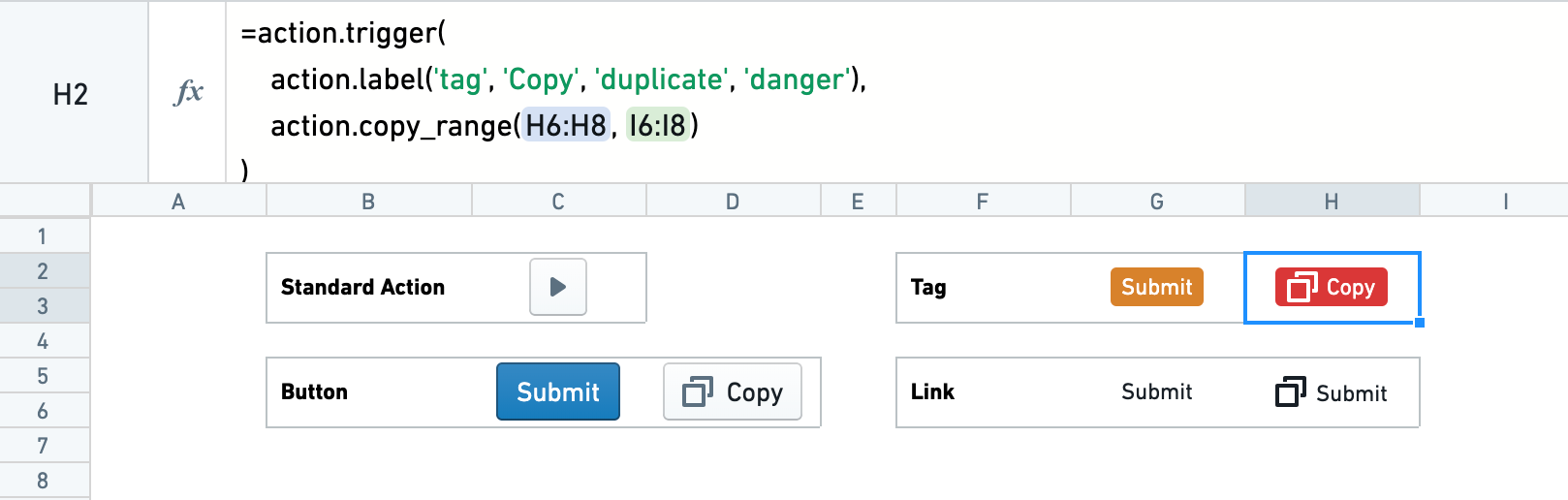
By default, Actions display as a simple square play button. Through the use of action.label, a button can be customized to have a type, text, an icon, and a color intent.
Resizing cells and merging cells are useful tools for positioning buttons.
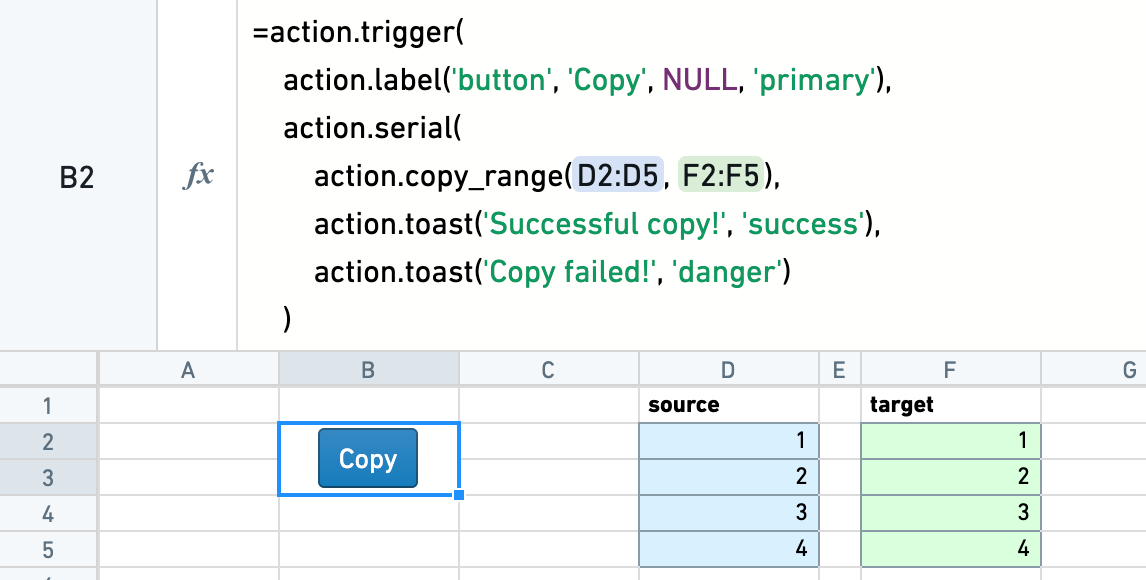
Suppose you have an Action action.copy_range(...). Wrapping it in a trigger Action allows you to include an Action label: =action.trigger(action.label(...), action_copy_range(...)).
Submit Actions
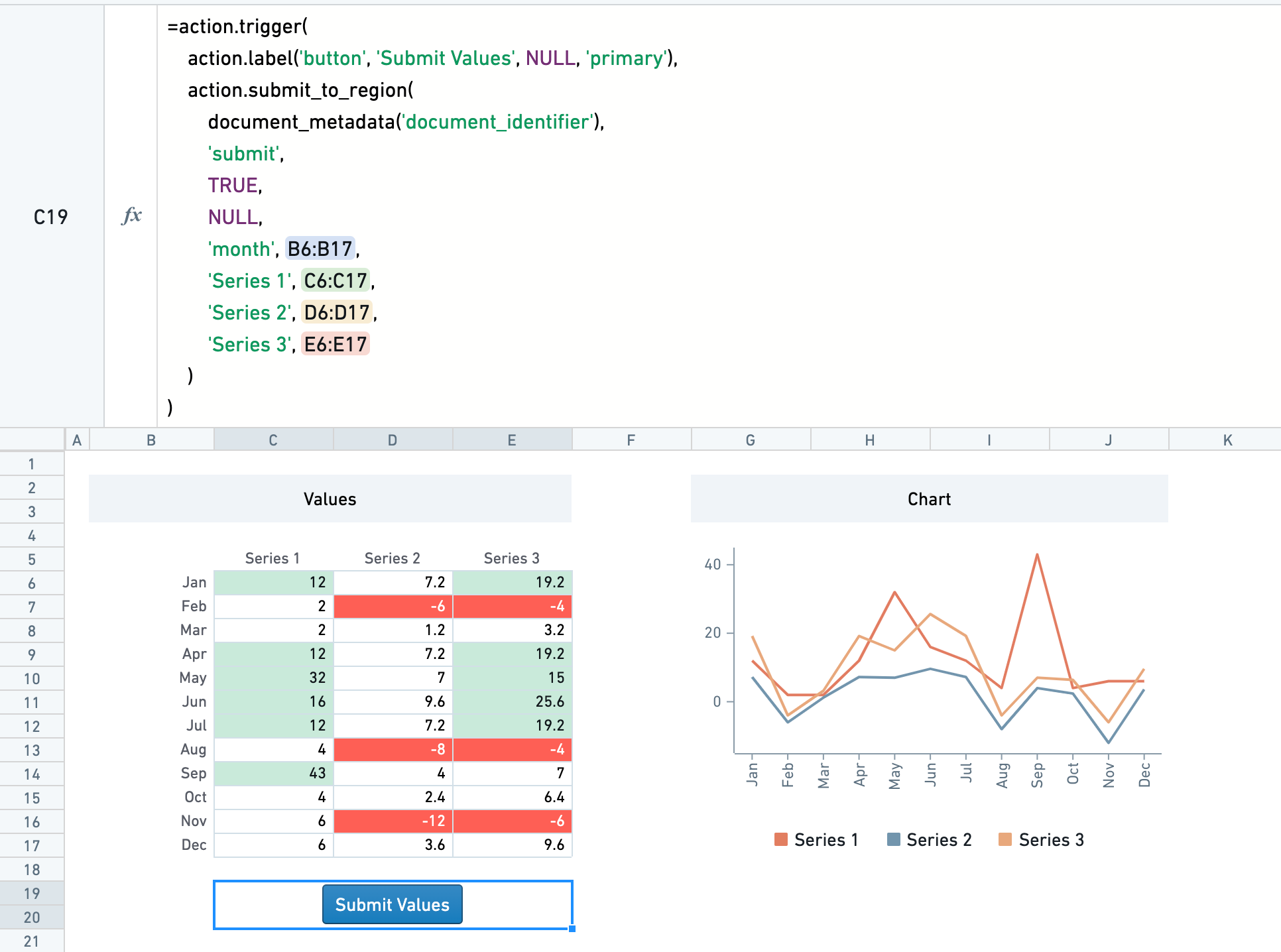
The =action.submit_to_region(...) Action allows you to submit data to a table region. This is often useful for collecting user entered data or calculation outputs into a table.
The submission Action submits with a key_value column. For each row that is submitted, if the key_value exists in the submission table, the row is updated with the newly submitted values. If the key_value does not exist, a new row is inserted.
The table region can also be in a separate sheet. To successfully submit values, the user will need edit access to the sheet that is being submitted to. If the sheet being submitted to is synced to a dataset, the dataset will only build with the latest changes made by the user if the user has edit permissions on the synced dataset.
Toast Actions
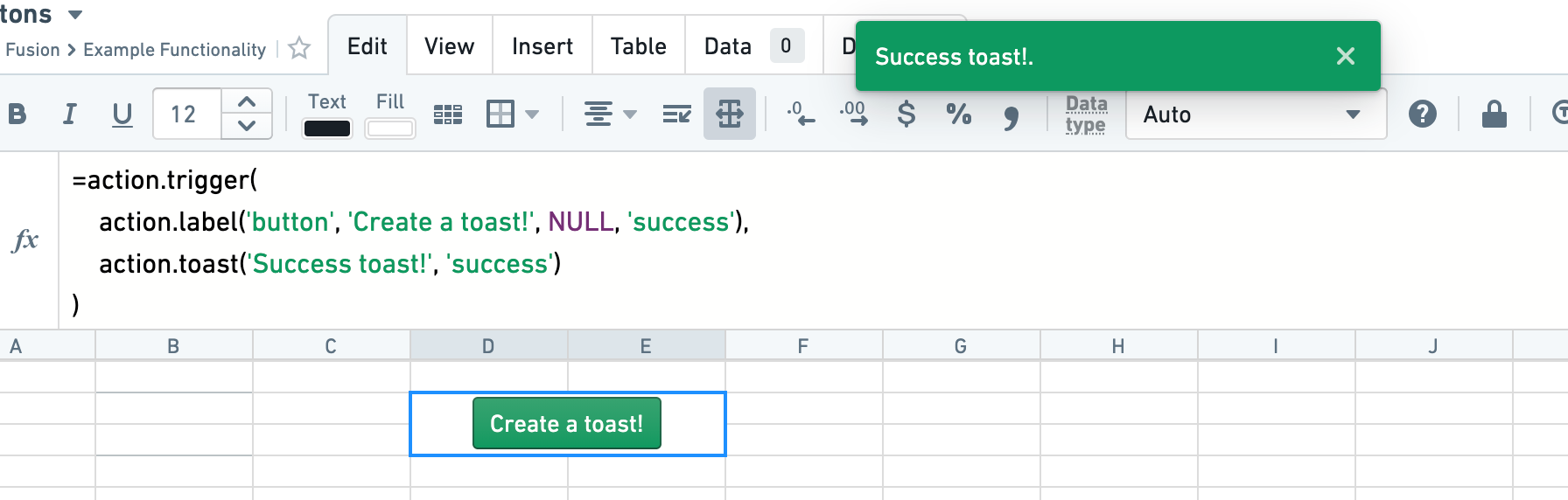
The =action.toast(...) formula can be used to generate a floating message at the top of the page — called a 'toast'. These are best used in combination with other Actions through the parallel and serial Actions.
Copy Actions
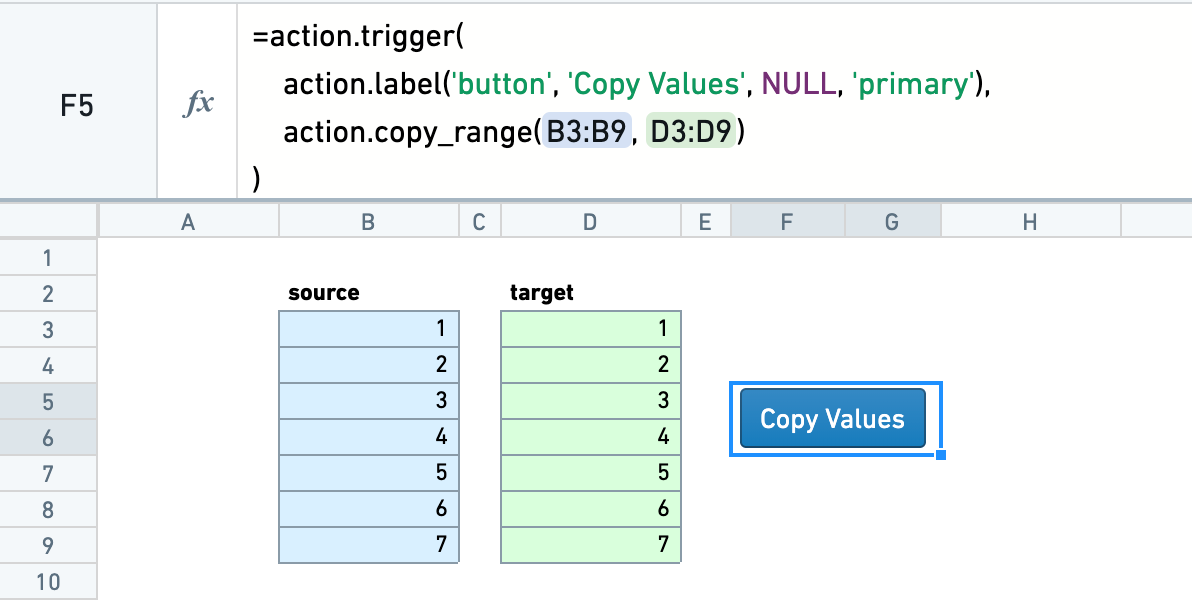
The =action.copy(...) Action allows you to copy the contents of one range to another.
The optional copy_result argument can be set to true to copy the computed value, rather than the cell formula.
Chaining Actions
Actions can be combined together in parallel or in serial.
Parallel Actions
Multiple Actions can be triggered at once with =action.parallel(...). This is useful if they are independent Actions, such as a two copy Actions that have no overlap.
Serial Actions
Actions can be triggered in serial with =action.serial(...). As well as an Action, each serial Action has two further Action arguments: actionOnSuccess and actionOnFailure. One of these is run, determined by whether the initial Action succeeds or fails.
Serial Actions are often useful alongside the validation formulas, where you could set a custom toast depending on whether the validation succeeds or fails. See the validation documentation for more details on these functions.
中文翻译
执行操作(Perform Actions)
Fusion 提供了一组用于执行操作(Perform Actions)的公式。这些操作以按钮形式显示,点击即可触发。例如,单元格中的 =action.copy_range(A1:A10, B1:B10) 会显示一个按钮,点击后会将范围 A1:A10 的内容复制到范围 B1:B10。
本文档概述了可用的操作。有关公式和参数的完整列表,请参阅函数库。
操作标签(Action labels)
默认情况下,操作显示为简单的方形播放按钮。通过使用 action.label,可以自定义按钮的类型、文本、图标和颜色意图(intent)。
调整单元格大小和合并单元格是定位按钮的有用工具。
假设您有一个操作 action.copy_range(...)。将其包装在触发操作(trigger Action)中,可以包含操作标签:=action.trigger(action.label(...), action_copy_range(...))。
提交操作(Submit Actions)
=action.submit_to_region(...) 操作允许您将数据提交到表格区域(table region)。这对于将用户输入的数据或计算结果收集到表格中非常有用。
提交操作(Submission Action)会附带一个 key_value 列进行提交。对于提交的每一行,如果 key_value 已存在于提交表中,则该行会使用新提交的值进行更新。如果 key_value 不存在,则会插入新行。
表格区域也可以位于单独的工作表中。要成功提交值,用户需要对目标工作表具有编辑权限。如果目标工作表同步到数据集(dataset),则仅当用户对同步的数据集具有编辑权限时,该数据集才会使用用户的最新更改进行构建。
提示操作(Toast Actions)
=action.toast(...) 公式可用于在页面顶部生成一条浮动消息——称为"提示(toast)"。这些提示最好通过 parallel 和 serial 操作与其他操作结合使用。
复制操作(Copy Actions)
=action.copy(...) 操作允许您将一个范围的内容复制到另一个范围。
可选的 copy_result 参数可以设置为 true,以复制计算后的值,而不是单元格公式。
链式操作(Chaining Actions)
操作可以并行或串行组合在一起。
并行操作(Parallel Actions)
使用 =action.parallel(...) 可以同时触发多个操作。这对于相互独立的操作非常有用,例如两个没有重叠的复制操作。
串行操作(Serial Actions)
使用 =action.serial(...) 可以按顺序触发操作。除了操作本身,每个串行操作还有两个额外的操作参数:actionOnSuccess 和 actionOnFailure。根据初始操作成功或失败,会运行其中一个参数。
串行操作通常与验证公式(validation formulas)一起使用,您可以根据验证成功或失败来设置自定义提示。有关这些函数的更多详细信息,请参阅验证文档。