Project scope(项目范围(Project scope))
Project scoping in Foundry requires placing all inputs and outputs for a resource in a single project.
References across projects are still allowed, but requires a greater degree of scrutiny and can only be performed by some users.
To reference a resource, go to the Project Summary Panel at the root level of the project. Click the +Add button to add a reference to the project.
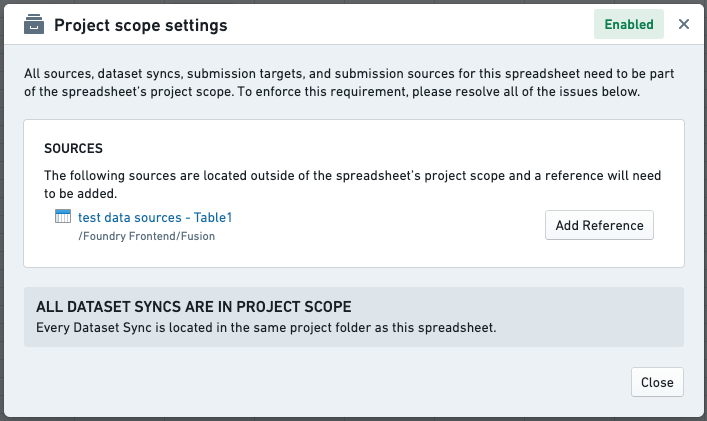
To keep track of this information, Fusion provides a Project scope settings user interface (see image below) under the Data tab.
中文翻译
项目范围(Project scope)
在 Foundry 中进行项目范围界定时,需要将某个资源的所有输入和输出都放置在同一项目中。
跨项目引用仍然允许,但需要更严格的审查,且仅限部分用户执行。
要引用某个资源,请进入项目根目录下的项目摘要面板(Project Summary Panel),点击 +添加(+Add) 按钮,即可向项目添加引用。
为便于追踪此类信息,Fusion 在数据(Data)选项卡下提供了项目范围设置(Project scope settings)用户界面(如下图所示)。