Property security markings(属性安全标记(Property security markings))
:::callout{theme="neutral"} Review the markings and Classification-based Access Controls (CBAC) documentation before learning more about property security markings in Foundry. :::
Property security markings display the markings and CBAC values configured through object and property security policies when you view or select a property in the following Workshop widgets:
Displayed strictly for informational purposes, property security markings render as a condensed gray pill with an expanded window view on selection.
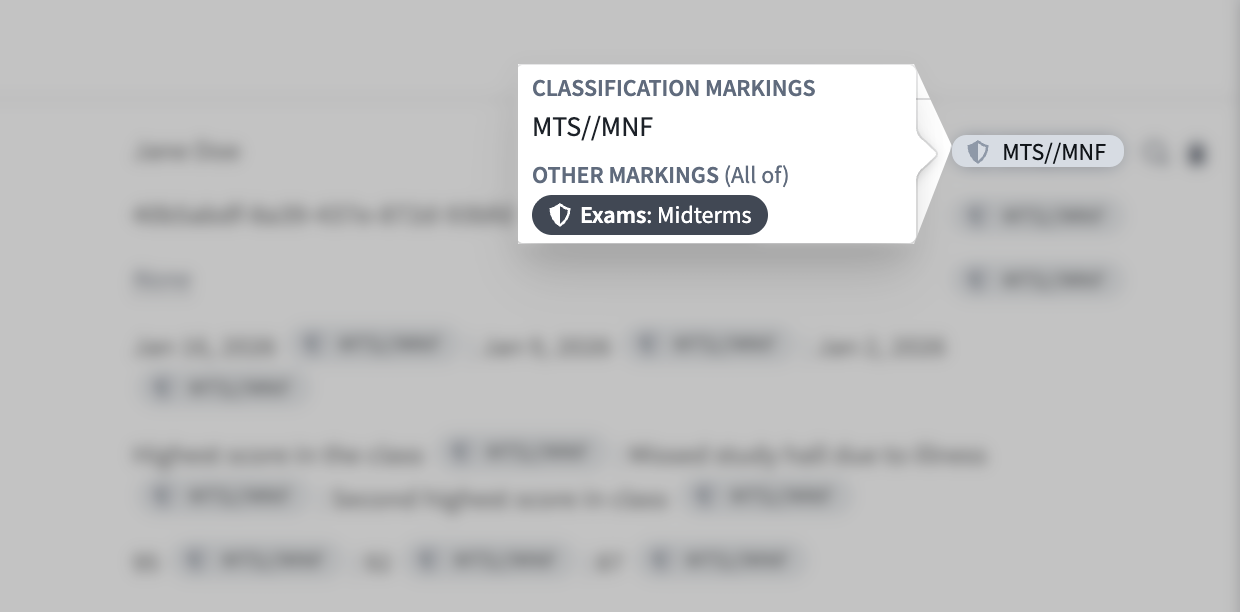
Foundry verifies each property against its security markings to ensure all users with the appropriate access can view its value, even if you toggle the pill's visibility off in any of its supported widgets. Property security markings abstract away certain complexities about the requirements necessary to view the property's data. As an example, a property marked with the Mock Unclassified CBAC marking within an object with the Mock Secret CBAC marking will be displayed as Mock Unclassified in the object view. However, users must have access to the Mock Secret CBAC marking to view the property's data.
Learn more about Foundry's strict access requirements and user permissions controls.
:::callout{theme="neutral"} The ability to view property security markings will extend to additional Workshop widgets and other Foundry applications as the feature matures during active development. :::
View property security markings in Workshop
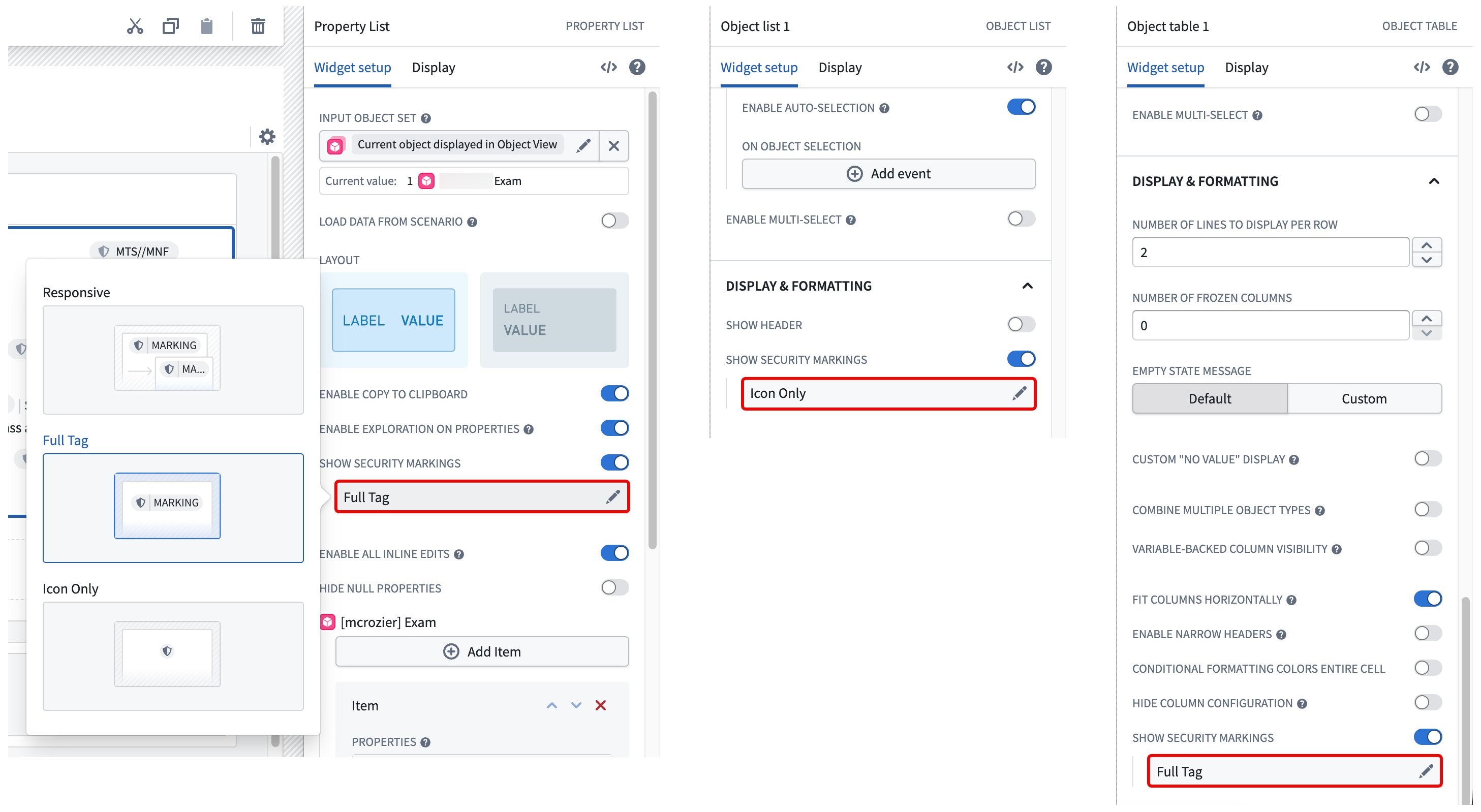
Toggle on Show security markings in the Widget setup tab when configuring a Property List, Object List, or Object Table widget in Workshop, then choose from the following display options:
- Responsive: Displays the full security marking when space permits and a truncated tag to fit available space. Foundry displays the full marking in a tooltip upon hover. This option is not available for the Object Table widget.
- Full Tag: Displays the full security marking at all times, line-wrapping at small widths.
- Icon Only: Displays the marking icon and the full security marking only upon hover.
:::callout{theme="neutral"} If your enrollment does not contain CBAC markings, then you will not need to select from the options listed above. Foundry solely displays the marking shield icon next to properties that contain mandatory markings and renders the marking labels upon hover. :::
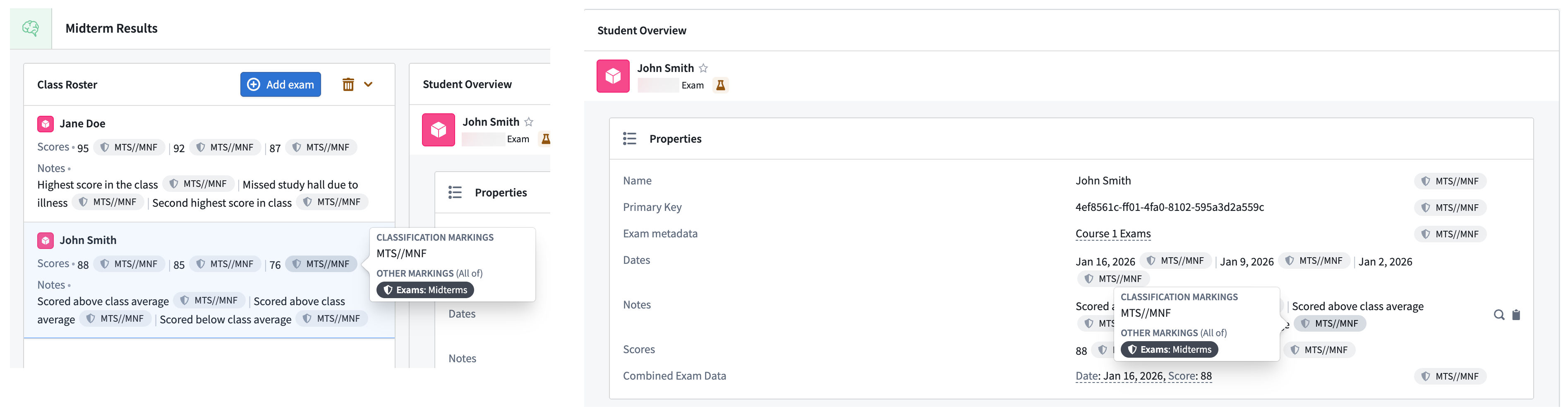
Select a property security marking pill on the right side of a property's value in either the Object List or Property List widgets to render an expanded view.
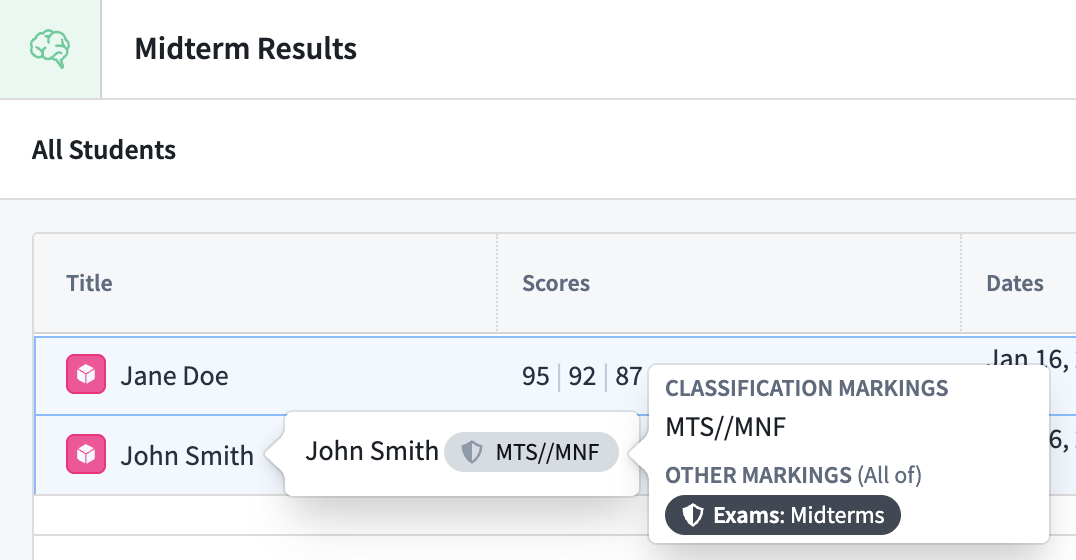
To render the same expanded view in the Object Table widget, hover your cursor over a property value in the table.
Expected property base type behavior
Property security markings display different behavior based on the property's base type.
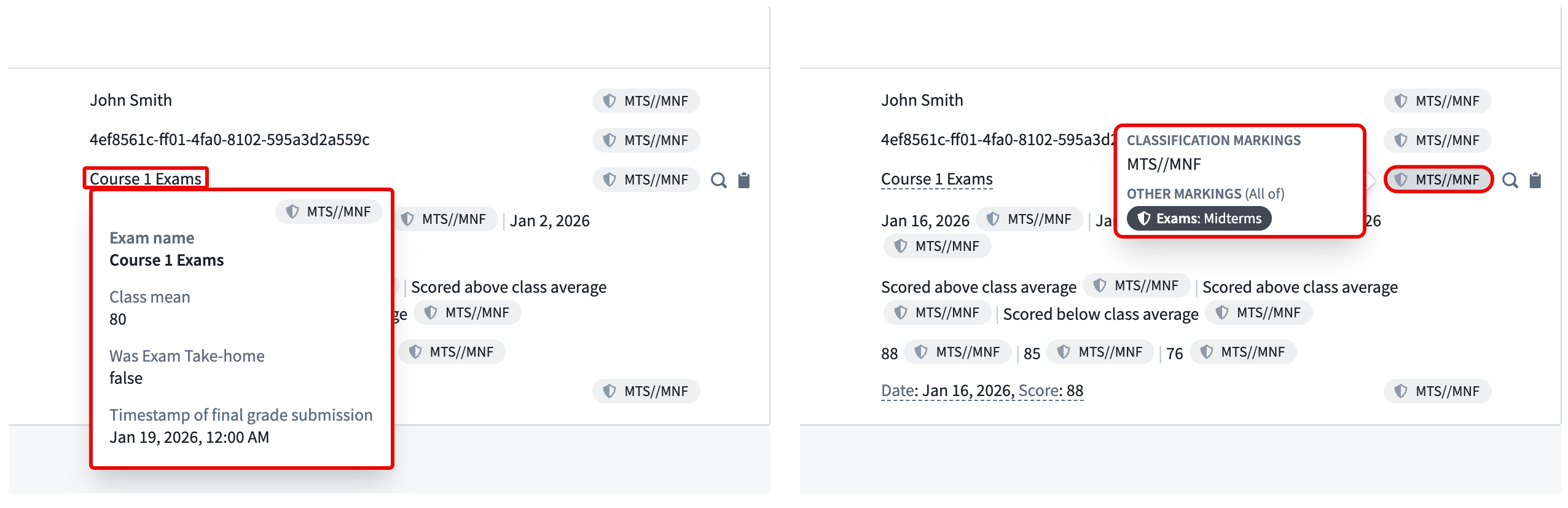
- Struct: Each value in a struct field contains the same property security marking, which Foundry displays within a single pill.
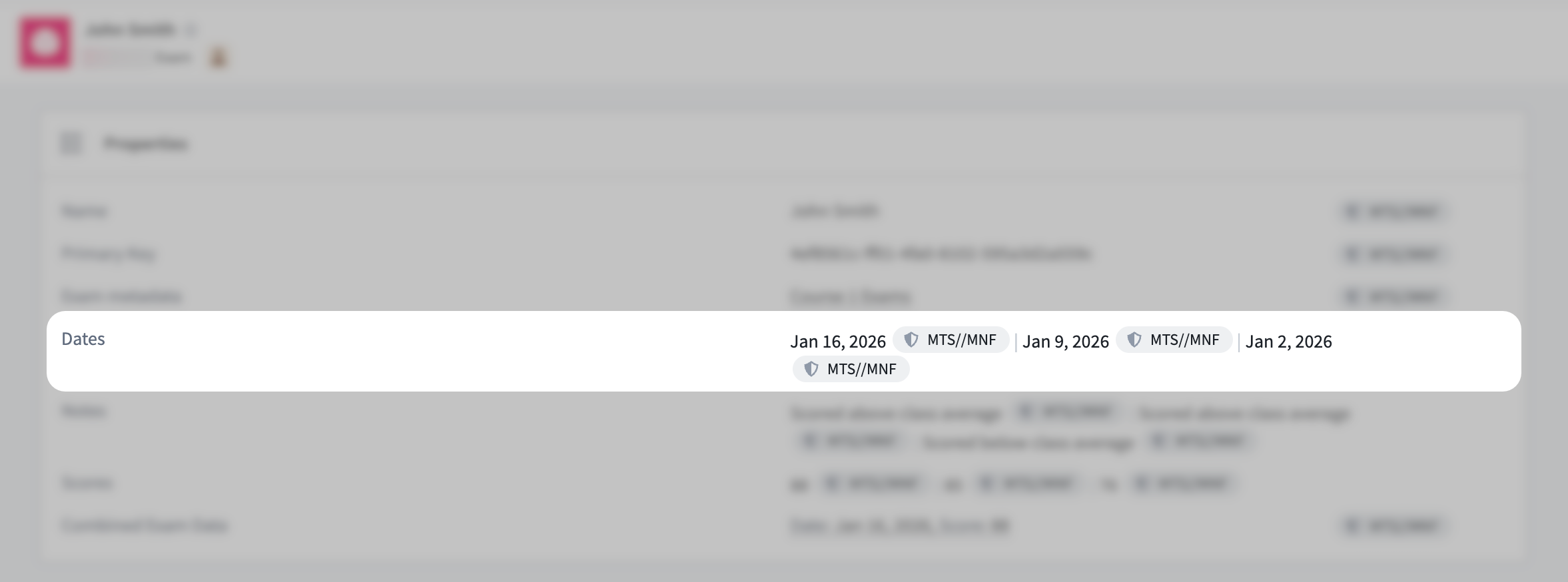
- Array: Each value in a base type containing multiple values as an array contains the same property security marking for a value, which Foundry displays in unique pills.
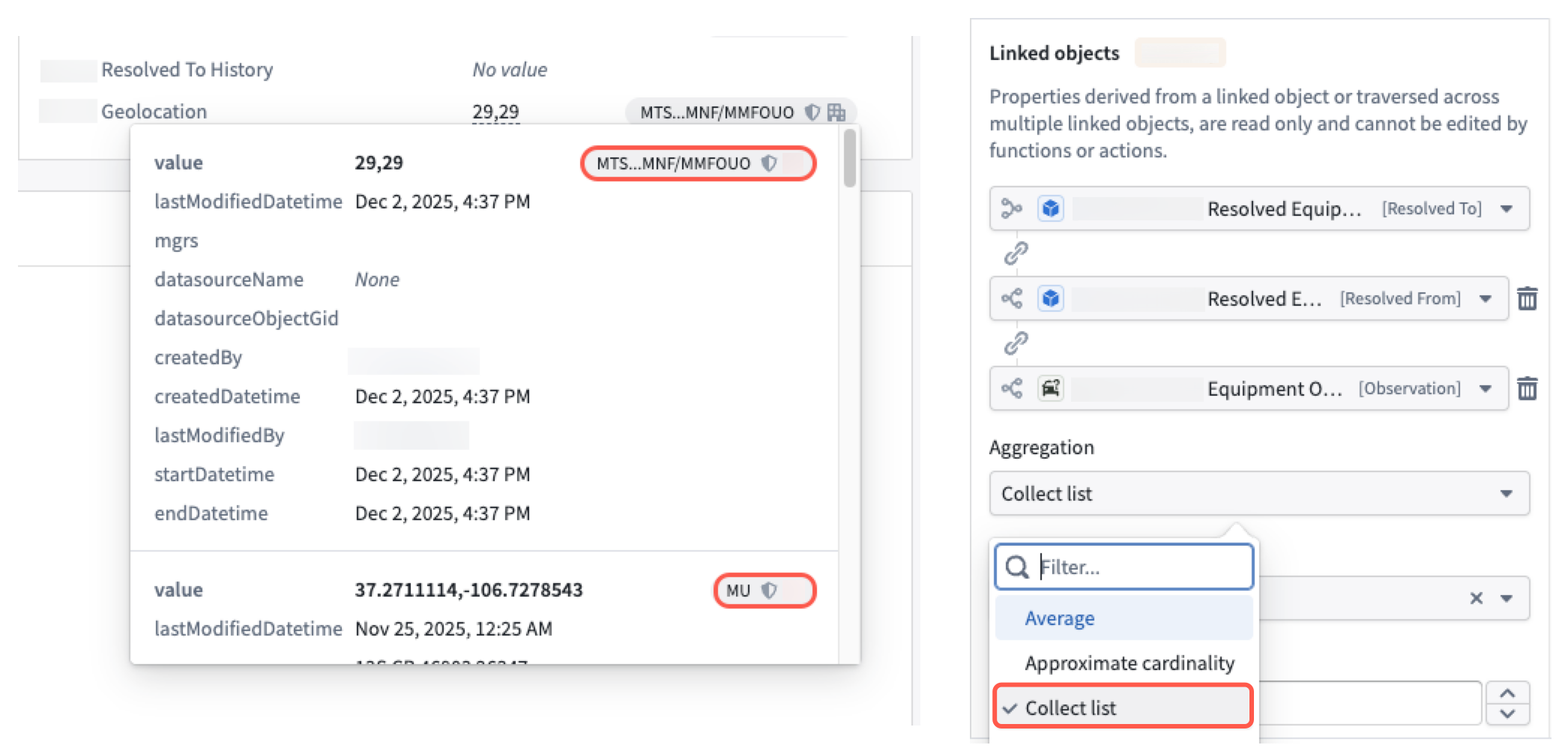
- Derived property: A derived property may contain different security markings for each value, whether the property is derived from other singular or struct properties using the Collect list aggregation method.
Unsupported property base types
Currently, Foundry does not support property security markings for the following property base types:
- Arrays of:
- Cipher text
- Media references
- Attachments
- Geoshape
- Geotemporal series reference
- Time series
- Vector
Additionally, Foundry does not render property security markings for the following property base types when you hover your cursor over a property value in an Object Table widget:
- Attachment
- Cipher text
- Geotemporal series reference
- Media reference
- Vector
中文翻译
属性安全标记(Property security markings)
:::callout{theme="neutral"} 在进一步了解Foundry中的属性安全标记之前,请先查阅标记(markings)和基于分类的访问控制(Classification-based Access Controls, CBAC)文档。 :::
当你在以下Workshop组件(widget)中查看或选择某个属性时,属性安全标记会展示通过对象与属性安全策略(object and property security policies)配置的标记和CBAC值:
属性安全标记仅用于信息展示,默认显示为一个紧凑的灰色胶囊标签(pill),选中后会展开为窗口视图。
Foundry会根据每个属性的安全标记进行校验,确保只有具备相应访问权限的用户才能查看属性值,即便是你在支持的组件中关闭了胶囊标签的可见性也不例外。属性安全标记屏蔽了查看属性数据所需权限要求的部分复杂度。举个例子,若某个对象被标记了Mock Secret CBAC标记,其内部某属性被标记了Mock Unclassified CBAC标记,那么对象视图中该属性会展示为Mock Unclassified,但用户必须拥有Mock Secret CBAC标记的访问权限才能查看该属性的数据。
了解更多Foundry严格访问要求和用户权限控制的相关内容。
:::callout{theme="neutral"} 目前该功能仍在活跃开发迭代中,后续会逐步支持在更多Workshop组件和其他Foundry应用中查看属性安全标记。 :::
在Workshop中查看属性安全标记
在Workshop中配置属性列表、对象列表或对象表格组件时,在组件设置(Widget setup)标签页中开启显示安全标记(Show security markings),即可选择以下展示选项:
- 响应式(Responsive): 空间充足时展示完整安全标记,空间不足时展示截断的标签以适配可用区域。鼠标悬浮时会通过工具提示(tooltip)展示完整标记。对象表格组件不支持该选项。
- 完整标签(Full Tag): 始终展示完整安全标记,宽度不足时自动换行。
- 仅图标(Icon Only): 仅展示标记图标,鼠标悬浮时才展示完整安全标记。
:::callout{theme="neutral"} 如果你的租户实例(enrollment)中没有配置CBAC标记,那么你无需选择上述选项。Foundry仅会在带有强制标记的属性旁展示标记盾牌图标,鼠标悬浮时才会渲染标记标签。 :::
在对象列表或属性列表组件中,点击属性值右侧的属性安全标记胶囊,即可展示展开视图。
若要在对象表格组件中查看相同的展开视图,将鼠标悬浮在表格内的对应属性值上即可。
不同属性基础类型的预期行为
属性安全标记的展示行为会根据属性的基础类型(base type)有所差异。
- 结构体(Struct): 结构体(struct)字段中的每个值都共享同一个属性安全标记,Foundry会将其展示在单个胶囊中。
- 数组(Array): 数组这类包含多个值的基础类型中,每个值都对应相同的属性安全标记,Foundry会为每个值单独渲染一个胶囊。
- 派生属性(Derived property): 派生属性(derived property)的每个值可能会有不同的安全标记,无论该属性是通过Collect list聚合方法从其他单个属性还是结构体属性派生而来。
不支持的属性基础类型
目前,Foundry暂不支持以下属性基础类型的属性安全标记:
- 包含以下元素的数组:
- 密码(Cipher)文本
- 媒体引用(Media references)
- 附件
- 地理形状(Geoshape)
- 地理时间序列引用(Geotemporal series reference)
- 时间序列(Time series)
- 向量(Vector)
此外,当你在对象表格组件中悬浮查看以下属性基础类型的属性值时,Foundry不会渲染属性安全标记:
- 附件
- 密码文本
- 地理时间序列引用
- 媒体引用
- 向量