Configure CORS (cross-origin resource sharing)(配置 CORS(跨域资源共享))
CORS (cross-origin resource sharing) is a security feature that enables web pages to access APIs hosted on a different origin. CORS works by allowing specific HTTP headers to be added to the request and response, which permits cross-origin requests to go through. This feature is essential for legitimate cross-origin requests and prevents malicious external websites from accessing sensitive information.
You can configure CORS policies for your Foundry enrollment to enable certain external origins to access your resources, supporting other workflows such as accessing Foundry public APIs and integrating third party applications.
Configure CORS policies
:::callout{theme="neutral"} CORS policy configuration in Control Panel is a new feature that relies on proper network infrastructure. If the feature is not yet available in your enrollment, contact your Palantir representative for assistance. :::
To begin configuring policies, head to the CORS tab in Control Panel. This feature is available to users with the Information Security Officer or Enrollment Administrator role. These roles are granted by Enrollment Administrators, in the Enrollment permissions tab of Control Panel.
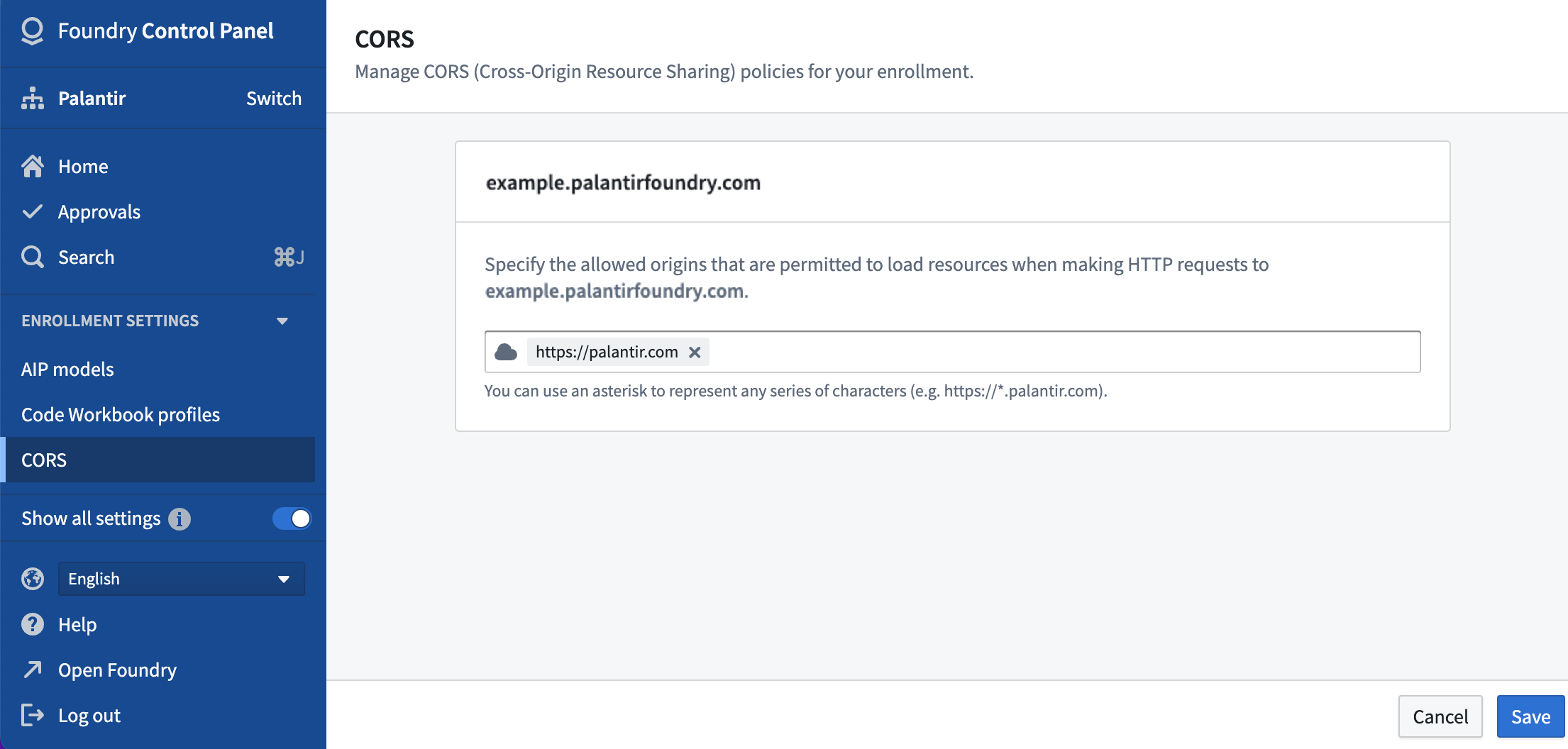
As seen above, you can specify the allowed origins for your enrollment's hosts to permit these origins to load resources when making HTTP requests to your hosts.
When adding an origin, note the following rules:
- Non-localhost origins are required to start with the "https://" protocol followed by a complete domain. However, for localhost, the "http://" protocol is also supported.
- Ports are allowed only for localhost origins. To specify a port, add a colon ':' at the end of the origin address followed by the port number.
- You can use an asterisk to serve as a wildcard to represent any subdomain (for example, https://*.palantir.com).
Select Save once you have configured the CORS policies for your enrollment's host(s); your new policies should take effect within five minutes.
中文翻译
配置 CORS(跨域资源共享)
CORS(跨域资源共享)是一项安全功能,允许网页访问托管在不同源(origin)上的 API。CORS 通过允许在请求和响应中添加特定的 HTTP 标头来实现,从而使跨域请求能够正常通过。该功能对于合法的跨域请求至关重要,并能防止恶意外部网站访问敏感信息。
您可以为您的 Foundry 注册(enrollment)配置 CORS 策略,以允许特定的外部源访问您的资源,从而支持其他工作流程,例如访问 Foundry 公共 API 和集成第三方应用。
配置 CORS 策略
:::callout{theme="neutral"} 控制面板中的 CORS 策略配置是一项依赖于正确网络基础设施的新功能。如果该功能在您的注册中尚不可用,请联系您的 Palantir 代表以获取帮助。 :::
要开始配置策略,请前往控制面板中的 CORS 选项卡。此功能适用于具有信息安全官(Information Security Officer)或注册管理员(Enrollment Administrator)角色的用户。这些角色由注册管理员在控制面板的 注册权限 选项卡中授予。
如上所示,您可以为注册的主机(hosts)指定允许的源,以允许这些源在向您的主机发起 HTTP 请求时加载资源。
添加源时,请注意以下规则:
- 非本地主机(non-localhost)源必须以 "https://" 协议开头,后跟完整的域名。但对于本地主机(localhost),也支持 "http://" 协议。
- 仅允许为本地主机源指定端口。要指定端口,请在源地址末尾添加冒号 ':',后跟端口号。
- 您可以使用星号作为通配符来表示任何子域名(例如,https://*.palantir.com)。
为注册的主机配置好 CORS 策略后,选择 保存;新策略应在五分钟内生效。