Configure remote Marketplace stores(配置远程 Marketplace 商店)
Some Marketplace stores are remote, meaning that they are created on one Foundry enrollment and then made available on other Foundry enrollments. For example, the Foundry Store is provided by Palantir and includes products such as Mapbox boundary datasets. While stores created on your Foundry enrollment will inherit the access permissions of their save location, access to remote stores is configurable in Control Panel. Remote stores are made available on your Foundry enrollment by Palantir. Some stores are available for all customers (such as Foundry Store and Reference Resources) while others may have been added to facilitate specific use cases within your organization.
:::callout{theme="neutral"} User-created Marketplace stores are local to an enrollment by default. See the DevOps documentation for information on sharing products across enrollments. :::
Remote store permissions
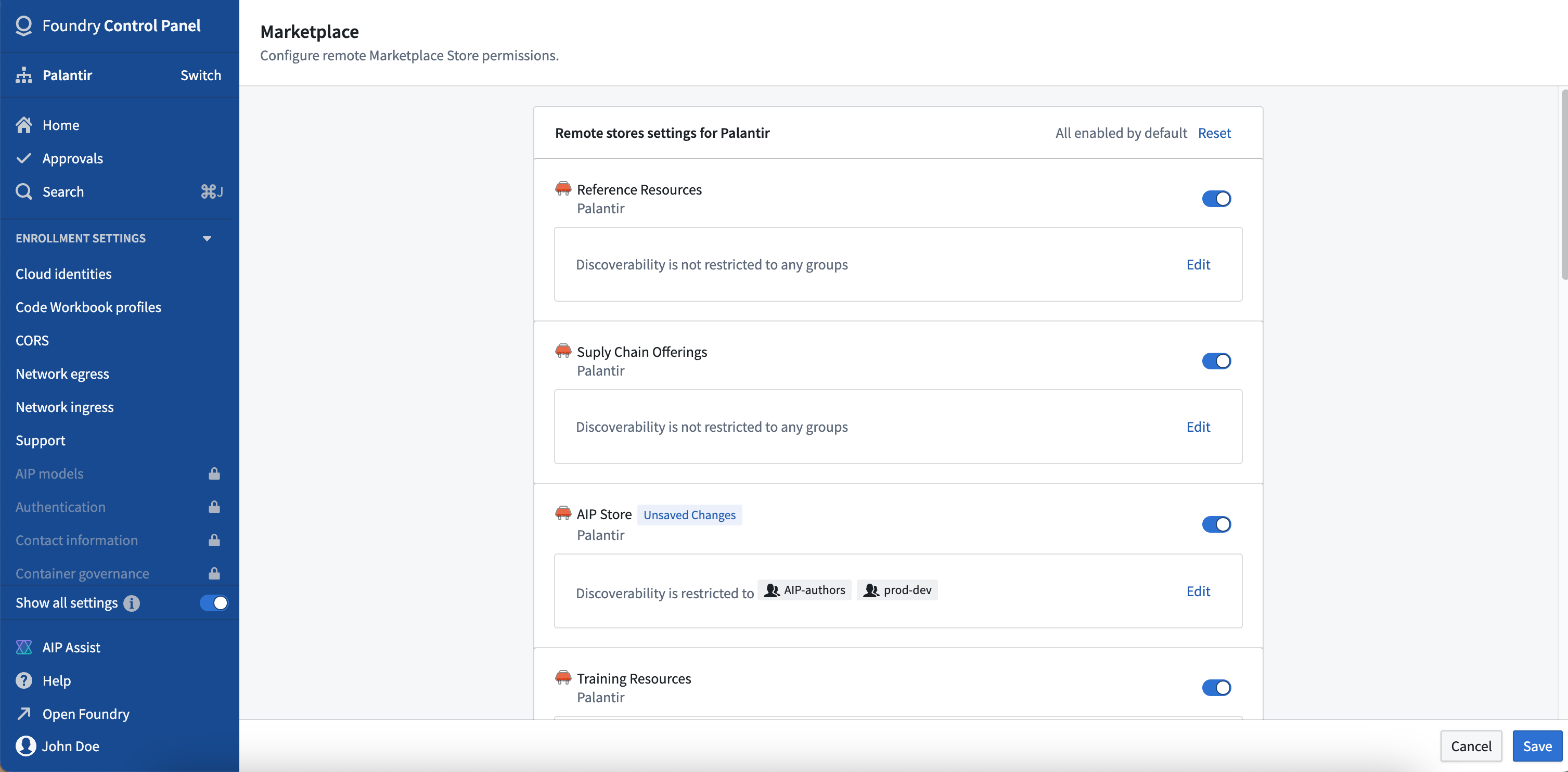
Remote store settings are configured per organization. Settings can be configured by users with the Organization Administrators role and viewed by those with the Organization Settings Viewer role.
Once a remote store has been made available on your Foundry organization:
- If the store is turned on, the store and its products will be visible to all users in Marketplace. By default, if a new store is made available to your organization from another enrollment, it will be enabled.
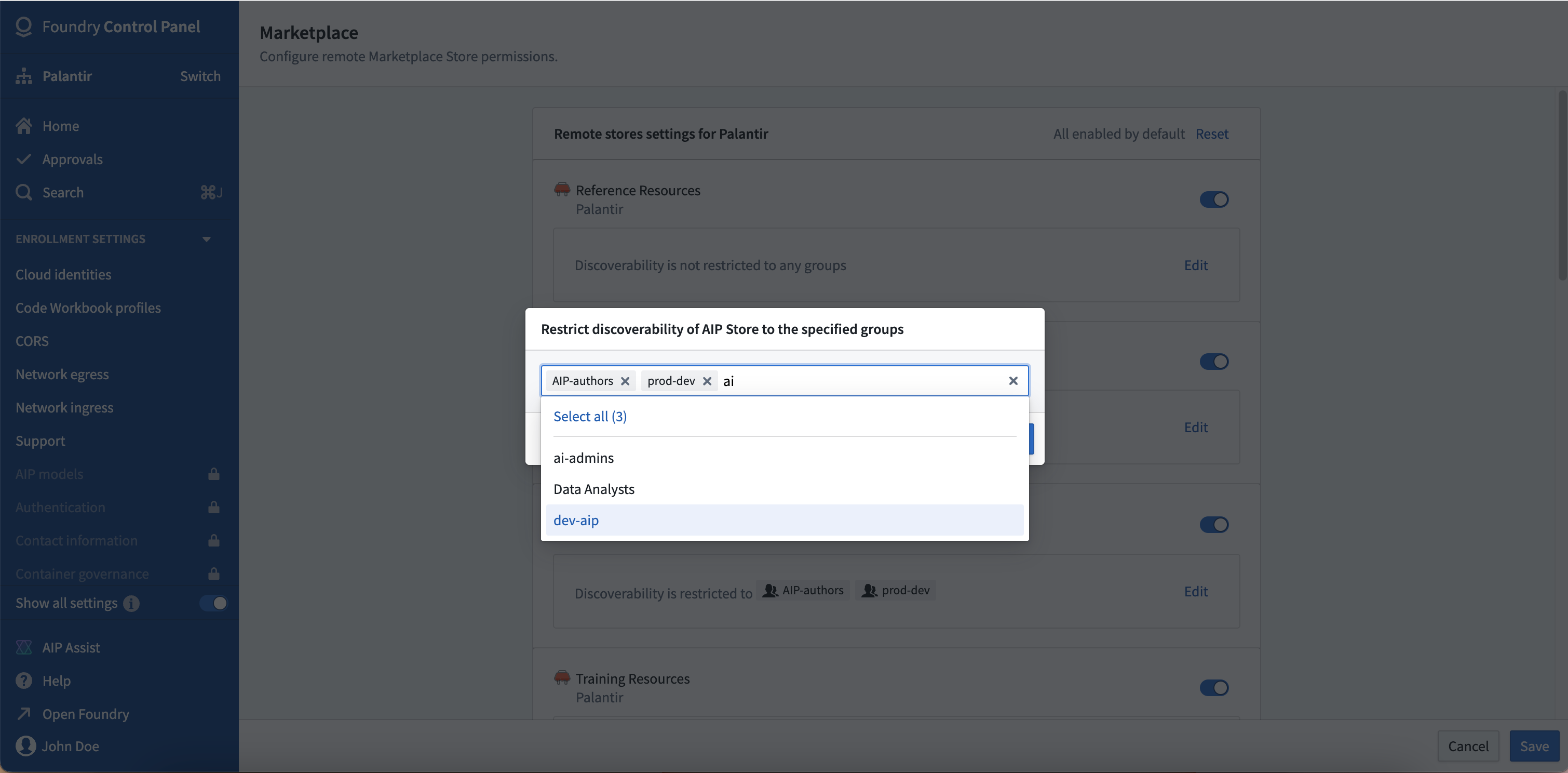
- You can limit access to specific members of user groups within your organization. If you set permissions to a group whose users spans multiple organizations, only the members of the group in your organization will be able to view the store.
- If the store is turned off, no users will be able to see the store or its products in Marketplace.
中文翻译
配置远程 Marketplace 商店
某些 Marketplace 商店是远程的,即它们在一个 Foundry 注册实例上创建,然后在其他 Foundry 注册实例上提供使用。例如,Foundry Store 由 Palantir 提供,包含 Mapbox 边界数据集 等产品。在您的 Foundry 注册实例上创建的商店会继承其保存位置的访问权限,而远程商店的访问权限则可在控制面板中进行配置。远程商店由 Palantir 在您的 Foundry 注册实例上提供。某些商店对所有客户开放(例如 Foundry Store 和 Reference Resources),而其他商店则可能是为了促进您组织内的特定用例而添加的。
:::callout{theme="neutral"} 用户创建的 Marketplace 商店默认仅限本地注册实例使用。有关跨注册实例共享产品的信息,请参阅 DevOps 文档。 :::
远程商店权限
远程商店设置按组织进行配置。具有 组织管理员(Organization Administrators) 角色的用户可以配置这些设置,而具有 组织设置查看者(Organization Settings Viewer) 角色的用户可以查看这些设置。
一旦远程商店在您的 Foundry 组织中可用:
- 如果商店处于开启状态,该商店及其产品将对 Marketplace 中的所有用户可见。默认情况下,如果新商店从其他注册实例向您的组织开放,它将处于启用状态。
- 您可以限制仅允许组织内特定用户组的成员访问。如果您将权限设置为某个用户组,而该组的用户跨多个组织,则只有您组织内的该组成员才能查看该商店。
- 如果商店处于关闭状态,则任何用户都无法在 Marketplace 中看到该商店或其产品。