Configure the Content Security Policy for embedding(配置用于嵌入的内容安全策略)
This section reviews how to embed a Foundry resource, such as a Workshop module, on your organization’s own website, and vice versa.
The configuration requires editing the Content Security Policy configuration found in Control Panel for your Foundry environment. Note that this section is only available to those who are designated as organization administrators or data governance officers in Control Panel.
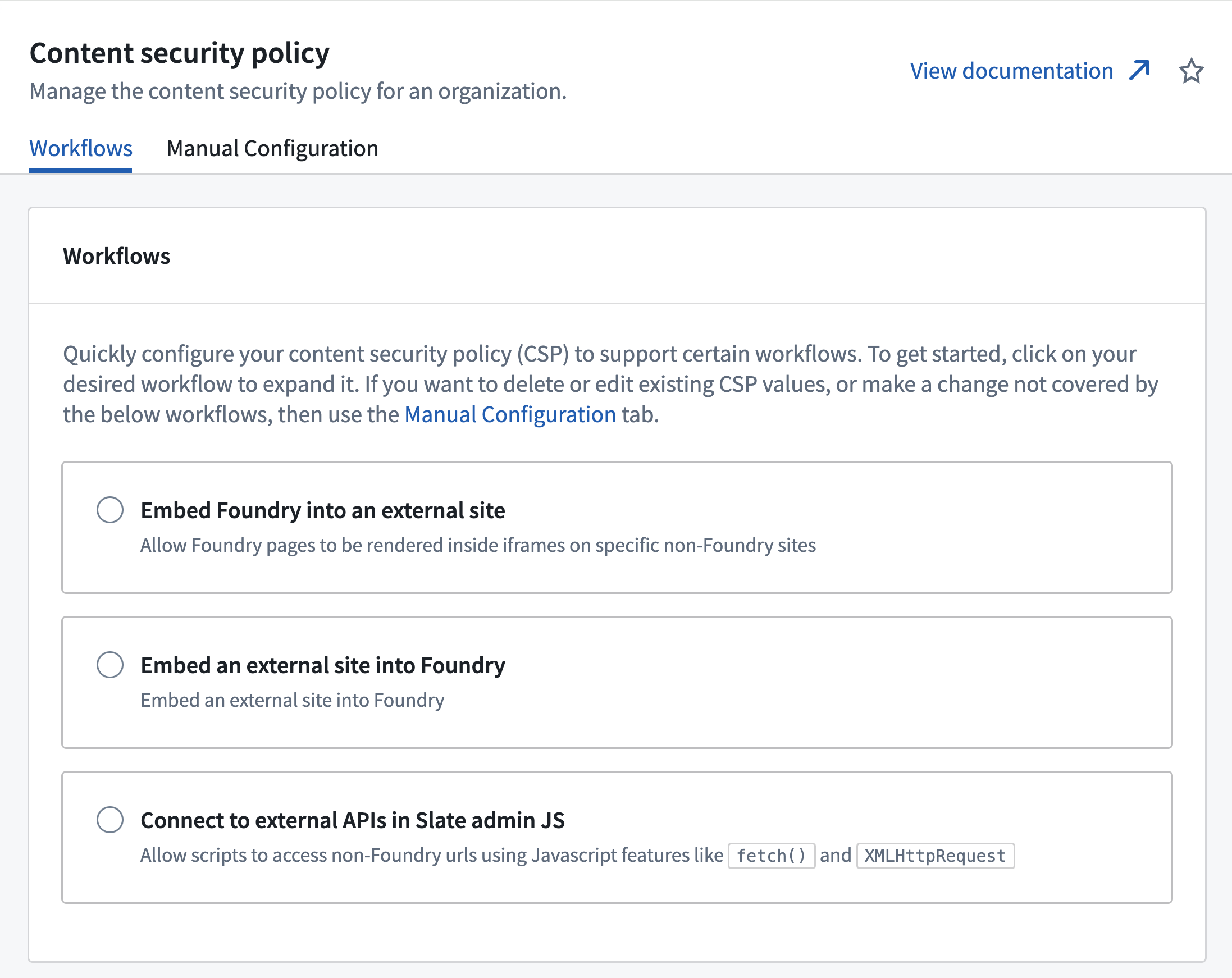
Using workflows
The following sections describe how to use workflows to configure your Content Security Policy (CSP) to support embedding. If you need to make other changes, you can also use the manual configuration tab to configure your CSP directly. See the manual configuration documentation for more information.
Embed a Foundry resource externally
:::callout{theme="warning"} Users of your site will be able to see the URL of your embedded Foundry resource. Do not embed Foundry into sites accessed by users who you don't want to know about your Foundry environment. :::
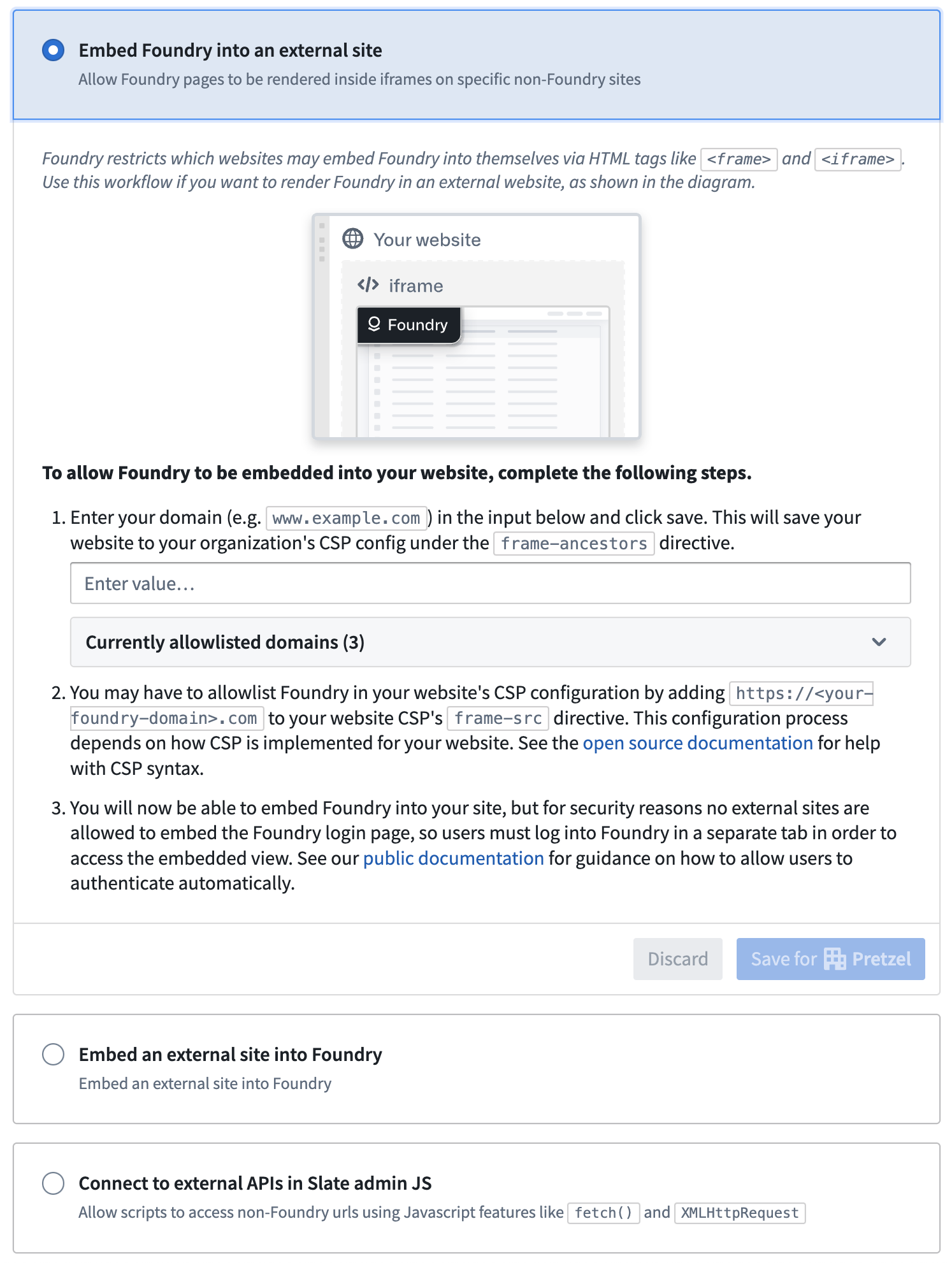
To allow Foundry to be embedded into external resources, select the Embed Foundry into an external site workflow in the workflows tab. Follow the provided instructions to configure your CSP automatically.
Authentication
When the Foundry resource is successfully embedded on your organization’s website, users must be logged in to both your organization’s website and to Foundry. For security reasons, the login flow cannot be shown in an iframe; users must log into Foundry in another tab or window.
You can configure an automation for your organization's website to automatically open the URL https://{my-foundry-url}/workspace/auth-redirect in a new tab or pop-up window and initiate the login flow. When login is complete, the tab or window will automatically close.
Foundry’s core security principles will continue to apply to the embedded resource. This means that a user’s permissions, as configured in Foundry, will dictate their access to the embedded Foundry resource on your organization’s site.
Embed external resources in Foundry
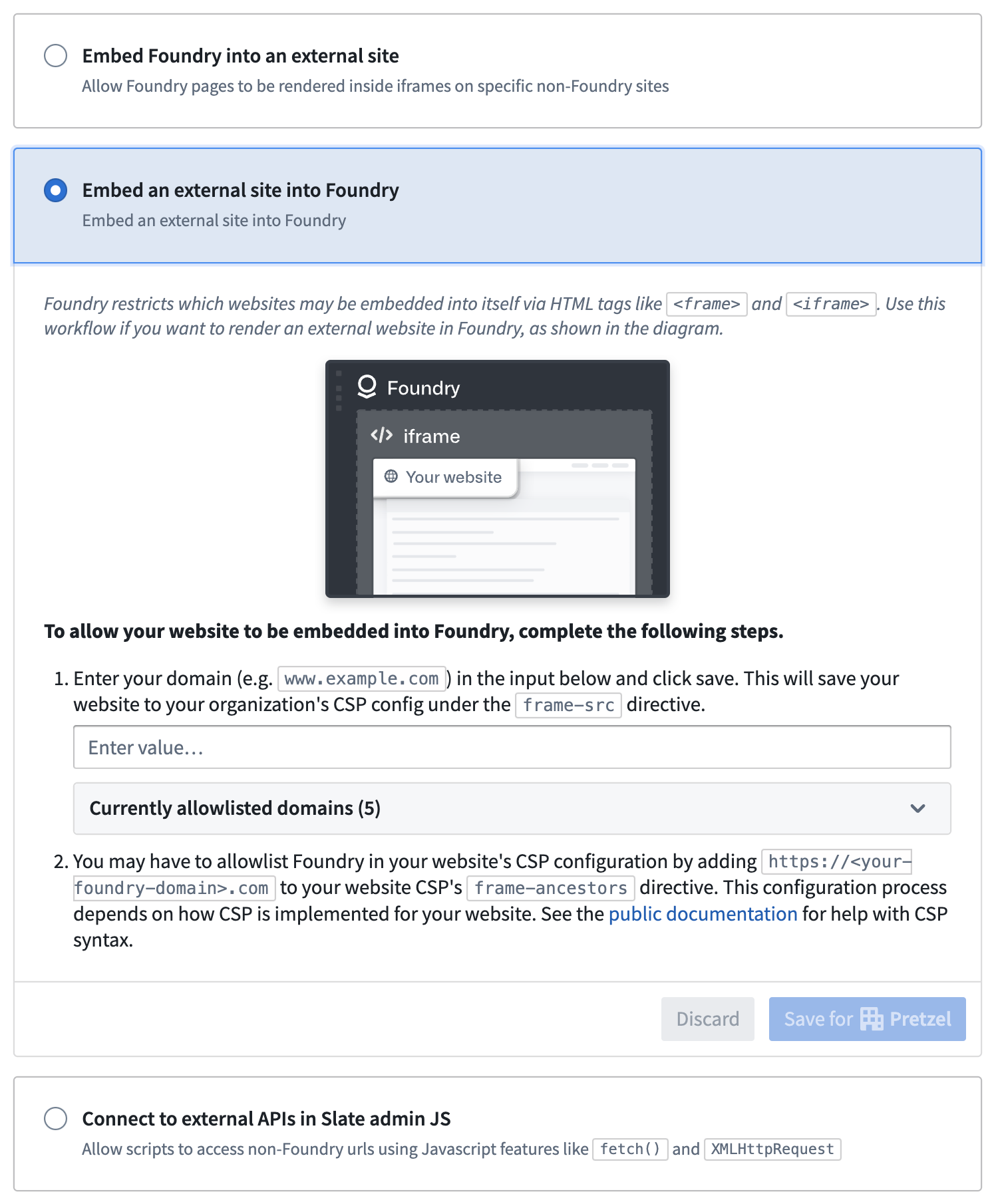
You can also embed external resources into Foundry applications. To do so, select Embed an external site into Foundry in the workflows tab. Follow the provided instructions to configure your CSP automatically. The embedded external resource must also allow itself to be embedded in Foundry, by setting the appropriate frame-ancestors directive for the Content-Security-Policy header ↗.
Manual configuration
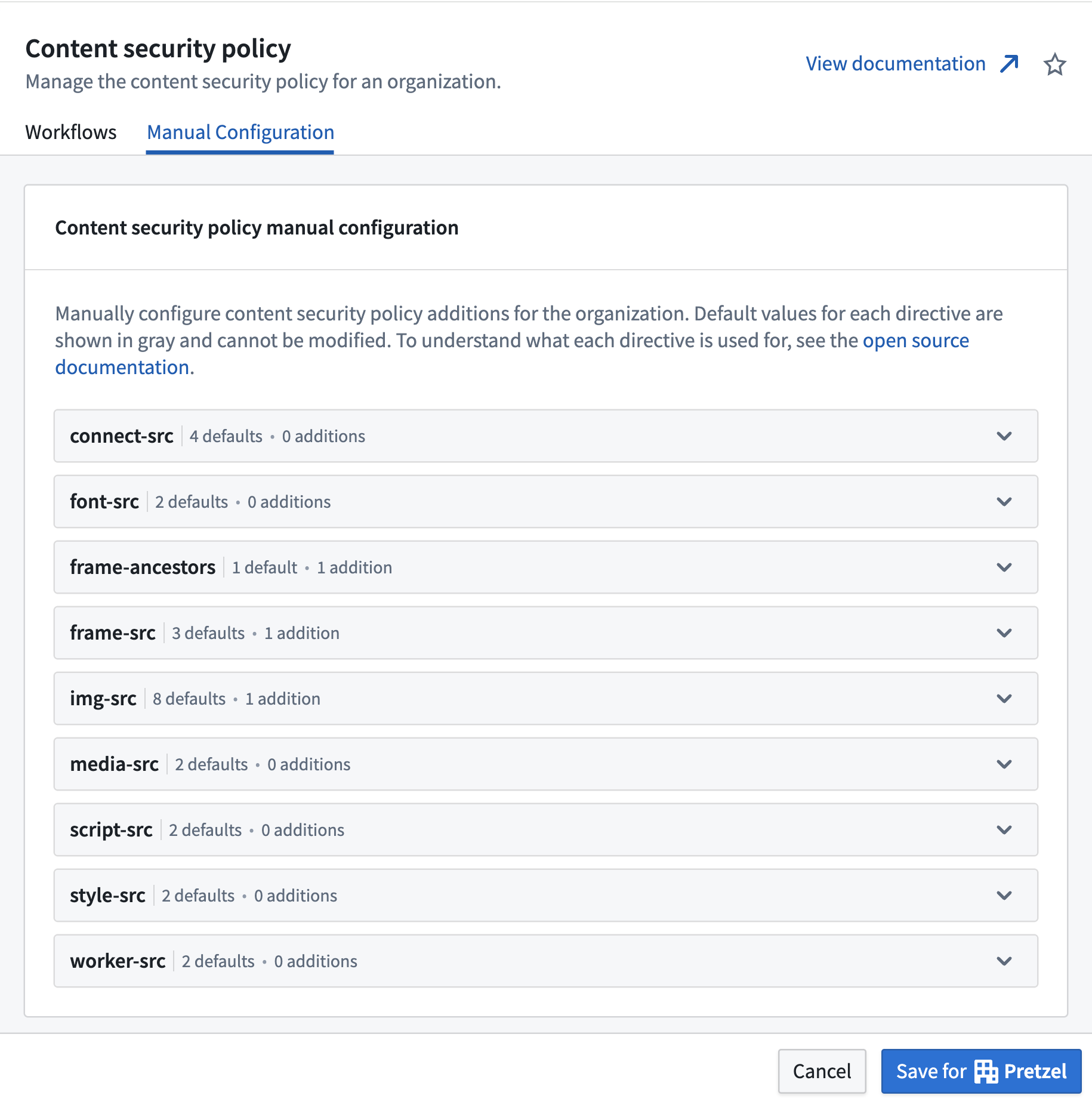
You can manually configure your Content Security Policy settings if your use case does not fall into the existing workflows. Navigate to the Content Security Policy section of Control Panel in your Foundry environment and select the manual configuration tab.
中文翻译
配置用于嵌入的内容安全策略
本节介绍如何在贵组织自己的网站上嵌入 Foundry 资源(例如 Workshop 模块),以及反向操作。
配置需要编辑 Foundry 环境中 控制面板(Control Panel) 内的内容安全策略(Content Security Policy)配置。请注意,只有被指定为控制面板中的组织管理员或数据治理官的人员才能访问此部分。
使用工作流
以下各节介绍如何使用工作流配置内容安全策略(CSP)以支持嵌入。如果您需要进行其他更改,也可以使用手动配置选项卡直接配置 CSP。更多信息请参阅手动配置文档。
在外部嵌入 Foundry 资源
:::callout{theme="warning"} 您网站的用户将能够看到您嵌入的 Foundry 资源的 URL。请不要将 Foundry 嵌入到您不希望其了解 Foundry 环境的用户所访问的网站中。 :::
要允许将 Foundry 嵌入到外部资源中,请在工作流选项卡中选择 将 Foundry 嵌入到外部网站(Embed Foundry into an external site) 工作流。按照提供的说明自动配置您的 CSP。
身份验证
当 Foundry 资源成功嵌入到贵组织的网站时,用户必须同时登录贵组织的网站和 Foundry。出于安全原因,登录流程无法在 iframe 中显示;用户必须在另一个标签页或窗口中登录 Foundry。
您可以为贵组织的网站配置自动化功能,自动在新标签页或弹出窗口中打开 URL https://{my-foundry-url}/workspace/auth-redirect 并启动登录流程。登录完成后,该标签页或窗口将自动关闭。
Foundry 的核心安全原则将继续适用于嵌入的资源。这意味着用户在 Foundry 中配置的权限将决定其对贵组织网站上嵌入的 Foundry 资源的访问权限。
在 Foundry 中嵌入外部资源
您也可以将外部资源嵌入到 Foundry 应用程序中。为此,请在工作流选项卡中选择 将外部网站嵌入到 Foundry(Embed an external site into Foundry)。按照提供的说明自动配置您的 CSP。嵌入的外部资源还必须通过为 Content-Security-Policy 标头设置适当的 frame-ancestors 指令 ↗ 来允许自身被嵌入到 Foundry 中。
手动配置
如果您的用例不属于现有工作流,您可以手动配置内容安全策略设置。导航到 Foundry 环境中控制面板的 内容安全策略(Content Security Policy) 部分,然后选择手动配置选项卡。