Permissions(权限)
Levels of permissions
Permissions in Control Panel are managed at two different levels: Enrollments and Organizations. Each level has a dedicated page to manage permissions.
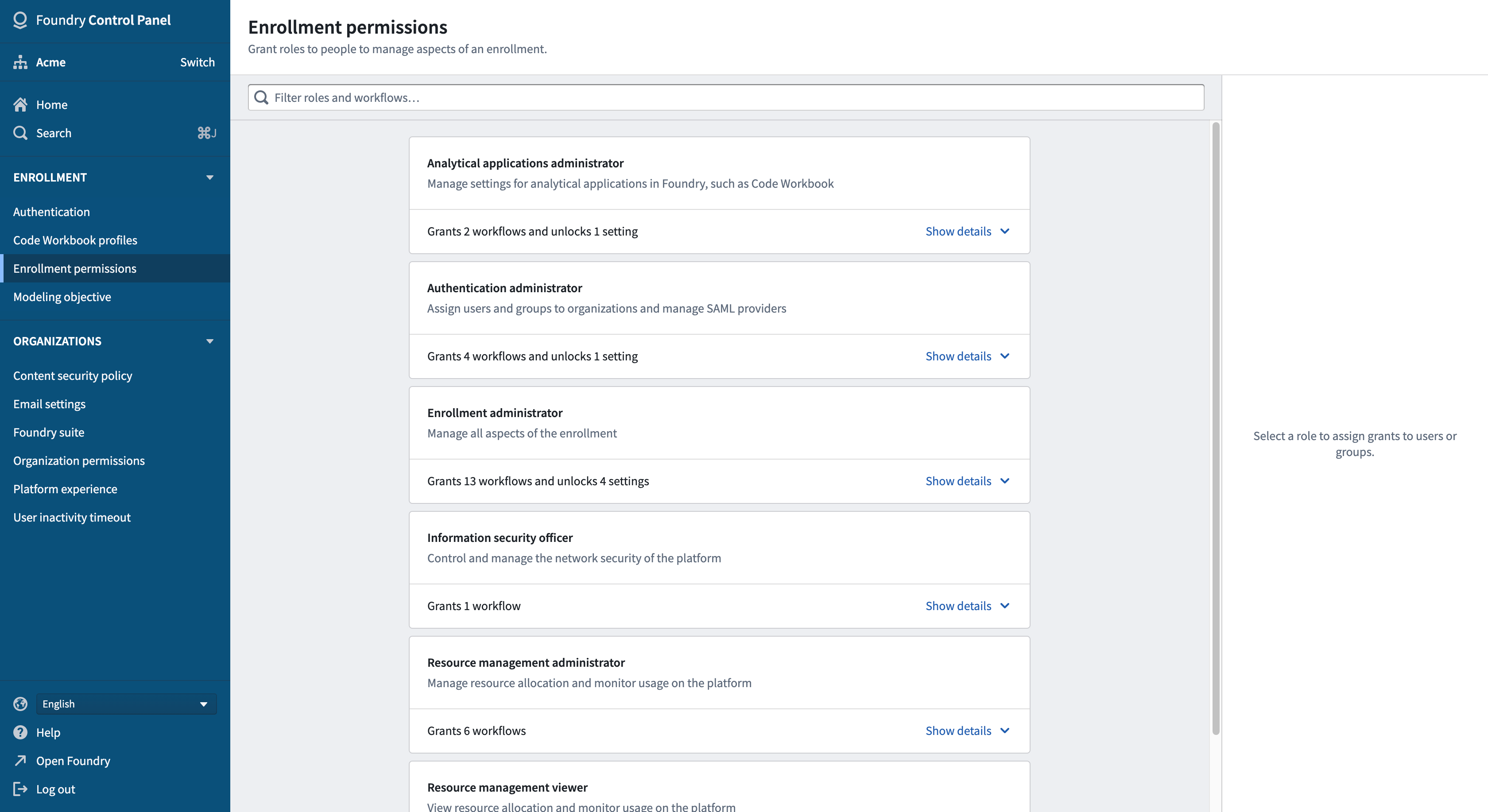
To manage permissions for your enrollment, use the Enrollment permissions tab.
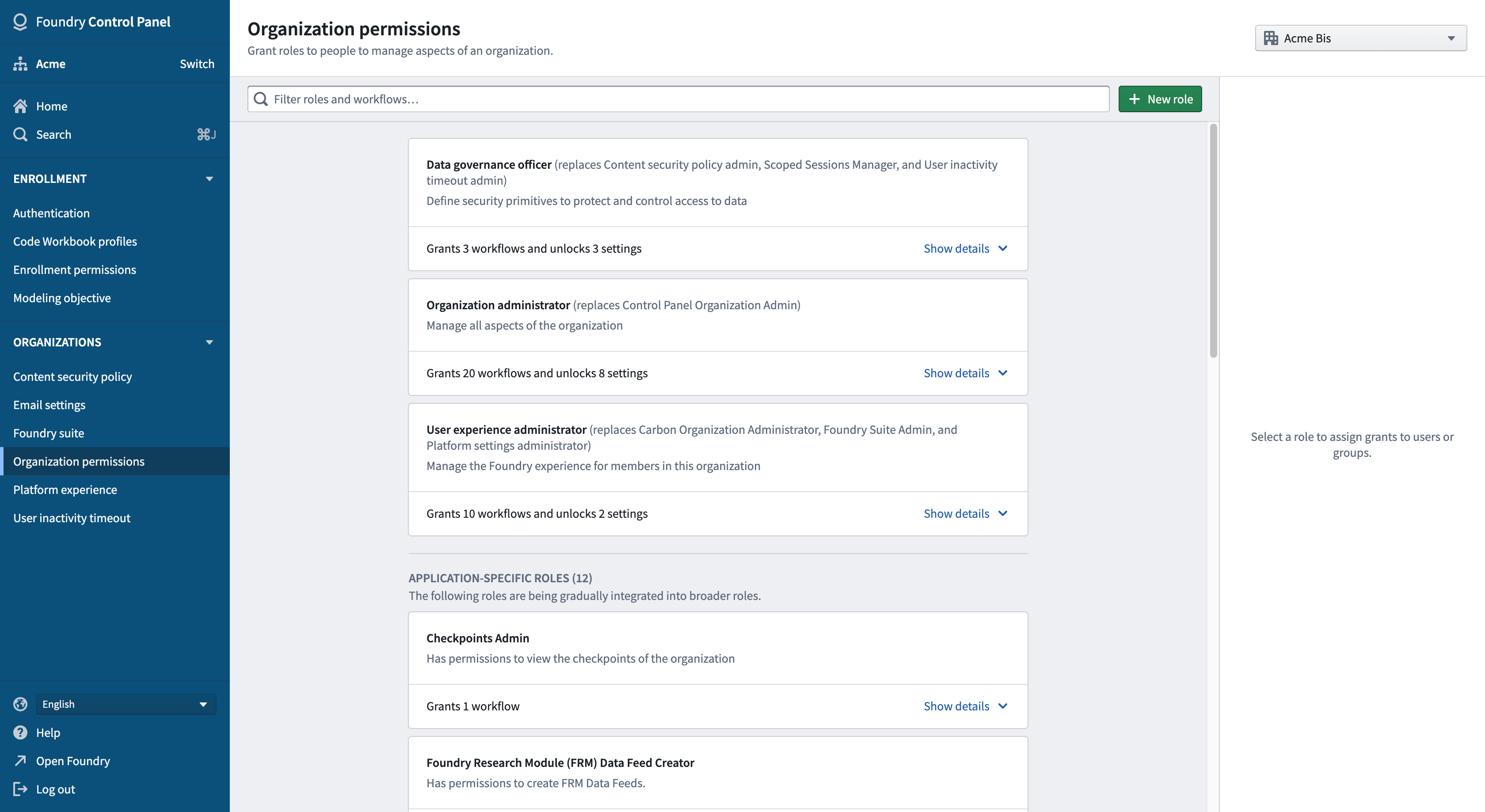
To manage permissions for your Organization(s), use the Organization permissions tab. If you are able to manage permissions for multiple Organizations, use the dropdown menu on top to select the desired one.
The levels are strictly independent. For example, a user who can manage permissions for an enrollment will not necessarily be able to manage permissions for the enrollment's Organization(s). This provides the ability to delegate or separate responsibilities, in particular for cases where multiple companies collaborate on the same Foundry platform.
Roles
At each level, roles can be granted to users and/or groups. Each role contains a number of workflows which correspond to capabilities or actions that the people granted the role will be able to take.
Each level has different roles, but within each level there is a role with the highest level of permissions (Enrollment administrator and Organization administrator, respectively). These roles should be granted carefully, usually to top-level administrators, as they:
- Grant the ability to manage permissions for the enrollment/Organization, and therefore the ability to grant other roles; and
- Incorporate all workflows from other roles of that level.
Technical Compliance Officer Role
Each Organization should have at least one user granted the Technical Compliance Officer role. If the role is not explicitly granted to anyone, the Organization administrator will be considered the Technical Compliance Officer by default.
A key responsibility of the Technical Compliance Officer is that they are an Upgrade Assistant Operator. As an Operator, they are the primary contact to be made aware of planned Platform changes that require attention and may need manual action by users. Upgrade Assistant Operator is expected to use the Operator View in the Upgrade Assistant application to track and drive the progress of users carrying out any required actions.
:::callout{theme="neutral"} Application-specific roles under Organization permissions are legacy standalone roles that are in the process of migrating to roles as described above. For now, application-specific roles are not incorporated in the Organization administrator role and cannot be included in custom roles. :::
Custom roles
In addition to the default roles, Enrollment administrators and Organization administrators can define custom roles in Control Panel by selecting individual workflows. This can be used to create more narrow roles to separate and delegate responsibilities.
Custom roles are not shared across organizations, so different custom roles can be defined for different organizations.
中文翻译
权限
权限级别
控制面板(Control Panel)中的权限在两个不同级别进行管理:Enrollment 和 组织(Organization)。每个级别都有专门的页面来管理权限。
要管理您的 Enrollment 权限,请使用 Enrollment permissions 选项卡。
要管理您的组织权限,请使用 Organization permissions 选项卡。如果您可以管理多个组织的权限,请使用顶部的下拉菜单选择目标组织。
这些级别是严格独立的。例如,能够管理某个 Enrollment 权限的用户,不一定能管理该 Enrollment 所属组织的权限。这提供了委派或分离职责的能力,特别适用于多家公司在同一 Foundry 平台上协作的场景。
角色
在每个级别,都可以向用户和/或用户组授予角色(roles)。每个角色包含多个工作流(workflows),这些工作流对应于被授予该角色的用户能够执行的功能或操作。
每个级别都有不同的角色,但在每个级别中都有一个具有最高权限级别的角色(分别是 Enrollment administrator 和 Organization administrator)。应谨慎授予这些角色,通常只授予顶级管理员,因为它们具有以下特性:
- 授予管理 Enrollment/组织权限的能力,从而赋予授予其他角色的能力;以及
- 包含该级别其他角色的所有工作流。
Technical Compliance Officer 角色
每个组织应至少有一名用户被授予 Technical Compliance Officer 角色。如果未明确将该角色授予任何人,则默认将 Organization administrator 视为 Technical Compliance Officer。
Technical Compliance Officer 的一项关键职责是担任升级助手操作员(Upgrade Assistant Operator)。作为操作员,他们是主要联系人,负责获知需要关注并可能需要用户手动操作的计划平台变更(Platform changes)。Upgrade Assistant Operator 需使用升级助手(Upgrade Assistant)应用中的操作员视图来跟踪和推动用户执行任何必要操作的进度。
:::callout{theme="neutral"} Organization permissions 下的特定应用角色(Application-specific roles)是旧版独立角色,目前正在迁移至上述角色体系。 目前,特定应用角色尚未整合到 Organization administrator 角色中,也无法包含在自定义角色中。 :::
自定义角色
除了默认角色外,Enrollment administrators 和 Organization administrators 还可以通过选择各个工作流在控制面板中定义自定义角色。这可用于创建范围更窄的角色,以分离和委派职责。
自定义角色不会在各组织之间共享,因此可以为不同组织定义不同的自定义角色。