Group assignment(组分配(Group assignment))
As part of setting up an authentication provider, administrators can define rule based groups. Membership to a rule based group is automatically assigned based on rules evaluated at login. These rules can be configured for each authentication provider. To set up rule based groups, navigate to Control Panel > Authentication > Authentication provider > Manage group assignment to use the group assignment editor.
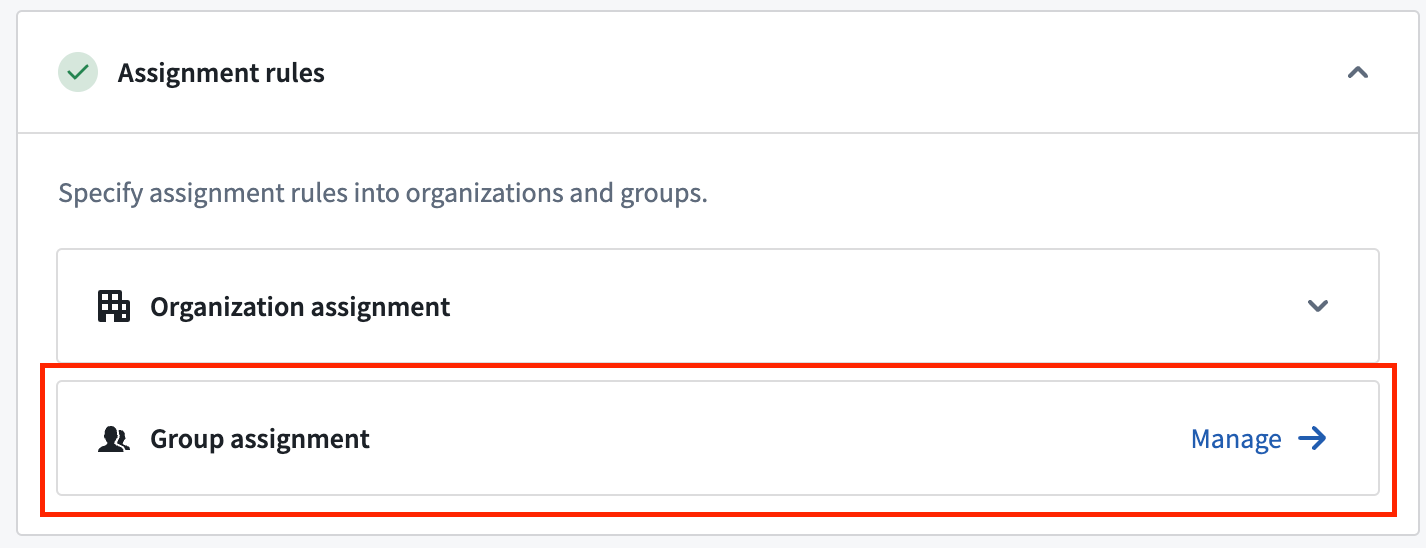
Defining rule based groups
Rules
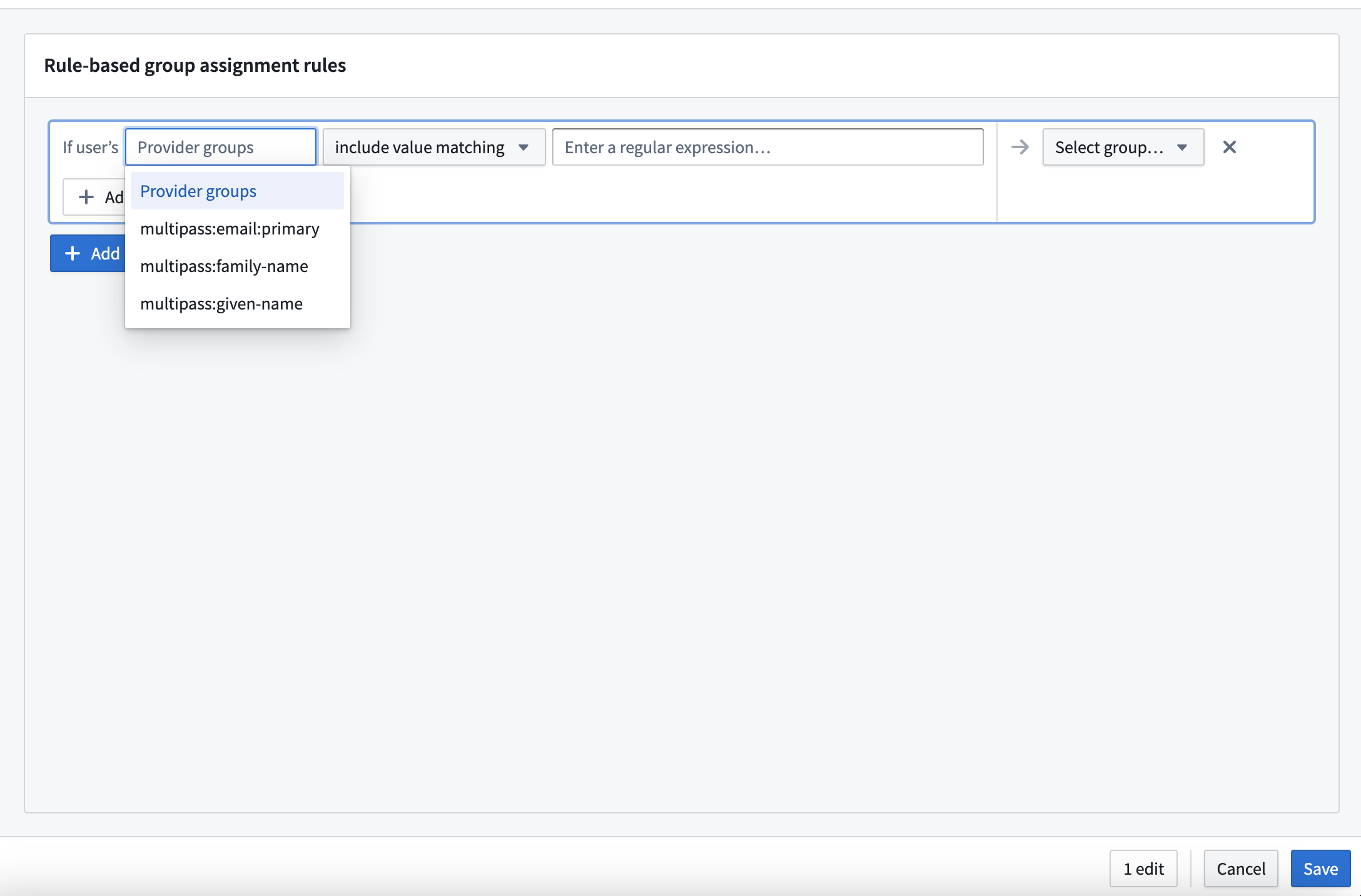
Group assignment rules contain one or more AND conditions that are evaluated against user attributes or provider groups. For each rule, users who match all conditions will be assigned membership to the specified rule based group. Administrators can specify OR conditions by defining separate assignment rules applied to the same group.
Conditions use regular expression (regex) patterns for matching. Three matching options are provided:
- Includes pattern matching: The pattern matches at least one of a user's provider groups or one value in a user's array-type attribute.
- Does not include pattern matching: The pattern does not match any of a user’s provider groups or does not match any of the values in a user’s array-type attribute.
- Is equal to pattern matching: The pattern matches a user's string type attribute.
Groups
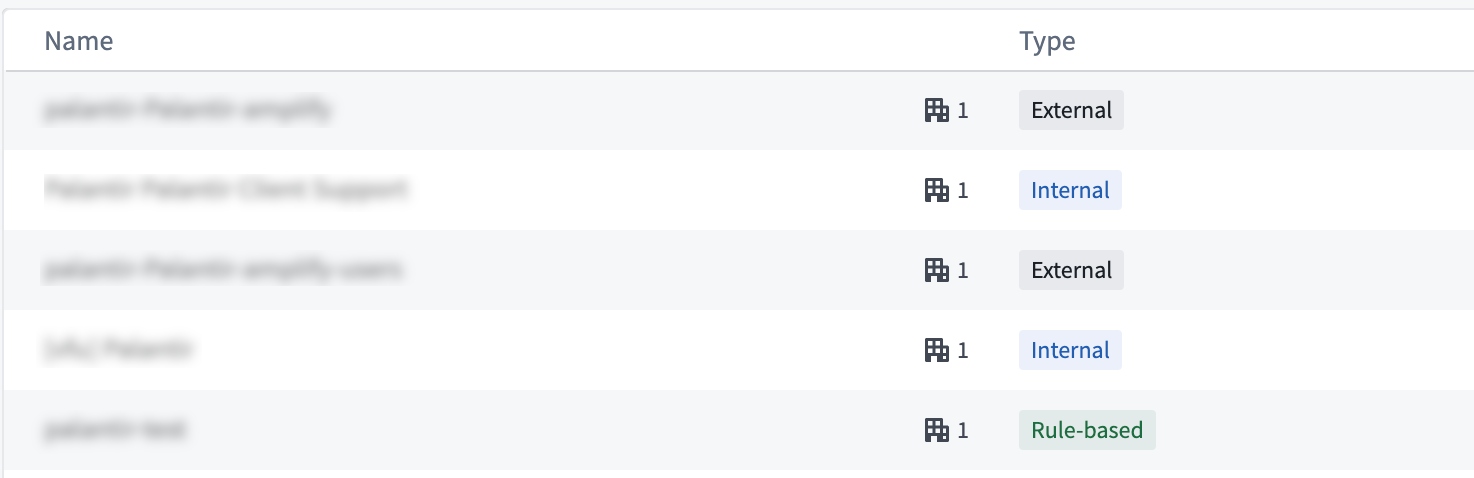
Foundry uses three types of user groups across the platform:
- Rule based groups: Used for administrator defined rules applied during login.
- Internal groups: Manually assigned in Foundry, and can contain users and other external, rule based, or internal groups.
- External groups: Also called provider groups, these groups are defined externally, typically by an identity provider. These groups are ingested at user login.
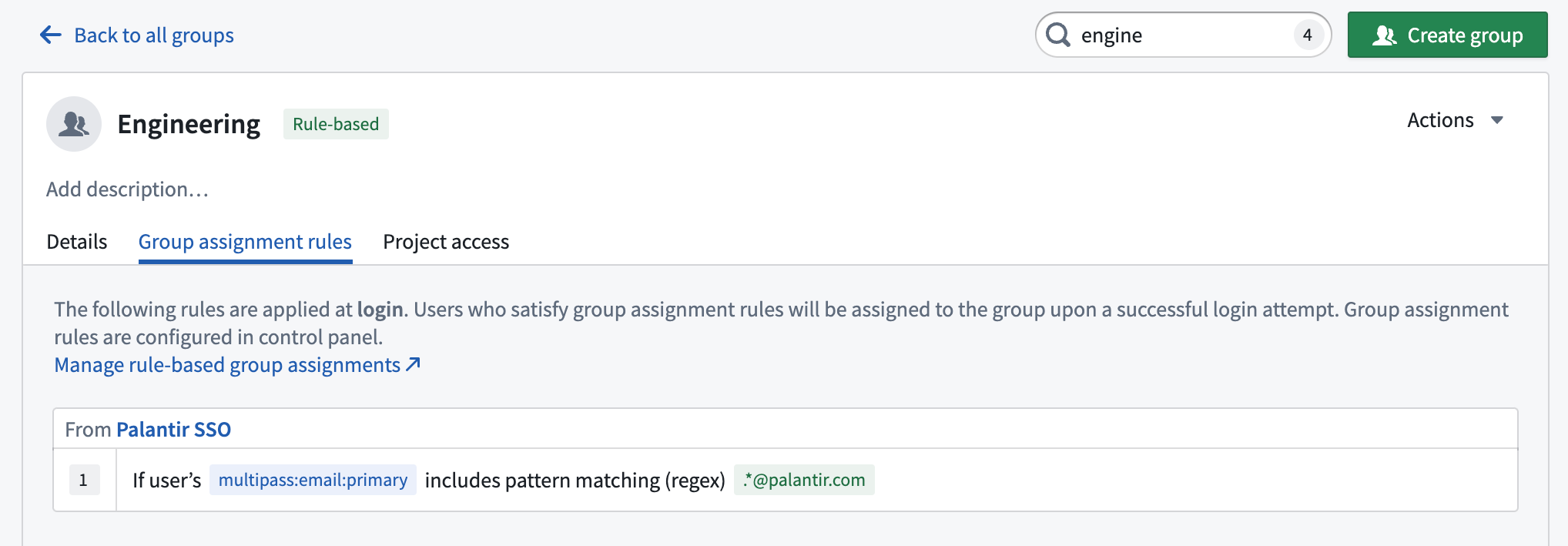
Of these three group types, only rule based group membership can be defined in Foundry using the automated rules discussed here.
Rule based groups help guarantee legibility and consistency in group membership, so we recommend rule based groups over internal groups where possible. Internal groups make sense in cases of temporary access, provisional cohort creation, or specific onboarding or revocation requirements that cannot be met by an external identity provider. Because access in these cases requires a human-in-the-loop, the attribute and group conditions used by rule based groups will likely be insufficient to determine access.
Validation and testing
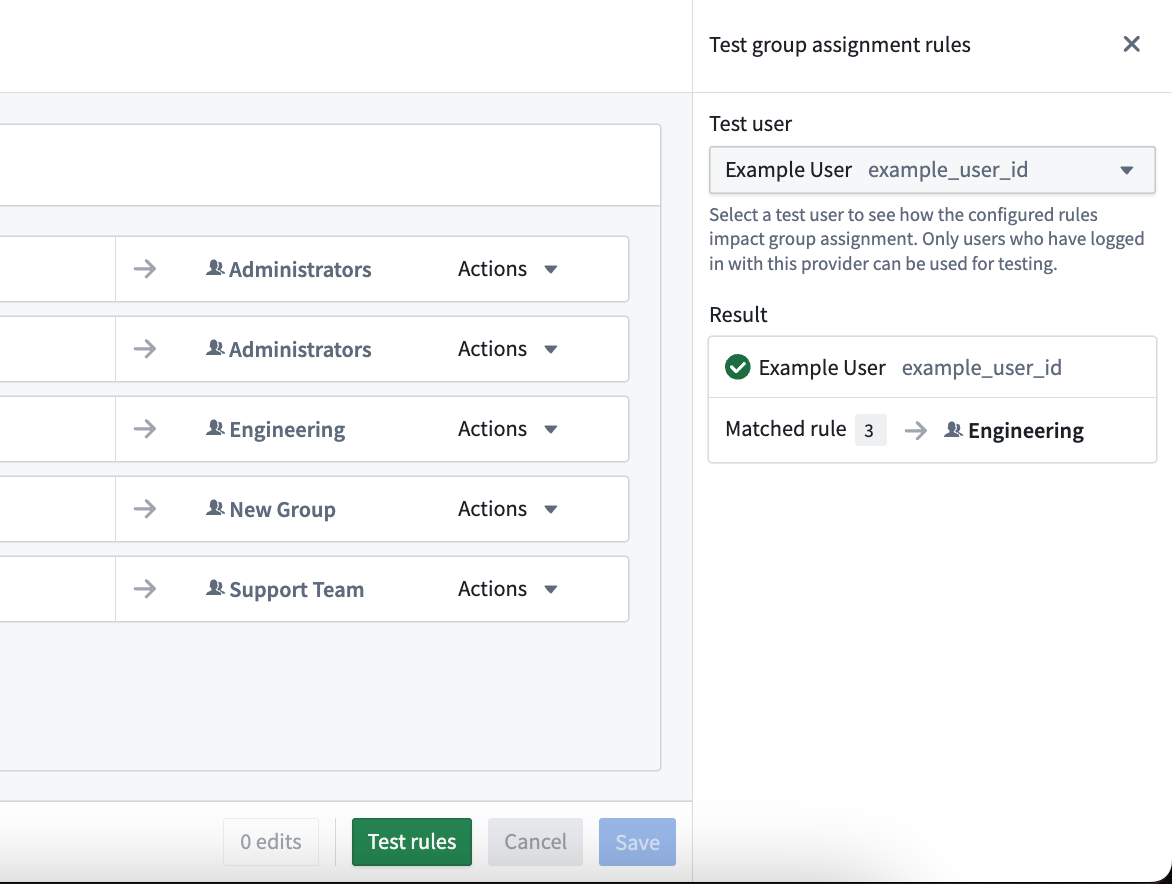
- Navigate to Control Panel > Authentication > Authentication provider > Manage group assignment > Test rules to validate rules against an existing user. This will show which rule(s) the user matches and the group(s) they will be assigned to at their next login. Note that only users who have already logged in with this provider can be simulated in the Test rules panel.
- Rules are applied when a user logs in, regardless of whether they are an existing or new user. Rules do not run retroactively upon saving.
- Regular expression correctness is a common point of failure when defining rule based groups. Non-matching patterns have a tendency to fail quietly while causing unanticipated user assignment.
Migrating to rule based groups from group AUM
Some Foundry authentication setups use a legacy tool for automated user assignment called group asynchronous user manager (AUM). Group AUM does not have a user interface, it is configured by Palantir representatives at the direction of customer administrators.
Rule based groups cannot be used for customer enrollments that have group AUM enabled. In the future, group AUM rules will be automatically migrated to rule based group rules.
中文翻译
组分配(Group assignment)
在配置身份验证提供商(authentication provider)时,管理员可以定义基于规则的组(rule based groups)。系统会根据登录时评估的规则自动分配基于规则的组成员资格。这些规则可为每个身份验证提供商进行配置。要设置基于规则的组,请导航至 控制面板 > 身份验证 > 身份验证提供商 > 管理组分配,使用组分配编辑器。
定义基于规则的组
规则(Rules)
组分配规则包含一个或多个针对用户属性(user attributes)或提供商组(provider groups)评估的 AND 条件。对于每条规则,匹配所有条件的用户将被分配至指定的基于规则的组。管理员可以通过为同一组定义单独的分配规则来指定 OR 条件。
条件使用正则表达式(regex)模式进行匹配。提供了三种匹配选项:
- 包含模式匹配:模式匹配用户的至少一个提供商组,或用户数组类型属性中的至少一个值。
- 不包含模式匹配:模式不匹配用户的任何提供商组,或不匹配用户数组类型属性中的任何值。
- 等于模式匹配:模式匹配用户的字符串类型属性。
组(Groups)
Foundry 在整个平台中使用三种类型的用户组:
- 基于规则的组:用于管理员在登录时应用的规则。
- 内部组:在 Foundry 中手动分配,可包含用户以及其他外部组、基于规则的组或内部组。
- 外部组:也称为提供商组,这些组由外部定义,通常由身份提供商(identity provider)定义。这些组在用户登录时被导入。
在这三种组类型中,只有基于规则的组成员资格可以通过本文讨论的自动化规则在 Foundry 中定义。
基于规则的组有助于保证组成员资格的清晰性和一致性,因此我们建议尽可能使用基于规则的组而非内部组。内部组适用于临时访问、临时队列创建,或外部身份提供商无法满足的特定入职或撤销需求。由于这些情况下的访问需要人工参与,基于规则的组所使用的属性和组条件可能不足以确定访问权限。
验证与测试
- 导航至 控制面板 > 身份验证 > 身份验证提供商 > 管理组分配 > 测试规则,针对现有用户验证规则。这将显示用户匹配的规则以及下次登录时将被分配到的组。请注意,只有已使用此提供商登录过的用户才能在测试规则面板中进行模拟。
- 规则在用户登录时应用,无论用户是现有用户还是新用户。规则在保存时不会追溯执行。
- 正则表达式的正确性是定义基于规则的组时常见的失败点。不匹配的模式往往静默失败,同时导致意外的用户分配。
从组 AUM 迁移至基于规则的组
某些 Foundry 身份验证设置使用一种名为组异步用户管理器(group asynchronous user manager,AUM)的旧版自动化用户分配工具。组 AUM 没有用户界面,由 Palantir 代表根据客户管理员的指示进行配置。
已启用组 AUM 的客户注册无法使用基于规则的组。未来,组 AUM 规则将自动迁移至基于规则的组规则。