Branching data lineage(分支数据沿袭)
Data Lineage integrates with Global Branching, enabling you to view the state of your entities as they exist on a branch. You can select a global branch in Data Lineage to inspect branched resources, view branch-aware metadata, and search for entities on a branch.
For general information on Global Branching concepts and workflows, refer to the Global Branching documentation.
:::callout{theme="neutral"}
Data Lineage is not a branched resource. Graphs and graph configurations are not tracked as modified resources on a branch and cannot be merged back to Main. Data Lineage being branch-aware means that you can use it to view and interact with changes made on global branches.
:::
Select a branch
To view resources on a global branch, use the branch selector in the Data Lineage toolbar and select the Global branches tab. Choose the branch you want to inspect.
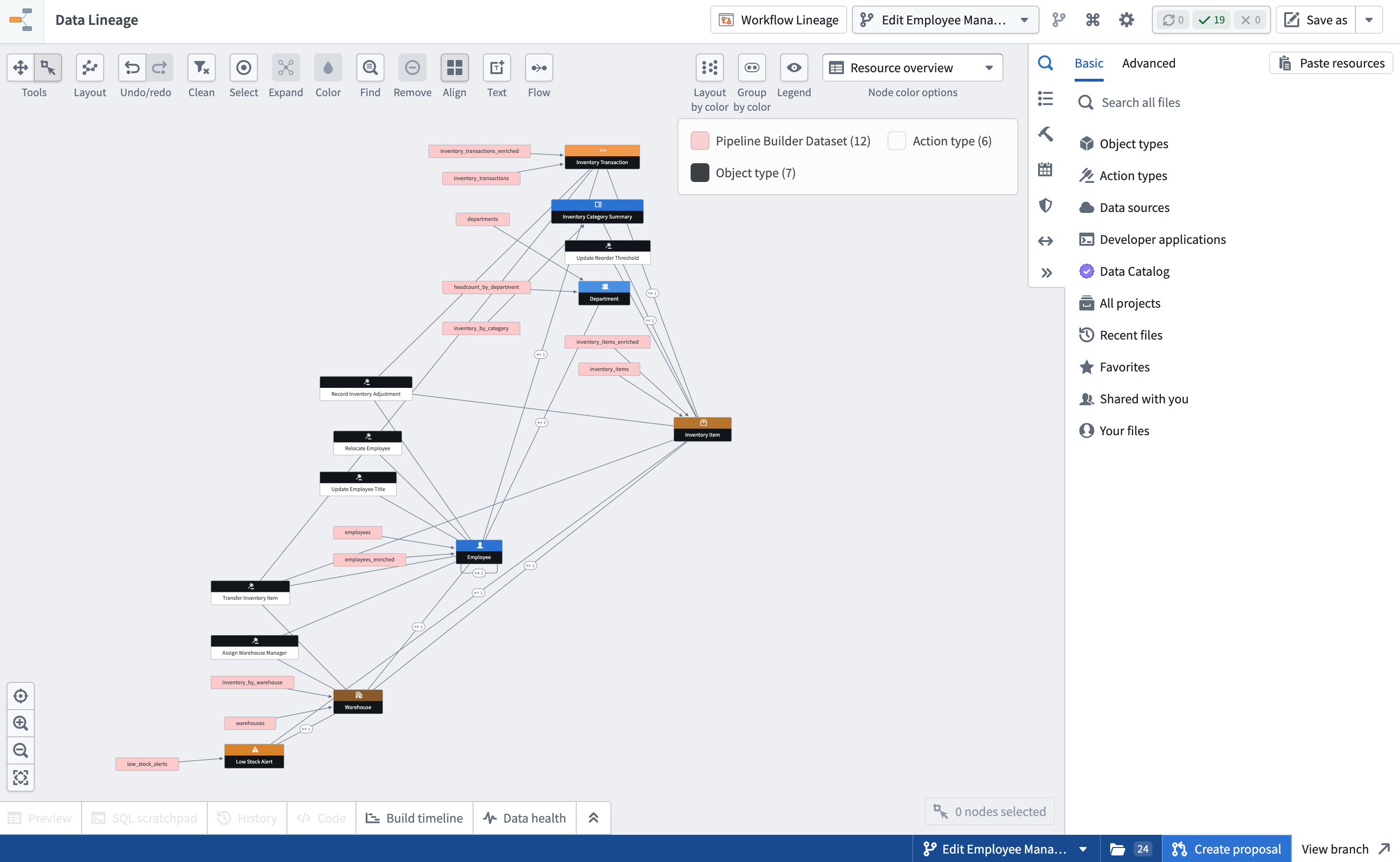
When a global branch is selected, the lineage graph displays the state of resources as they exist on that branch, including any datasets, ontology entities, or other resources that have been added or modified.
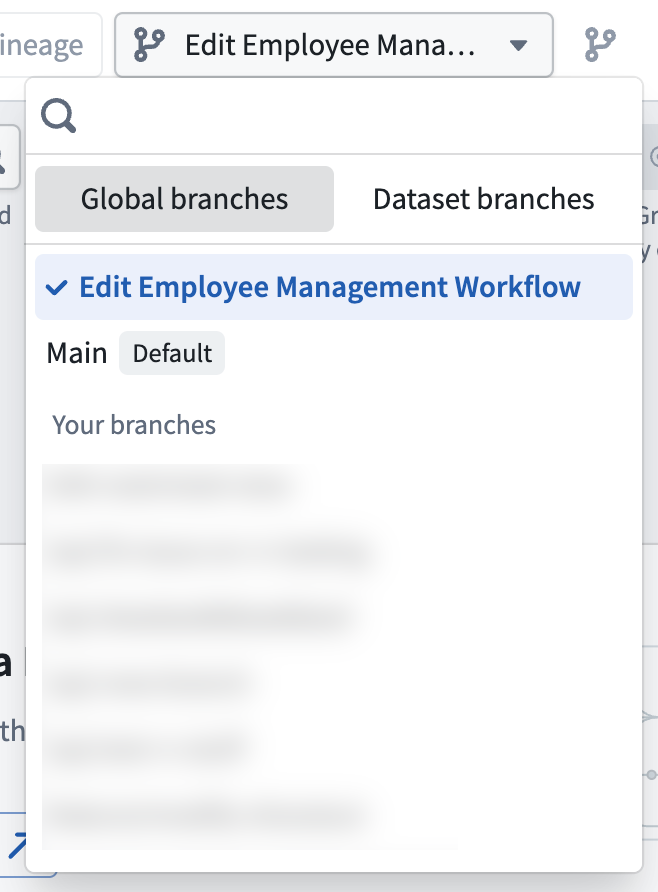
:::callout{theme="neutral"} The branch selector also includes a Dataset Branches tab for selecting dataset-level branches. All global branches have a corresponding dataset branch, but not every dataset branch is tied to a global branch. :::
View branch-aware lineage
Once a global branch is selected, the lineage graph reflects the branch state across both datasets and ontology entities:
- Datasets display their branch-specific data, build status, and staleness information.
- Ontology entities such as object types, action types, and link types display their branch-specific metadata, including names and properties. Entities created or modified on the branch are reflected in the graph.
- Links between resources reflect the branch state, showing how datasets and ontology entities are connected on the branch.
:::callout{theme="neutral"}
If your graph contains resources from multiple ontologies, only the ontology associated with the selected global branch will reflect branch-specific data. Resources from other ontologies will continue to show data from Main.
:::
Search for entities on a branch
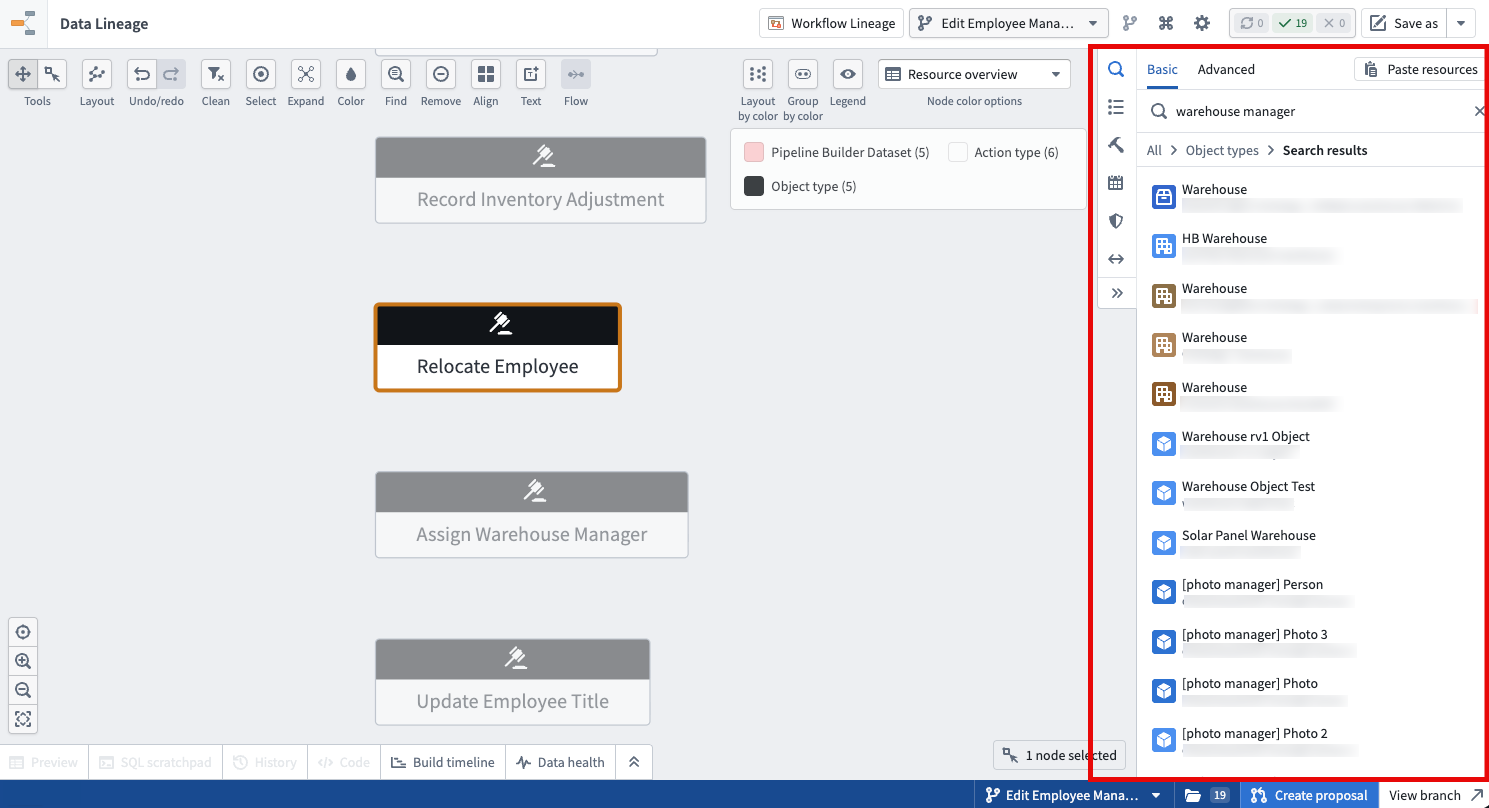
When a global branch is selected, the search in Data Lineage is branch-aware. You can search for ontology entities that exist on the branch, including entities that were created on the branch and do not yet exist on Main.
View entities modified on your branch
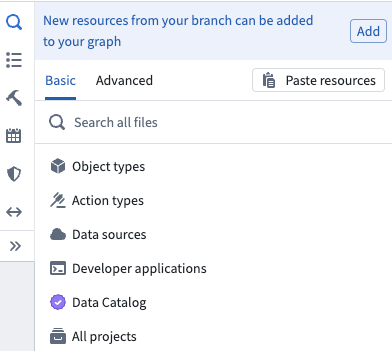
When a global branch is selected, the search panel displays a callout that allows you to add all entities modified on your branch to the graph with one click. This provides a quick way to visualize the full set of changes on your branch without searching for each entity individually.
The callout updates automatically as new resources are modified on your branch, so you can return to Data Lineage at any point during your branch workflow and see the latest set of changes.
Node details and previews
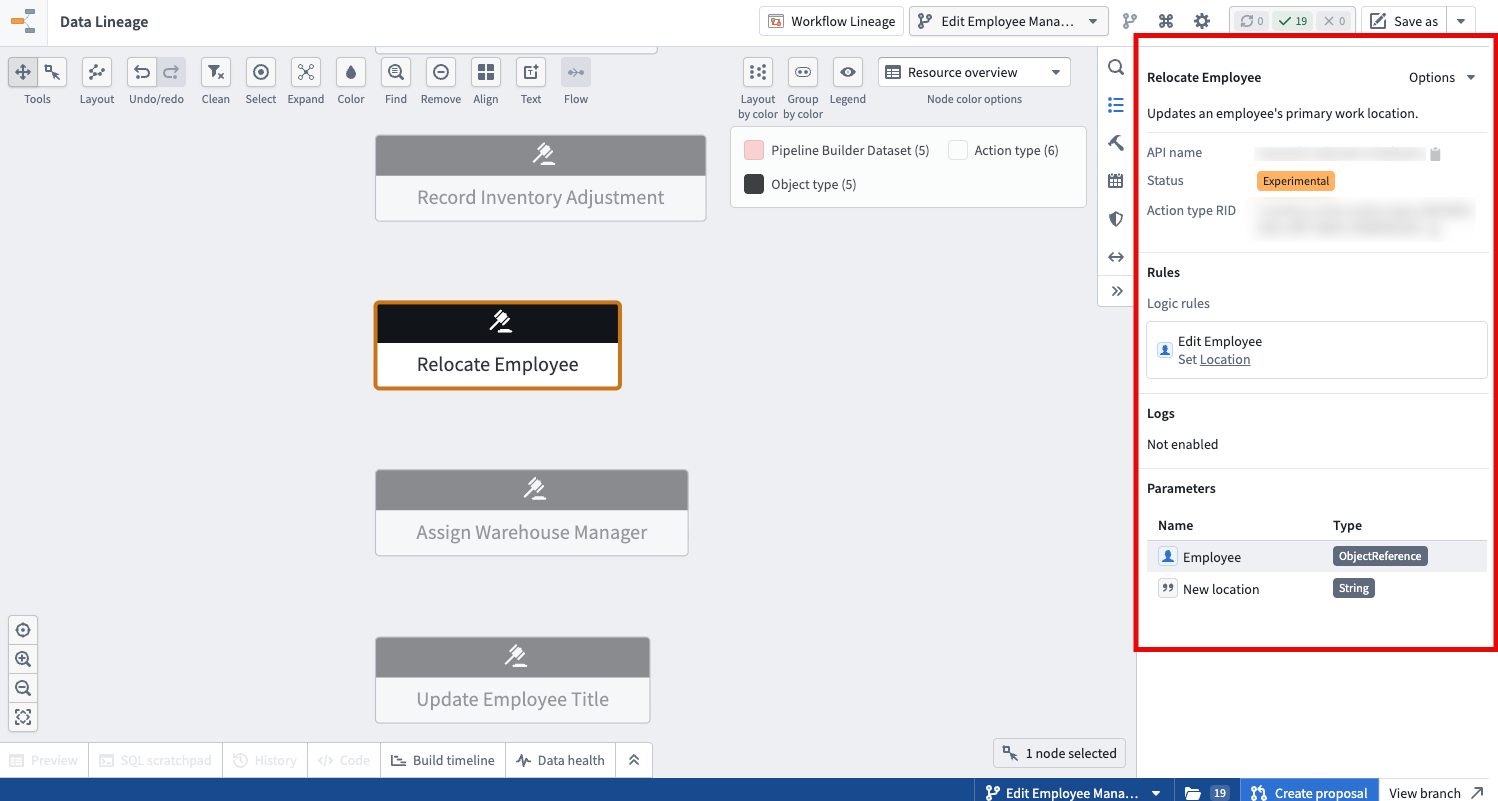
When you select a node on the graph while on a global branch, the details sidebar and preview panels display branch-specific information:
- Dataset nodes show branch-specific preview data, build history, and staleness.
- Ontology entity nodes show branch-specific metadata, including display names, descriptions, and properties as they exist on the branch.
Colorings and badges
Node colorings and badges in Data Lineage are branch-aware when a global branch is selected. Coloring options that depend on ontology metadata or dataset properties will reflect the state of the selected branch.
Saved graphs
When you save a graph while a global branch is selected, the global branch selection is saved with the graph configuration. Opening the saved graph restores the branch context, so you and other users will see the same branch-specific view of the lineage.
Known limitations
- Dataset fallback branches: When a global branch is selected, dataset fallback branches are disabled. The graph only displays data from the dataset branch associated with the selected global branch.
- Single ontology per global branch: Each global branch is associated with exactly one ontology. If your graph contains resources from multiple ontologies, only the ontology tied to the selected global branch reflects branch-specific data. Resources from other ontologies continue to display data from
Main. - Dataset-to-ontology links on older global branches: Links between datasets and ontology entities (object types and link types) are indexed automatically for all entities on
Mainand for any global branch created on or after May 2026. Global branches created before May 2026 are not backfilled, and may show no dataset-to-ontology links for entities that have not been modified on the branch. To populate these links on an older branch, save a modification to the affected object type or link type on that branch to reindex its provenance.
中文翻译
分支数据沿袭
数据沿袭(Data Lineage)与全局分支(Global Branching)集成,使您能够查看实体在特定分支上的状态。您可以在数据沿袭中选择一个全局分支,以检查分支资源、查看分支感知元数据,并搜索分支上的实体。
有关全局分支概念和工作流程的通用信息,请参阅全局分支文档。
:::callout{theme="neutral"}
数据沿袭本身并非分支资源。图谱和图谱配置不会作为分支上的已修改资源被追踪,也无法合并回Main主分支。数据沿袭具备分支感知能力,意味着您可以使用它来查看和交互全局分支上的变更。
:::
选择分支
要查看全局分支上的资源,请使用数据沿袭工具栏中的分支选择器,并选择全局分支(Global branches)选项卡。选择您要检查的分支。
当选中一个全局分支时,沿袭图谱会显示该分支上资源的当前状态,包括已添加或修改的数据集、本体实体或其他资源。
:::callout{theme="neutral"} 分支选择器还包含一个数据集分支(Dataset Branches)选项卡,用于选择数据集级别的分支。所有全局分支都有对应的数据集分支,但并非每个数据集分支都与全局分支相关联。 :::
查看分支感知沿袭
选中全局分支后,沿袭图谱会反映数据集和本体实体在分支上的状态:
- 数据集显示其分支特定的数据、构建状态和过时信息。
- 本体实体(如对象类型、操作类型和链接类型)显示其分支特定的元数据,包括名称和属性。在分支上创建或修改的实体会在图谱中体现。
- 资源之间的链接反映分支状态,展示数据集和本体实体在分支上的连接方式。
:::callout{theme="neutral"}
如果您的图谱包含来自多个本体的资源,则只有与所选全局分支关联的本体会反映分支特定数据。来自其他本体的资源将继续显示Main主分支的数据。
:::
在分支上搜索实体
选中全局分支后,数据沿袭中的搜索功能具备分支感知能力。您可以搜索存在于该分支上的本体实体,包括在分支上创建但尚未存在于Main主分支的实体。
查看在分支上修改的实体
选中全局分支后,搜索面板会显示一个提示框,允许您一键将分支上所有已修改的实体添加到图谱中。这提供了一种快速可视化分支上全部变更集的方法,无需逐个搜索每个实体。
该提示框会在分支上有新资源被修改时自动更新,因此您可以在分支工作流程中的任何时刻返回数据沿袭,查看最新的变更集。
节点详情与预览
在全局分支上选择图谱中的节点时,详情侧边栏和预览面板会显示分支特定信息:
- 数据集节点显示分支特定的预览数据、构建历史和过时信息。
- 本体实体节点显示分支特定的元数据,包括显示名称、描述和属性在分支上的状态。
着色与徽章
选中全局分支时,数据沿袭中的节点着色和徽章具备分支感知能力。依赖于本体元数据或数据集属性的着色选项将反映所选分支的状态。
已保存图谱
在选中全局分支时保存图谱,全局分支选择会随图谱配置一同保存。打开已保存的图谱会恢复分支上下文,因此您和其他用户将看到相同的分支特定沿袭视图。
已知限制
- 数据集回退分支: 选中全局分支时,数据集回退分支将被禁用。图谱仅显示与所选全局分支关联的数据集分支中的数据。
- 每个全局分支对应单一本体: 每个全局分支仅与一个本体关联。如果您的图谱包含来自多个本体的资源,则只有与所选全局分支关联的本体会反映分支特定数据。来自其他本体的资源将继续显示
Main主分支的数据。 - 较旧全局分支上的数据集到本体链接: 数据集与本体实体(对象类型和链接类型)之间的链接会自动为
Main主分支上的所有实体以及2026年5月之后创建的全局分支建立索引。2026年5月之前创建的全局分支不会进行回溯填充,对于未在分支上修改的实体,可能不会显示数据集到本体的链接。要在较旧分支上填充这些链接,请在该分支上保存对受影响对象类型或链接类型的修改,以重新索引其来源信息。