Check resource permissions(检查资源权限)
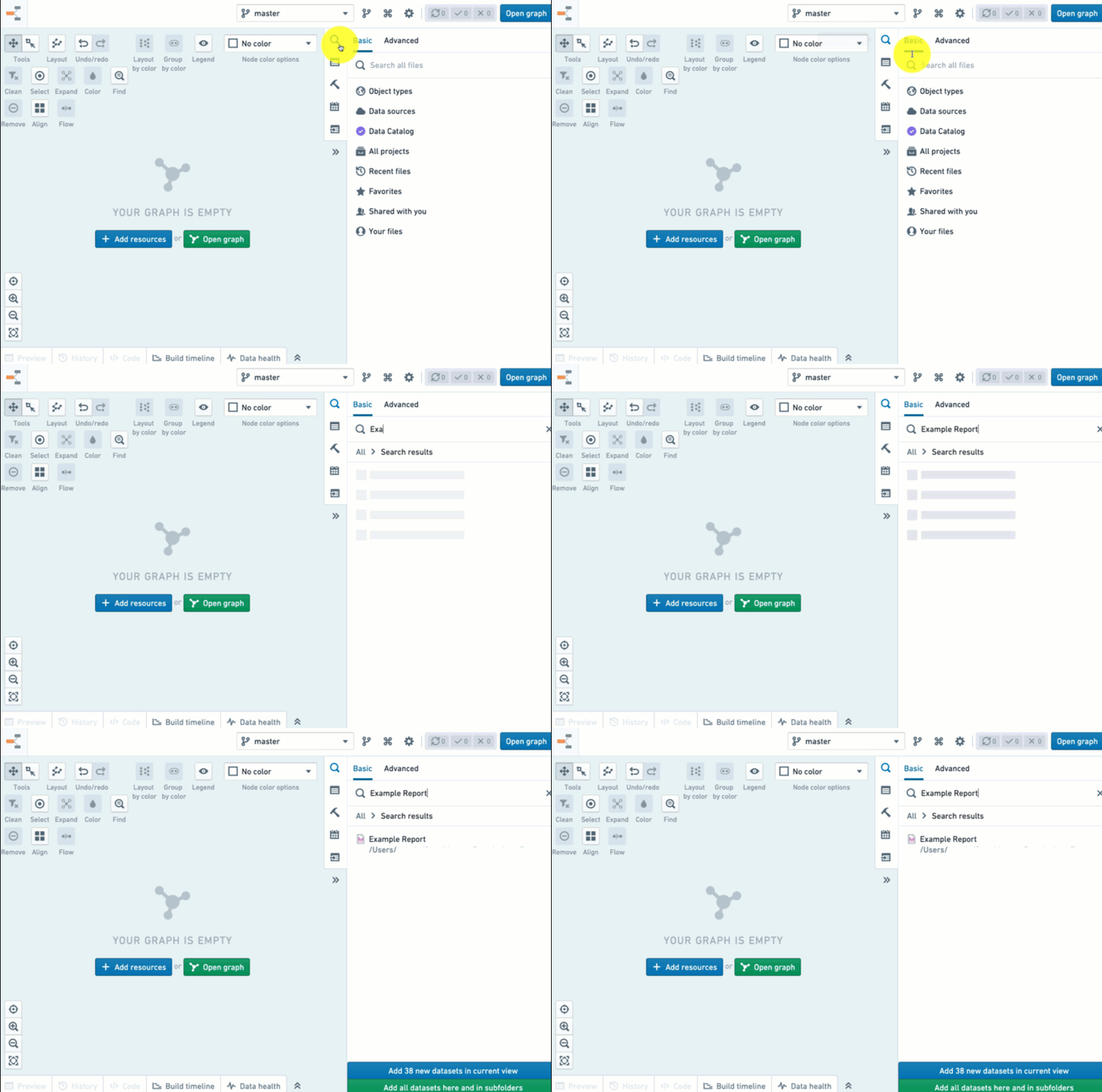
You can use Data Lineage to check users' permissions to view datasets or artifacts using the "Permissions" coloring option. To do that, start by adding nodes to the graph. You can do so using the search helper on the side panel.
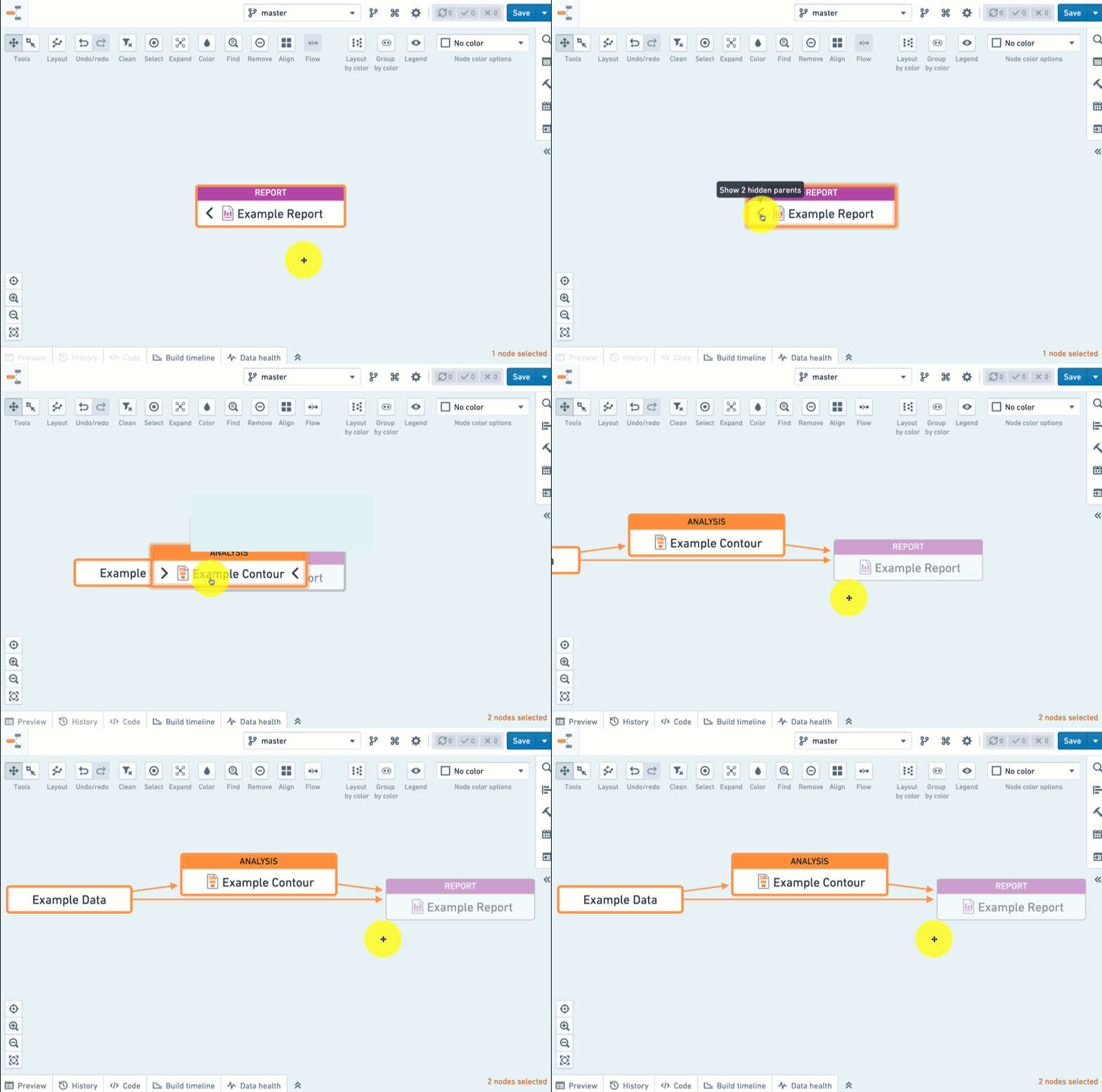
Then expand the graph to view the lineage leading to your resource (read more about exploring lineage).
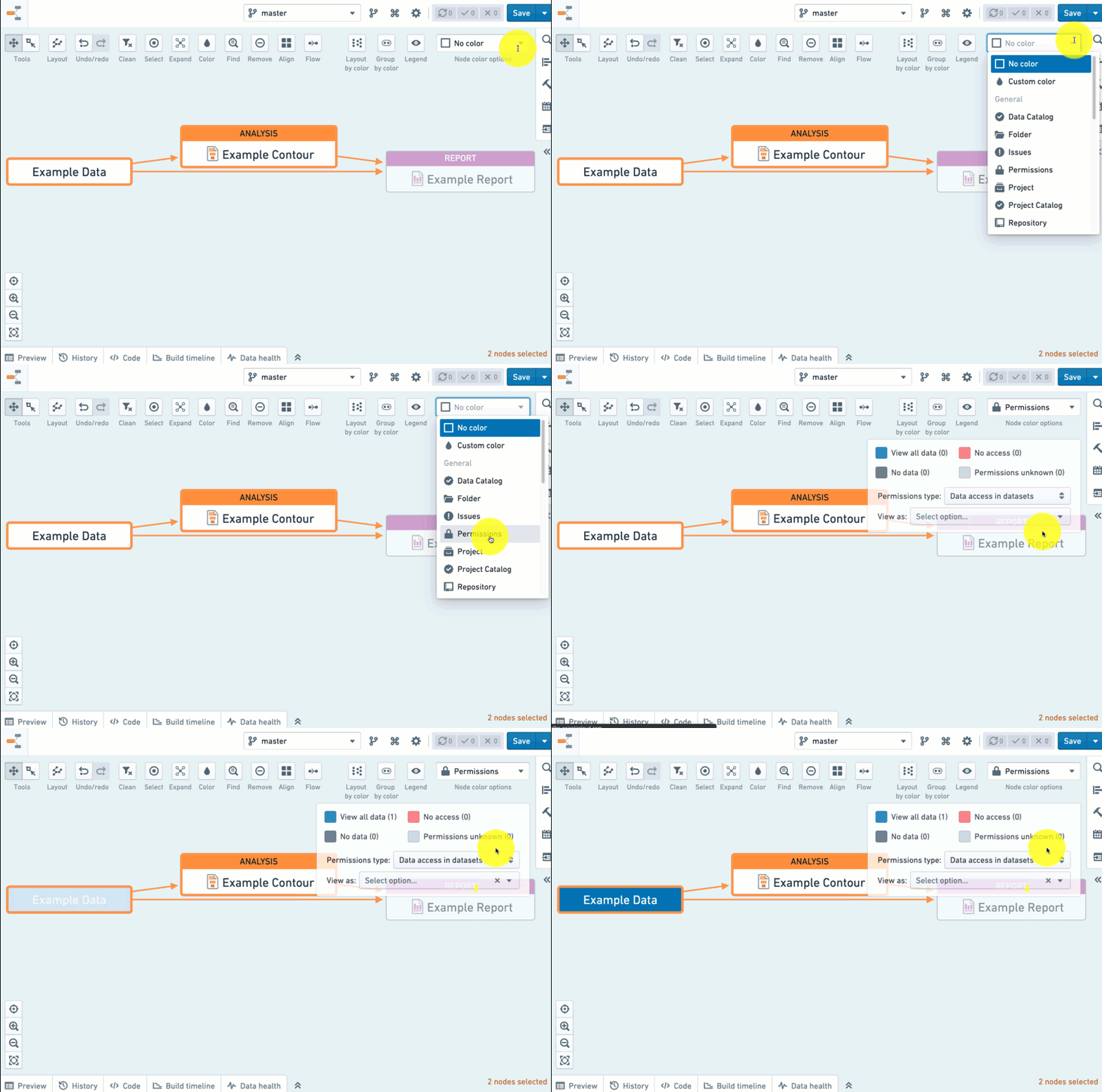
Once you have done this, use the Node color options dropdown to select the Permissions color scheme.
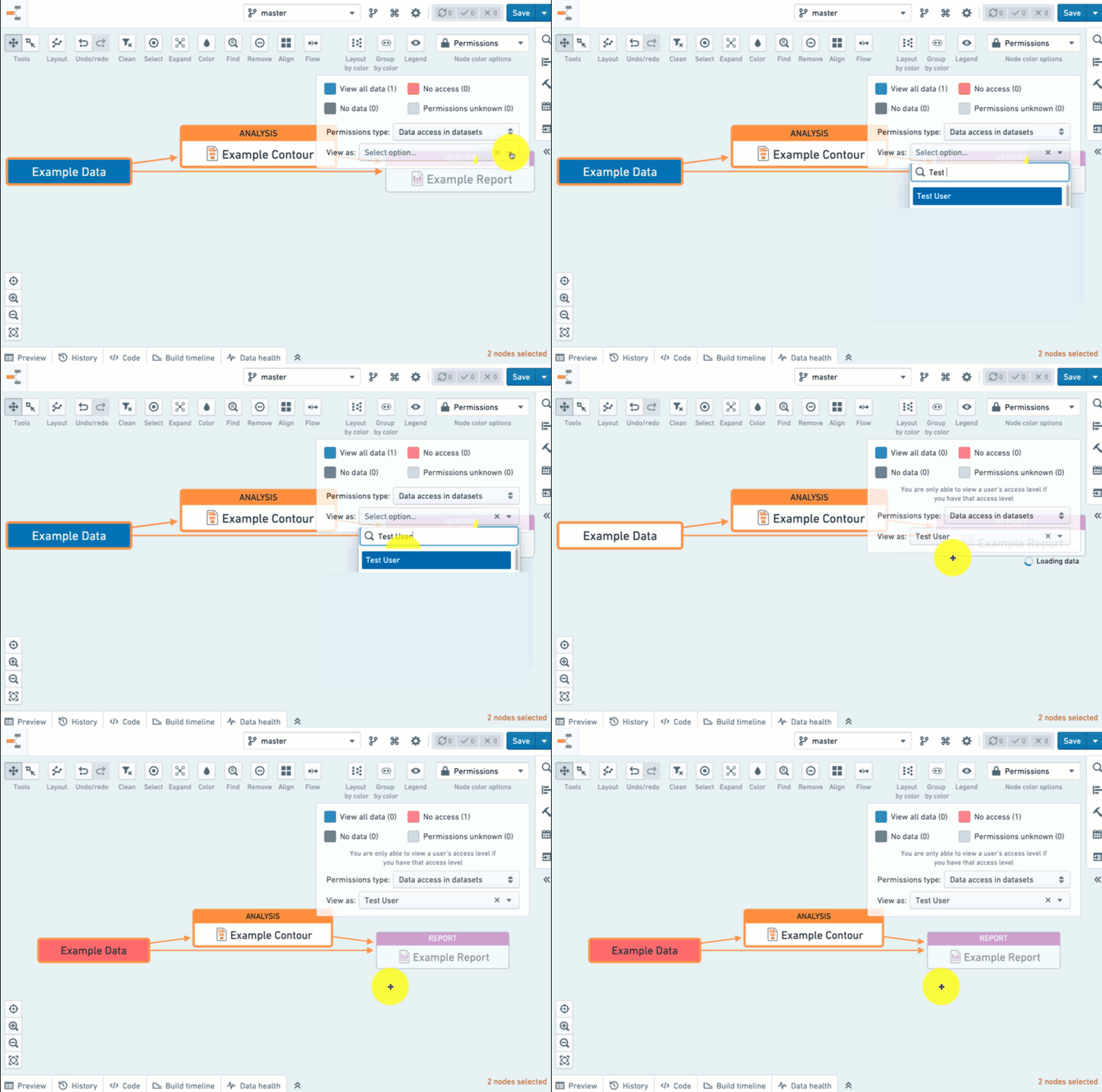
Select the user's name from the View as dropdown. This will allow you to see the user's permissions to each of the nodes on the graph.
There are two permission types you can color by:
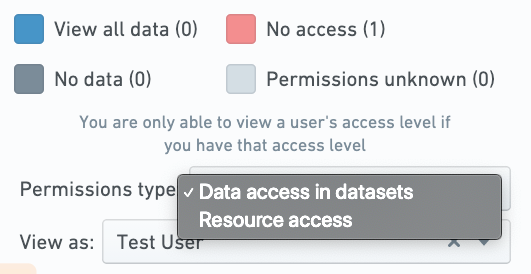
Data access in datasets
Use this option to troubleshoot permissions issues. Remember that a user's data access is affected by data lineage (see Platform Security). By coloring your nodes based on the user's access to data, you can easily see what the upstream datasets are that may restrict the user's access to data.
Note that this option only works on dataset nodes.
Resource access
This will allow you to see the role (such as Editor, Viewer, etc.) that is set for the selected user on the selected resource.
Use this option to view the level of access users have to your artifacts.
:::callout{theme="neutral"} Roles do not correspond to data lineage the same way that data access does. For example, user being an "Editor" on a Contour Analysis does not guarantee they have permissions to see the data that the analysis depends on. Make sure your users can access the underlying data when sharing a resource with them. :::
中文翻译
检查资源权限
您可以使用数据血缘(Data Lineage)结合“权限”着色选项,来检查用户查看数据集(Datasets)或工件(Artifacts)的权限。首先,将节点(Nodes)添加到图谱(Graph)中。您可以使用侧边栏的搜索助手来完成此操作。
然后展开图谱,查看指向您资源的血缘关系(阅读更多关于探索血缘的内容)。
完成上述操作后,使用节点颜色选项下拉菜单选择权限配色方案。
从查看身份下拉菜单中选择用户名称。这将允许您查看该用户对图谱上每个节点的权限。
您可以根据以下两种权限类型进行着色:
数据集中的数据访问权限
使用此选项来排查权限问题。请注意,用户的数据访问权限会受到数据血缘的影响(请参阅平台安全性)。根据用户对数据的访问权限对节点进行着色,您可以轻松识别出哪些上游数据集可能会限制用户的数据访问。
请注意,此选项仅适用于数据集节点。
资源访问权限
这将允许您查看为所选用户在所选资源上设置的角色(如编辑者、查看者等)。
使用此选项可查看用户对您的工件的访问级别。
:::callout{theme="neutral"} 角色与数据血缘的对应方式不同于数据访问权限。例如,用户在 Contour Analysis 中担任“编辑者”角色,并不能保证他们有权查看该分析所依赖的数据。在与用户共享资源时,请确保他们能够访问底层数据。 :::