Preview and logic(预览与逻辑)
The Data Lineage interface allows you to view previews of selected datasets or media sets, as well as examine the associated code to understand the logic behind the dataset or media set.
Preview
To see a preview of a dataset or media set, select it in your data lineage graph, then choose the Preview tab in the bottom left of the interface.
Media set
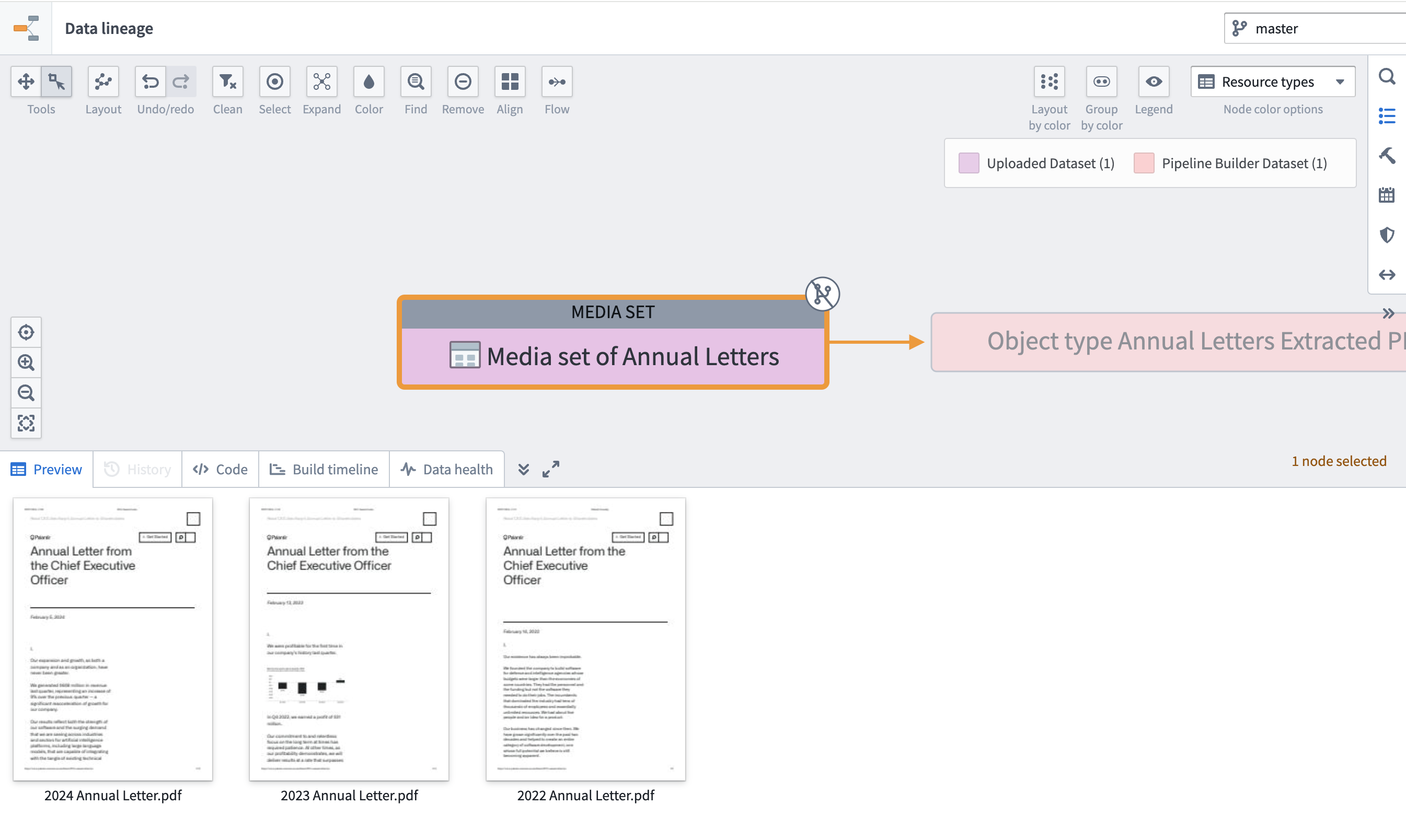
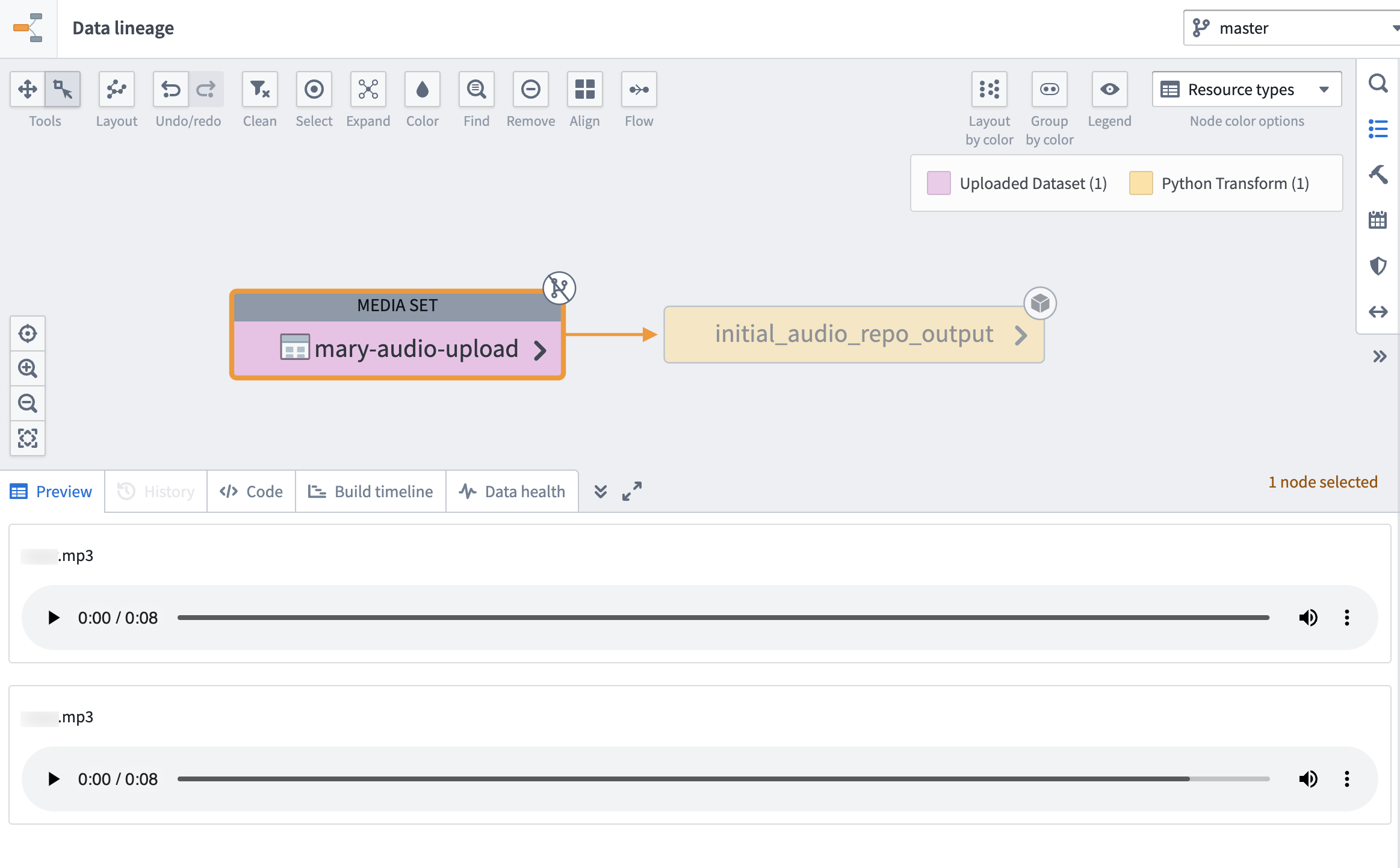
When the media set preview expands, you can view the contents of your media set. Learn more about media sets..
Example of PDF preview:
Example of audio preview:
Dataset
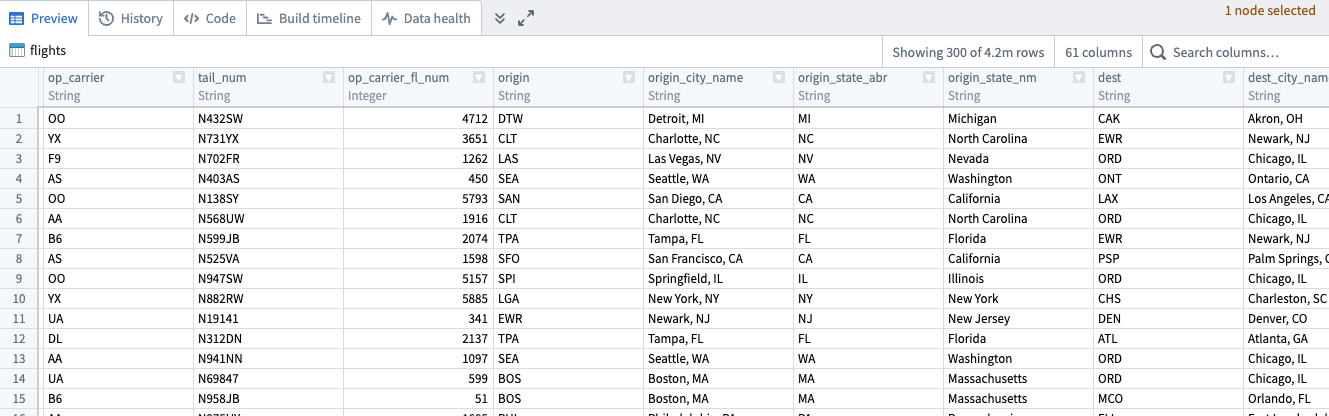
When the dataset preview expands, you can scroll through the first 300 rows of the selected dataset. You can also search for specific columns using the Search columns... field to the right of the preview window. The preview of your dataset will look different depending on the type of data within your dataset.
Logic
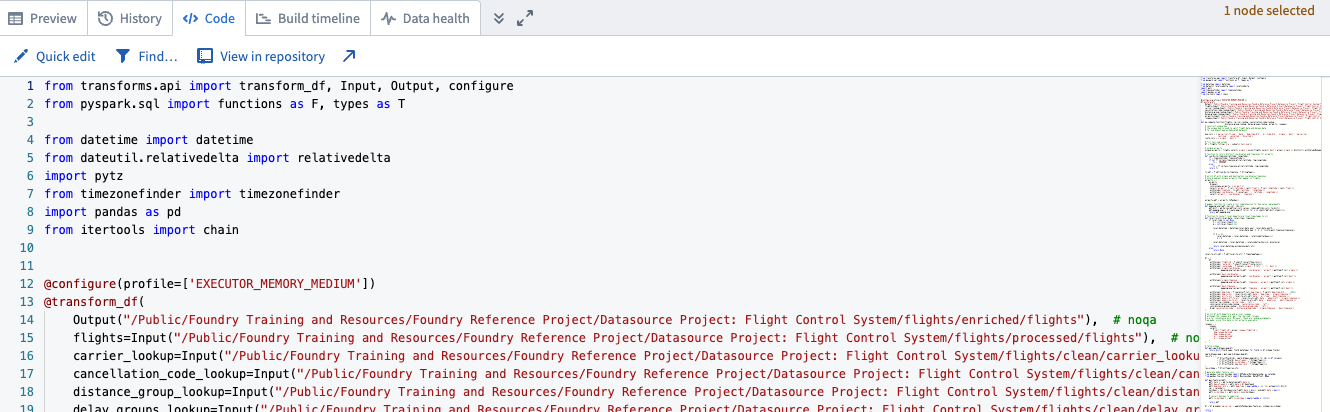
Select the Code tab to view the code logic of the selected dataset or media set. From the Code view, you can make quick edits, search for items, or open the code in the repository or other application used to derive the data.
:::callout Uploaded and writeback datasets do not have associated code to view in Data Lineage. :::
中文翻译
预览与逻辑
数据沿袭(Data Lineage)界面允许您查看所选数据集或媒体集的预览,同时检查相关代码以理解数据集或媒体集背后的逻辑。
预览
要查看数据集或媒体集的预览,请在数据沿袭图中选中它,然后选择界面左下角的预览(Preview)选项卡。
媒体集
当媒体集预览展开时,您可以查看媒体集的内容。了解更多关于媒体集的信息。
PDF预览示例:
音频预览示例:
数据集
当数据集预览展开时,您可以滚动浏览所选数据集的前300行。您还可以使用预览窗口右侧的搜索列(Search columns...)字段搜索特定列。根据数据集中数据类型的不同,数据集的预览效果也会有所不同。
逻辑
选择代码(Code)选项卡查看所选数据集或媒体集的代码逻辑。在代码视图中,您可以进行快速编辑、搜索项目,或在用于生成数据的仓库或其他应用程序中打开代码。
:::callout 上传和回写的数据集没有关联的代码可在数据沿袭中查看。 :::