Graph elements reference(图元素参考(Graph elements reference))
Node types
| Node |
Type |
Description |
 |
Data source |
This is the name of the data source as it appears in Data Connection. Learn more about the different source types. |
 |
Dataset |
Foundry datasets and the lineage between them. The color of the dataset node depends on user selection. Dashed border indicates unstructured datasets. |
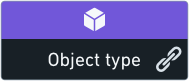 |
Object type |
Ontology object types. The icon and color of the node depends on the definition of each object type. When clicking on the “link” icon next to the object type name, Data Lineage shows the relations between this object type and other object types. |
 |
Artifact |
Data Lineage exposes different Foundry artifacts like: Contour analyses, Reports, etc. The color of the node depends on the artifact type, which is indicated at the top of the node. |
Node indicators
Node indicators appear on top of dataset nodes and provide additional information about the resource.
| Indicator |
Type |
Description |
 |
Open issues |
This indicator signals there are currently open issues associated with the node on the graph. Hovering over this signal indicates the number of open issues. |
 |
Defines an object type |
This indicator appears on datasets that are used to define Ontology object types. Hovering over the right arrow of allows you to expose those linked object types. Learn more about object types. |
 |
Syncs |
Datasets with this indicator on them have syncs to other databases or systems. You can view these syncs by selecting the node and opening the Properties panel, or by opening the “Details” tab in Dataset Preview (right click on the node and click on Open). |
 |
Trashed |
This indicator appears on nodes representing deleted datasets or artifacts. Deleted nodes are also partially faded with their name crossed out. |
中文翻译
图元素参考(Graph elements reference)
节点类型(Node types)
| 节点 |
类型 |
说明 |
|
数据源(Data source) |
该名称为数据连接(Data Connection)中展示的数据源名称。了解更多不同源类型的相关内容 |
|
数据集(Dataset) |
Foundry 数据集及数据集之间的血缘关系。数据集节点的颜色由用户选择决定,虚线边框表示该节点为非结构化数据集。 |
|
对象类型(Object type) |
本体(Ontology) 对象类型。节点的图标和颜色由各对象类型的定义决定。点击对象类型名称旁的「链接」图标后,数据血缘(Data Lineage)会展示该对象类型与其他对象类型之间的关联关系。 |
|
工件(Artifact) |
数据血缘会展示各类 Foundry 工件,例如:Contour 分析、报表(Reports) 等。节点的颜色由工件类型决定,类型标识会展示在节点顶部。 |
节点指示器(Node indicators)
节点指示器会展示在数据集节点的顶部,用于提供对应资源的附加信息。
| 指示器 |
类型 |
说明 |
|
未解决问题(Open issues) |
该指示器表示当前图中该节点关联有尚未处理的问题。将鼠标悬浮在该标识上可查看未解决问题的数量。 |
|
定义对象类型(Defines an object type) |
该指示器会出现在用于定义本体对象类型的数据集上。将鼠标悬浮在右箭头上可展示这些关联的对象类型。了解更多对象类型相关内容 |
|
同步(Syncs) |
带有该指示器的数据集支持同步到其他数据库或系统。你可以选中该节点打开属性面板查看这些同步任务,也可以在数据集预览(Dataset Preview)中打开「详情」标签页查看(右键点击节点后点击打开即可)。 |
|
已删除(Trashed) |
该指示器会出现在代表已删除数据集或工件的节点上。已删除节点同时会呈半透明状态,且名称会被划掉。 |
| --- |
|
|