Explore data lineage(探索数据血缘(Data Lineage))
Data lineage helps you understand how your data came to be. There are various ways to explore data pipelines in the Data Lineage app. Consider one common path:
-
Using the Search helper, find your resource (for example, a dataset or an object type) and add it to the graph.
-
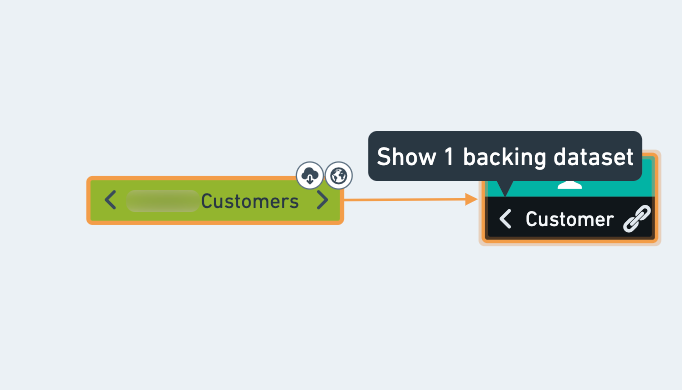
Click on the left arrow of the node to expose the direct parents of the resource.
-
To expand your graph, select the next resource on the graph and click the Expand button in the graph tools.
-
Click on the chevron button to define the number of levels to expose. Click the double-chevron to expand all the way to the raw data (or all the way to the final descendants).
:::callout Adding too many nodes simultaneously may affect the graph's performance and usability. Keep a manageable number of nodes by checking the node count in the Expand tool. :::
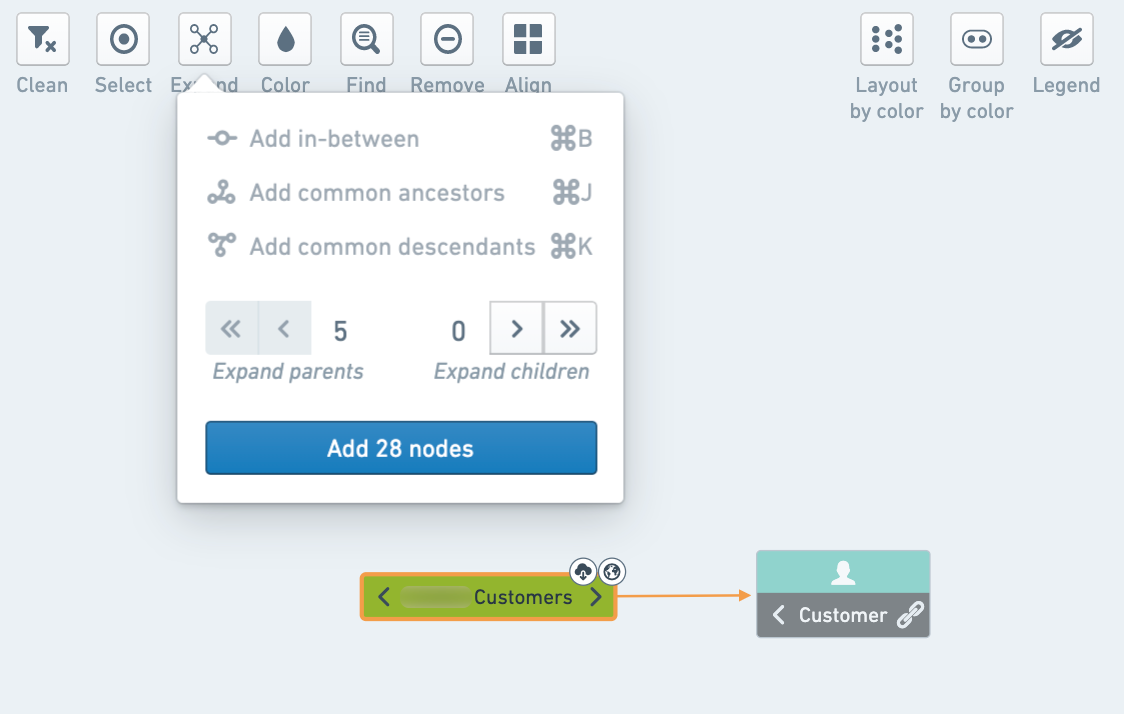
:::callout{theme="success"} You can find the relation between two nodes on the graph by selecting the Expand button and adding all nodes in between the resources or all common ancestors/descendants. :::
-
Get more information on one of the datasets by selecting the dataset and using the bottom panel to display a preview of the data.
-
Click on Code to view how the dataset was created.
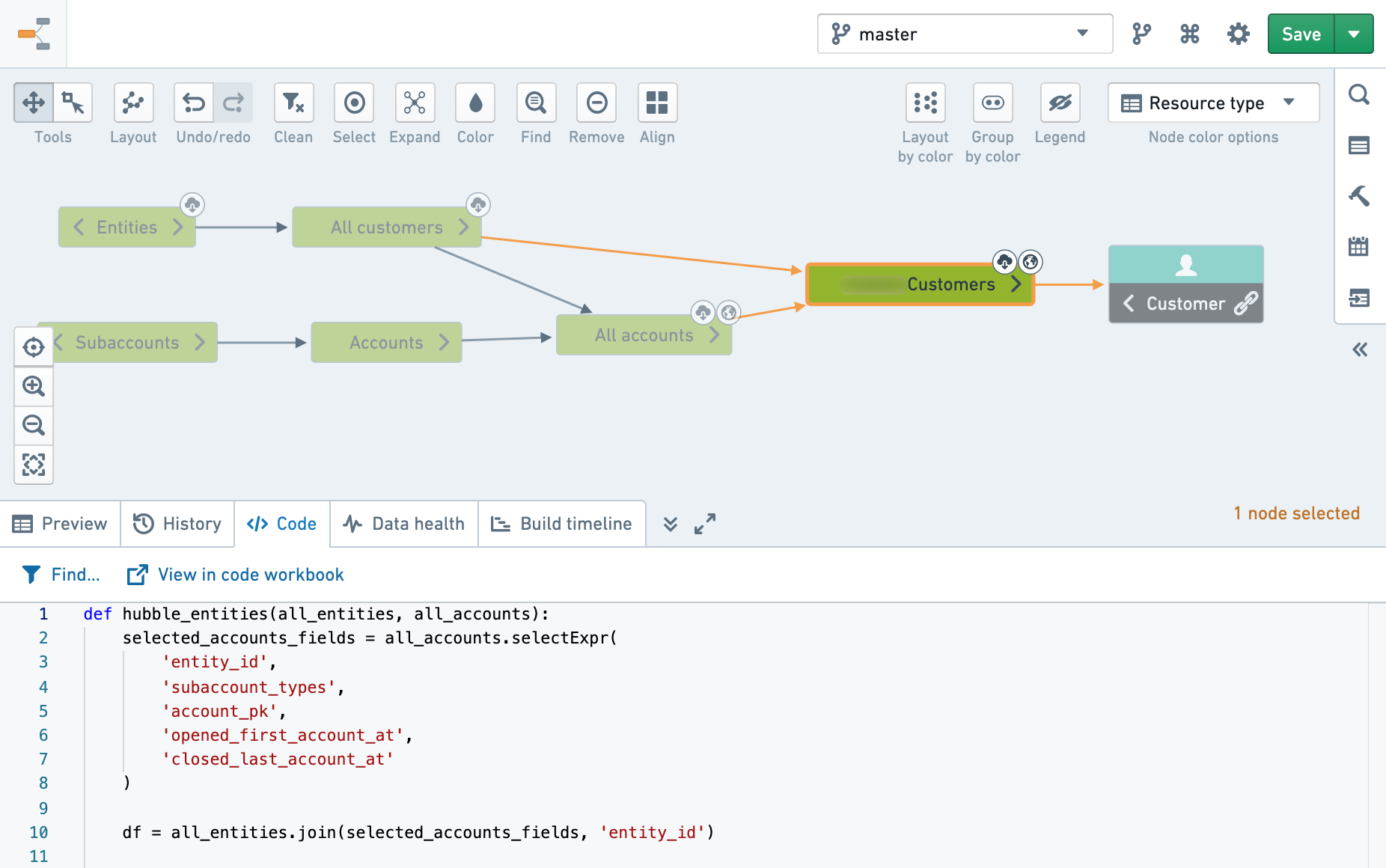
- Click on View in code workbook or View in repository to see the original code and make changes as needed (subject to permissions).
:::callout Some options may be unavailable for some datasets depending on the type of resource. For example, Code is only available for Code Workbook or Code Repositories. For Fusion sheet syncs with no code to show, you may have the option to view the source sheet and make your changes there (if you have appropriate permissions). :::
中文翻译
探索数据血缘(Data Lineage)
数据血缘可帮助您了解数据的来源与演变过程。在 Data Lineage 应用中,您可以通过多种方式探索数据管道(Data Pipeline)。以下是一种常见路径:
-
使用搜索助手查找您的资源(例如数据集或对象类型(Object Type)),并将其添加到图谱中。
-
点击节点左侧的箭头,以展开该资源的直接父节点。
-
要扩展图谱,请在图谱上选择下一个资源,然后点击图谱工具中的展开按钮。
-
点击 V 形箭头按钮以定义要展开的层级数。点击双 V 形箭头按钮可一直展开至原始数据(Raw Data)(或一直展开至最终子节点)。
:::callout 同时添加过多节点可能会影响图谱的性能和可用性。请通过展开工具中的节点计数来检查节点数量,将其保持在易于管理的范围内。 :::
:::callout{theme="success"} 您可以通过选择展开按钮,并添加两个资源之间的所有节点或所有共同祖先/子节点,来查找图谱上两个节点之间的关系。 :::
-
选择其中一个数据集,并使用底部面板显示数据预览,从而获取有关该数据集的更多信息。
-
点击代码以查看该数据集的创建方式。
- 点击在 Code Workbook 中查看或在代码库中查看,以查看原始代码并根据需要进行修改(需具备相应权限)。
:::callout 根据资源类型的不同,某些数据集可能无法使用部分选项。例如,代码选项仅适用于 Code Workbook 或 Code Repositories。对于没有代码可显示的 Fusion sheet 同步,您可以选择查看源工作表并在那里进行修改(如果您拥有相应权限)。 :::