Manage Project constraints(管理项目约束(Project constraints))
To add a constraint on a Project, you must have an Owner role on the Project and add “Apply marking" permissions on all markings added as a Project constraint. You will not be be able to add or modify a Project constraint if doing so would cause an existing file in the Project to be in violation of the constraint you are trying to add.
To manage constraints, navigate to the Markings section in the Access panel to the right.
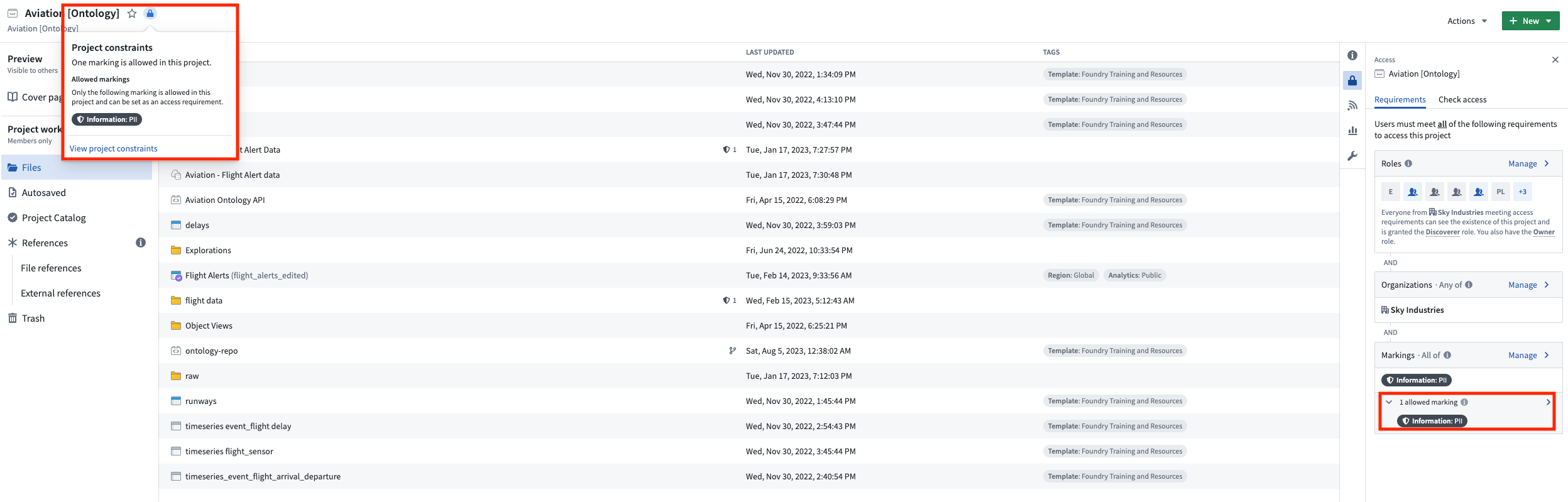
Project constraint violations
After a Project constraint is applied, a dataset could still violate the Project constraint if a violating marking was added somewhere upstream and inherited by a dataset in the Project. This is surfaced by a warning on the dataset that is in violation. If the dataset violates the Project constraints, it cannot be built until the violation is resolved.
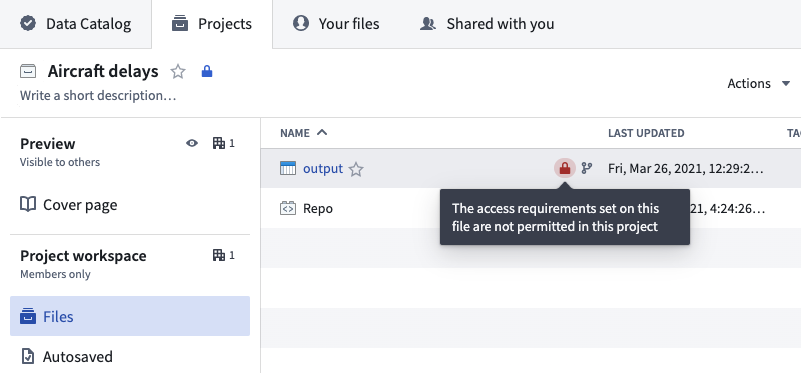
Project constraint violations can be resolved through the following actions:
- Add this inherited marking as an allowed Project constraint.
- Remove the inputs that introduce the new marking from the necessary transformations.
- Remove the inherited upstream marking. Learn how to remove markings in our documentation.
中文翻译
管理项目约束(Project constraints)
要为项目(Project)添加约束,您必须拥有该项目的Owner角色,并对所有作为项目约束添加的标记(marking)具有"应用标记(Apply marking)"权限。如果添加或修改项目约束会导致项目中现有文件违反您试图添加的约束,则无法执行此操作。
要管理约束,请导航至右侧访问面板(Access panel)中的标记(Markings)部分。
项目约束违规(Project constraint violations)
应用项目约束后,如果某个违规标记在上游被添加并被项目中的数据集(dataset)继承,则该数据集仍可能违反项目约束。这会在违规数据集上显示警告。如果数据集违反项目约束,则在违规解决之前无法构建(build)。
项目约束违规可通过以下操作解决:
- 将此继承的标记添加为允许的项目约束。
- 从必要的转换(transformation)中移除引入新标记的输入(input)。
- 移除继承的上游标记。请参阅我们的文档了解如何移除标记(remove markings)。