Manage Project templates(管理项目模板)
Project templates standardize the creation and configuration of Projects within a space.
Governance frameworks such as the General Data Protection Regulation (GDPR) can be supported through the configuration of platform security primitives like roles, groups, Markings, and Project constraints, among others. These configurations can be encoded and mandated for all new Projects through Project templates. This allows organizations to set governance guardrails on created Projects.
:::callout{theme="neutral"} Currently, Project templates support the configuration of roles, groups, Markings, and Project constraints. Folder structure and other features will eventually be supported. Development of these features will be incremental. :::
Administration
Space owners can create, edit and delete Project templates. Administering Project templates can be done on a per-space level by navigating to Control Panel > Project templates and selecting the desired Space in the dropdown at the top of the page.
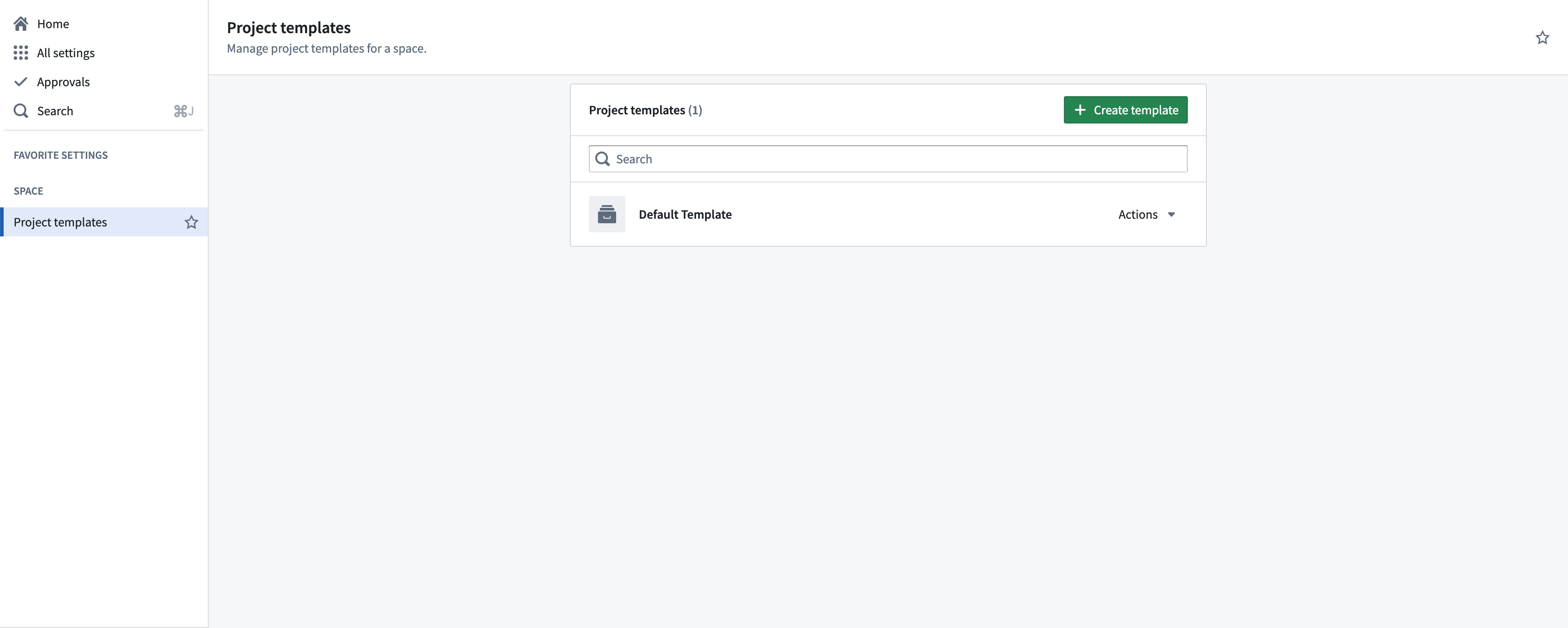
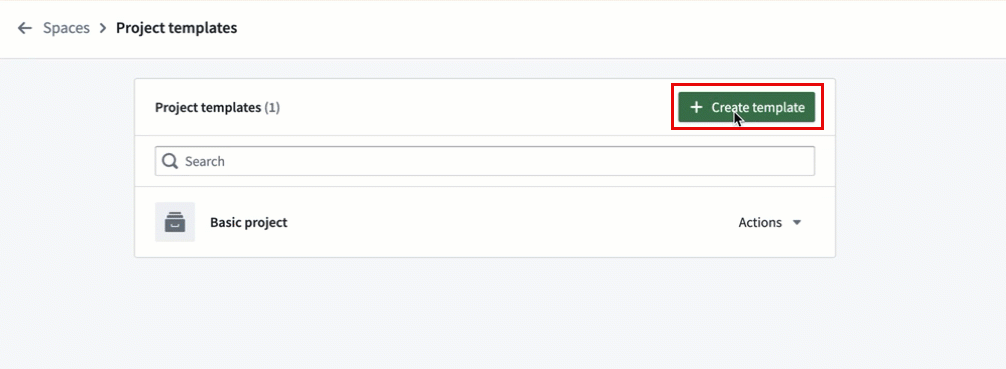
Select Create template on the top right of the Project templates page to create a new template. This will open the Project template creation wizard, where you can define the template name, description, variables, roles, Markings, and other information.
Variables
Template creation supports the use of variables to parametrize things like names for groups and Markings. Variables are defined at the time of template deployment (at Project creation) in the Variables section of the template creation wizard.
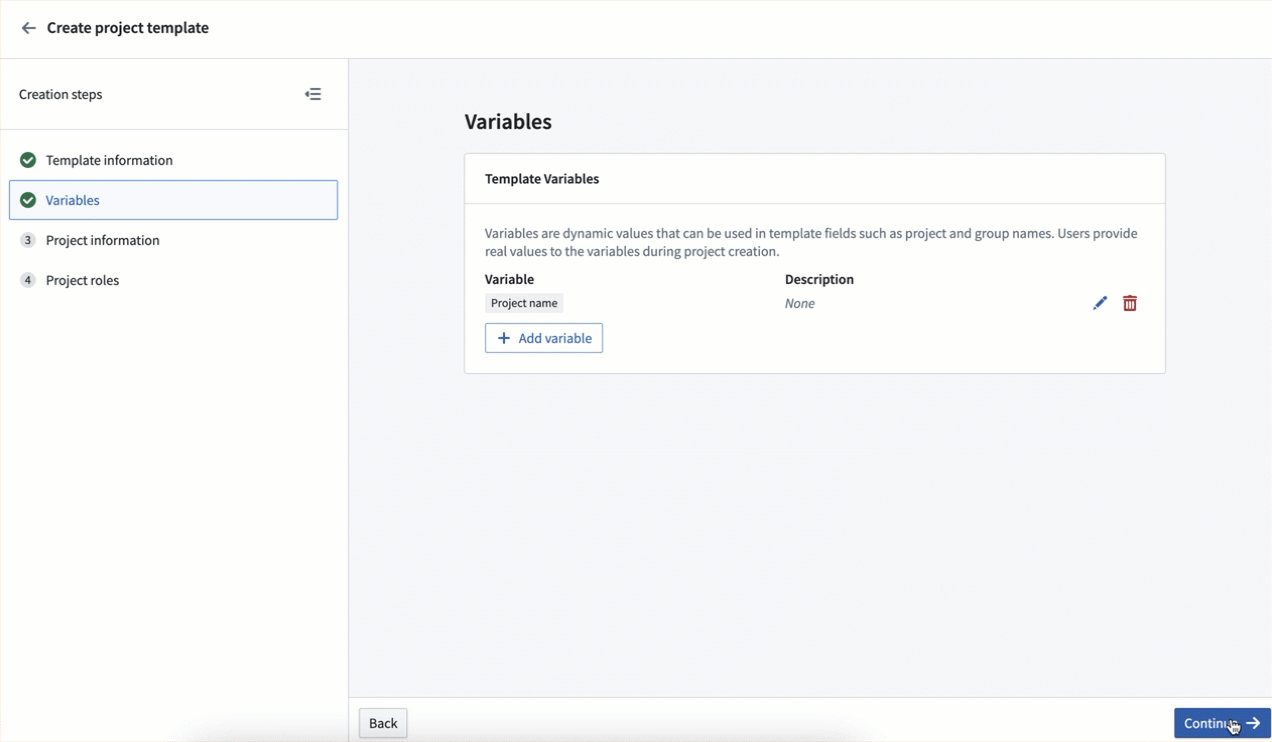
This is especially helpful because Project templates support the configuration of new groups and Markings, which are automatically created at the time of template deployment and Project creation. For example, a variable called project name can be used to create groups which follow the convention project name + role.
Roles
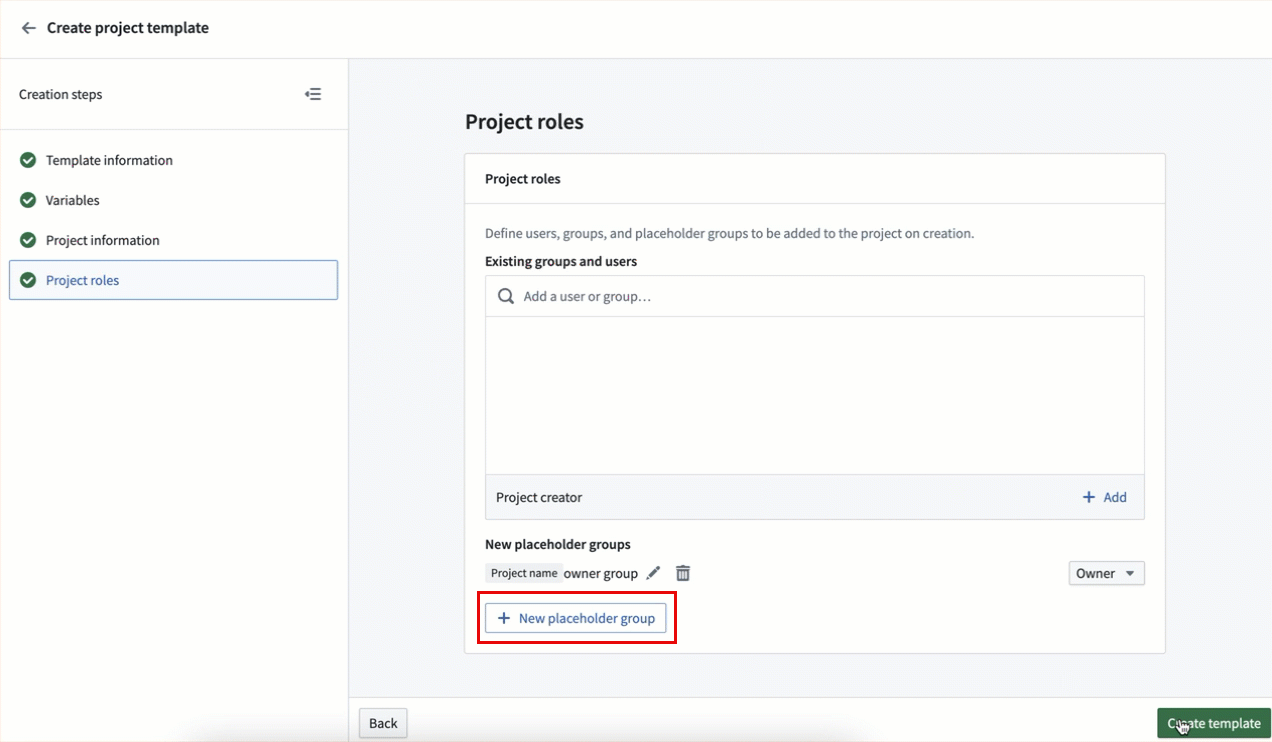
Setting a Default role grants a role on the created project for users who satisfy the Organization and Marking requirements. Additionally, existing users and groups can be configured to have a specified role for all Projects created from this template. If the Project creator is given a role, then the user who creates the Project will receive the specified role.
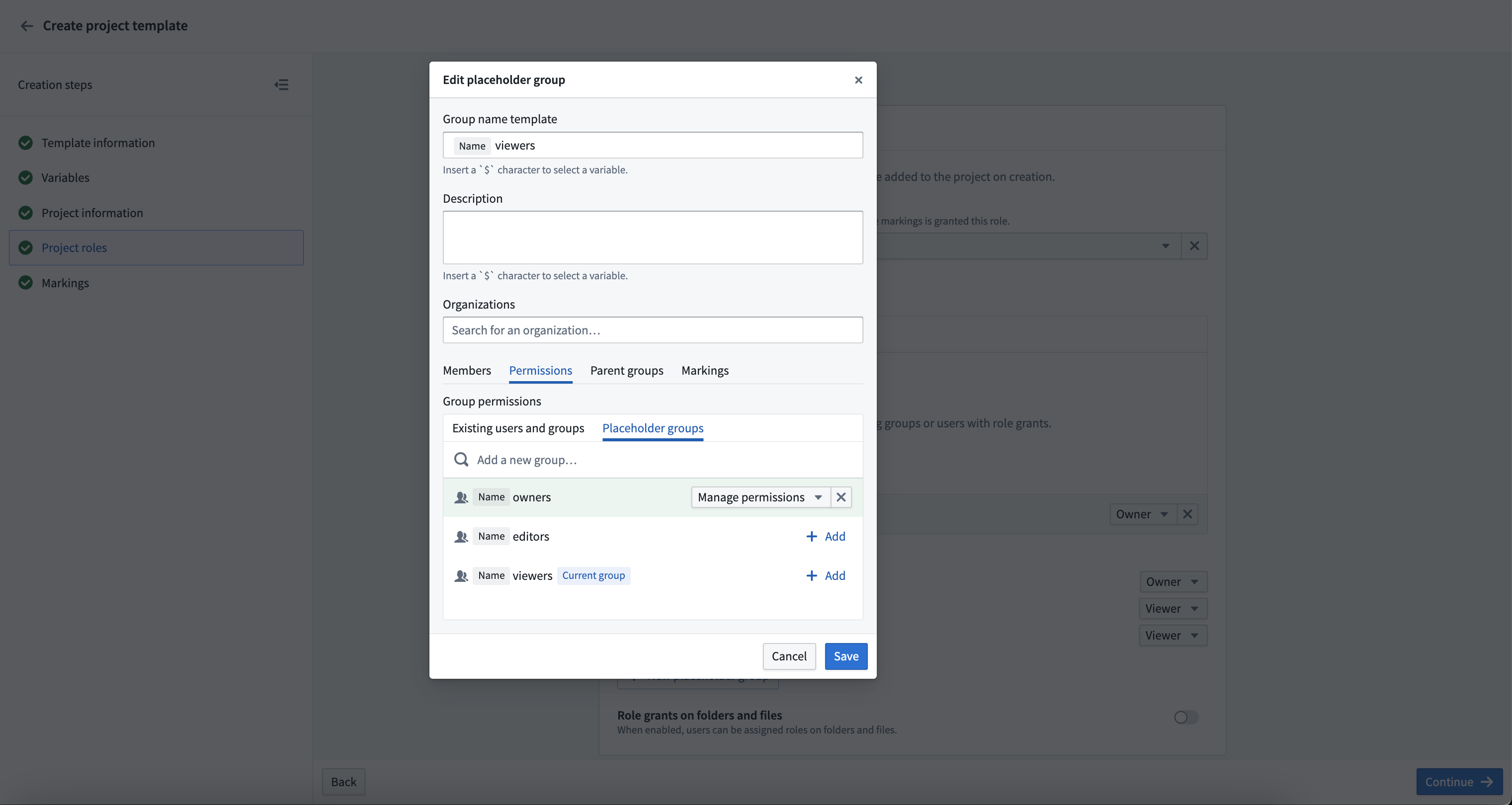
It is common practice to set up viewer, editor, and owner groups, with the owner group having manage permissions on the viewer and editor groups. This can be accomplished in Project templates. Create the desired groups, then give the owner group permissions to the other groups.
Markings
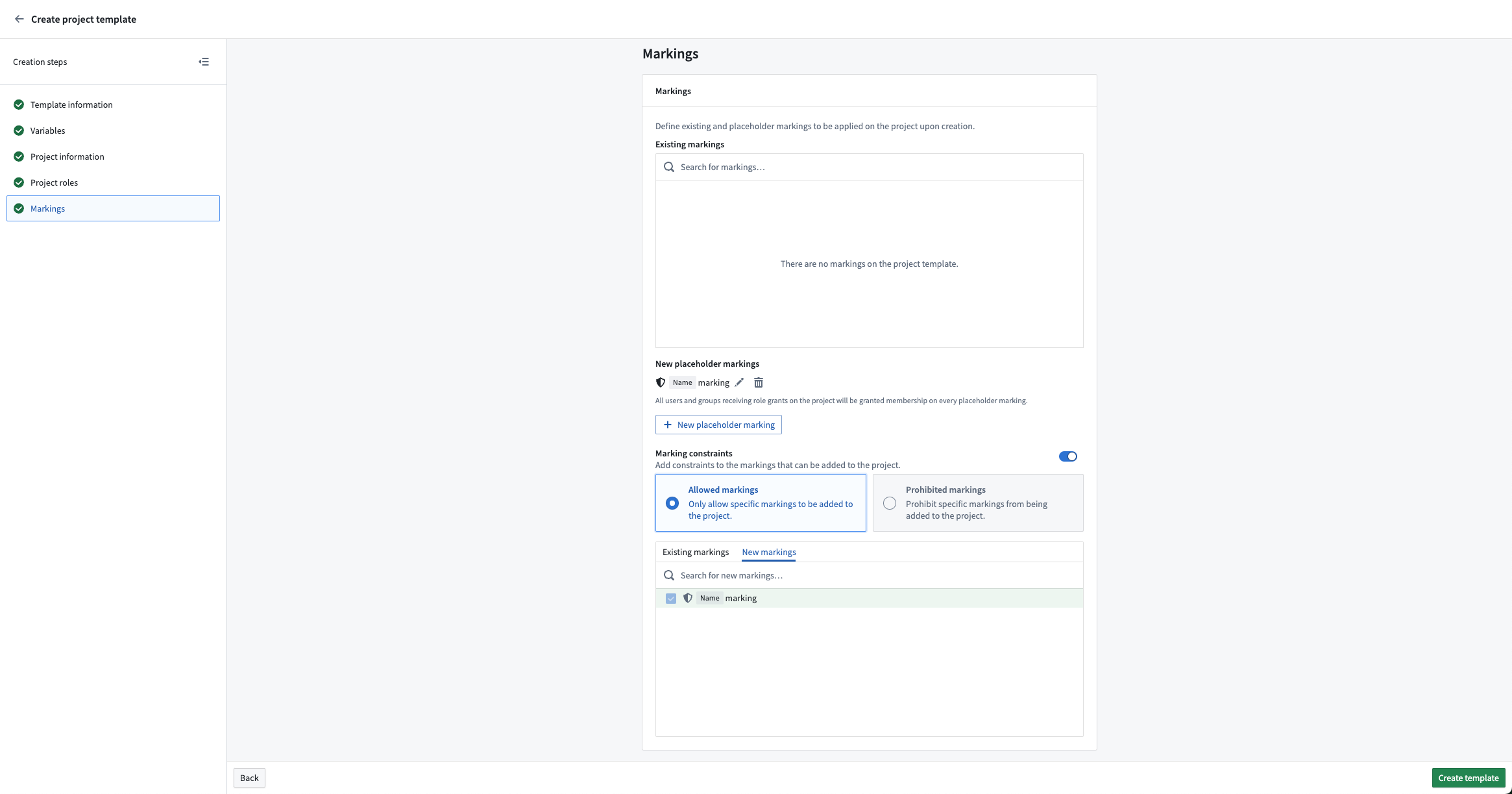
New or existing Markings can be applied to the Project upon creation. All users or groups who receive a role grant on the project will automatically be granted membership to all new Markings.
Project constraints can be specified as part of the template. If Allowed markings is selected, any new Markings will automatically be allowed. New Markings cannot be specified in Prohibited markings.
Project deployment
All created Projects use a template. The default Project template creates an empty Project with the Project creator as its owner. If a space has more than one Project template configured, then users can select which to use when creating a Project.
Users that have editor permissions on a space can create Projects on that space. A Project creator may need the appropriate additional permissions depending on the Project template definition. For example, if a template results in new groups or Markings being created or the application of an existing Marking, the user creating the Project is required to have the corresponding permissions to perform those actions.
中文翻译
管理项目模板
项目模板(Project templates)可标准化空间内项目的创建与配置流程。
通过配置平台安全原语(如角色、用户组、标记和项目约束等),可支持《通用数据保护条例》(GDPR)等治理框架。这些配置可通过项目模板进行编码,并强制应用于所有新建项目,从而帮助组织为已创建项目设置治理护栏。
:::callout{theme="neutral"} 目前,项目模板支持配置角色、用户组、标记和项目约束。文件夹结构及其他功能将在后续版本中逐步支持。 :::
管理操作
空间所有者可创建、编辑和删除项目模板。通过导航至控制面板 > 项目模板,并在页面顶部的下拉菜单中选择目标空间,即可在单个空间层面管理项目模板。
点击项目模板页面右上角的创建模板即可新建模板。这将打开项目模板创建向导,您可在其中定义模板名称、描述、变量、角色、标记及其他信息。
变量
模板创建支持使用变量来参数化用户组和标记的名称等属性。在模板创建向导的变量部分,可在模板部署时(即项目创建时)定义变量。
这一功能尤为实用,因为项目模板支持配置新用户组和标记,这些资源将在模板部署和项目创建时自动生成。例如,可使用名为项目名称的变量,按照项目名称+角色的命名规范创建用户组。
角色
设置默认角色可为满足组织和标记要求的用户授予所创建项目中的角色。此外,可配置现有用户和用户组,使其在基于此模板创建的所有项目中拥有指定角色。若为项目创建者分配角色,则创建项目的用户将获得该指定角色。
常见做法是设置查看者、编辑者和所有者用户组,其中所有者用户组对查看者和编辑者用户组拥有管理权限。这可通过项目模板实现:先创建所需用户组,再为所有者用户组授予其他用户组的管理权限。
标记
可在项目创建时应用新建或现有标记。所有获得项目角色授权的用户或用户组将自动获得所有新标记的成员资格。
可在模板中指定项目约束。若选择允许的标记,则任何新标记将自动被允许。禁止的标记中不能指定新标记。
项目部署
所有创建的项目均使用模板。默认项目模板会创建一个空项目,并将项目创建者设为其所有者。若某个空间配置了多个项目模板,则用户在创建项目时可选择使用哪个模板。
对空间拥有编辑者权限的用户可在该空间创建项目。根据项目模板定义的不同,项目创建者可能需要具备相应的额外权限。例如,若模板需要创建新用户组或标记,或应用现有标记,则创建项目的用户必须拥有执行这些操作的对应权限。