Manage third-party application configuration(管理第三方应用配置)
:::callout{theme="warning"} Users should use Developer Console to manage their application configuration. The Control Panel view only applies if Developer Console has not been enabled for the user. :::
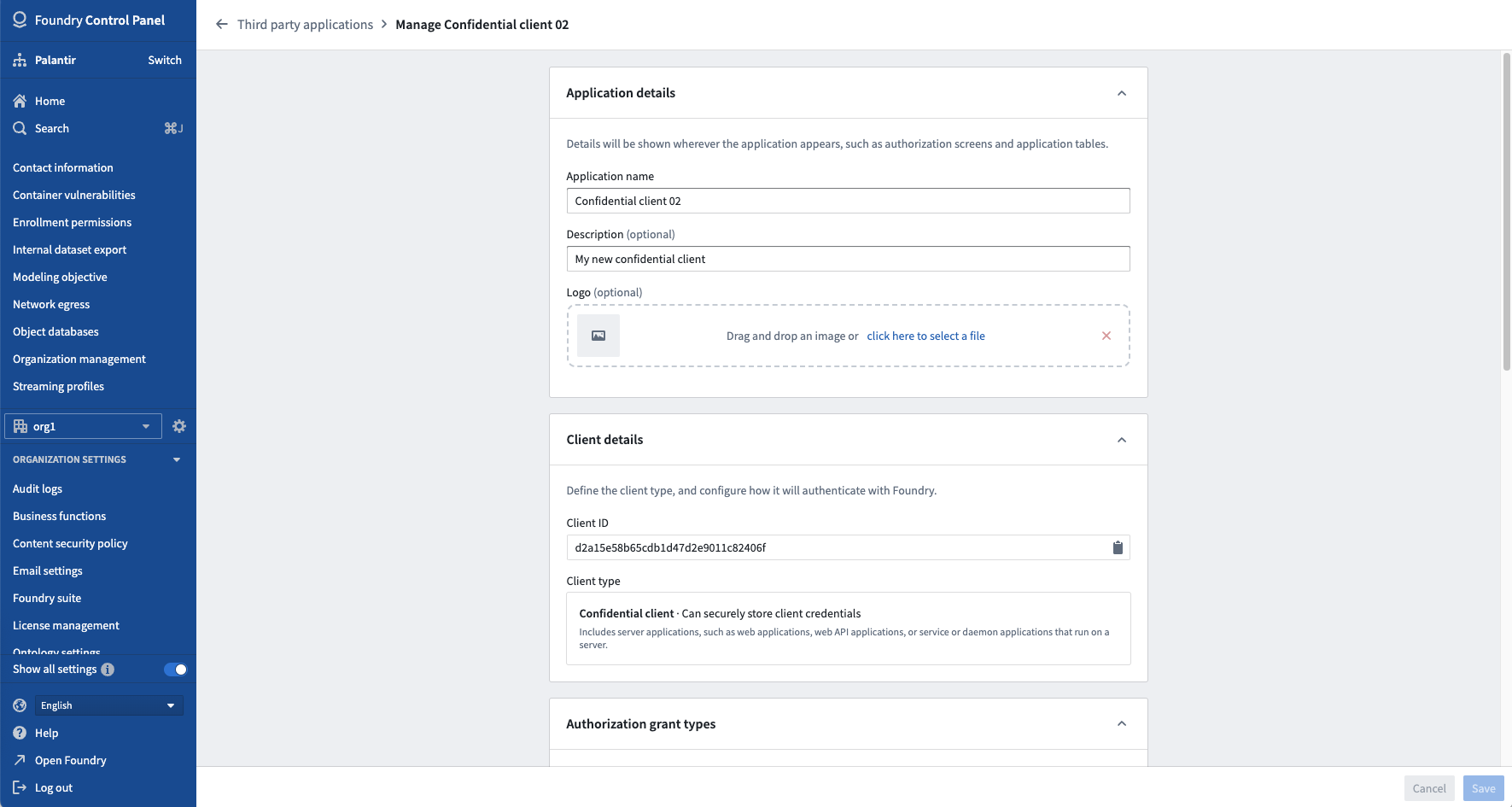
You can access the manage application interface by selecting Manage application from the Actions dropdown located to the right of an application in the third-party applications user interface. Here, you can review and edit an application’s registration such as its name, description, logo, authorization grant types, and application discovery settings.
:::callout{theme="neutral"} The Manage application interface is only available to permissioned members of the managing Organization for a third-party application.
The organization that the user creates an application in is deemed the managing organization of the application, and anyone in the organization who has the Manage OAuth 2.0 clients permission can manage the third-party application.
The managing Organization can determine which other organizations can see and use the third-party application through the application discovery settings. :::
The following is an example of a Manage application page shown for an example application:
Delete an application registration
Danger zone actions are located at the bottom of the Manage application page.
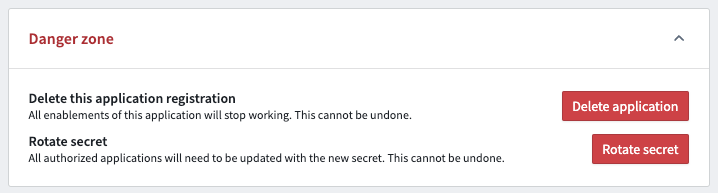
To permanently prevent users from authorizing a third-party application, the application’s registration can be revoked: that is, deleted from Foundry.
This is considered a “danger zone action” as it is irrevocable and will render the third-party application unusable by all users unless the application is re-registered. If an application is re-registered, users will have to reauthorize the third-party application since Foundry treats the re-registration as a new registration.
Learn how to delete an application's registration from the danger zone actions documentation.
中文翻译
管理第三方应用配置
:::callout{theme="warning"} 用户应使用 开发者控制台 管理其应用配置。控制面板 视图仅适用于尚未为用户启用 开发者控制台 的情况。 :::
您可以通过在第三方应用用户界面中,点击应用右侧的 操作 下拉菜单并选择 管理应用,来访问管理应用界面。在此界面中,您可以查看和编辑应用的注册信息,例如名称、描述、徽标、授权授权类型(authorization grant types)以及应用发现设置(application discovery settings)。
:::callout{theme="neutral"} 管理应用 界面仅对第三方应用管理组织(managing Organization)中具有权限的成员可用。
用户创建应用的组织被视为该应用的管理组织,该组织中拥有 管理 OAuth 2.0 客户端 权限的任何成员均可管理该第三方应用。
管理组织可以通过应用发现设置决定哪些其他组织可以查看和使用该第三方应用。 :::
以下是一个示例应用的 管理应用 页面示例:
删除应用注册
危险区域操作 位于 管理应用 页面底部。
要永久阻止用户授权第三方应用,可以撤销该应用的注册:即从 Foundry 中删除。
这被视为“危险区域操作”,因为该操作不可撤销,并且除非重新注册应用,否则所有用户将无法使用该第三方应用。如果重新注册应用,用户必须重新授权该第三方应用,因为 Foundry 会将重新注册视为新注册。
了解如何从危险区域操作文档中删除应用注册。