Core concepts(核心概念)
Sensitive Data Scanner is built on the core concepts of match conditions, match actions, and scans. Scans can be either one-time or recurring.
Match conditions
Match conditions are predefined patterns that Sensitive Data Scanner uses to identify sensitive data based on data format or values. There are two types of match conditions:
- Regular expression match conditions: A match condition that is specified via regular expression (regex). A regular expression is a sequence of characters representing patterns for matching text. For users unfamiliar with regular expressions, AIP can help create valid regular expressions that match the desired sensitive data.
- Overlap match conditions: An overlap match condition allows users to search for exact duplicates of predefined sensitive data (such as a list of names) by matching against the values in a column in an existing Foundry dataset already known to contain such data.
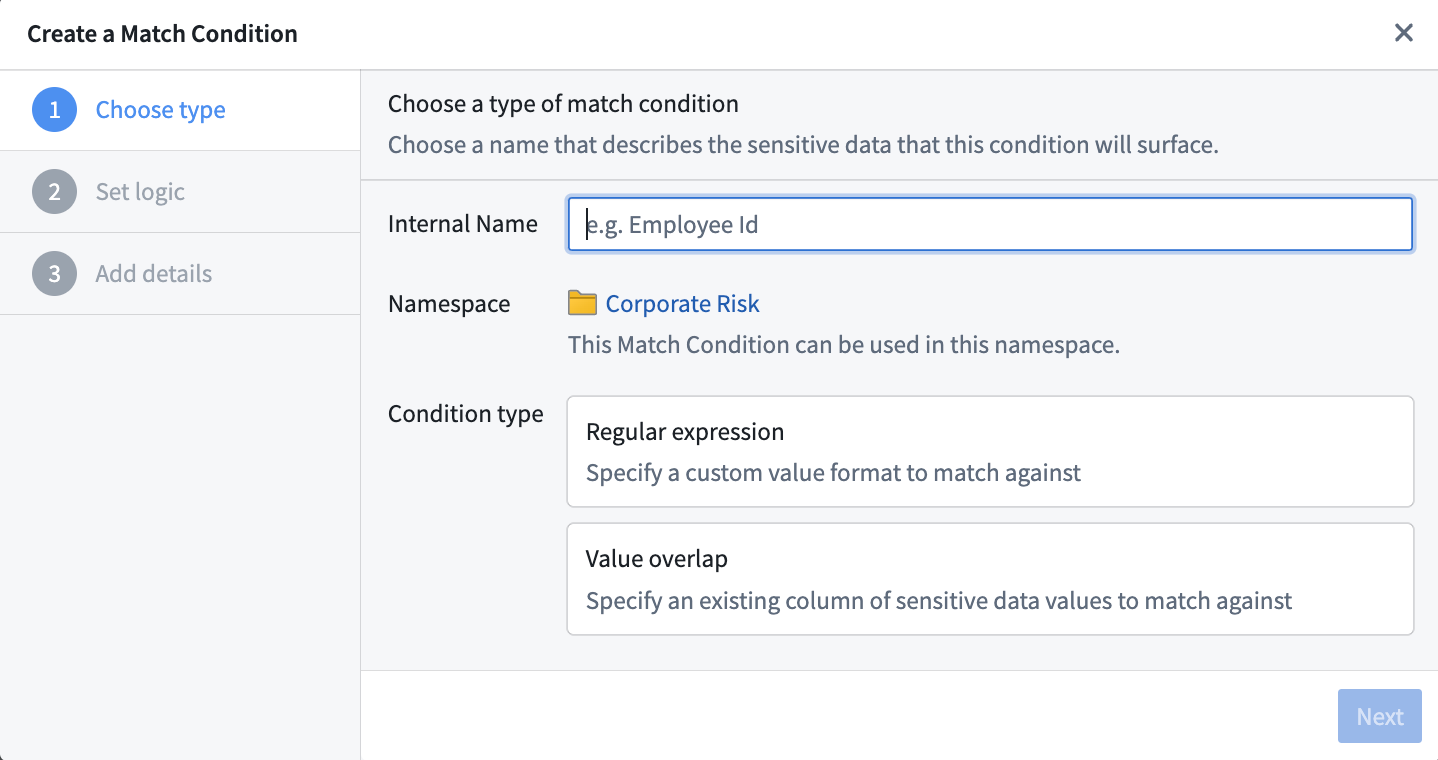
Users can create their own custom match conditions to cover the types of personally identifiable information (PII) they care about. Sensitive Data Scanner also provides a range of predefined built-in match conditions to detect common types of PII, such as Social Security numbers, e-mail addresses, and phone numbers.
Match actions
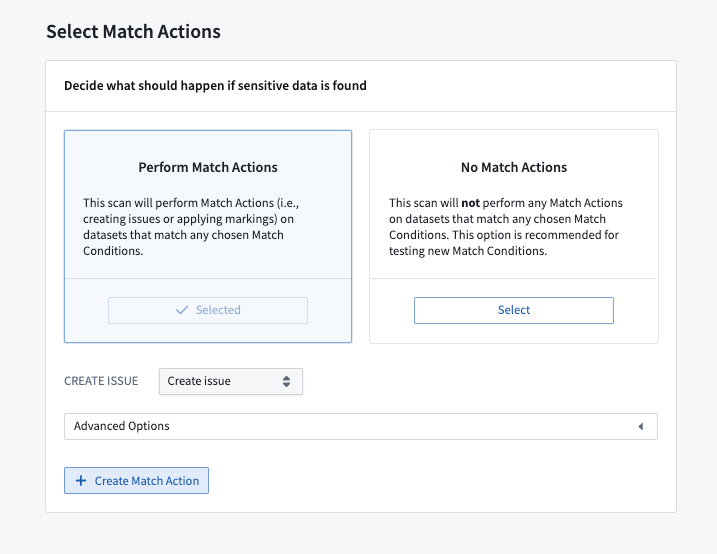
Match actions allow users to define automated actions for how sensitive data should be handled in-platform. Users can create three types of match actions:
- Create Issues: Users can set up a match action to create Issues on columns where a match is found, which enables governance teams to manually review and triage matches detected by Sensitive Data Scanner.
- Apply Marking(s): Users can set up a match action to apply one or more Markings to any dataset where a match is found in order to ensure access controls.
- Obfuscate Data: Users can set up a match action to obfuscate matched data by encrypting or hashing it using Cipher.
One-time scans
A one-time sensitive data scan performs a single search of the datasets selected by the user based on the match conditions and performs the specified match actions on any matches. One-time scans are helpful to identify data already in Foundry which is not in line with an organization’s data governance policy.
Recurring scans
A recurring sensitive data scan is similar to a one-time scan, except that a recurring scan takes place whenever new data is added to the datasets selected by the user. Recurring scans can provide ongoing and continuous assistance in identifying potentially non-compliant data, even as new data is added to the platform.
中文翻译
核心概念
敏感数据扫描器(Sensitive Data Scanner)基于匹配条件、匹配操作和扫描(scan)等核心概念构建。扫描可分为一次性扫描和定期扫描两种类型。
匹配条件
匹配条件是敏感数据扫描器用于根据数据格式或值识别敏感数据的预定义模式。匹配条件分为两种类型:
- 正则表达式匹配条件(Regular expression match conditions): 通过正则表达式(regex)指定的匹配条件。正则表达式是由字符组成的序列,用于表示匹配文本的模式。对于不熟悉正则表达式的用户,AIP 可帮助创建能匹配所需敏感数据的有效正则表达式。
- 重叠匹配条件(Overlap match conditions): 重叠匹配条件允许用户通过匹配已知包含敏感数据的现有 Foundry 数据集中的列值,来搜索预定义敏感数据(如姓名列表)的精确重复项。
用户可以创建自己的自定义匹配条件,以覆盖其关注的个人身份信息(PII)类型。敏感数据扫描器还提供了一系列预定义的内置匹配条件,用于检测常见的 PII 类型,例如社会安全号码、电子邮件地址和电话号码。
匹配操作
匹配操作用户可以定义在平台内处理敏感数据的自动化操作。用户可以创建三种类型的匹配操作:
- 创建问题(Create Issues): 用户可以设置匹配操作,在发现匹配的列上创建问题,从而使治理团队能够手动审查和分类敏感数据扫描器检测到的匹配项。
- 应用标记(Apply Marking(s)): 用户可以设置匹配操作,将一种或多种标记应用于任何发现匹配的数据集,以确保访问控制。
- 混淆数据(Obfuscate Data): 用户可以设置匹配操作,通过使用Cipher对匹配数据进行加密或哈希处理来混淆数据。
一次性扫描
一次性敏感数据扫描会根据匹配条件对用户选择的数据集执行一次搜索,并对任何匹配项执行指定的匹配操作。一次性扫描有助于识别 Foundry 中已存在但不符合组织数据治理策略的数据。
定期扫描
定期敏感数据扫描与一次性扫描类似,区别在于定期扫描会在用户选择的数据集中添加新数据时自动执行。定期扫描能够持续提供帮助,即使在平台中添加新数据时,也能持续识别可能不合规的数据。