Sensitive Data Scanner(敏感数据扫描器)
Sensitive Data Scanner (SDS, formerly known as "Foundry Inference") helps organizations discover and secure sensitive data within Foundry. Governance users can use SDS to specify patterns of sensitive data to identify, along with the appropriate automated action to take when such sensitive data is found.
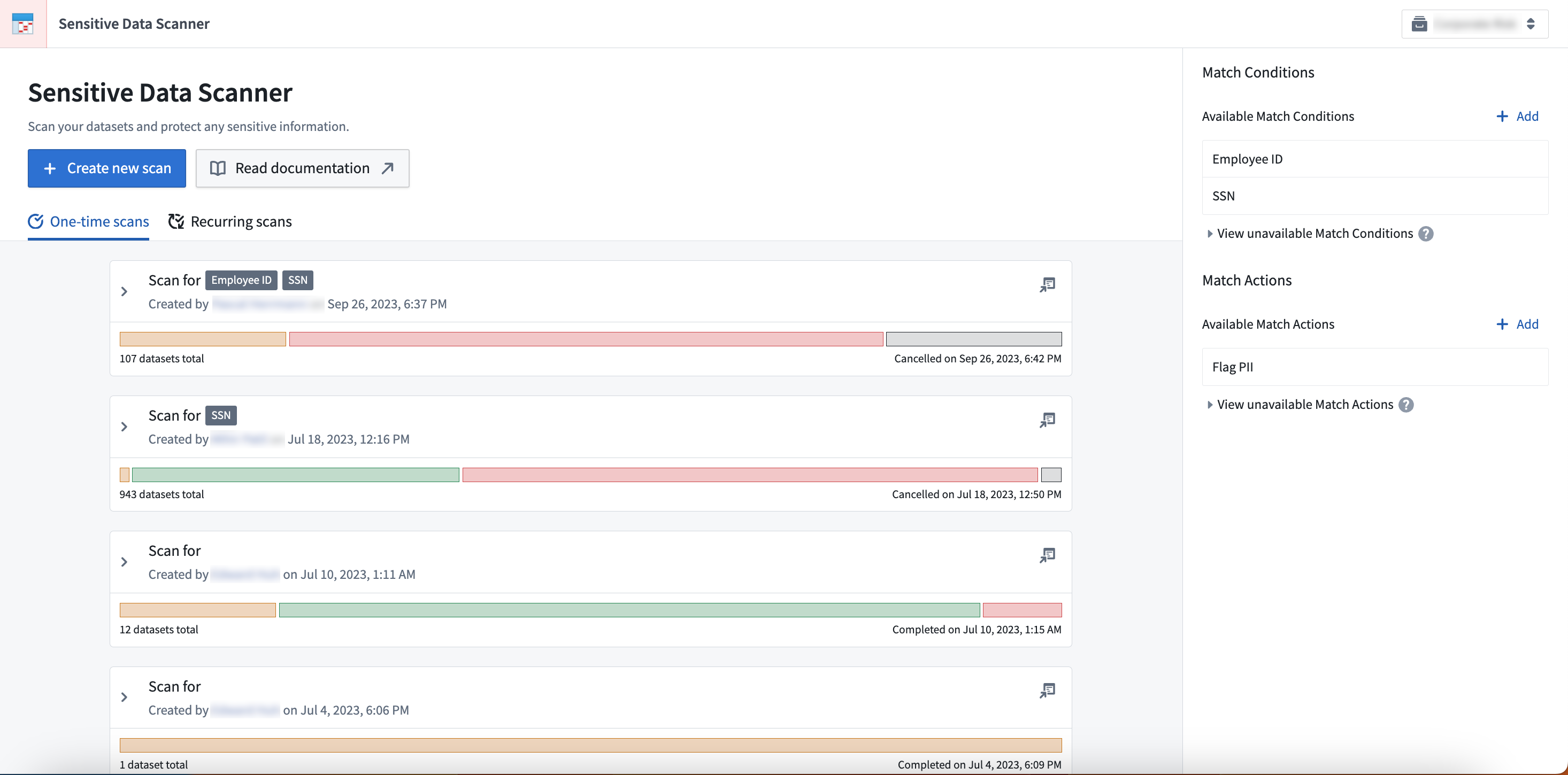
Based on these instructions, Sensitive Data Scanner can either run a one-time scan or scheduled recurring scans across all specified datasets. Sensitive Data Scanner gives governance users powerful insight and control over their data in Foundry and simplifies compliance with data protection regulations across the world.
We recommend new users review the core concepts for Sensitive Data Scanner and the instructions on how to create an Sensitive Data Scan. Review the SDS best practices guide to reduce scan compute time, boost workflow efficiency, and manage user interactions based on resource permissions.
:::callout{theme="neutral"} For other functionality in Foundry that can help your organization comply with GDPR, CCPA, LGPD and other privacy laws, see our page on data protection and governance. :::
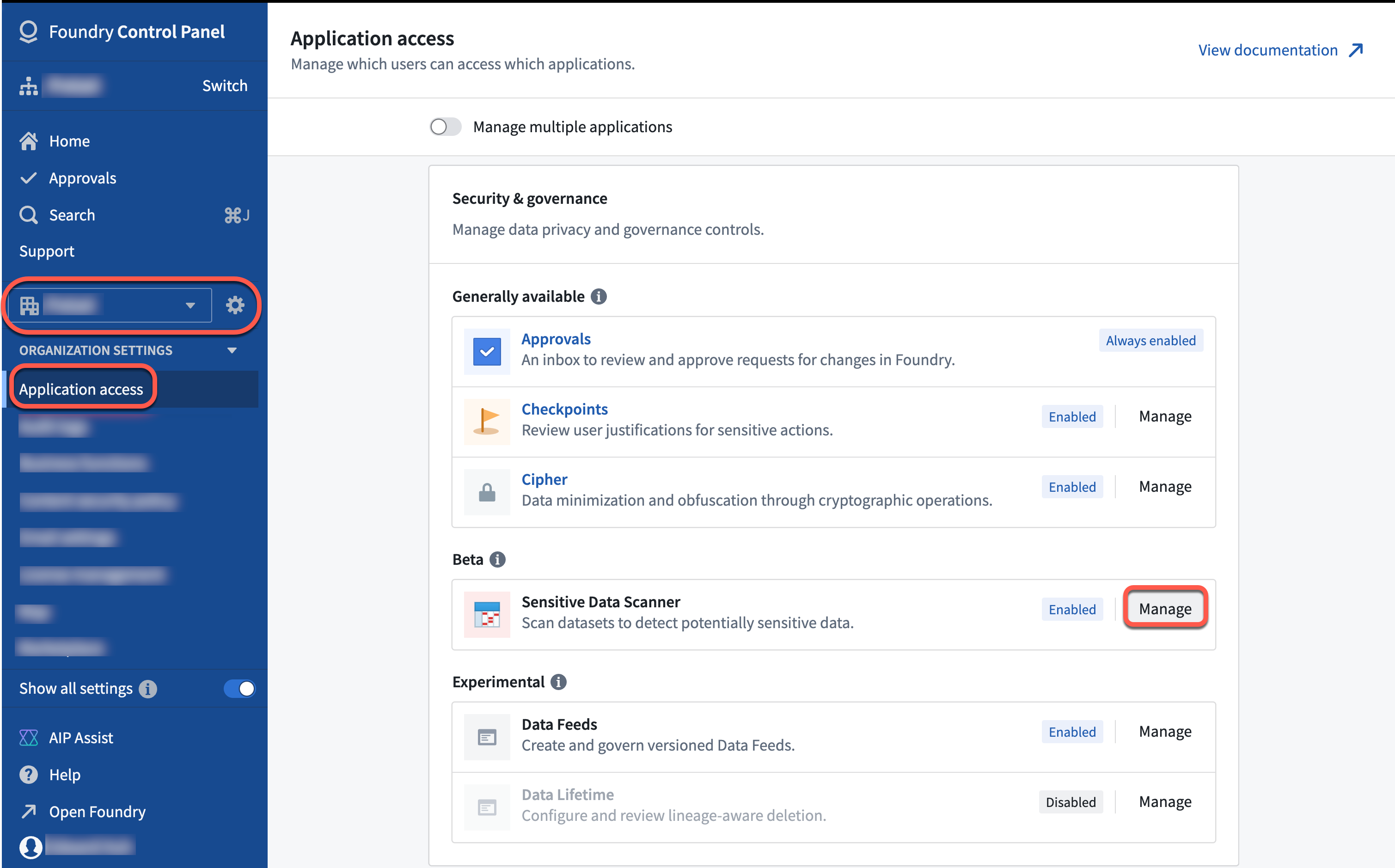
Sensitive Data Scanner may not be enabled by default on your enrollment. To enable the feature, follow the instructions below:
- Navigate to Control Panel.
- From the left sidebar, choose your Organization.
- Select Application access.
- Scroll down to find Sensitive Data Scanner under the Security and governance section, then select the Manage option.
中文翻译
敏感数据扫描器
敏感数据扫描器(Sensitive Data Scanner, SDS,原名"Foundry Inference")帮助组织在Foundry中发现和保护敏感数据。治理用户可以使用SDS指定需要识别的敏感数据模式,以及在发现此类敏感数据时应采取的自动操作。
基于这些指令,敏感数据扫描器可以对所有指定数据集执行一次性扫描或定期重复扫描。敏感数据扫描器为治理用户提供了对Foundry中数据的强大洞察力和控制力,并简化了全球数据保护法规的合规流程。
我们建议新用户先阅读敏感数据扫描器的核心概念,以及如何创建敏感数据扫描的说明。请查阅SDS最佳实践指南,以减少扫描计算时间、提高工作流效率,并根据资源权限管理用户交互。
:::callout{theme="neutral"} 关于Foundry中其他有助于组织遵守GDPR、CCPA、LGPD及其他隐私法律的功能,请参阅我们的数据保护与治理页面。 :::
敏感数据扫描器可能未在您的注册环境中默认启用。要启用该功能,请按照以下步骤操作:
- 导航至控制面板(Control Panel)。
- 从左侧边栏中选择您的组织(Organization)。
- 选择应用程序访问(Application access)。
- 向下滚动,在安全与治理(Security and governance)部分找到敏感数据扫描器(Sensitive Data Scanner),然后选择管理(Manage)选项。